
Why We Use Local Falcon (and How to Use It Correctly)

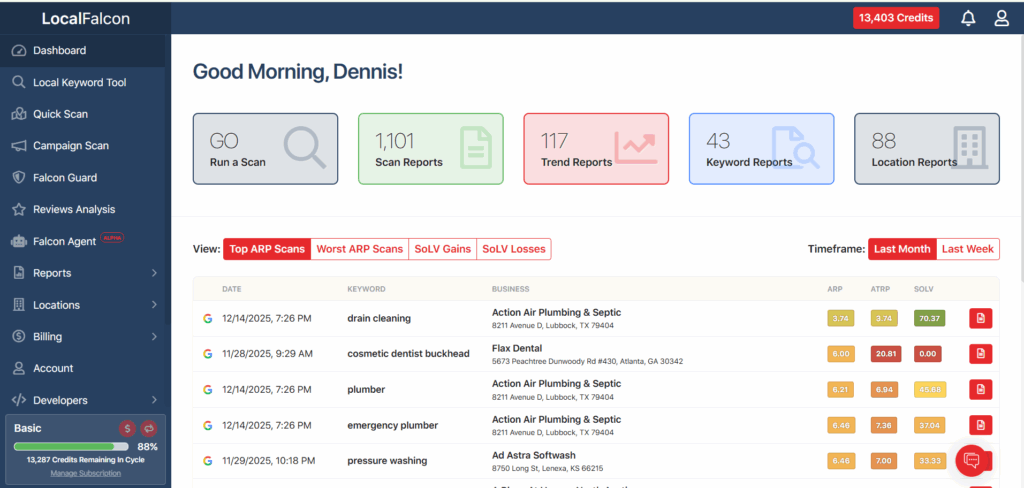
When we evaluate a Google Business Profile for a real local business (a dentist serving a defined city, a plumber covering specific neighborhoods, or a treatment center relying on phone calls) we need to see exactly where that business appears and where it does not.
That is the problem Local Falcon solves for us.
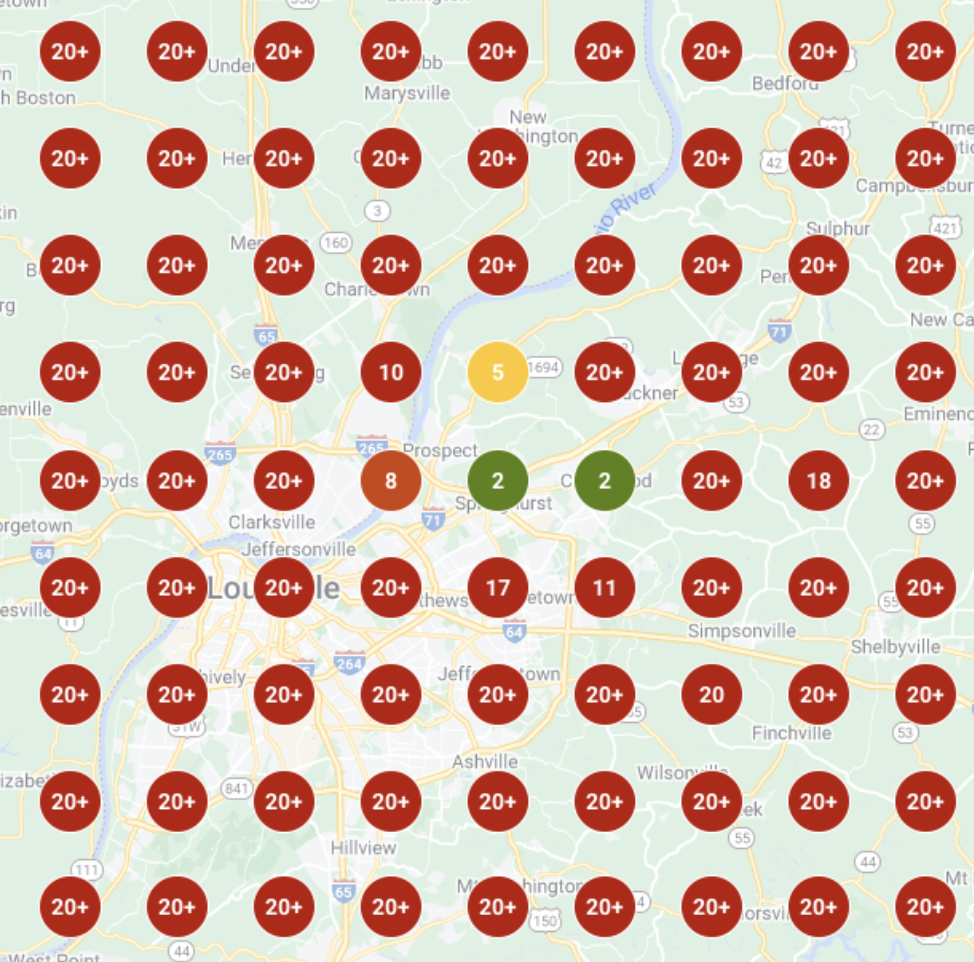
Local Falcon shows local search results as customers experience them, street by street, instead of collapsing visibility into a single averaged ranking.
Where Local Falcon Fits in Our Workflow
In a Quick Audit, it allows us to diagnose visibility gaps immediately. We can see where a business stops appearing, where competitors dominate, and whether perceived strength is driven by authority or proximity.
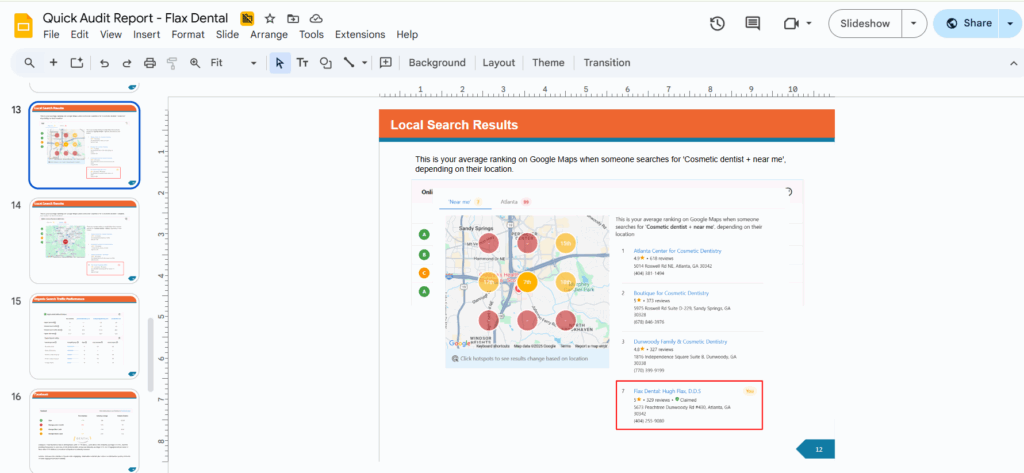
In the AI Apprentice program, apprentices learn how local rankings shift by distance, how competitors rotate across a grid, and why a single ranking screenshot has no diagnostic value.
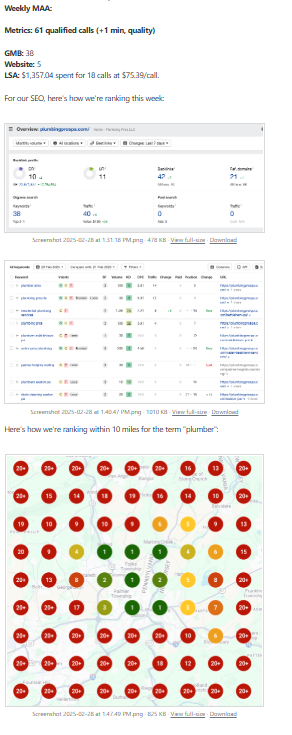
For active clients, we run Local Falcon scans weekly. This lets us track whether visibility is expanding, identify sudden drops early, and confirm that changes produced measurable movement instead of theoretical improvement.
The Mistake Almost Everyone Makes at the Beginning
Most people approach local SEO as if it behaves like traditional rankings.
They check one keyword, look at one position, and assume they understand performance. Local search does not work that way.
A business can appear dominant within a few blocks of its address and disappear entirely a short distance away. One position tells you nothing about coverage. What matters is where visibility is consistent and where it collapses.
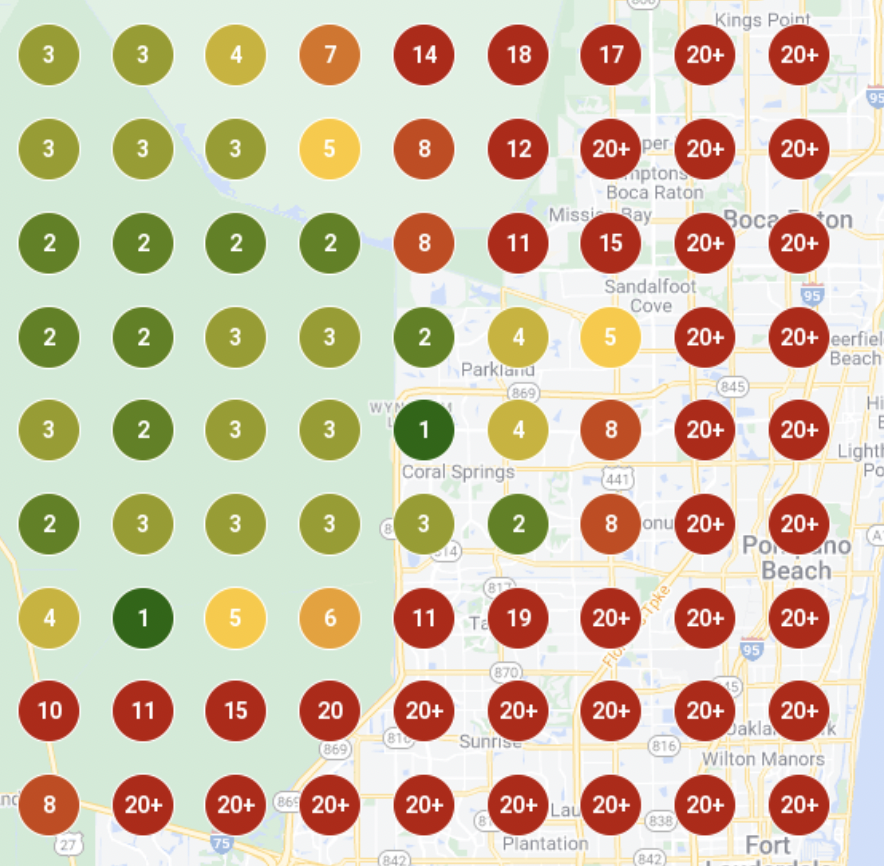
A proper local SEO tool shows distribution, not a single number.
How to Use a Local Rank Tool
Step 1: Start With One Real Keyword
The first step is choosing a keyword that would realistically lead to a call, booking, or visit. If the keyword would not generate revenue, it is not the place to start.

Step 2: Use One Location
Next, focus on one Google Business Profile. Learn how a single location behaves before comparing multiple locations or stacking scans.
Step 3: Choose a Realistic Scan Area
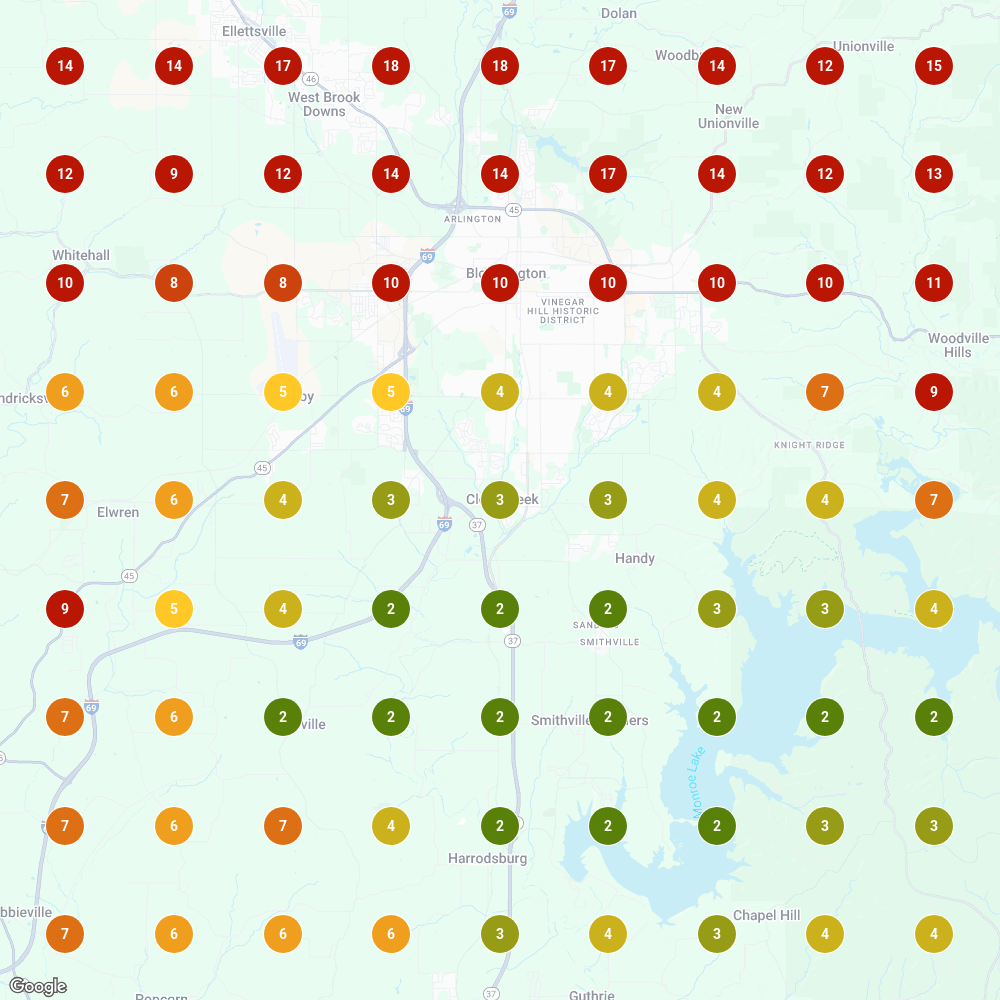
Set a scan radius that reflects how customers actually behave. A radius that is too small creates a false sense of dominance. A radius that is too large blurs the signal.
Step 4: Run the Scan and Read the Map First
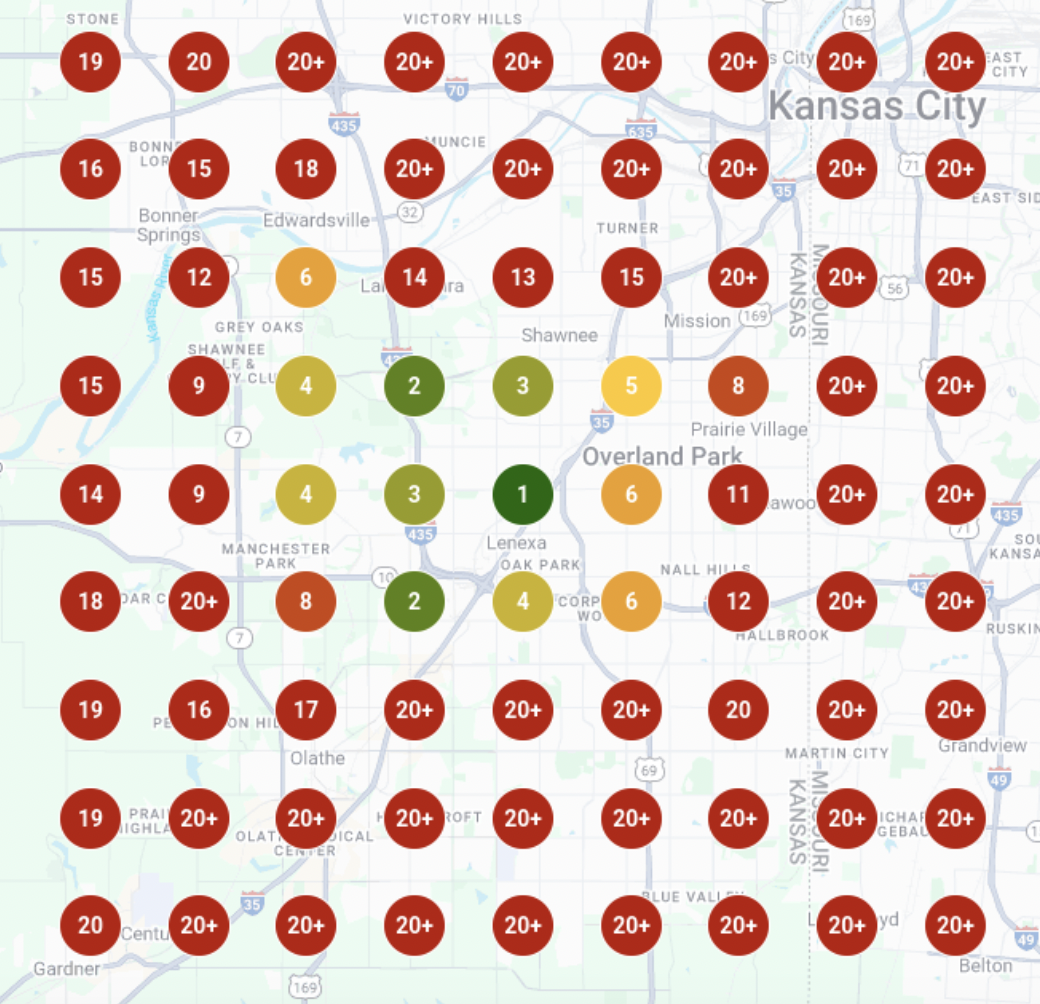
When the scan runs, read the map before looking at scores. The colors show the truth faster than the numbers. Green indicates consistent visibility. Red indicates areas controlled by competitors.
Step 5: Watch How Visibility Drops With Distance
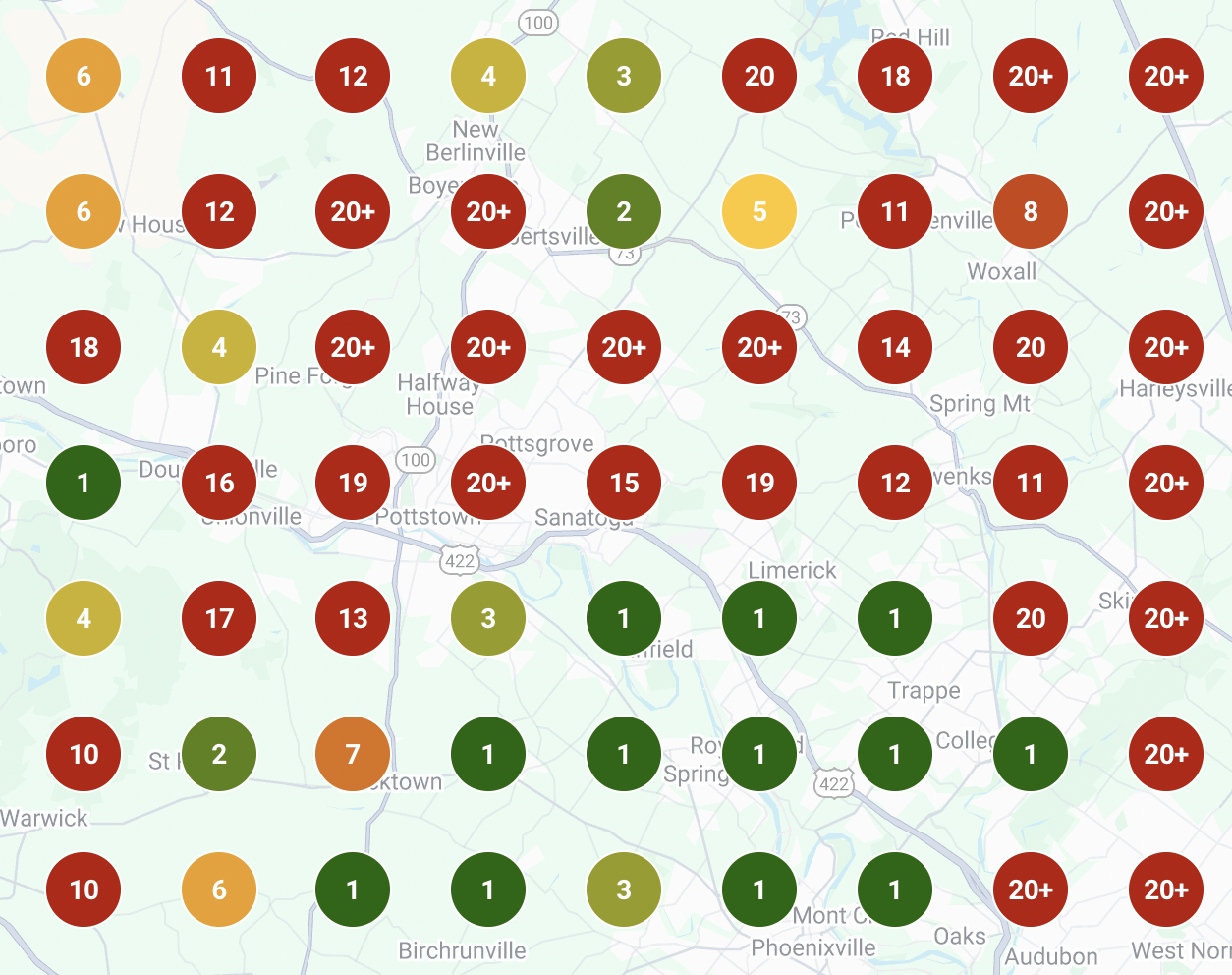
As distance increases, visibility should gradually taper. Sudden drop-offs usually indicate authority or relevance issues rather than normal proximity decay.
Step 6: Identify the Actual Competitors
Pay close attention to which businesses appear where you do not. Those are your real competitors, regardless of brand size or reputation.
Step 7: Make One Improvement
Make one change at a time. Adjust the profile, reviews, or service content, then wait. Changing multiple variables at once removes your ability to learn.
Step 8: Re-Run the Scan
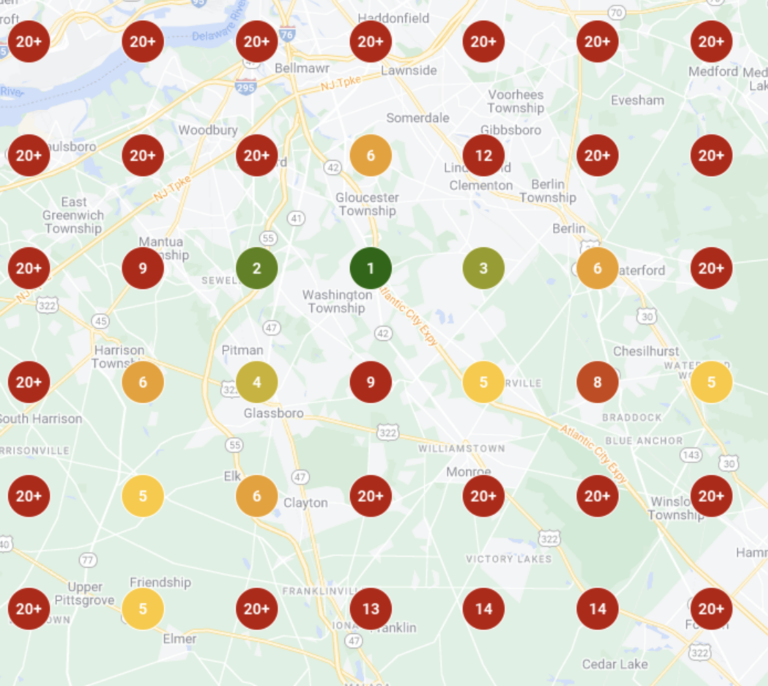
After the change, re-run the scan. If the map improves, the change worked. If it does not, it didn’t. This is why we scan weekly instead of guessing monthly.
Why This Matters
If you can see where a business appears and where it disappears, you can make informed decisions. If you cannot see that clearly, you are guessing, regardless of which tool you use.
That is why we use Local Falcon in audits, training, and weekly client work.
Because it shows reality clearly.