The Hidden Cost of Mindless “Reply All”

That you shouldn’t reply all unless it’s actually valuable to everyone.
The more people you’re replying to, the more careful you should be.

Jensen Huang, founder of Nvidia — one of the world’s most valuable companies — has a saying:

“If you send it, I will read it.”

We operate the same way. But we only want to read things that help push the ball forward.

If you’ve ever opened your inbox to find a 25-message thread you didn’t need to be on, you already know: the “Reply All” button can be dangerous.

But it’s more than just a minor annoyance– it’s often a symptom of a deeper issue: a team that lacks clarity around roles.

Specifically, who’s ResponsibleAccountableConsulted, or Informed— in other words, a team without clear RACI alignment.

As someone managing over 1,000 emails per day, I spend a huge chunk of my time filtering: What needs my input? What can be delegated? What should just be deleted? All of this wastes valuable time I could be using to build cool things.

Let’s break down what’s really happening here — and how to fix it.

When Reply-All Becomes a Crutch

A new team member recently CC’d the entire company to ask for login info to a specific tool — something only our Ops lead could’ve answered.
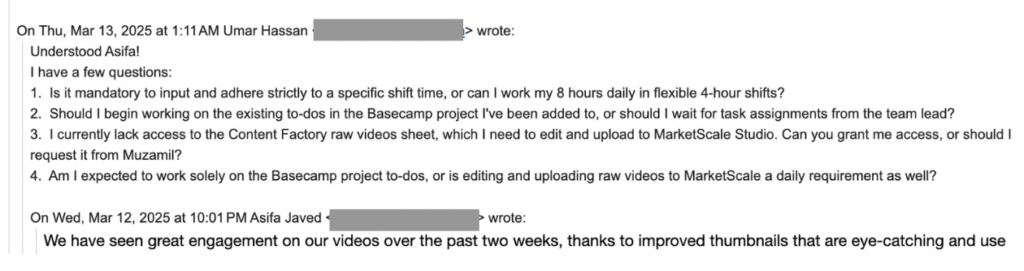
Well-intentioned? Sure. Productive? Not at all.

So why do people hit “Reply All” when they don’t need to?

Often, it’s driven by fear or insecurity:

  • “I want people to know I saw this.”
  • “What if they think I’m slacking?”
  • “Better to say something than be silent…”

But in reality, this behavior slows down decision-makingclutters inboxes, and creates a false sense of momentum.

Here’s the kicker: most people don’t realize they’re doing it. They mistake visibility for value.

A RACI Refresher (and Why It Matters)

When roles aren’t clear, everyone feels the need to say something — or worse, no one acts at all. That’s where RACI brings clarity:

  • Responsible: The person doing the work.
  • Accountable: The one who signs off.
  • Consulted: People whose input is needed.
  • Informed: People who should be kept in the loop.

“Reply All” spirals usually happen when everyone starts acting like they’re Consulted — even if they’re just Informed. Or worse, when no one knows who’s truly Responsible.

For example, imagine we need to launch a Facebook Dollar-a-day ad campaign for a client. The team member who’s responsible (R in RACI) should be the one launching it and letting the accountable person know.

But when the accountable team-member isn’t accountable, we have situations where it’s a free-for-all at best, and nothing gets completed at worst.

What It Should Look Like

Let’s say someone sends an update about a project delay.

Here’s how a functional RACI team handles it:

  • The Accountable person makes sure timelines adjust.
  • The Responsible replies (in-thread or privately) with next steps.
  • The Consulted offer insights only if asked.
  • The Informed? They stay silent — and stay informed.

What happens instead?

A flurry of “Thanks!” “Got it!” “Let me know if I can help!” — well-meaning noise that adds zero value.

Think of it like a school project where in a group of 5, two people do all the work while the other three look busy in front of the teacher. Meanwhile, they’re unintentionally slowing down the productivity of the two classmates.

How to Break the Reply-All Habit

Reply-alls and private messages are a tell-tale sign that someone isn’t used to working in a team. It isn’t just a communication problem — it’s a competency problem from us not following RACI etiquette.  

Here’s how to fix it:

  • Set communication norms. If you’re Informed, don’t feel pressure to chime in. Silence is not neglect — it’s discipline.
  • Make RACI roles explicit. Before any task or project kickoff, define who fits where.
  • Pause before replying. Ask: Does this move the task forward? Does everyone need to see this?
  • Use better tools. Slack channels, project boards, or dashboards are better for FYIs than a sprawling email thread.

While overusing “reply all” clogs inboxes and creates noise, the opposite behavior – messaging only Dennis – is often a bigger mistake.

It bypasses the team, creates bottlenecks, and forces Dennis to manually loop others back in. This breaks the system of team accountability and visibility.

Here’s why messaging only Dennis is almost always a mistake.

The Real Problem Isn’t Email

Reply-all is just a symptom. The real issue? A team that lacks competency, structure, and trust.

One of our worst reply-all threads last year involved seven people, two time zones, and three missed deadlines — all because no one knew who owned the task. That mistake cost us a client meeting and a lot of internal friction.

If we want to work with A-Players, we have to communicate like them. That means trusting each other, staying in our lanes, and speaking only when it actually helps.

You don’t need to be loud to be effective. Silence isn’t passive — it’s elite communication, provided you don’t need to be involved. 

You just need to be clear and reliable– which is what actually moves projects along.

Why People Shouldn’t Solo Message Me

If you’re working with our team, whether as a teammate, vendor, contractor, or collaborator, this is for you.

The temptation to DM

I get it. It’s easy to solo message me. I usually reply fast. It feels like the shortest path to an answer. But what seems efficient in the moment often ends up breaking the system we’ve worked hard to build.

We’ve structured things so that communication flows through the right people, not just through me.

I’m not the switchboard

It’s not that I don’t care or don’t want to help. I do. But I get 800+ messages a day, and if everyone treats me like the team’s shortcut, everything slows down.

It’s better, for you and the team, if you go directly to the person responsible. That’s who can actually get it done. You don’t need me as the middleman.

Think like a team

Imagine a hospital where every patient tries to talk directly to the top surgeon for every appointment, follow-up, or billing question. That system breaks immediately. Not because the surgeon doesn’t want to help, but because the whole operation collapses when one person is overloaded.

Same goes here. We built a team for a reason. Everyone has a role, and we need to respect that if we want to move fast and stay sane.

We created the Level 1 Guide to make this easier for new folks, virtual assistants, and anyone unfamiliar with how a high-functioning team operates.

Clients are the exception

Of course, clients can reach out directly. They’re not expected to navigate our internal structure. But internally, we have to hold the line.

We can’t afford to spend time coaching teammates one-on-one when the answers already exist in our training or belong with someone else on the team.

Use RACI

We follow the RACI framework:

  • Responsible – Person doing the task.
  • Accountable – Person answerable for the result.
  • Consulted – People giving input.
  • Informed – People who just need to know.

Most direct messages to me fall into the “I” bucket. That means I don’t need to be asked; I just need to be looped in. And if I’m not the “R” or “A” in the situation, you’re better off messaging someone else.

When people default to messaging me, it creates confusion about who’s actually responsible. It also creates delays, since I’m often not the one doing the work.

How to email like a pro

Need to keep me in the loop? Great. Cc me. That’s all.

But if you need a decision, update, or action, send it to the right person. I’m not ignoring you; I’m making sure the team functions without me needing to play firefighter on every task.

Don’t do this:

  • Email me only, asking for updates or input.

Do this instead:

  • Send the message to the person doing the work. Loop me in as “Informed” only if needed.

Kill the “Reply All” monster

The other common mistake? Hitting reply all like it’s a team sport.

Copying everyone on every message doesn’t help. It muddies the waters and makes it harder to track who’s actually responsible. If everyone’s on the thread, no one’s owning the task.

Before you hit send, ask:

  • Who needs to take action?
  • Who just needs to know?
  • Who doesn’t need to be included?

That’s how high-performing teams communicate on purpose, not on autopilot.

Bottom line

If you’ve been DM’ing me by default, don’t worry, lots of folks start that way. But now you know.

Follow the process. Respect the roles. Use the systems we’ve built. That’s how we scale.

We built the Level 1 VA course to make this easy. Read it. Use it. Become the teammate others want to work with.

How to Turn Complex Ideas Into Something People Can See

Most business owners don’t fail because they’re missing information.
They fail because the message they’re trying to send isn’t being seen the way they think it is.

That point hit me hard during a call with Dennis Yu and Jack Wendt. We were reviewing progress on the cover for our Google Knowledge Panel book that explains the entire process for local service businesses. I was stuck. I kept circling the same surface-level ideas, trying to make technical concepts look visually appealing.

Then Dennis reframed everything.

What he said wasn’t memorized, rehearsed, or scripted. It was him breaking down something simple in a way that cut right to the point:
If people can’t see the idea, they won’t understand it. And if they don’t understand it, they won’t value it.

That single idea changed the direction.

Why Words Weren’t Enough

We already know how to explain the Knowledge Panel system:
how it connects trust signals, organizes your digital presence, and helps Google understand who you are.

But Dennis pointed out that none of that matters unless the business owner can visualize what’s happening.

He compared it to looking at your reflection.

You might have success in the real world—happy clients, strong reviews, awards, a solid reputation—but when you search your own name, the “digital mirror” rarely reflects that truth.
You’ll find outdated information, unrelated people, inconsistent profiles, and mixed-up entities.

The message was simple:
If your reflection is distorted, people won’t see you clearly.

And that’s exactly the point of a Knowledge Panel.

Dennis’s Visual Examples That Changed Everything

Dennis went deeper with a set of visualization examples that helped me finally “see” what he meant:

1. The Reflective Lake

A successful business owner stands at the edge of a lake.
He’s surrounded by gold, 5-star reviews, customer praise—everything that represents real trust.

But when he looks in the water?
He doesn’t see that.

The reflection is blurry, faded, confused.
Waves distort his face.
The image doesn’t match reality.

That’s what Google does when your digital presence isn’t clear.

2. The Foggy Mirror

Imagine a pristine, expensive bathroom inside a beautiful home.
The business owner looks confident—until he looks in the mirror labeled “Google.”

The mirror is fogged over.
You can only see a faint version of his face.
He’s there, but not recognizable.
A faint question mark floats in the condensation.

The outside world sees the room clearly.
The mirror—the digital reflection—is the only thing that’s unclear.

3. The Young Adult “Superman” Transformation

This one also stuck with me.

A quiet, unsure teen walks into a phone booth.
He steps out equipped with the skills, clarity, and confidence needed to help a business owner fix their online presence—almost like a transformation scene.

That’s what High Rise Academy does for young adults, and why our work ties directly into the Knowledge Panel system.

These examples helped me understand what the book and the project need to communicate visually:
Not the mechanics—but the clarity and transformation that business owners actually experience.

The Real Lesson: Clarity Isn’t a Feature. It’s the Foundation.

Dennis explained something I had never fully understood until this call:
people buy clarity, not instructions.

Complex ideas won’t always be understood if the idea isn’t presented in a way they can instantly see. But once you can visualize it everything else clicks into place.

That applies to:

  • The book
  • High Rise Academy
  • How we train young adults
  • How we communicate with business owners
  • Every Knowledge Panel or personal brand project we build

It even applies to how we design covers, thumbnails, and frameworks.
The image has to tell the story before the words ever begin.

Why This Matters for High Rise Influence

High Rise Influence isn’t about showing people a set of tactics.
It’s about helping them understand why their digital identity is unclear—and giving them the tools and people who can fix it.

This moment on the call reminded me why building visuals that communicate the true value matters so much.

The business owner needs to see the gap.
The young adult needs to see the path.
And the brand needs to show both instantly.

That level of clarity changes everything.

Why You Should Add a 301 Redirect Instead of Just Trashing an Article

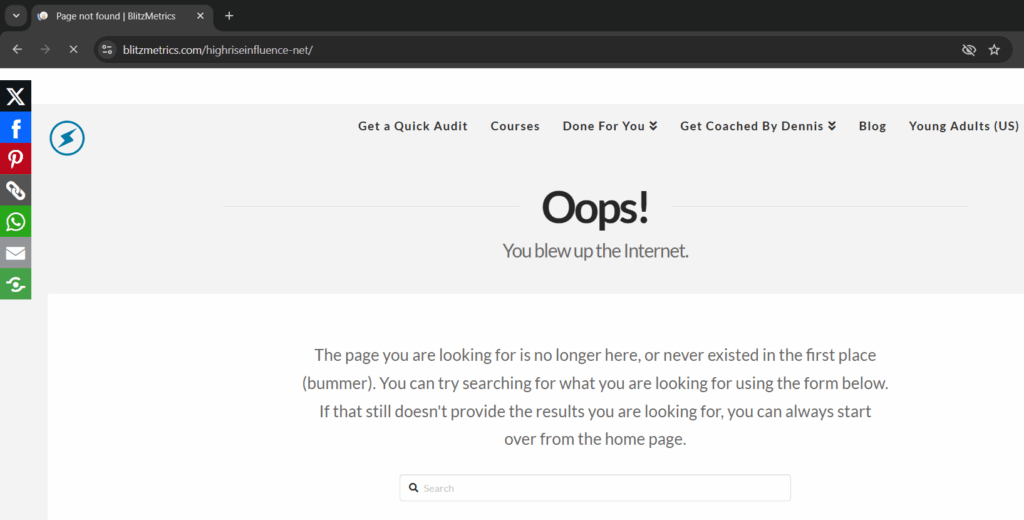
When you find an empty, outdated, or broken article on your site, your first instinct might be to delete it. But before you send it to the trash, pause. If that URL has ever been published, indexed, or linked, you’re throwing away valuable SEO equity.

What happens when you delete a Page

When you hit “Trash,” WordPress sends that URL into oblivion. Anyone visiting the old link, whether from Google, social media, or someone’s bookmark, will now get a 404 (Page Not Found) error.

That means:

  • You lose all the SEO authority that page built up over time.
  • Users hit a dead end, which kills trust and increases bounce rates.
  • Google eventually drops it from the index, which can weaken your site’s overall structure.

Why a 301 redirect is the smart move

A 301 redirect tells search engines and browsers, “This page has permanently moved.”

It passes nearly all of the link equity from the old URL to the new one keeping your SEO value intact.

It’s also good UX. Instead of landing on an error page, visitors are automatically taken to a relevant page that still helps them.

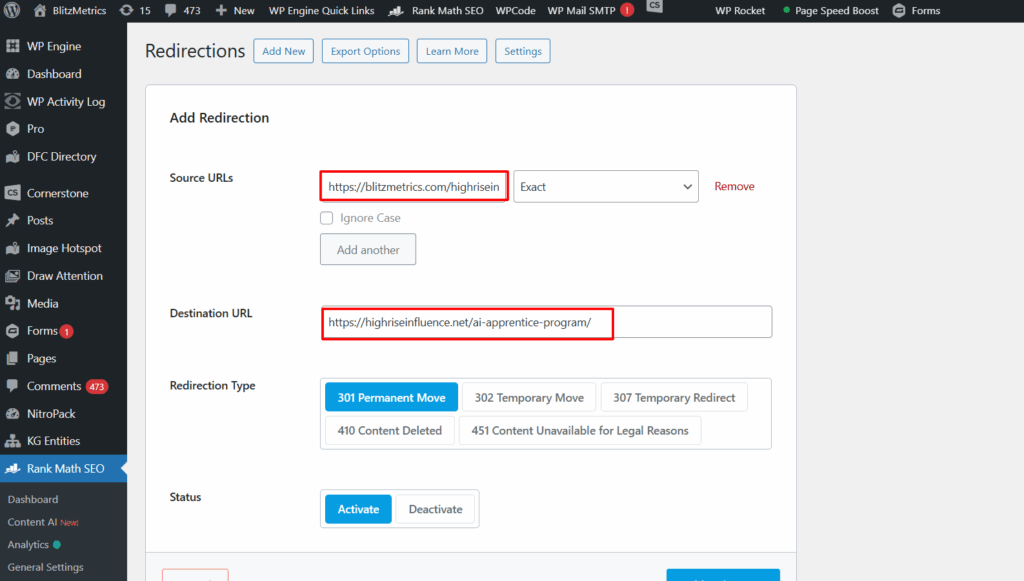
In the case of the article https://blitzmetrics.com/highriseinfluence-net/, which was empty, we didn’t just delete it. We redirected it to the AI Apprentice program page, a live, relevant destination that keeps traffic flowing instead of wasting it.

When to use a 301 redirect

Use a 301 redirect whenever:

  • The page is outdated or replaced with a new version.
  • You’ve merged multiple articles into one.
  • The URL structure changes (e.g., rebranding, domain migration).
  • The content no longer exists but there’s a related topic that fits.

How to add a 301 redirect

If you’re on WordPress:

1. Use a plugin like Rank Math, Redirection, or Yoast SEO Premium.

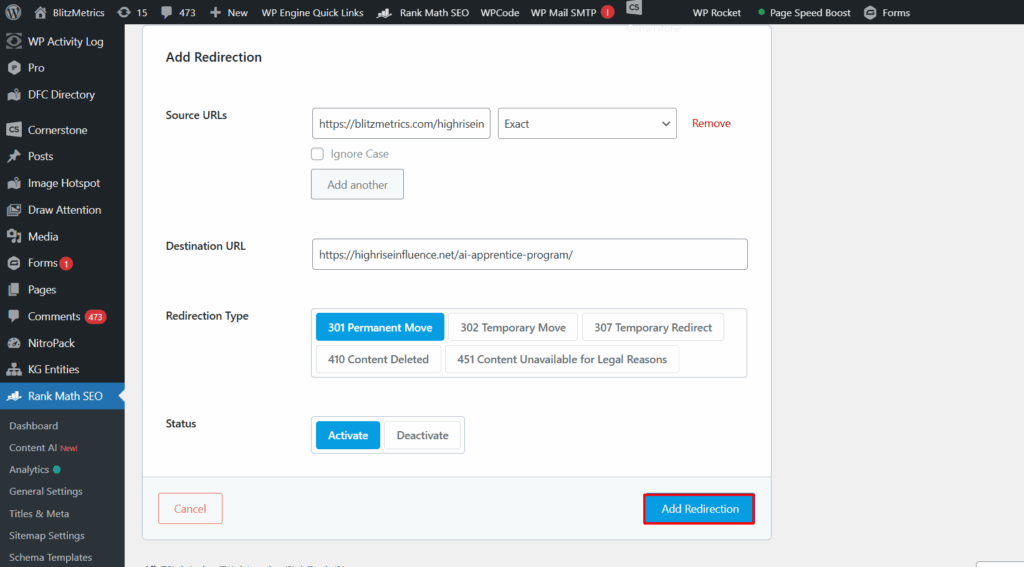
2. In the plugin’s Redirects section, enter:

— Source URL: the old page (e.g., `/highriseinfluence-net/`)

— Target URL: where you want it to go (e.g., `/ai-apprentice-program/`)

3. Save the redirect and test it.

That’s it, your link equity and user experience are safe.

Final thought

Never delete a page that’s been published without adding a 301 redirect first. Think of it like forwarding your mail when you move; it’s common sense, it keeps people from getting lost, and it preserves everything you’ve built.

Why You Should Never Use Stock Art

We have a chronic problem in our materials, and it’s not subtle.
It’s stock art.

You know exactly the species:

  • Stick-figure crowds that look like they escaped from ClipArt rehab.
  • Fake-smiling business people who have clearly never run an actual business.
  • Random gradients someone tossed in because “the page needed something.”

Stock art isn’t just inauthentic; half the time it’s not even relevant. It’s visual filler. And despite calling it out in threads, updating training, and telling people loudly not to use it, stock art keeps sneaking back in like a raccoon raiding the dumpster behind Applebee’s.

But there’s a deeper issue. And it has nothing to do with design skills.

The real problem: No experience = no expertise

Stock art shows up when someone doesn’t actually understand what they’re trying to communicate.

It’s easier to paste a cute icon than it is to:

  • Map out a funnel from a real campaign.
  • Show the real metrics.
  • Pull real screenshots.
  • Explain the real logic behind the system.

And this is where we run headfirst into EEAT, specifically the first E: Experience.

Google rewards content grounded in firsthand proof. So do real users. When you throw in stock art, you’re broadcasting the opposite: “I don’t have anything real to show you.”

Nothing demolishes credibility faster.

Stock art = evidence of no actual doing

Here’s the pattern we see all the time:

We talk about performance benchmarks.
We break down funnels.
We show TikTok metrics.
We emphasize real examples, real screenshots, real campaigns.

Then someone uploads… a blue stick-figure holding hands with 11 of its closest stick-friends.

Why?

Because stock art gives the illusion of completion without demonstrating any experience.

And without real experience, you don’t have expertise. Without expertise, you can’t teach. That’s the whole point of Learn → Do → Teach. The order matters.

What belongs in our materials instead

Only things that reflect real work done by real practitioners:

  • Authentic screenshots.

Andrii Melnyk (ARDMOR Windows & Doors)

  • Real campaigns.
  • Real dashboards.
  • Real funnels drawn from real data.
  • Simple diagrams that match how the system actually works.

These aren’t decorations. They’re evidence.
Evidence of experience. Evidence of understanding. Evidence of actual EEAT.

A simple rule:

If you wouldn’t show it to a paying client, don’t put it in our training.

Why stock art hurts our brand

Let’s be blunt:

❌ It destroys authenticity.

People can smell generic content a mile away. It instantly lowers trust.

❌ It’s usually irrelevant.

Stock art rarely reinforces a concept. It’s just visual noise.

❌ It signals “I don’t understand this.”

This is the killer. When someone fills space instead of providing clarity, the entire training degrades.

❌ It hurts our EEAT.

Google prefers content with real images/video because it demonstrates firsthand experience.
Stock art does the exact opposite.

❌ It links us to low-quality sites.

Right-click search any stock image and you’ll find it on:

  • crypto scams.
  • random spam blogs.
  • some guy’s homemade “entrepreneur motivation” poster from 2012.

Not the company we want to keep.

How we fix this, permanently

The answer isn’t “find better art.”

The answer is do real work, then document it.

If you’re contributing to training, you’re not a decorator. You’re a practitioner teaching from experience. That means:

  • If you can’t explain the metric, don’t include an image
  • If you don’t know where something belongs in the funnel, ask
  • If you’re unsure whether an image fits, it doesn’t
  • If you feel tempted to use stock art… shut the laptop, take a breath, and delete it

Our materials must come from actual experience — not Shutterstock and not AI-generated Web 1.5 clip art.

The bottom line

Stock art has no place in materials meant to build trust, teach systems, or prove competence.

Use real images.
Use real video.
Use real proofs of work.

Not because it “looks nicer.”
Because it satisfies the first E in EEAT — Experience.
Without that, nothing else matters.

Our brand deserves better.
Our training deserves better.
And the people learning from us deserve materials that are accurate, authentic, and grounded in real experience.

Let’s publish content so real, so credible, and so obviously practitioner-driven…
that nobody ever reaches for stock art again.

Congrats — You Just Earned a High Rise Influence Link

If you’ve landed on this page, it’s because we featured you in one of our articles which means you just picked up a high-quality, contextually relevant backlink from HighriseInfluence.net.

Nice work. Most sites never get even one legit mention.

About our site (and why this link matters)

HighriseInfluence.net is still growing (our Domain Rating is DR7 at the moment) but don’t let the number fool you.

In SEO, context and relevance often beat raw power.

  • Our site sits squarely in the personal branding, authority building, and reputation growth space.
  • We publish content tied to entrepreneurs, local service pros, agencies, and thought leaders.
  • Every outbound link we give is intentional and topic-aligned, not random spam or profile links.

That means the link pointing to you is:

✔ Do-follow.
✔ Clean and natural.
✔ Surrounded by relevant content.
✔ Coming from a real brand with real activity.

And yes, Google notices that.

Why a DR7 link still helps

Would you rather get a DR63 backlink? Sure. Who wouldn’t?

But here’s the reality most SEO “gurus” won’t tell you:

A single contextually aligned link often moves rankings more than a higher-DR link that’s off-topic.

Your new link from Highrise Influence passes:

  • Topical authority.
  • Entity association (your name/business connected to ours).
  • Relevance (Google loves niche-aligned sources).
  • Trust signals from a legitimate business publishing original content.

These help your site’s SEO no matter what your current DR is.

How to see the impact

If you use tools like Ahrefs, SEMrush, or MOZ, you’ll notice:

  • New referring domain.
  • Increased backlink count.
  • Potential movement in your keyword rankings over the next few weeks.
  • Stronger entity signals for your brand.

If your site is under DR20, every high-quality backlink is a big deal. The early ones move the needle the most.

Share the win

You earned a legitimate feature; don’t keep it quiet.

Post on your social channels, tell your audience you were mentioned, and link back to the article. Not only does it help your SEO even more, it amplifies your authority.

Keep rising

Congrats again on being featured.

Keep building, keep showing up, and keep stacking wins like this.

Payroll Schedule

Please review the payroll table below for all pay periods, invoice deadlines, and payment dates for 2025.

Be sure to read the invoice guidelines so you get paid on time.

2025 payroll schedule

Start DateEnd DateInvoice Submission DeadlinePayment Deadline
Fri, Dec 20, 2024Thu, Jan 2, 2025Mon, Jan 6, 2025Mon, Jan 13, 2025
Fri, Jan 3, 2025Thu, Jan 16, 2025Mon, Jan 20, 2025Mon, Jan 27, 2025
Fri, Jan 17, 2025Thu, Jan 30, 2025Mon, Feb 3, 2025Mon, Feb 10, 2025
Fri, Jan 31, 2025Thu, Feb 13, 2025Mon, Feb 17, 2025Mon, Feb 24, 2025
Fri, Feb 14, 2025Thu, Feb 27, 2025Mon, Mar 3, 2025Mon, Mar 10, 2025
Fri, Feb 28, 2025Thu, Mar 13, 2025Mon, Mar 17, 2025Mon, Mar 24, 2025
Fri, Mar 14, 2025Thu, Mar 27, 2025Mon, Mar 31, 2025Mon, Apr 7, 2025
Fri, Mar 28, 2025Thu, Apr 10, 2025Mon, Apr 14, 2025Mon, Apr 21, 2025
Fri, Apr 11, 2025Thu, Apr 24, 2025Mon, Apr 28, 2025Mon, May 5, 2025
Fri, Apr 25, 2025Thu, May 8, 2025Mon, May 12, 2025Mon, May 19, 2025
Fri, May 9, 2025Thu, May 22, 2025Mon, May 26, 2025Mon, Jun 2, 2025
Fri, May 23, 2025Thu, Jun 5, 2025Mon, Jun 9, 2025Mon, Jun 16, 2025
Fri, Jun 6, 2025Thu, Jun 19, 2025Mon, Jun 23, 2025Mon, Jun 30, 2025
Fri, Jun 20, 2025Thu, Jul 3, 2025Mon, Jul 7, 2025Mon, Jul 14, 2025
Fri, Jul 4, 2025Thu, Jul 17, 2025Mon, Jul 21, 2025Mon, Jul 28, 2025
Fri, Jul 18, 2025Thu, Jul 31, 2025Mon, Aug 4, 2025Mon, Aug 11, 2025
Fri, Aug 1, 2025Thu, Aug 14, 2025Mon, Aug 18, 2025Mon, Aug 25, 2025
Fri, Aug 15, 2025Thu, Aug 28, 2025Mon, Sep 1, 2025Mon, Sep 8, 2025
Fri, Aug 29, 2025Thu, Sep 11, 2025Mon, Sep 15, 2025Mon, Sep 22, 2025
Fri, Sep 12, 2025Thu, Sep 25, 2025Mon, Sep 29, 2025Mon, Oct 6, 2025
Fri, Sep 26, 2025Thu, Oct 9, 2025Mon, Oct 13, 2025Mon, Oct 20, 2025
Fri, Oct 10, 2025Thu, Oct 23, 2025Mon, Oct 27, 2025Mon, Nov 3, 2025
Fri, Oct 24, 2025Thu, Nov 6, 2025Mon, Nov 10, 2025Mon, Nov 17, 2025
Fri, Nov 7, 2025Thu, Nov 20, 2025Mon, Nov 24, 2025Mon, Dec 1, 2025
Fri, Nov 21, 2025Thu, Dec 4, 2025Mon, Dec 8, 2025Mon, Dec 15, 2025
Fri, Dec 5, 2025Thu, Dec 18, 2025Mon, Dec 22, 2025Mon, Dec 29, 2025

Invoice guidelines

Creating your invoice

  • Don’t leave your timer running while you build the invoice; this isn’t “billable admin time.”
  • Do not create an invoice during the active pay period.
  • Double-check:
    • Period covered.
    • Invoice deadline.
  • Follow the required invoice format.

TimeCamp requirements

  • Review your entries:
    • No task should exceed 3 hours.
    • No blank timestamps, aka leaving the timer running while you wander off.
  • Bill only for assigned tasks..
  • Attach your TimeCamp report as additional pages in your invoice.

Submitting your invoice

  • Export your invoice as a PDF.
  • Email it to accounting@yourcontentfactory.com and CC your team lead.
  • Send only once. Please resist the urge to “just follow up” immediately.
  • If something needs fixing, you’ll get feedback within the day. No need to follow-up.

I Love to EEAT

Over 80% of the internet is spam and your website is guilty until proven innocent.

Google decides who’s innocent using EEAT—experience, expertise, authority, and trust.

As a search engine engineer at Yahoo! 25 years ago, my job was to protect the algorithm from spam sites or info that wasn’t relevant from appearing on your results page.

25 years later Google still implements roughly the same guidelines.

Google’s guidelines for sorting what websites were relevant for a long time was EAT, which stands for expertise, authority, and trust.

In layman’s terms, if you want your site to benefit from SEO you have to demonstrate you’re an expert in your field, you’re authoritative on the subject your website is about, and show that enough people trust you.

The benefits for doing this was an increase in your site’s rankings, allowing you to rank higher on the search terms you care about and to give your site more “SEO Juice”. If your website is guilty until proven innocent, implementing EAT was your proof of innocence.

A few months ago Google changed EAT to EEAT, adding an extra E for experience.

Now – Google wants to see more stories of who you’ve helped and videos of how you’ve helped them. It wants to give priority to businesses who overwhelmingly prove they do what they say they do, in the area they say they do it in.

Many “SEO Experts” will claim that they have some secret black hat formula for increasing site rankings. But real search engineers like myself know that implementing proper EEAT is the most important “SEO trick” you can do for your website to grow your SEO.

Whether it’s to get more calls for your local service business, get more sales for your book, or get your name out there so you can get a Google Knowledge Panel, this is how you do it.

Here’s how to implement EEAT with examples, so you can do it too.

Expertise

When you’re sick, why do you visit a doctor’s office instead of self-diagnosing?

It’s because they know more about health and the human body than you do.

The reason why anyone trust anyone else is because they’ve done or seen something before, know what it is, and know how to fix it.

The reason I speak at over 50 conferences a year is because of that level of expertise which has taken decades to generate in the field of digital marketing.

If you visit my website, DennisYu.com, you can see that expertise in the articles I write and the problems I’ve helped solve. Many local service business do this in the form of FAQ’s.

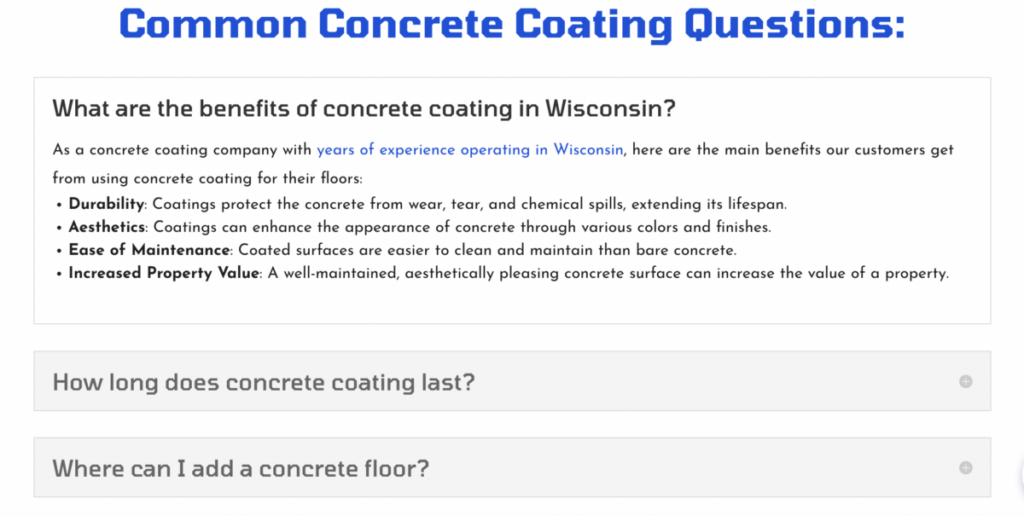
Take for example my friend Greg Beebe, who runs Excel Concrete Coatings. What he’s done is take PAA (people also ask) questions on google related to concrete coatings and answered them directly on his website.

Excel Concrete Coatings answering Google PAA questions

This is just one of the many ways you can demonstrate expertise to Google and to your customers.

What’s something that you document on your website that few others know in your field? What makes you an expert in your line of work?

PAA questions are a great way of demonstrating expertise, but truly think about what questions you can answer on your website that show you’re an expert.

Experience

Using the doctor analogy, would you trust a surgeon to give you heart surgery who’s never done the operation before? Probably not.

So why then, would you pay an agency or local service business who has no proof they’ve done anything successful before?

Google (and the people who you want to buy your offer) want you to show overwhelming experience that you do a good job at what you say you do, in the area you say you do it in. The best way to demonstrate experience for Google and your clients is with stories.

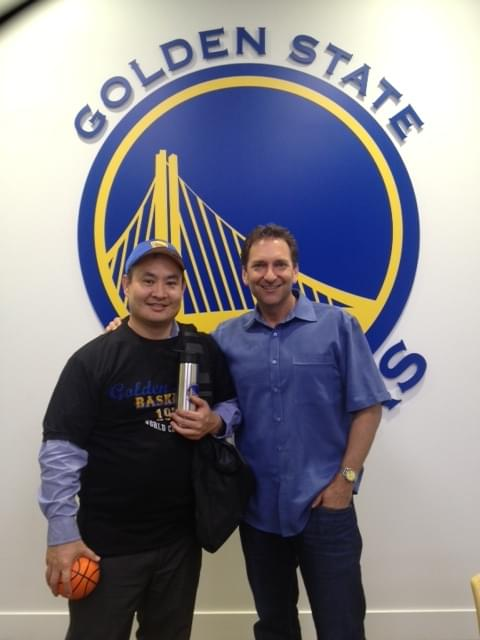
For example, if you Google “Dennis Yu” you can find stories about how I’ve ran ads for the Golden State Warriors, how I’ve spent $1 Billion on Facebook Ads, and how I’m training up young adults to be successful agency owners.

Dennis Yu at Golden State Warriors Headquarters

One way you can do this as a local service business is to talk about other customers and document your work.

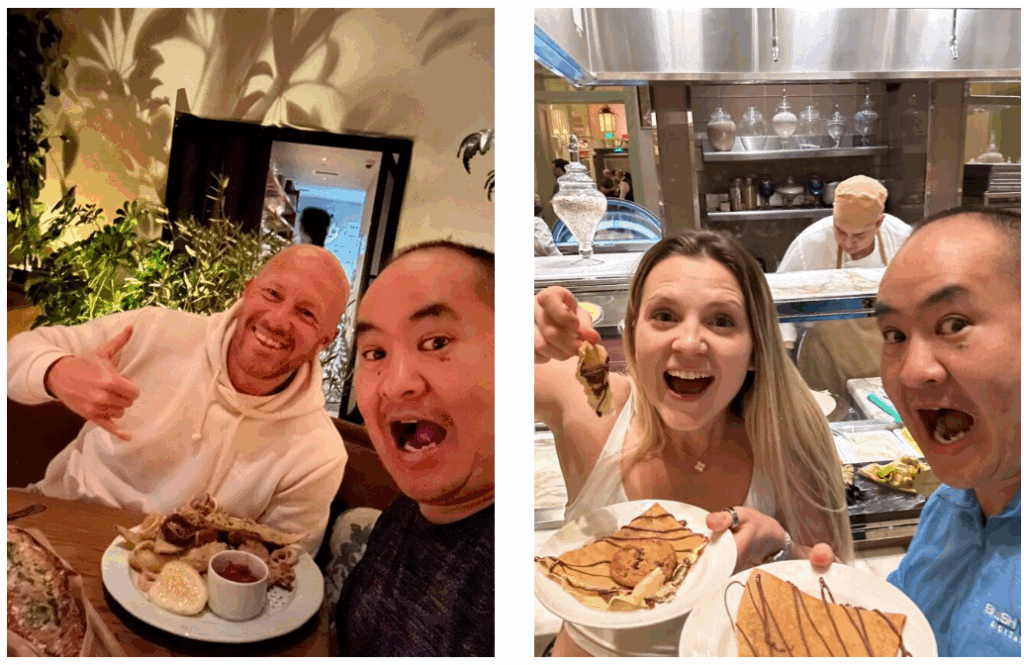
Take our friend at Oasis IV Therapy in Tampa. They run a mobile IV therapy clinic and one thing they do a great job at is taking photos and getting feedback from their customers.

Oasis IV Therapy With Their Customers

Google and you operate in roughly the same way. You want to see images, stories, and especially videos of a business doing what they say they do.

There’s no such thing as too many videos or too much documentation of your work.

Ideally, you should be using the Content Factory process to document these stories and repurpose them across all platforms.

For example, if you record a podcast with someone more influential – you should also be repurposing that into a blog post.

We want our stories and experience to exist on as many platforms as possible.

Your job as it relates to EEAT is to document your work on your website, GMB, and socials for Google and your customers.

Authority

The best way to leverage authority for your personal brand or business is to borrow someone else’s.

When you see an image of me debating Mark Zuckerberg on CNN, that alone gives me tons authority I didn’t have before.

Dennis Yu Debating Mark Zuckerberg on CNN

You can demonstrate this by using the 3 components of authority.

These are content, people, and properties. Each do a great job at helping the other.

Content is what you put out into the world. Whether that’s articles like this one, short form videos on Instagram and Facebook, or long form videos on YouTube.

Content is authority we can link to and reference.

Just like how this article is content we can point to for anyone asking about EEAT, you should have existing content which explains what things are.

Despite what internet gurus some claim, you don’t need to have a million followers and drive a lambo to show authority. You just have to have documented proof.

People is the cornerstone of authority and arguably the most important.

Dennis Yu with Rehan Allahwala in Pakistan

Relationships run the world. Networking with others that share your mission is a great way to elevate your authority while promoting others at the same time.

This doesn’t have to be a parasitic relationship. Being seen, working on projects, and being available for others means you can help them.

That leads to authority from others since you’re working closely on a shared mission.

For local service businesses, this means using a geo-grid and talking to others in your industry.

For example, if you’re an HVAC company in Boston you should be sharing links, interviewing, and working with another HVAC company in LA.

This tells Google (and your customers) that you’re authoritative since you can borrow the authority from others in your industry.

Lastly, it’s properties. This can be your website or business itself.

Having something real that’s documenting in Google and for your clients means that you’re a real person or business doing real work.

That’s why you should be investing in your own website as per our personal branding course.

Trust

Trust means that others can trust you with their time and money.

There’s certain trust markers that you should aim for your personal brand or business.

For example, our client TLS Insulation has over 1,000 combined 5-star reviews on the Google business profiles.

What this means, is that enough people have used their service and gotten positive results that the signal to Google is incredibly strong.
Books are another way to demonstrate trust since, since so few have them on authoritative subjects.

And with Dollar a Day on Amazon, you can get your amazon book to bestseller status fairly easily.

Dennis Yu showing his book on TikTok Advertising

A good practice is asking yourself, “Why do people trust my business?”. And then answering the question in a way people can understand.

The beautiful thing about EEAT is how every component feeds into the other.

By networking with others, your boosting your authority, which in turn helps your trust.

The thing that’s most important here are stories.

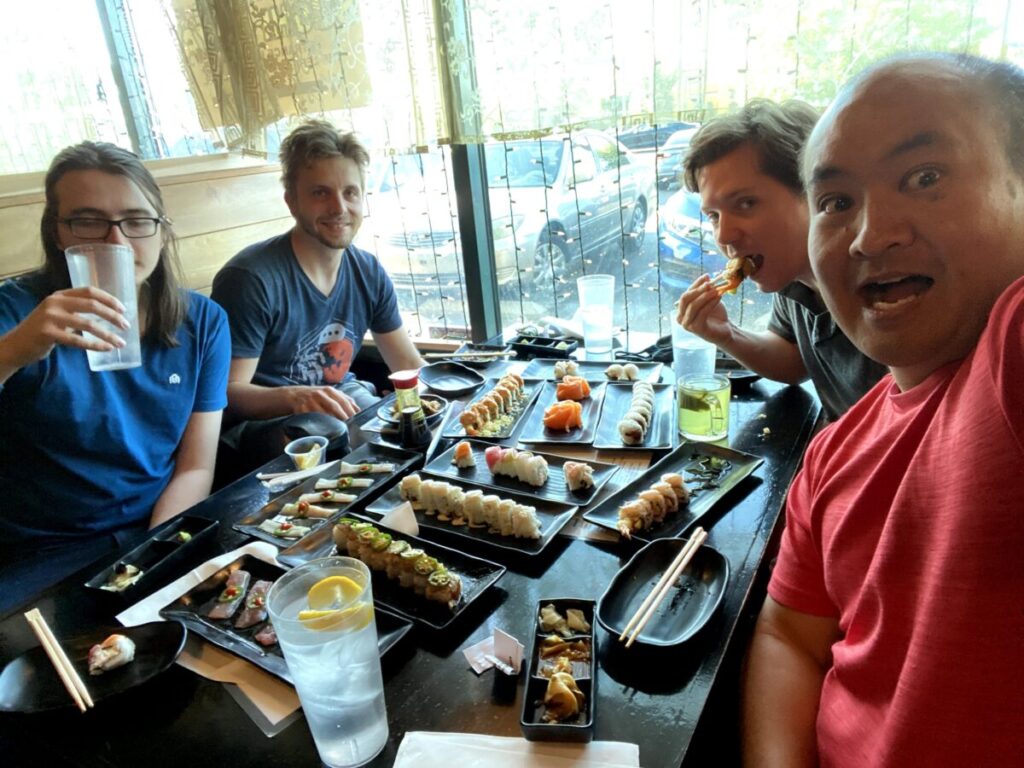
The AI doesn’t have your stories. It doesn’t have your moments – where you’re in Austin eating tacos with your friend or hanging out and eating steak.

Because AI is not human, with those stories, Google is able to determine whether it’s content that deserves rank or was it content that was just created for the search engines. 

You may have heard of the difference between synthetic content vs real content. I can pick a photo or a video from my personal phone gallery – Google knows exactly what device I’m using, where the media was taken – it has all sorts of information.

This is what Google’s looking for – a signature of trust.

When I take these stories that started out as photos or videos, they can then be turned into blog posts. 

If you start with your actual content, ChatGPT like any tool or any technology is an amplifier of what you already have. If you start from nothing, nothing times a million is still nothing.

So if you start with a seed of stories and friendships that we have, we can add pictures and videos to enhance the initial seed, the nugget that I put in initially. That’s where people are getting it wrong with AI.

Using AI to auto generate everything is where Google will eventually catch you. As Bill Gates has said, AI is a multiplier of what you already have.

So it’s what you put in the machine – you’re going to get 10 times more of it.

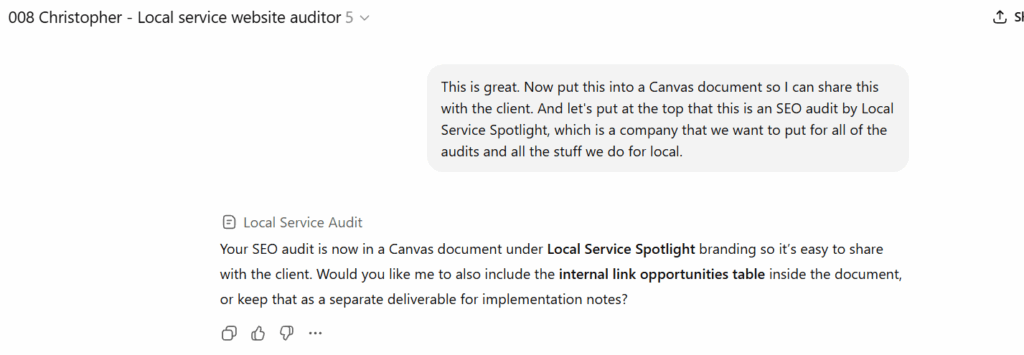
How We Audit a Home Services Website in 5 Minutes Flat

Before we walk through exactly how we audit home service websites step by step, one thing needs to be clear upfront.

If you don’t want to do this yourself, we’ll do it for you.

Our Quick Audit Service delivers this exact analysis, plus a working session with one of our team members to walk through the findings, prioritize fixes, and help implement what actually drives leads.

Now, for those who want to see how the engine works, here’s the real process.

Why our audits don’t feel like agency theater

Most agencies love pretending their work is powered by wizardry, secret sauce, and “deep proprietary insights.”

We don’t.

Our advantage is systems: systems clear enough that AI Apprentices can follow them, powerful enough that home-service owners feel the results, and automated enough that AI does most of the heavy lifting.
This is the new reality.

We don’t just audit websites. Our agents fix them.

Everything below reflects the actual tools and workflows we run at Local Service Spotlight and inside the AI Apprentice program.

Step 1: AI agents analyze the site

We start with Christopher, our custom GPT agent trained on our entire Content Factory playbook.

What used to be a vague “give me SEO tips” prompt is now a structured, repeatable workflow. The agent loads the site, crawls the core service and city pages, evaluates lead flow, flags missing trust signals, checks technical and local SEO issues, and prioritizes fixes based on ROI.

This alone replaces hours of manual review.

Step 2: The raw audit is auto-organized into a clean canvas

AI output is useful.
Agent-organized output is transformational.

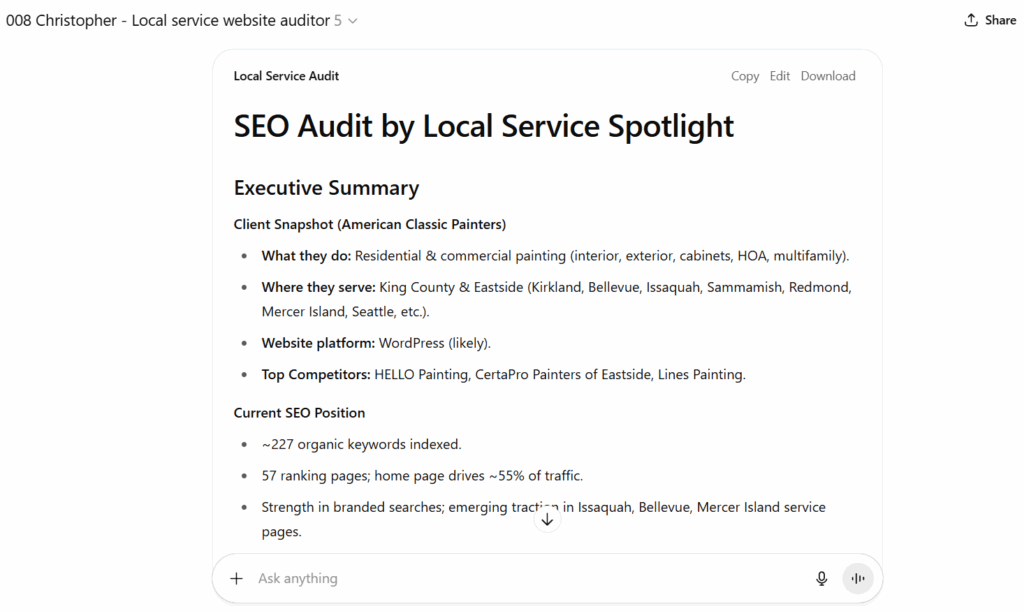
The findings are pushed into a canvas organized by SEO, content, trust, and EEAT, local SEO, technical issues, and calls to action. Everything is visually scannable and written in plain language.

This is the difference between an audit a contractor ignores and one they actually understand.

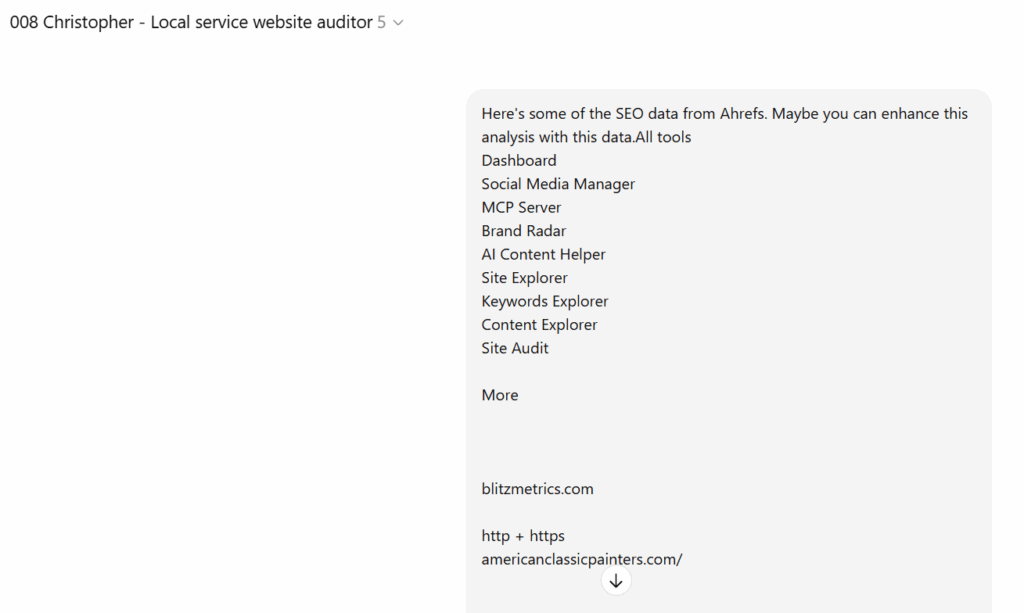
Step 3: Agents layer in real keyword + pages data (Ahrefs)

A real audit needs real numbers.

The agent pulls live search data, including top-performing pages, striking-distance keywords, internal linking opportunities, competing URLs, and underutilized pages sitting just outside page one.

Those insights are blended directly into the canvas so the audit becomes a strategy grounded in measurable data, not opinions.

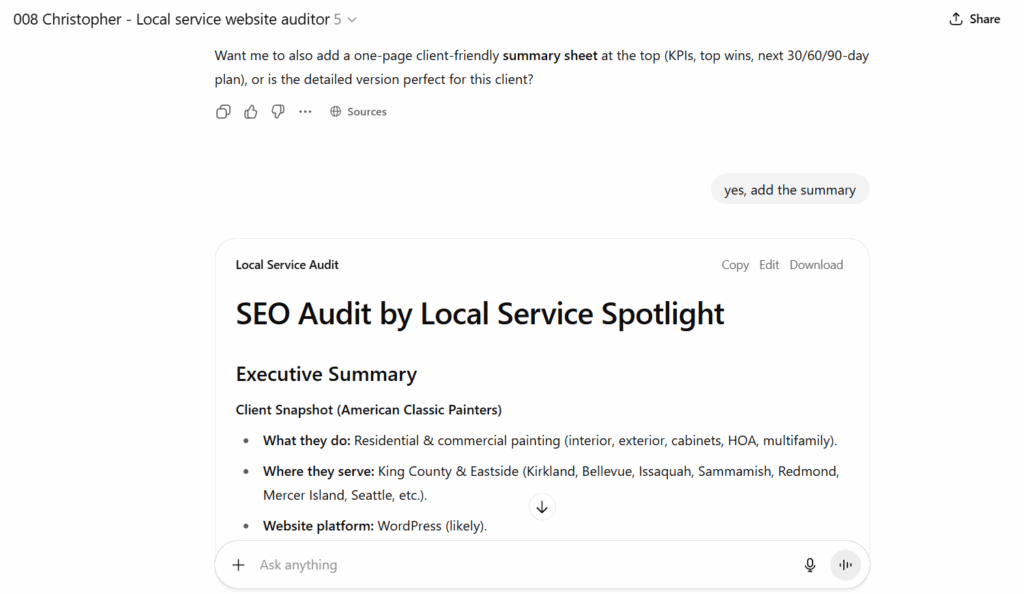
Step 4: A one-page executive summary for busy owners

No one running a home service business wants a 12-page audit report.

So the agent produces a one-page executive summary that answers three questions: what’s working now, what’s missing, and which two or three fixes will deliver the highest ROI fastest.

This becomes the roadmap for the strategy or onboarding call.

Step 5: Everything is packaged before the meeting

The full audit, canvas, summary, data overlays, screenshots, and checklists are compiled into a clean, professional PDF before the meeting ever happens.

At the same time, onboarding automation kicks in. Access is granted, expectations are set, and the owner shows up to the call already oriented and seeing value instead of asking, “So… what are we looking at?”

Step 6: The agents don’t just recommend fixes—they implement them

This is the part that didn’t exist even six months ago.

Once implementation is approved, agents execute. Pages are optimized and published. City pages are written. Schema is generated. Titles and metadata are rewritten. Internal links are added. Cannibalization is cleaned up. Real photos are turned into content. Videos are repurposed into YouTube, articles, snippets, and GBP updates.

Humans still supervise, but the heavy lifting is automated by agents trained on our own SOPs inside a shared ChatGPT Business workspace.

What used to require an entire team now runs as a system.

Real audit examples across industries

How Showcase Remodels and One Day Bathroom Can Renovate Their Website and SEO

How Get Branded Today Scammed Lexi’s Cleaning Services with Fake SEO Promises

Prodigy Pro Painters: How They Can Boost Their SEO and Get More Painting Jobs in Indiana

How Brian Devera at MrsBzzz Pest and Termite Solution Can Get The Phones Buzzing

ClearView SkinCare: Detailed SEO Strategy to Attract Clients in Medicine Hat, Alberta

Tree Savages: SEO Strategy to Attract More Tree Service Coaching Clients

Discover Strength Draper: Improving SEO to Attract Personalized Strength Training Clients

Cardinal Treatment Center: Expert SEO Analysis to Drive More Patients

Coffee Tab: How They Can Be Googleable to Transform Coffee Experience and Impact Lives

How The Miley Legal Group Maximizes SEO to Lead Morgantown’s Personal Injury Market

Finish Line Realty SEO Audit: How Scott Hack Built a Winning Real Estate Website

How TLS Insulation Can Build Their SEO and Drive More Leads in Sarasota and Tampa

Why Local Service Businesses Like Southern Values Cooling and Heating Should Use WordPress For Their Website

The Digital Strategy Kass & Moses Should Follow to Dominate Search

What Power Washing Companies Don’t Know About SEO: Insights from Mr. Clean Power Washing, LLC’s SEO Audit

Why this process actually matters

The old agency model collapses the moment business owners see the truth.

AI handles the grunt work. Humans provide judgment, proof, and authenticity.

One job becomes content. One video becomes an ecosystem. Every fix compounds EEAT. Every owner becomes Googleable.

It’s infrastructure for scaling results and for creating real jobs by giving AI Apprentices systems instead of busywork.

Quick Audit QA checklist

1. Capture business context: Company name, services, service area, top cities, website URL, mission, differentiators.

2. Identify priority pages: Home, service pages, city pages, gallery/jobs, blog hub, contact.

3. Benchmark against 3 local competitors.

4. Scan key pages: Lead blockers, CTA placement, phone visibility, forms, trust badges, reviews, warranties.

5. Identify 5 lead-blocking issues tied to exact URLs.

6. Produce 3 conversion hypotheses.

7. Evaluate EEAT: Owner bio, licenses, media, certifications, project case studies.

8. Local SEO: NAP consistency, embedded map, GBP link, city/service structure, schema.

9. On-page basics: Titles, H1s, meta descriptions, header hierarchy, internal links, alt text.

10. Draft improved titles/metas where needed.

11. Build internal link map: Service ↔ city pages, gallery → service pages, blogs → money pages.

12. Propose 20+ specific in-content link placements.

13. Standardize city pages: Unique intro, neighborhoods, benefits, internal links, local project case, CTA.

14. Recommend swapping stock images for real ones + captions.

15. Add or repair JSON-LD: LocalBusiness, Service, FAQPage.

16. Review blog alignment: Remove junk, 301 irrelevant posts, consolidate hubs.

17. Use Ahrefs data for striking-distance opportunities.

18. Create a “Top 5 ROI Opportunities” list.

19. Produce a clean, scannable Canvas with Impact/Effort scoring.

20. Final verification pass: No hallucinations, all screenshots included, anchors natural, links correct, at least one conversion win prioritized.

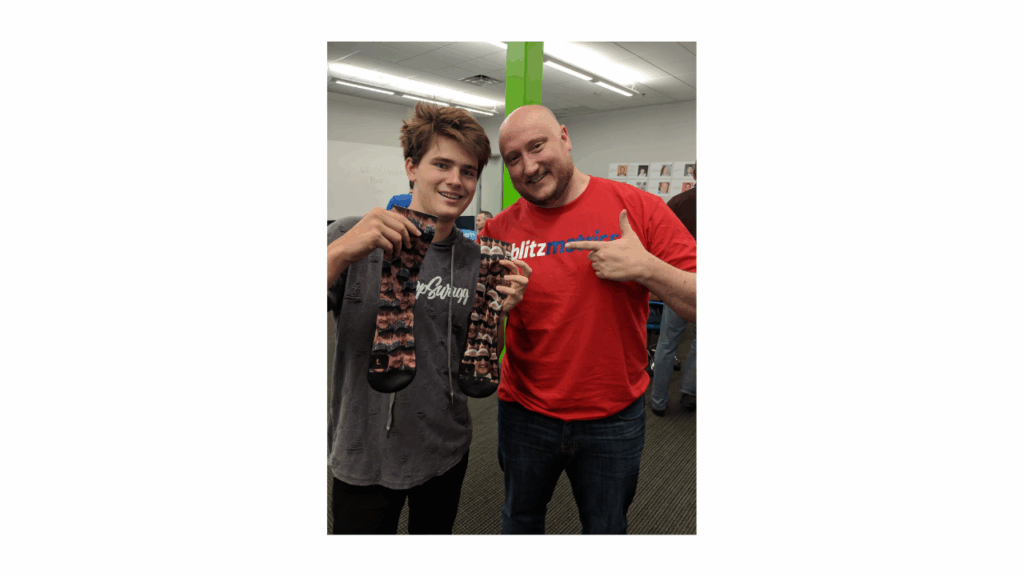
Ordering Face Socks

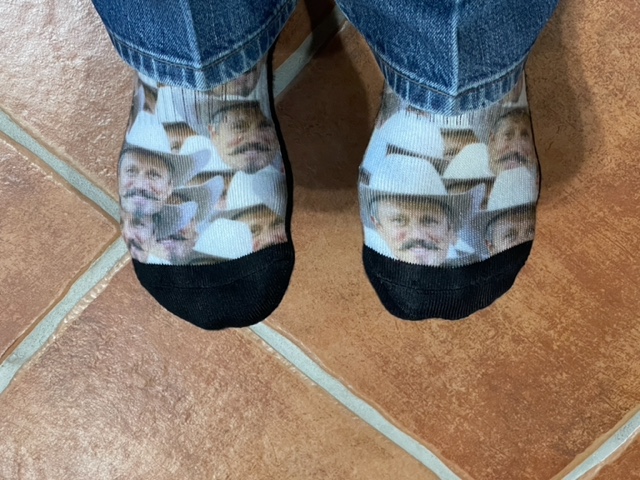
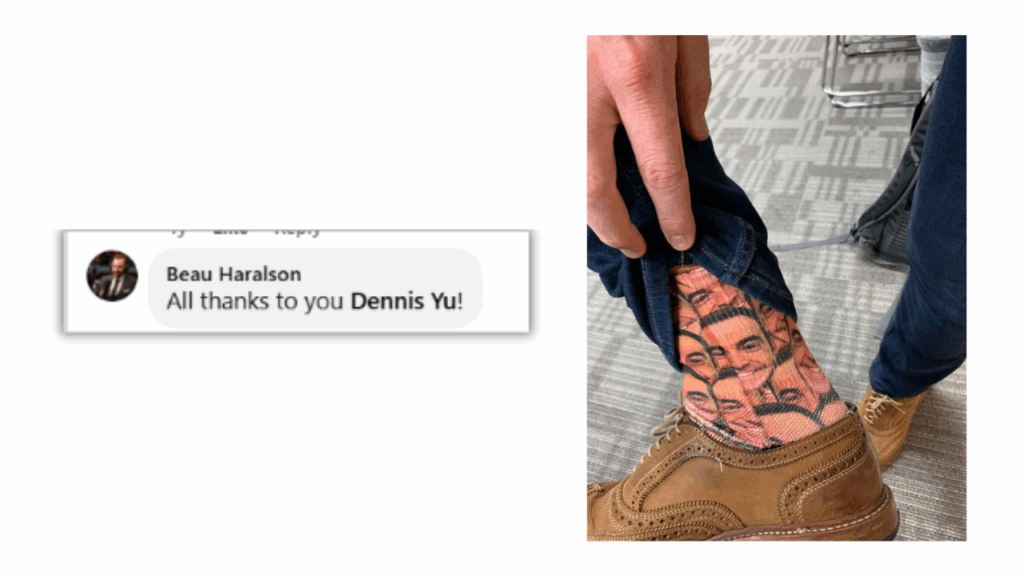
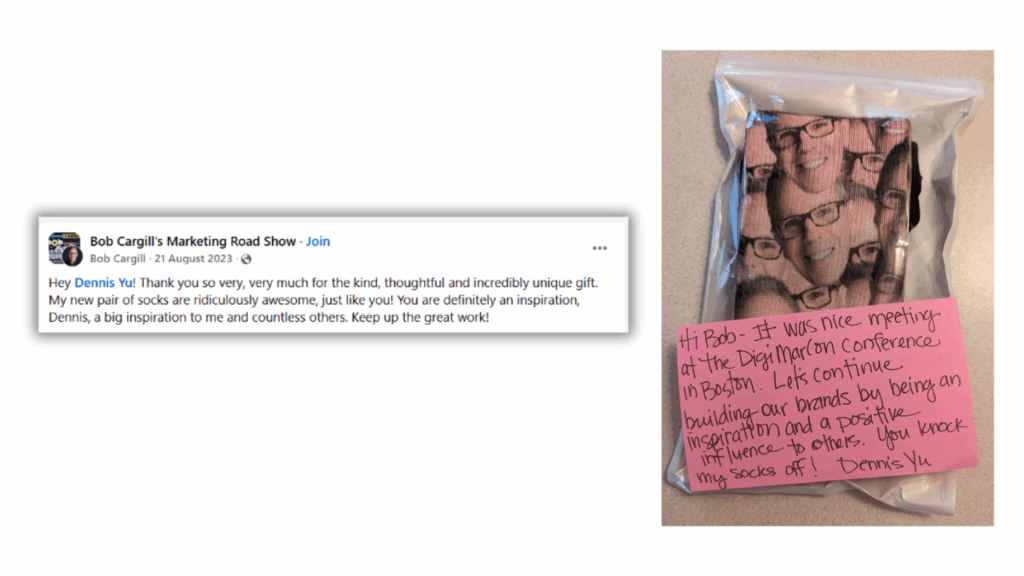
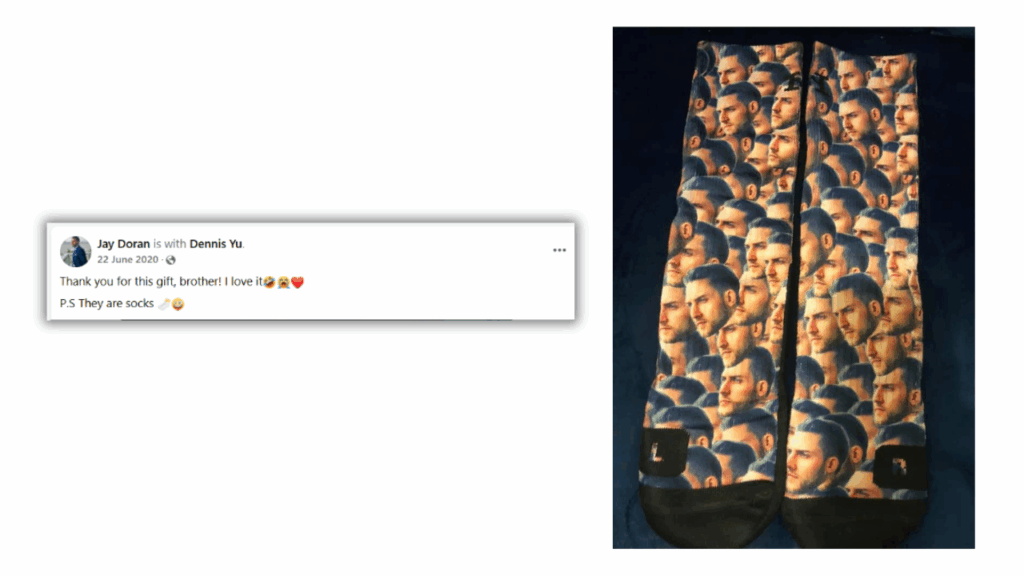
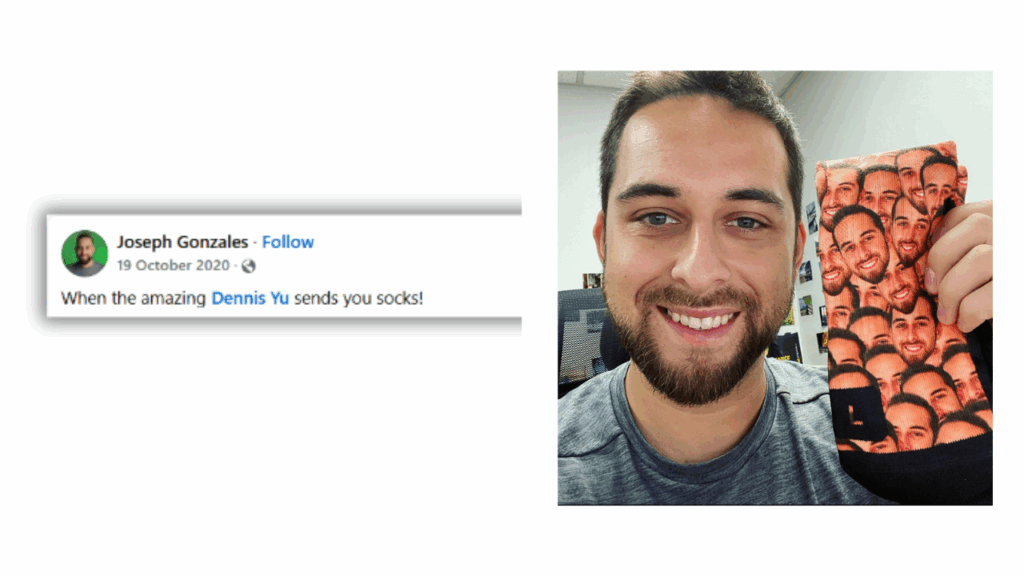
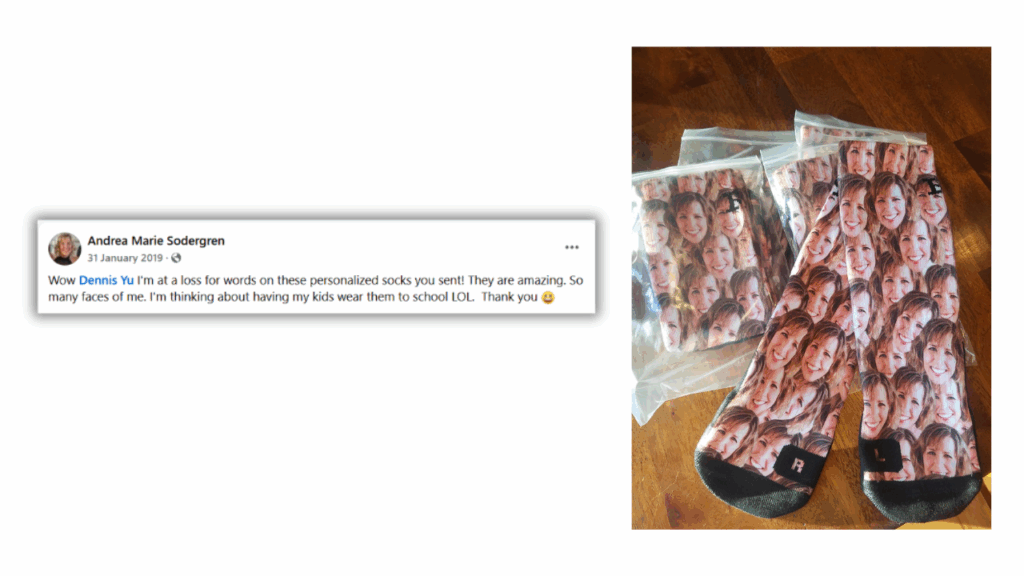
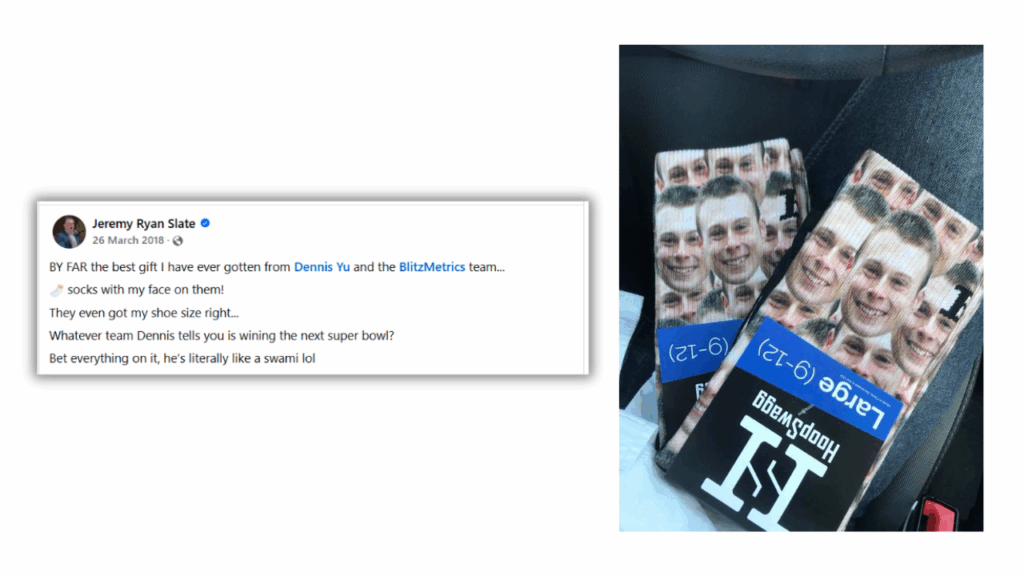
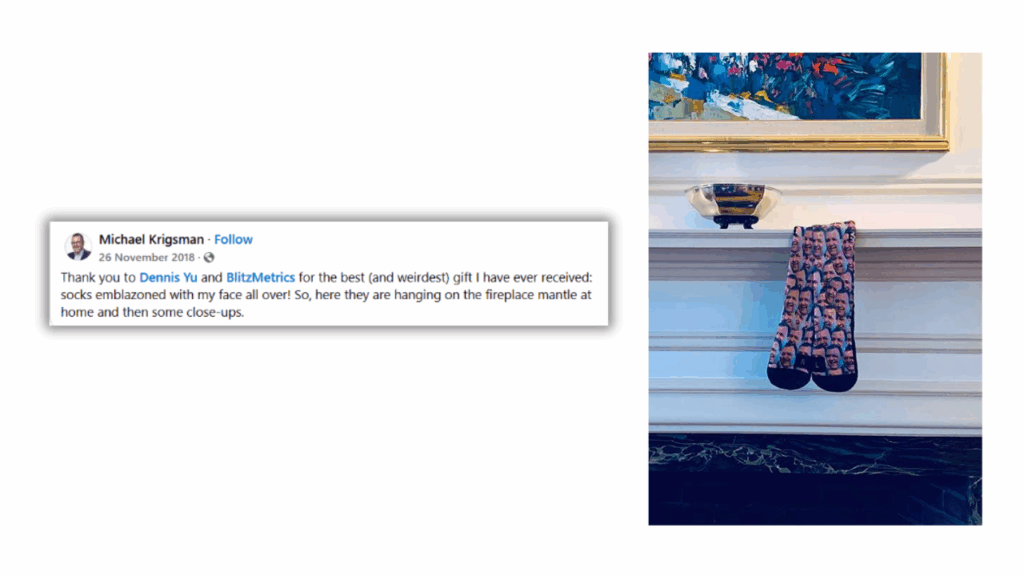
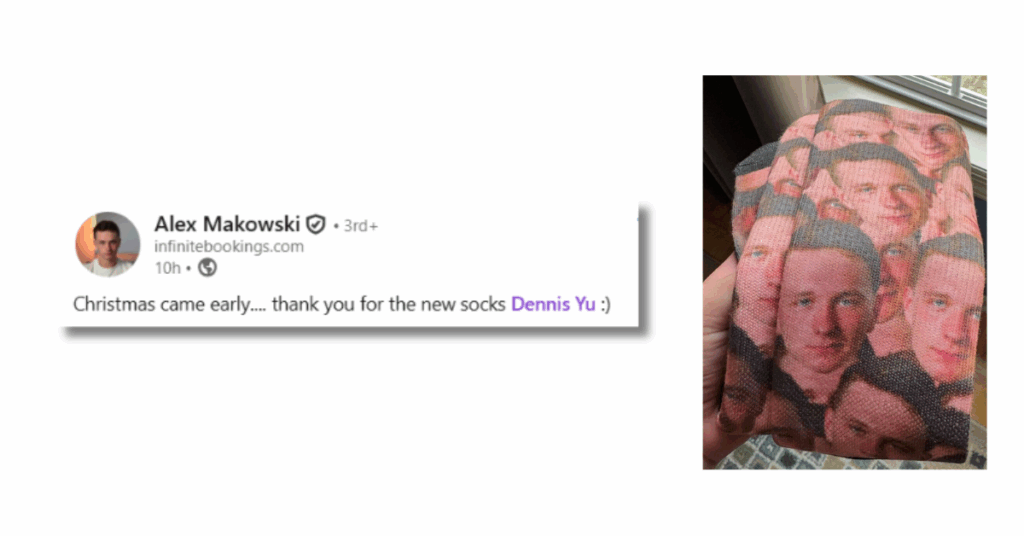
We love our friends and show it often. One of the ways we express gratitude is through personalized face socks; literally putting someone’s face on a pair of socks. It’s a playful, personal gift that fits into our Thank You Machine, which itself is a key part of the Content Factory process.

It’s about honoring others at the heart of what we do.

Imagine someone opening a package and finding their face printed on a pair of socks, along with a handwritten note that says something funny or thoughtful. They laugh, they post about it on social media, and they feel seen and appreciated.

That’s the same principle that powers podcasts, content repurposing, and client relationships, turning small acts of thoughtfulness into lasting impact.

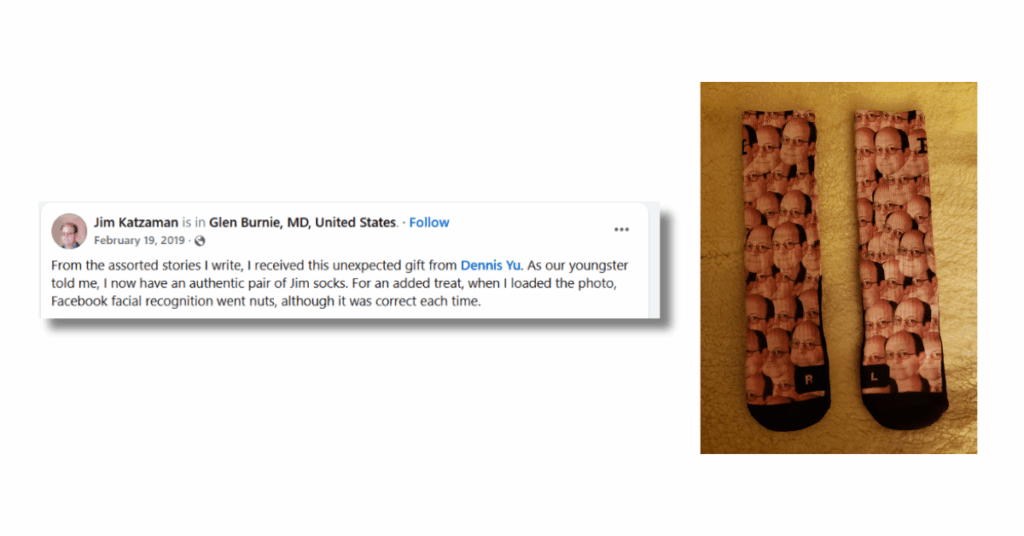
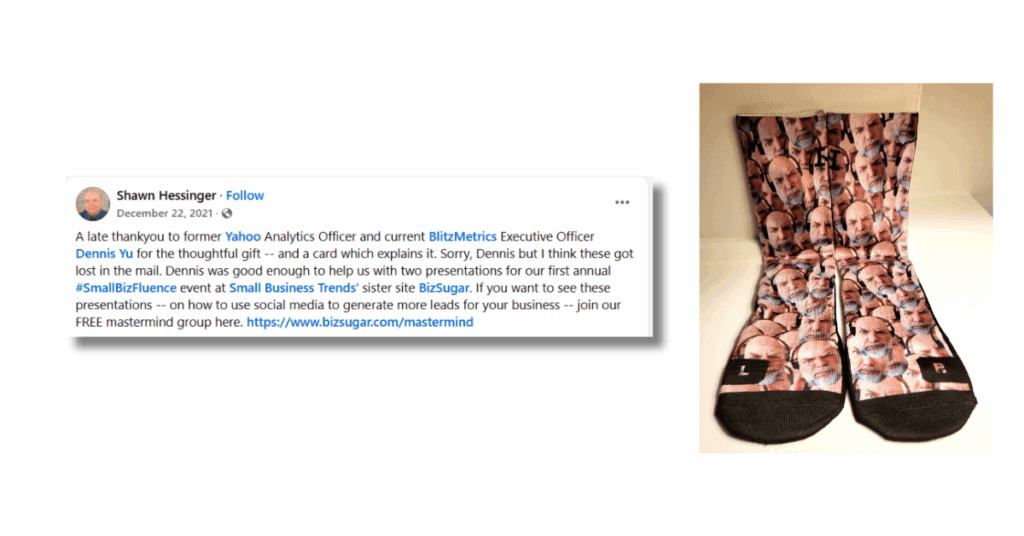
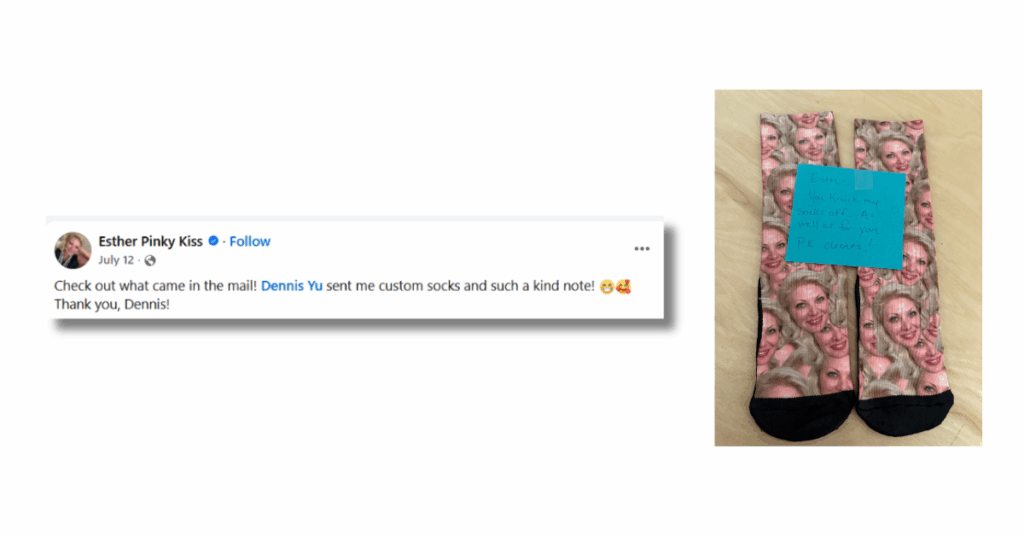
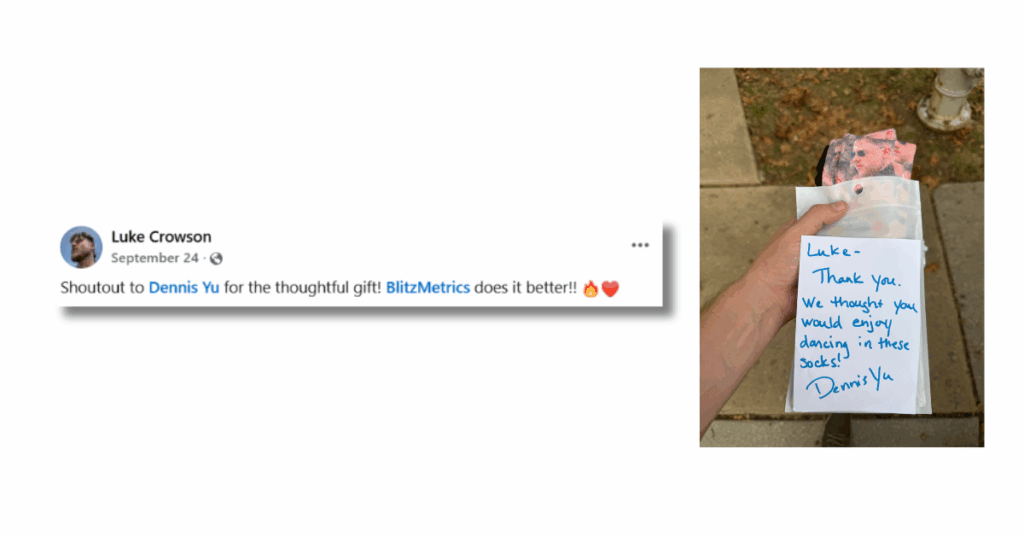
We’ve collected hundreds of social posts where people proudly share their socks. They’re showing off the relationship.

Why socks?

Face socks are our metaphor for strategy. Just like with podcasts or digital content, it’s never about us, it’s about them.

The recipient feels celebrated, which naturally builds relationships, as a gift breaks the ice and leaves a lasting impression.

A simple gesture can also amplify beyond the moment, rippling across social media, communities, and partnerships.

Ordering socks is easy enough, but the real value lies in why we do it: to honor others, strengthen trust, and set the stage for meaningful collaboration.

Before you order

If you’re asked to order socks, gather a few essentials:

  • Who it’s for. Double-check the name.
  • Where it’s going. Verify the mailing address.
  • Which picture to use. LinkedIn or social media usually works.
  • A handwritten note. This is where you can shine; make it funny, thoughtful, or meaningful.

Order price and availability

Orders are available only for shipping within the United States.

The total price is $27.99 ($24.99 for the socks + $3 for the handwritten note).

Team members should use our internal coupon code when checking out to ensure the discounted rate is applied. If you don’t have the code, request it from operations@blitzmetrics.com.

How to order

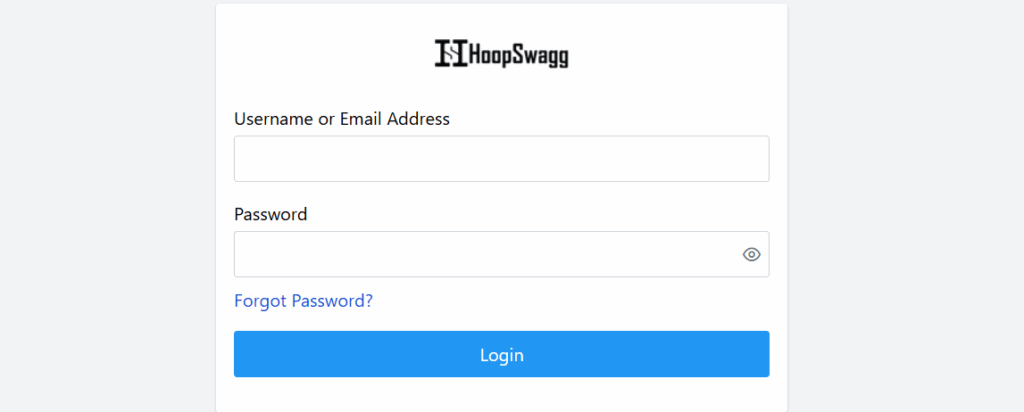
1. Go to https://clients.hoopswagg.com/ and login.

2. Add a handwritten note first.

Every gift is sent on behalf of all three LSS founders, not just one of us. Whether the recipient is a new client, a partner, or a LIGHTHOUSE, it’s important that they feel recognized by the whole team behind LSS.

3. Pick Face Socks (Large for male, Medium for female).

4. Choose Face Collage as the background.

5. Upload the picture.

6. Add both socks + note to the cart.

7. Enter shipping details.

8. Place the order.

9. Record it in the GiftTracker.

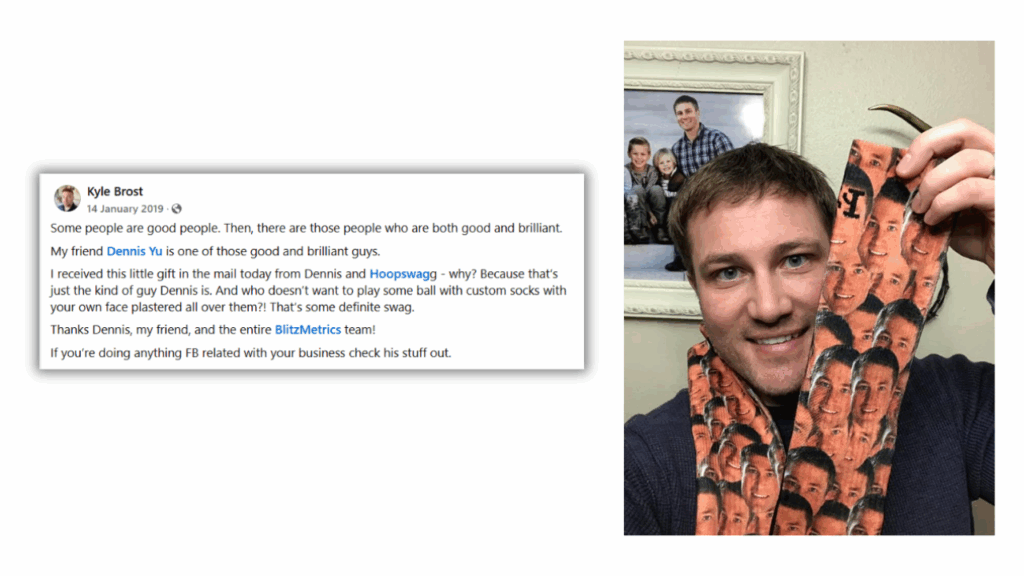
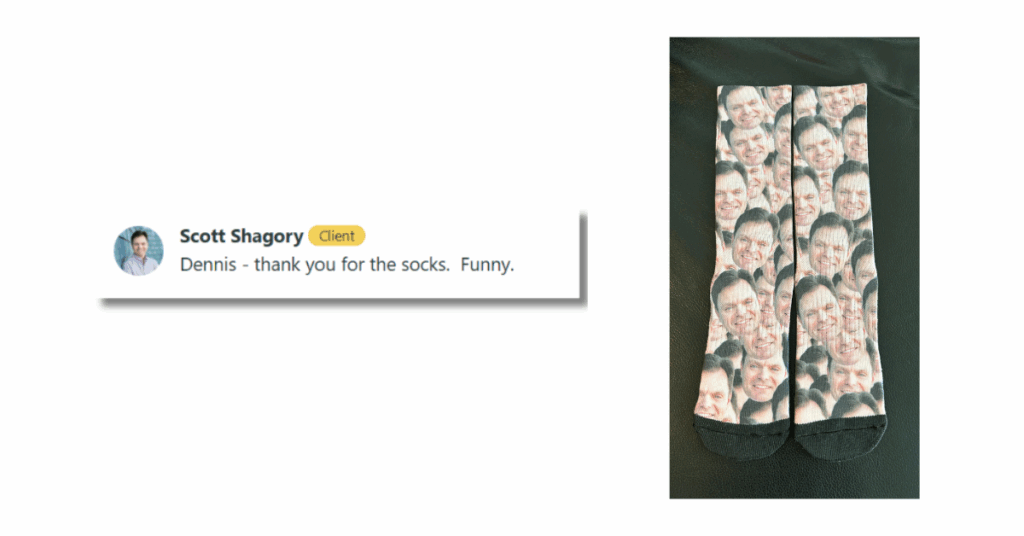
See how people are excited after receiving our gifts

Lars Silberbauer – CMO HMD & Nokia Phones

Kyle Brost – Research & Creative Officer at Be Journaling

Pete Kane – Co-Founder/Producer at Atlanta Wellness Ecosystem

Scott Shagory – Purple Finch Group

Dionne Malush – Realty ONE Group Gold Standard Pittsburgh

Toby Surber – Ad Astra Softwash

Jim Olson – Western Trading Post

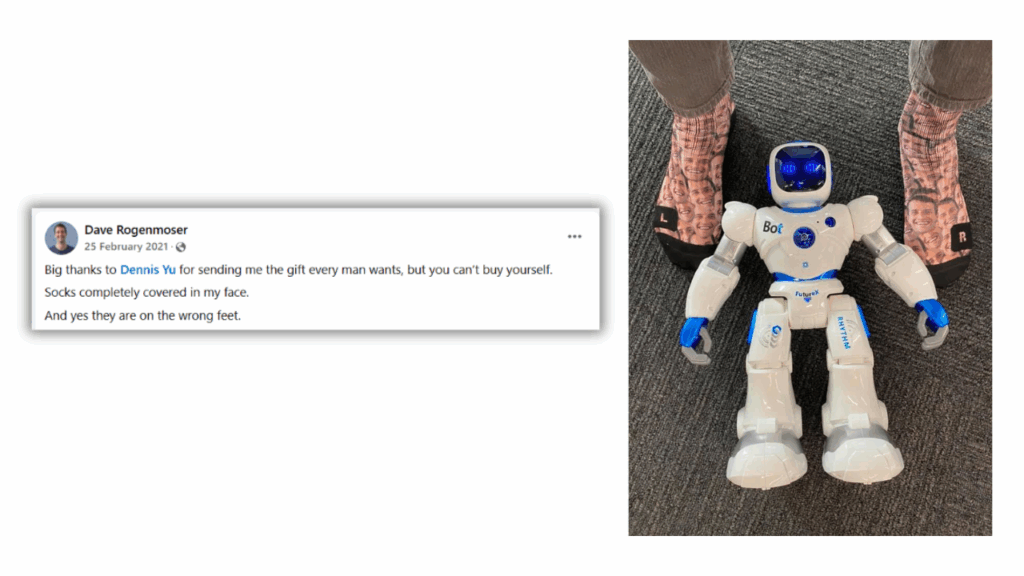
Dave Rogenmoser – CEO & Co-founder at Jasper

Paul Halme – Combat Business Common Sense Coaching

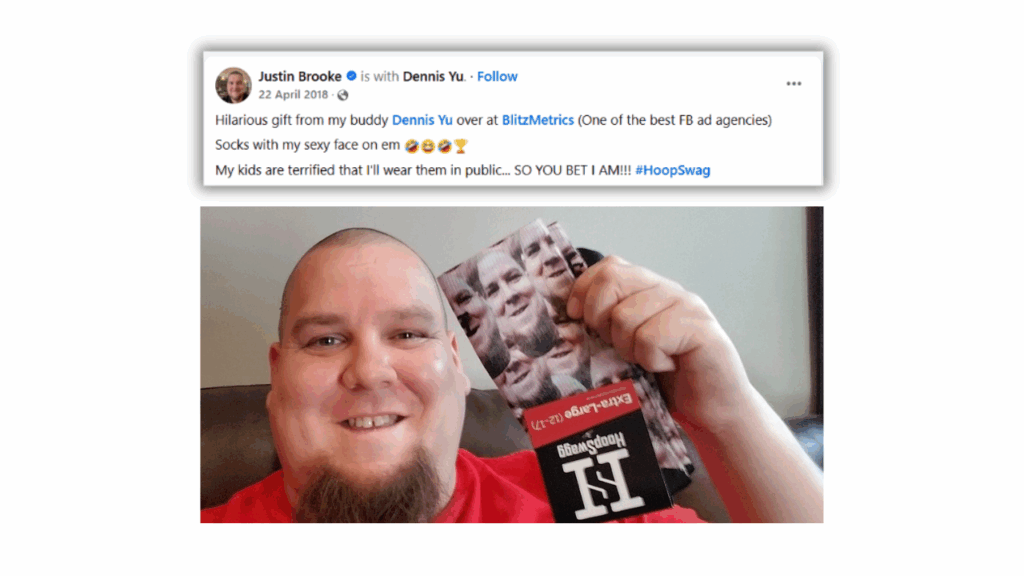
Justin Brooke

Beau Haralson

Bob Cargill – Adjunct Professor

Dylan Collins

Jay Doran – Founder at Culture Matters

Joseph Gonzales – Owner/Partner at Extreme Spray Foam

Karen Sutherland – Lecturer at University of the Sunshine Coast

Paula Ruffin – Owner/Chiropractor at New Hudson Chiropractic Wellness Center

Amanda Holmes – CEO at Chet Holmes International

Andrea Marie Sodergren – Founder/Producer at Moms Unhinged

Jeremy Ryan Slate – Co-Founder Command Your Brand

Michael Krigsman – Publisher of @CXOTalk

Brett Belknap

Jason Raitz – Founder at Speak with People

Julian Hofmann – Litsey Heating and Air

Jim Katzaman

Shawn Hessinger

Esther Pinky Kiss

Luke Crowson

None of this would be possible without Brennan Agranoff, the founder of Hoopswagg. Brennan started by printing designs on socks, then grew the business into a national brand, and eventually spun off a logistics software company, Warehance, to handle the scale.

Over the years, Brennan has shared how he applied strategies like Dollar a Day ads, hiring virtual assistants, and systematizing his processes.

Brennan Agranoff – Founder & CEO at Hoopswagg

What happens after the socks arrive

The fun doesn’t end when the package lands.

Ten days after delivery, we send a personal email to the recipient, including a short video from Dennis explaining the story behind the socks and why we send them as part of our Thank You Machine.

This touchpoint keeps the moment alive, turns a simple gift into a deeper story, and often sparks new conversations.

We’ve even automated this process inside Keap so that every recipient gets a thoughtful follow-up at just the right time without us ever dropping the ball.

Scaling the Thank You Machine

This is usually done by VAs for agency clients, conference organizers, podcast guests, and partners. But anyone can order socks for anyone. The point is to create a memorable experience that fuels relationships and content.

If you’re serious about building your Thank You Machine, you can hire virtual assistants to handle details like this while you focus on relationships.

Face socks are part of a system: we honor others first. That’s the strategy. Everything else, whether podcasts, ads, or socks, is just the execution.