Page Speed Optimization Is Built Into How We Work

Most agencies treat page speed like a separate service.
We don’t because slow sites quietly kill everything else.

Page speed optimization is part of our core troubleshooting and optimization process, not a random add-on or afterthought. If we’re working with you, we’re already paying attention to how fast (or slow) your site loads and what’s getting in the way.

Why Page Speed Actually Matters

Page speed affects:

  • Whether visitors stick around or bounce.
  • How well your ads convert.
  • How Google evaluates your site quality.
  • Whether forms, tracking, and calls-to-action work reliably.

For local service businesses, a slow site often means:

  • Fewer calls from paid traffic.
  • Lower trust from visitors.
  • Higher ad costs with worse results.

In other words, speed issues bleed results slowly.

Page Speed Is Part of “Digital Plumbing”

We think of page speed as digital plumbing.

You can publish great content, optimize your Google Business Profile, and run ads but if the site underneath is sluggish or unstable, performance suffers across the board.

That’s why page speed is handled alongside:

  • Website QA and cleanup.
  • Tracking and analytics setup.
  • Landing pages for ads.
  • SEO and content enhancements.

It’s foundational.

What We Actually Do

Depending on the site, our work may include:

  • Hosting and server-level checks.
  • Caching and compression configuration.
  • Image and asset optimization.
  • Cleaning up bloated themes or unused plugins.
  • Fixing render-blocking scripts.
  • Reducing redundant tracking tools.
  • Ensuring WordPress updates don’t break performance.

Sometimes the fix is simple.
Sometimes we’re untangling years of technical debt.

Either way, it’s handled methodically.

How Page Speed Fits Into the Bigger System

Page speed supports everything else we do:

  • Google Business Profile optimization.
  • Content and blog enhancements.
  • Paid traffic and landing pages.
  • Tracking, attribution, and reporting.

A fast site doesn’t guarantee success, but a slow one quietly sabotages it.

The Bottom Line

If we are working with you, page speed is already on our radar.

We don’t hype it.
We don’t oversell it.
We just fix what slows you down so the rest of the system can do its job.

That’s how you get fewer technical problems and more calls that actually turn into customers.

How to Change DNS Nameservers in Namecheap

If your domain is registered with Namecheap and you need to point it to another hosting provider, you’ll need to update your DNS nameservers. Don’t worry, it’s simple. Follow these steps to get it done quickly and correctly.

Why Change DNS Nameservers?

Changing your nameservers tells the internet where your website lives. It’s essential when:

  • Switching hosting providers – Your new host uses its own DNS system.
  • Improving performance – Some DNS services are faster or more reliable.
  • Enhancing security – Specialized DNS providers can protect against attacks.

In short, your nameservers control where your website and emails are directed. Setting them up correctly ensures your site loads properly for visitors.

Step 1 – Log In to Your Namecheap Account

Head over to Namecheap.com and sign in. You’ll land on your Dashboard, which lists your active domains.

Step 2 – Access the Domain List

From the left-hand menu, click Domain List. This page displays all your domains under management.

Step 3 – Select the Domain

Find the domain you want to update and click Manage to open the domain details page.

Step 4 – Navigate to the Nameservers Section

Scroll until you find the Nameservers or DNS Management section.

Step 5 – Choose Custom DNS

From the dropdown, select Custom DNS (sometimes labeled Use Custom Nameservers). This allows you to manually enter your hosting provider’s DNS details.

Step 6 – Enter New Nameservers

Enter the new nameservers provided by your host. You’ll typically have at least two:

Nameserver 1: ns1.yourhostingprovider.com  
Nameserver 2: ns2.yourhostingprovider.com

Double-check them; typos here can take your website offline.

Step 7 – Save Changes

Click the green checkmark (✓) or Save button to confirm your updates.

Once saved, DNS propagation can take anywhere from a few minutes to 24 hours. During this time, some visitors may still see your old hosting server.

Conclusion

Changing your DNS nameservers in Namecheap is straightforward once you know where to look. Just be sure to enter the correct details and give the changes time to propagate.

If you also manage domains through GoDaddy, check out our companion guide: How to Change DNS Nameservers in GoDaddy.

How to Change Domain DNS Nameservers in GoDaddy

Changing your domain’s nameservers lets you point your domain to a new hosting provider or DNS manager. This quick guide walks you through the exact steps inside GoDaddy.

Step-by-Step Instructions

1. Sign in to GoDaddy

Go to GoDaddy.com and log in.
Navigate to My Products → Domains, then select the domain you want to modify. This opens your Domain Information screen.

2. Click the “DNS” Tab

Next to the Overview tab, click DNS to open your DNS management panel.

3. Open “Change Nameservers”

On the Manage DNS screen, scroll down until you see the Nameservers section.
Click Change Nameservers.

4. Choose “I’ll Use My Own Nameservers”

A dialog box will appear. Select I’ll use my own nameservers to manually enter your new DNS information.

5. Enter Your Nameservers

Input the nameservers provided by your hosting provider or DNS manager.
You may need to add two or more entries (for example, ns1.yourhost.com, ns2.yourhost.com, etc.).

6. Save Your Changes

Click Save.
If GoDaddy asks for confirmation, check the acknowledgment box and click Continue to apply the update.

What Happens Next

After saving, your domain will begin DNS propagation, which can take up to 24 hours worldwide. During this time, your site might appear temporarily unavailable until the changes fully take effect.

Tip: Double-check your nameservers for accuracy; incorrect entries can cause your site or email to stop working.

Final Thoughts

Changing nameservers is a simple task once you’ve done it a few times, but it’s critical to get right.

If you’re not comfortable handling DNS settings or need help connecting your website correctly, don’t hesitate to reach out for support.

If you also manage domains through Namecheap, check out our companion guide: How to Change DNS Nameservers in Namecheap.

How Our YouTube Optimization and Boosting Process Works

How the Boosting & Access-Onboarding Process Works

When we take on a YouTube channel, especially one with solid content but limited traction, the first thing we do is get inside the machine.

Below is the exact process we follow once you add us as managers to your channel and connect the channel to our Google Ads account.

Gaining Manager Access

Once you add us as a channel manager, we can:

  • Clean up the channel structure.
  • Fix metadata and playlists.
  • Create geo-relevant signals Google actually recognizes.
  • Connect the channel to Google Ads.
  • And most importantly, start boosting videos.

Without manager access, none of that happens. We can advise, but we can’t execute.

Establishing the Baseline

Before touching anything, we benchmark the channel.

In the case of American Classic Painters:

  • 102 videos were jammed into only 3 playlists.
How the Boosting & Access-Onboarding Process Works

  • Titles, descriptions, and end cards had no geographic signals.
How the Boosting & Access-Onboarding Process Works

  • Engagement was near zero, because there was no traffic.

  • Which meant the videos couldn’t rank, because YouTube had nothing to learn from.

How the Boosting & Access-Onboarding Process Works

Classic chicken-and-egg problem:
No traffic → no engagement → no distribution → no growth.

Boosting is how we break the loop.

Channel Optimization

While boosting gives us initial momentum, optimization is what lets the channel grow organically after the paid push.

Our optimization process includes:

Creating properly themed playlists

Playlists should follow your “topic wheel,” not be a dumping ground of everything you’ve ever uploaded.

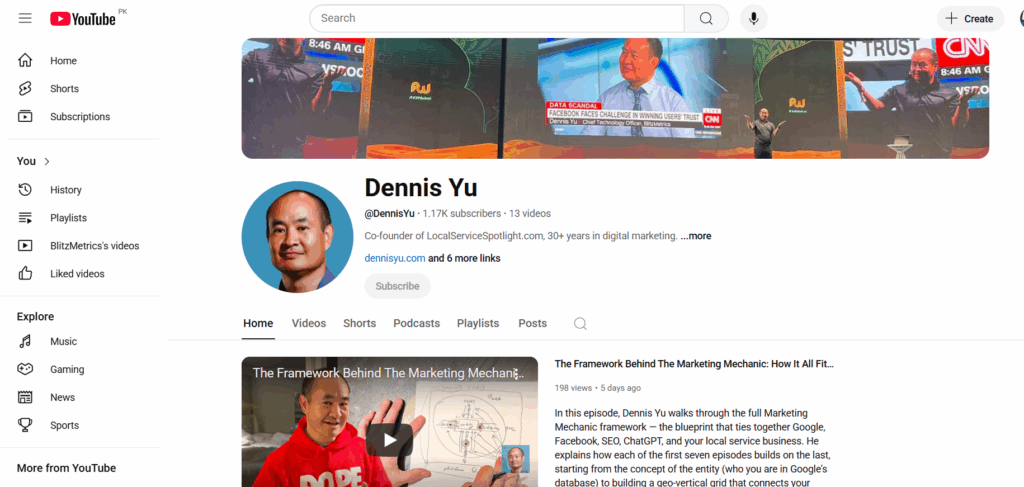
Playlists of Dennis Yu‘s YouTube channel

Adding geo-relevant cues

City + service data in titles, descriptions, and end cards tell YouTube:
“This content is for people in this location searching for this type of provider.”

YouTube videos of ARDMOR Windows & Doors

Improving metadata that YouTube actually reads

This includes:

  • Tags.
  • Captions.
  • Default upload templates.
  • Thumbnails.
  • Cards & endscreens.

None of this is glamorous, but it works. It’s the SEO of video.

Optimization is ongoing, not a one-time sweep; just like tuning a car before every race.

Brady Sticker‘s YouTube channel

Boosting YouTube Videos

If the client wants us to run direct boosting from our side, they can fund it at Power Hour.

What we do with the boost:

Promote selected videos

We intentionally choose:

  • Videos with strong messaging.
  • Clear calls to action.
  • Relevance to your local market.
  • Content that best represents you as the expert.

We don’t boost everything; only what deserves amplification.

Build remarketing audiences

Most channels start with zero audience data.

Boosting gives us:

  • Viewers.
  • Clickers.
  • Engagers.
  • People who hit 25%, 50%, 75%, 100% watch time.

Those signals allow us to create remarketing pools we later use across platforms.

Train the algorithm

By forcing initial traffic, we teach YouTube:

  • Who watches to completion.
  • Who skips.
  • What geographic areas respond.
  • What interest profiles match your content.

This is crucial, because YouTube’s algorithm is basically a giant “lookalike engine.”
It can’t find your perfect viewers until it sees who your actual viewers are.

Weekly Reporting & Iteration

As boosting runs, we monitor:

  • Cost per view.
  • Average view duration.
  • Viewer retention at key moments.
  • Geo performance.
  • Playlist contribution.
  • Watch time growth.
  • Rising vs. falling videos.

The project manager posts MAA in the appropriate updates thread:

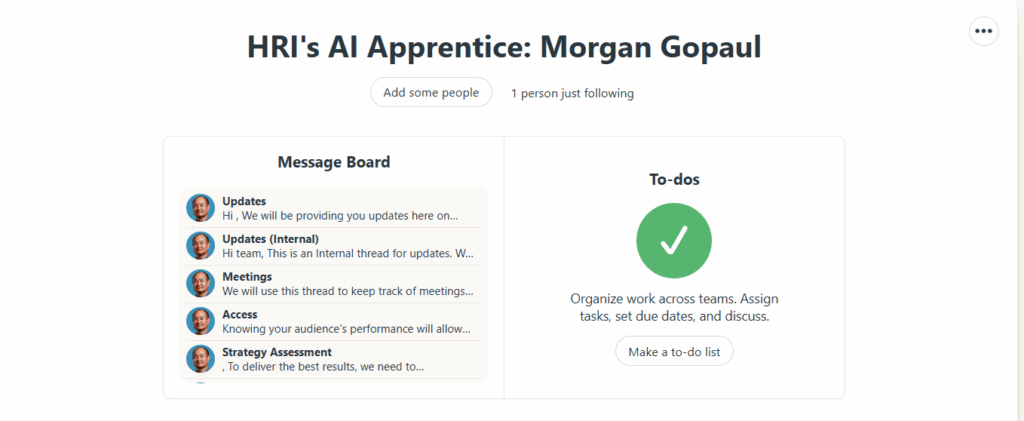
Anthony Hilb‘s Basecamp project

What Happens After the Boost

The boost gives us:

  • Data.
  • Momentum.
  • An initial audience.
  • Watch time.
  • Engagement signals.
  • A trained algorithm.

From there, the channel becomes far easier to grow organically.

We keep optimizing thumbnails, playlists, descriptions, and continue adding geo-relevant content.

This is a “build authority and traffic predictably over time” strategy.

Why Our Follow-Up Sequence Exists — and How It Fits Into the AI Apprentice Program

The weekly MAA (Metrics → Analysis → Action) report is the heartbeat of the AI Apprentice program. It’s the mechanism that ensures apprentices are actually doing the work, learning from the data, and driving real performance for their local service business clients.

When apprentices fail to submit their MAAs, they’re flying blind. And if they’re flying blind, we are flying blind. No coaching, no troubleshooting, no accountability, no progression through the program.

This is exactly why we needed a clear, layered follow-up sequence; one that blends automation, human accountability, and operational discipline.

Jack, as program lead, oversees the standards and expectations. Operations team drives compliance. And the automation is there to make sure nothing slips through the cracks.

This article explains the logic, purpose, and flow of the follow-up sequence so all coaches, staff, and apprentices understand how it works and why it exists.

Why Weekly MAAs Matter

The AI Apprentice program is built on three pillars:

Real clients, real work

Every apprentice operates like a mini-agency. They’re responsible for driving measurable results: phone calls, leads, cost per lead, content production, and ranking improvements.

Structured accountability

The program is not babysitting. It’s an apprenticeship. Apprentices learn by doing, reporting, and iterating.

The weekly MAA is the mechanism that:

  • Tracks KPIs.
  • Surfaces issues (declining calls, rising CPC, broken assets).
  • Shows progress through the Content Factory process:

Demonstrated mastery

Apprentices “graduate” by proving competence, not by waiting out a calendar year.
Their MAAs are the evidence: the logbook of a pilot, the surgical report of a resident, the notebook of a chef.

So when apprentices stop submitting MAAs, the entire apprenticeship model breaks.

The Problem: MAA Compliance Is Low

Most apprentices are not submitting their weekly MAAs.

That triggers two questions:

  • RCA (Root Cause Analysis): Why are they failing?
  • RCF (Root Cause Fix): How do we eliminate the cause, not just patch the symptom?

Automation alone does not solve the problem. Left alone, automated emails get ignored faster than a gym membership reminder.

We need a layered system:
Automation → Human follow-up → Escalation

The Follow-Up Sequence: Logic & Structure

The follow-up system is designed to:

  1. Remind apprentices ahead of time.
  2. Notify them at the deadline.
  3. Escalate when they fail.

Here’s the logic behind each layer.

Phase 1 — Automated Reminders

These reminders exist so humans don’t have to nag.

Purpose: Prevent “I forgot” and train proactive behavior.
Details:

  • Tells them MAA is due Friday.
  • Links directly to the process.
  • Reinforces expectation: “If you’re traveling or unavailable, submit early.”

Phase 2 — Human Follow-Up

Once automation has done its job, the human layer begins.

This is where the operations team comes in.

Why human follow-up matters:

  • People ignore bots, but rarely ignore a real person.
  • Human tone communicates care instead of cold automation.
  • Humans can ask real questions and uncover real barriers.
  • Human contact reinforces the culture: you matter, your work matters.

In trades, apprentices who repeatedly miss required logs or hours don’t advance.
Same here.

Phase 3 — Escalation

If an apprentice misses multiple MAAs, the issue moves beyond operations.

Jack, as program lead, steps in to:

  • Clarify consequences.
  • Re-align expectations with the apprentice and parent (if applicable).
  • Determine whether the apprentice is still a fit for the program.
  • Recommend remediation pathways.

This keeps the program strong and prevents weak links from dragging down the group.

How the Sequence Fits Into the Apprentice Program Culture

The follow-up process reinforces the values the program is built on:

Apprenticeship, not classrooms

You learn by doing, reporting, and improving, not by memorizing.

Accountability, not babysitting

Support exists, but progress requires personal responsibility.

Community learning

Missing MAAs deprives both the apprentice and the group of insights.

Data-driven coaching

We can’t coach what we can’t see.

Preparing apprentices for real agency life

Clients expect updates.
Real marketers live by numbers.
Reporting is not optional.

Closing Thought

Most apprentices who fail to submit MAAs are lost.
The follow-up sequence is our way of pulling them back onto the path.

Automation handles the reminders.
Humans handle the growth.
Leadership handles the standards.

And together, this structure ensures the AI Apprentice program remains what it was designed to be:
A hands-on, accountable, real-world training ground that turns young adults into capable, confident agency operators.

Inside High Rise Academy: What You Can See in the Students

High Rise Academy exists because there’s a lot of noise in the AI and marketing space, and it’s hard to tell what training actually holds up in the real world. In this High Rise Influence YouTube video, Dennis Yu gave a simple filter for sorting that out. As he put it, “Don’t judge a program by the person selling it. Judge it by the students it produces.”

After Dennis lays out that idea, the video shifts to student builders and lets you hear directly from us about what we’re working on and how we’re applying the training with local service businesses.

The Principle Dennis Shared

Dennis’ point is blunt: it’s easy to make a program look good on the surface. The harder test is what students can actually produce once they’re inside it — their work, their thinking, and how that work holds up when applied to real clients.

That’s why the video centers on the people inside the program. You get to see how students talk about their work, what they’re building, and the kinds of problems they’ve learned to solve for clients.

What High Rise Academy Trains

High Rise Academy is an apprenticeship for young adults who want to build a concrete skill set in AI‑assisted marketing. The training is tied to local service businesses because the work is practical and the feedback is immediate.

Students practice:

  • Building and improving personal brand sites and business sites
  • Using AI tools to speed up research, content production, and operational tasks
  • Running and refining ads using proven systems like Dollar a Day, while tracking performance
  • Managing deliverables, communication, and client relationships

The idea is to learn repeatable systems and apply them on live accounts, so students leave with work they can stand behind.

Student Examples From the Videos

Dylan Haugen (Me)

I came into the program as a content creator and professional dunker. I knew how to grow an audience, but most of that lived on platforms I didn’t control. The shift for me was learning how to turn content skill into owned assets and clear client value.

What that looked like:

  • Building a personal brand website I control
  • Strengthening search presence, including my Knowledge Panel
  • Learning to package content and relationships into services for local businesses
  • Delivering real marketing outputs alongside the team

Jack Wendt

Jack’s story shows what happens when someone combines big‑picture vision with consistent execution. He’s been able to travel and still build because he runs work like a professional: projects stay on track, communication stays clear, and relationships keep compounding.

What stands out in his path:

  • He builds partnerships and opportunities through strong relationships
  • He keeps a steady operating rhythm even while moving across time zones
  • He treats marketing like a long game, not a short sprint

Luke Crowson

Luke started in fitness coaching, and Dennis noticed something that carries over into marketing: he cares about outcomes and sticks with a process. Inside the program, Luke applies that mindset to client work that’s built on steady improvement.

His focus areas include:

  • Campaign structure and ongoing tuning
  • Landing page and site improvements
  • Lead quality and follow‑up alignment with owners

The takeaway here is straightforward: consistent, client‑first execution plus good process is what drives dependable results.

Sam McLeod

Sam is still in school and leans heavily into engineering. His role is building tools and workflows that remove repetitive work for students and standardize delivery for clients.

Where that shows up:

  • Automating tedious steps so students focus on high‑value tasks
  • Turning proven processes into repeatable workflows
  • Supporting scale without lowering quality

One Shared Thread

Different backgrounds, same direction: we’re learning practical systems and applying them to real businesses. And the four of us you saw in the video are also building this alongside Dennis. We are founders of High Rise Influence and Local Service Spotlight, so we’re learning how to create an agency, start a business, and pressure‑test what we learn by using it every week.

Advice We Shared at the End

We wrapped the video with short advice for anyone considering this path:

  • Use AI like a teammate. It helps you draft, research, and troubleshoot faster, but you still steer the work.
  • Mindset drives follow‑through. Skill only compounds if you stay in the game long enough to apply it.
  • Aim for steady improvement. Getting a little better daily beats waiting for a perfect moment.
  • Learn by doing. You grow fastest when you ship work, get feedback, and refine.

Takeaway

Dennis’ filter is simple: student work tells you more than marketing ever will. The video applies that idea by showing what students are building and how they think about the work.

If you’re evaluating any program in AI or marketing, whether it be the High Rise Academy or something else, look for a trail of real output: projects you can inspect, processes students can explain, and progress that shows up across more than one person. That’s the safest way to decide what’s worth your time.

Identifying and Eliminating Passive Voice

“The donut was eaten.”

Notice how we can’t tell who ate the donut. That’s called passive voice.

Being clear about who is doing what and when (the 3 components of a task) is critical for getting things done. Direct, clear and concise communication is essential in the professional world.

It’s imperative to ensure that your writing is as understandable to your readers as it is to you. Just because it makes sense to you doesn’t guarantee others will interpret it the same way. Most people never learn to write clearly.

How can you recognize passive voice? When people use passive voice, they omit the “doer.”

This is often subconscious, but the effect is the same—it becomes harder to figure out what’s happening and who is responsible. The result of using passive voice is a message with unclear action.

Importance of eliminating passive voice in professional environments

Remember, every task and action must have a clear owner. Compare “I moved this” with “This was moved,” or “Dennis and I are recording” versus “Recording is happening.”

It is a little tough to catch it all the time, but in a business setting, we must eliminate all usage of passive voice– especially when coordinating a project or speaking with a client. Every action must have a clear owner that comes first, and each project needs someone responsible for completing a task- adhering to the RACI (Responsible, Accountable, Consulted, Informed) model.

Thinking in passive voice significantly reduces your effectiveness and accountability. It’s more serious than mixing up “your” with “you’re” or using “ums” in speech. Passive voice strips actions of ownership, making it difficult to trace who did what, hence leading to confusion.

Here are a few real-world examples we’ve picked from emails, with corrections:

1. “Call has already been booked.” vs. “I booked the call, it’s Thursday at 10.”

Who booked the call? I booked the call.

 2. “This email is to confirm that this account is at inbox zero.” vs. “This is Bob confirming that this account is at inbox zero.”

Who sent this email? Bob sent the email.

 3. “More updates to come as these get closed out.” vs. “I will provide more updates as these get closed out.”

Who should we expect updates from? I will send them.

 4. “This thread was moved here” vs. “I moved the thread to here.”

Who moved the thread? I did.

This is less about being picky with grammatical rules and more about being action-oriented.

Passive voice often comes from a mindset of unaccountability, where it’s someone else’s fault, and we don’t step up as owners of our actions.

Do you now see how using direct language ensures everyone is on the same page?

Why Your Follow-Up Is Slowing Things Down

A VA following up multiple times

We all want things done quickly. But in our workflow, repeated follow-ups do not speed things up. In fact, they slow everything down.

The reality

I get over 1,000 emails per day. When you follow-up, which is not necessary with us, you actually slow things down.

The reason why is that we process via first-come, first-served via Boomerang. So when you follow-up, you become the latest request.

Think of it like standing in line at the DMV; if you keep stepping out of line to “check in,” you’re not getting called sooner. You’re starting over.

Why this matters

Following up without reading prior instructions means:

  • The same explanation gets repeated.
  • We waste time fixing things that could have been correct the first time.
  • The burden shifts from solving your request to rescuing it from repeated mistakes.

When you skip steps or ignore the process, you’re effectively saying:

“My time is more valuable than everyone else’s, so I can skip the line.”

That’s not how we work here.

The root cause? Often, it’s about not understanding what a process or system actually is, and how to work within one. This is why we’ve written extensively on:

If you understand these principles, you won’t need to follow up unnecessarily because you’ll know how to get things right the first time.

The correct way to get things done

  1. Read the instructions fully, even the parts you think you already know.
  2. Follow the documented process exactly.
  3. Send it once; with all required details and correct formatting.
A VA not following instructions and repeating the same mistakes

A simple test before you hit “send”

  • Have I re-read last message and followed everything in it?
  • Have I checked for typos, missing names, or skipped steps?
  • Am I sending this only once, with everything needed?

If you can answer “yes” to all three, send it.
If not, fix it first.

Following up multiple times may feel proactive to you. But here, it’s like repeatedly pressing the elevator button, it doesn’t make it come faster. It just makes the ride bumpier for everyone.

Let’s keep things moving smoothly by doing it right the first time.

The Hidden Cost of Mindless “Reply All”

That you shouldn’t reply all unless it’s actually valuable to everyone.
The more people you’re replying to, the more careful you should be.

Jensen Huang, founder of Nvidia — one of the world’s most valuable companies — has a saying:

“If you send it, I will read it.”

We operate the same way. But we only want to read things that help push the ball forward.

If you’ve ever opened your inbox to find a 25-message thread you didn’t need to be on, you already know: the “Reply All” button can be dangerous.

But it’s more than just a minor annoyance– it’s often a symptom of a deeper issue: a team that lacks clarity around roles.

Specifically, who’s ResponsibleAccountableConsulted, or Informed— in other words, a team without clear RACI alignment.

As someone managing over 1,000 emails per day, I spend a huge chunk of my time filtering: What needs my input? What can be delegated? What should just be deleted? All of this wastes valuable time I could be using to build cool things.

Let’s break down what’s really happening here — and how to fix it.

When Reply-All Becomes a Crutch

A new team member recently CC’d the entire company to ask for login info to a specific tool — something only our Ops lead could’ve answered.

Well-intentioned? Sure. Productive? Not at all.

So why do people hit “Reply All” when they don’t need to?

Often, it’s driven by fear or insecurity:

  • “I want people to know I saw this.”
  • “What if they think I’m slacking?”
  • “Better to say something than be silent…”

But in reality, this behavior slows down decision-makingclutters inboxes, and creates a false sense of momentum.

Here’s the kicker: most people don’t realize they’re doing it. They mistake visibility for value.

A RACI Refresher (and Why It Matters)

When roles aren’t clear, everyone feels the need to say something — or worse, no one acts at all. That’s where RACI brings clarity:

  • Responsible: The person doing the work.
  • Accountable: The one who signs off.
  • Consulted: People whose input is needed.
  • Informed: People who should be kept in the loop.

“Reply All” spirals usually happen when everyone starts acting like they’re Consulted — even if they’re just Informed. Or worse, when no one knows who’s truly Responsible.

For example, imagine we need to launch a Facebook Dollar-a-day ad campaign for a client. The team member who’s responsible (R in RACI) should be the one launching it and letting the accountable person know.

But when the accountable team-member isn’t accountable, we have situations where it’s a free-for-all at best, and nothing gets completed at worst.

What It Should Look Like

Let’s say someone sends an update about a project delay.

Here’s how a functional RACI team handles it:

  • The Accountable person makes sure timelines adjust.
  • The Responsible replies (in-thread or privately) with next steps.
  • The Consulted offer insights only if asked.
  • The Informed? They stay silent — and stay informed.

What happens instead?

A flurry of “Thanks!” “Got it!” “Let me know if I can help!” — well-meaning noise that adds zero value.

Think of it like a school project where in a group of 5, two people do all the work while the other three look busy in front of the teacher. Meanwhile, they’re unintentionally slowing down the productivity of the two classmates.

How to Break the Reply-All Habit

Reply-alls and private messages are a tell-tale sign that someone isn’t used to working in a team. It isn’t just a communication problem — it’s a competency problem from us not following RACI etiquette.  

Here’s how to fix it:

  • Set communication norms. If you’re Informed, don’t feel pressure to chime in. Silence is not neglect — it’s discipline.
  • Make RACI roles explicit. Before any task or project kickoff, define who fits where.
  • Pause before replying. Ask: Does this move the task forward? Does everyone need to see this?
  • Use better tools. Slack channels, project boards, or dashboards are better for FYIs than a sprawling email thread.

While overusing “reply all” clogs inboxes and creates noise, the opposite behavior – messaging only Dennis – is often a bigger mistake.

It bypasses the team, creates bottlenecks, and forces Dennis to manually loop others back in. This breaks the system of team accountability and visibility.

Here’s why messaging only Dennis is almost always a mistake.

The Real Problem Isn’t Email

Reply-all is just a symptom. The real issue? A team that lacks competency, structure, and trust.

One of our worst reply-all threads last year involved seven people, two time zones, and three missed deadlines — all because no one knew who owned the task. That mistake cost us a client meeting and a lot of internal friction.

If we want to work with A-Players, we have to communicate like them. That means trusting each other, staying in our lanes, and speaking only when it actually helps.

You don’t need to be loud to be effective. Silence isn’t passive — it’s elite communication, provided you don’t need to be involved. 

You just need to be clear and reliable– which is what actually moves projects along.

Why People Shouldn’t Solo Message Me

If you’re working with our team, whether as a teammate, vendor, contractor, or collaborator, this is for you.

The temptation to DM

I get it. It’s easy to solo message me. I usually reply fast. It feels like the shortest path to an answer. But what seems efficient in the moment often ends up breaking the system we’ve worked hard to build.

We’ve structured things so that communication flows through the right people, not just through me.

I’m not the switchboard

It’s not that I don’t care or don’t want to help. I do. But I get 800+ messages a day, and if everyone treats me like the team’s shortcut, everything slows down.

It’s better, for you and the team, if you go directly to the person responsible. That’s who can actually get it done. You don’t need me as the middleman.

Think like a team

Imagine a hospital where every patient tries to talk directly to the top surgeon for every appointment, follow-up, or billing question. That system breaks immediately. Not because the surgeon doesn’t want to help, but because the whole operation collapses when one person is overloaded.

Same goes here. We built a team for a reason. Everyone has a role, and we need to respect that if we want to move fast and stay sane.

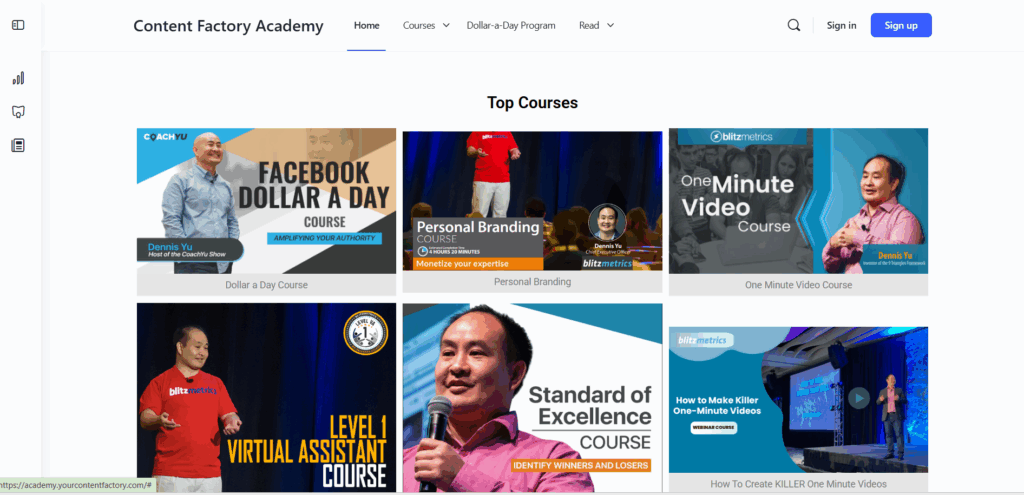
We created the Level 1 Guide to make this easier for new folks, virtual assistants, and anyone unfamiliar with how a high-functioning team operates.

Clients are the exception

Of course, clients can reach out directly. They’re not expected to navigate our internal structure. But internally, we have to hold the line.

We can’t afford to spend time coaching teammates one-on-one when the answers already exist in our training or belong with someone else on the team.

Use RACI

We follow the RACI framework:

  • Responsible – Person doing the task.
  • Accountable – Person answerable for the result.
  • Consulted – People giving input.
  • Informed – People who just need to know.

Most direct messages to me fall into the “I” bucket. That means I don’t need to be asked; I just need to be looped in. And if I’m not the “R” or “A” in the situation, you’re better off messaging someone else.

When people default to messaging me, it creates confusion about who’s actually responsible. It also creates delays, since I’m often not the one doing the work.

How to email like a pro

Need to keep me in the loop? Great. Cc me. That’s all.

But if you need a decision, update, or action, send it to the right person. I’m not ignoring you; I’m making sure the team functions without me needing to play firefighter on every task.

Don’t do this:

  • Email me only, asking for updates or input.

Do this instead:

  • Send the message to the person doing the work. Loop me in as “Informed” only if needed.

Kill the “Reply All” monster

The other common mistake? Hitting reply all like it’s a team sport.

Copying everyone on every message doesn’t help. It muddies the waters and makes it harder to track who’s actually responsible. If everyone’s on the thread, no one’s owning the task.

Before you hit send, ask:

  • Who needs to take action?
  • Who just needs to know?
  • Who doesn’t need to be included?

That’s how high-performing teams communicate on purpose, not on autopilot.

Bottom line

If you’ve been DM’ing me by default, don’t worry, lots of folks start that way. But now you know.

Follow the process. Respect the roles. Use the systems we’ve built. That’s how we scale.

We built the Level 1 VA course to make this easy. Read it. Use it. Become the teammate others want to work with.