How to Set up Automated Course Enrollment tags in Learndash+Memberium

Manually enrolling students wastes time and creates room for error. We built an automated course enrollment system that gives users instant access to their LearnDash course the moment they’re tagged in Keap.
Here’s how the BlitzMetrics video explains the steps to set it up:
Step 1: Create an Auto-Enroll Tag in Keap
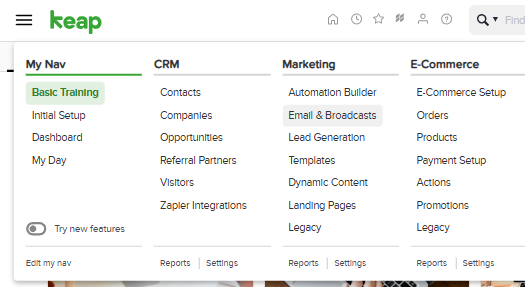
In Keap, go to CRM → Settings → Tags and click Add Tag.

Name it clearly, following the template Enroll: | [Course Name] |, then save.
This tag will serve as the trigger for automatic enrollment.
Step 2: Assign the Tag in Memberium
In your WordPress dashboard, go to Memberium → Courses (or Memberships).
Open the course access settings and locate Auto-Enroll Tags under the LearnDash Integration section.
Enter the Keap tag you just created and save changes.
Step 3: Link the Tag in LearnDash
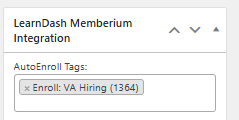
Go to LearnDash LMS → Courses → [Your Course] → Settings.
Scroll to Learndash Memberium Integration and add the same auto-enroll tag.
Save the course.
Now Memberium knows which tag unlocks which course.
Step 4: Test the Workflow
We picked a test contact in Keap, applied the tag manually, and waited.
Within moments:
- The tag was recognized by Memberium.
- The user could log into WordPress and see the course appear under “My Courses” in LearnDash.
If it didn’t work: we checked that the tag names matched exactly (tags are case-sensitive), cleared caches, and verified Memberium’s API connection to Keap.
Once the test passed, we moved into live mode.
The Result
What we built is more than just a link between systems. It’s a micro-moment of delight: a user gets tagged → they walk into the course as if by magic.
There’s no waiting, no manual enrollment, no friction. The system sees the tag, Memberium unlocks access, LearnDash delivers content and the u