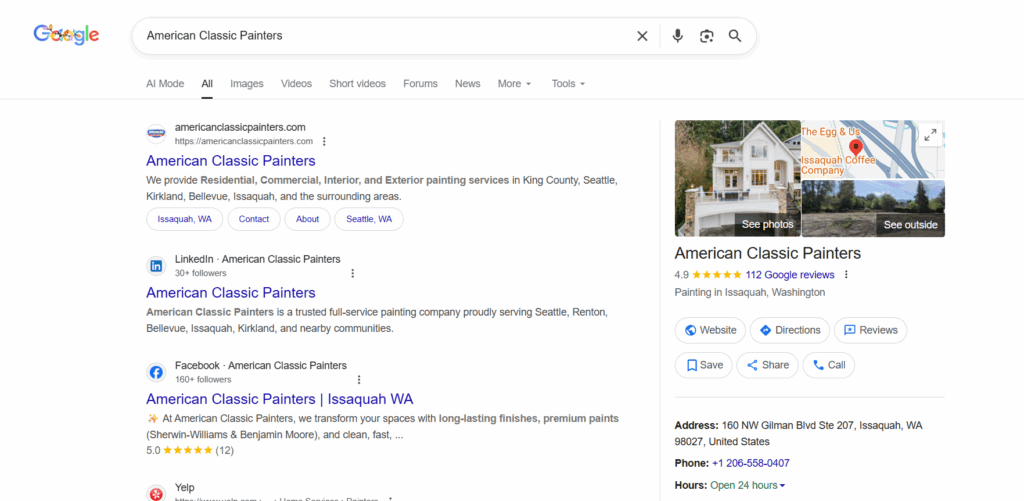
Verifying your Google Business Profile (GBP) is crucial for visibility and customer trust. This guide covers the verification process, methods, and the importance of verification. For more techniques and troubleshooting tips, join our GBP course.
Why Verifying And Claiming Your Business Is Important
Verifying your business on Google enhances visibility, increasing your chances of appearing in local search results and the coveted local three-pack. It builds trust and credibility with potential customers, showing them your business is legitimate and well-maintained.
Step 1: Sign in to Google Business Profile
Go to www.google.com/business to sign in.
Step 2: Click Verify now
If you have multiple Google Business Profile accounts, make sure you choose the correct one.
Step 3: Choose a way to verify
Postcard by Mail is the default verification option. If your business is eligible for other methods, such as phone or email, choose the one you prefer. Fill in the required details.
Double-check to make sure you’ve entered it correctly, then submit the form.
It can take a few days to two weeks for the postcard to arrive.
When you receive your postcard, sign in and click Verify location from the menu. Enter the five-digit verification code from your postcard.
Note: It may take a few weeks for your business listing to appear on Google. While waiting, download the Google Business Profile app so you can manage your account.
Claim Your Business on Google
Do you need to claim an existing Google Business Profile? There are three options:
Option 1: Sign up or log in to your Google Business Profile. Search for your business, and select it. Then follow the steps to confirm that you are the owner.
Option 2: Look up the business listing in Google Search and click Own this business.
If someone has already claimed the business, and you work for the same company, ask them to add you as a user. If you don’t recognize the owner, follow the steps to reclaim your business.
Edit Your Business on Google
Do you need to edit information on your Google Business Profile? Here’s how:
Sign in to Google Business Profile.
Open the location you’d like to edit.
In the menu on the left, click Info.
Click the pencil icon to make your edits. If you want to remove a section, click the X. When you are finished, click Apply.
Keep in mind that it can take up to 60 days for the edit to appear. There may be some information from other sources that cannot be edited.
As a project manager, virtual assistant, or agency owner, you should always be looking to improve your work and your client’s results. Luckily, there’s a simple blueprint to follow which guarantees success with enough iterations.
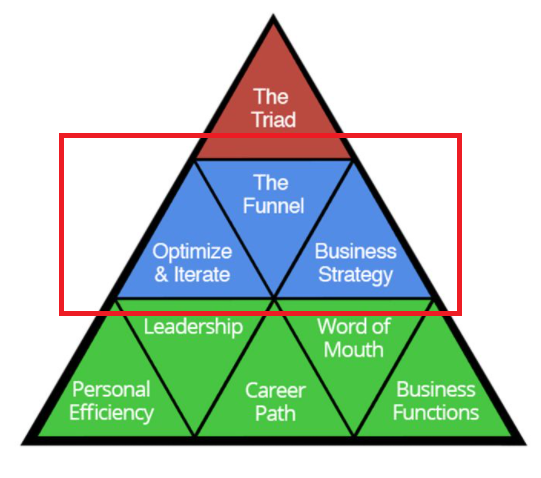
Not only that – but you can use the same blueprint for personal efficiency and decision making as a part of our 9 triangles framework.
9 Triangles Framework
It’s called MAA.
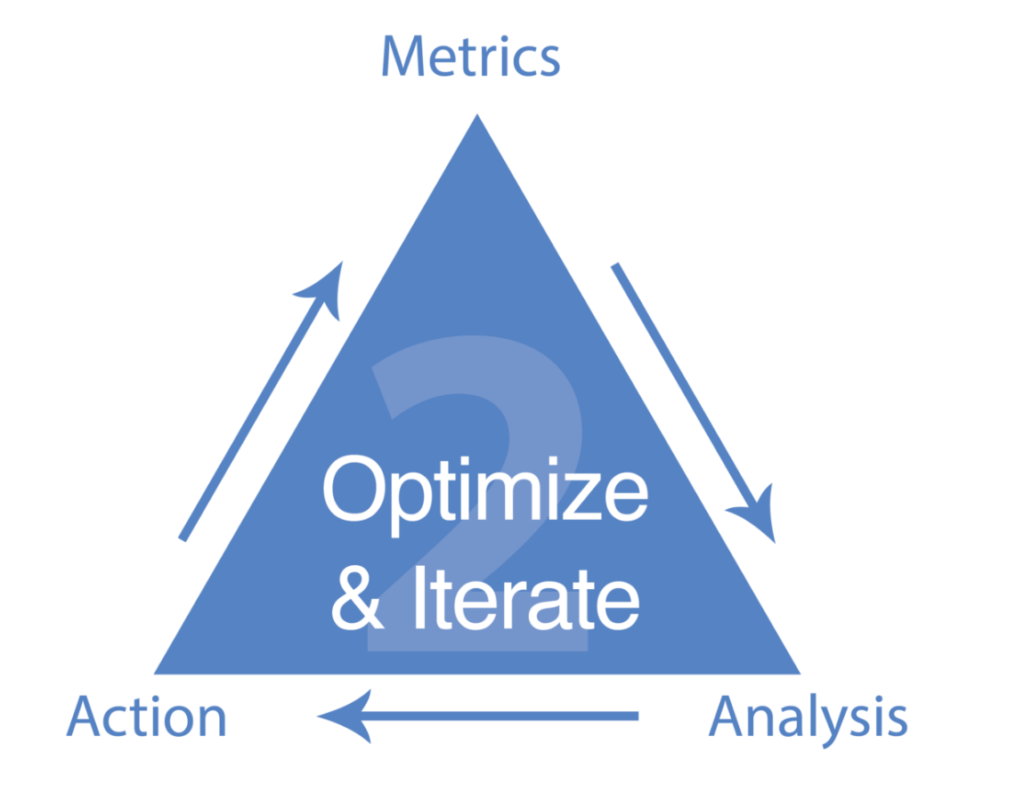
MAA stands for metrics, analysis, and action. MAA is a requirement to measure the success of your work and what needs to be done to ensure happy clients and a thriving business.
Each letter is instrumental, since without metrics we can’t have analysis, and without analysis we can’t have action.
In this article, we’ll go through each with examples, show you how to conduct weekly MAA cycles, and why it’s so important to do.
Metrics
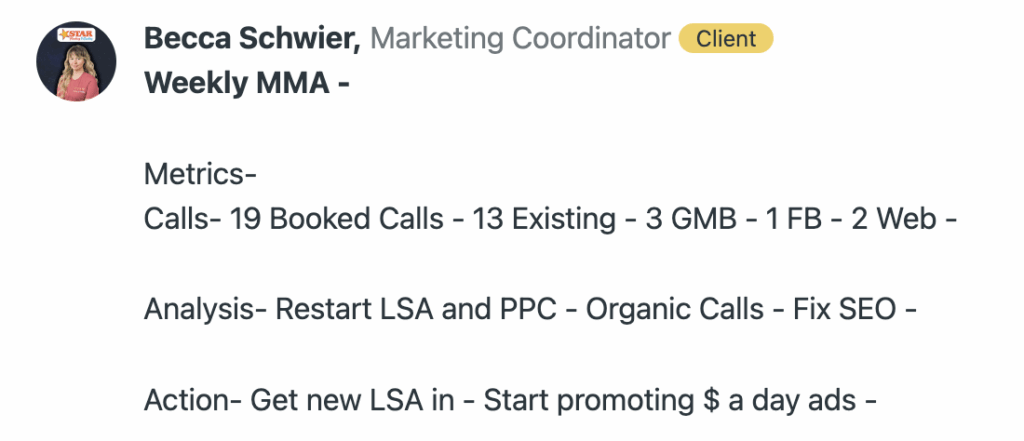
We recently onboarded Star Heating & Cooling, an HVAC local service business in Fishers, IN. In the first week, we wanted to show MAA in action and how simply writing out our metrics can point us in the right direction for getting more calls in the door.
Becca’s MAA for Star Heating & Cooling
As you can see, we’ve had 19 booked calls this week. 13 from existing customers, 3 from our GMB, 2 from our website, and 1 from Facebook.
We can then move to analysis. What the metrics tell us is that GMB calls are the primary source for new client acquisition, even above LSA and PPC which are barely getting us any calls at all right now.
And since we’ve only received 3 new customers from GMB this week, we should prioritize getting PPC and LSA ads going for more call volume since their business qualifies for LSA and wasn’t already spending much before.
Therefore, the action for this week should be getting PPC and LSA set up and running for more inbound new customers.
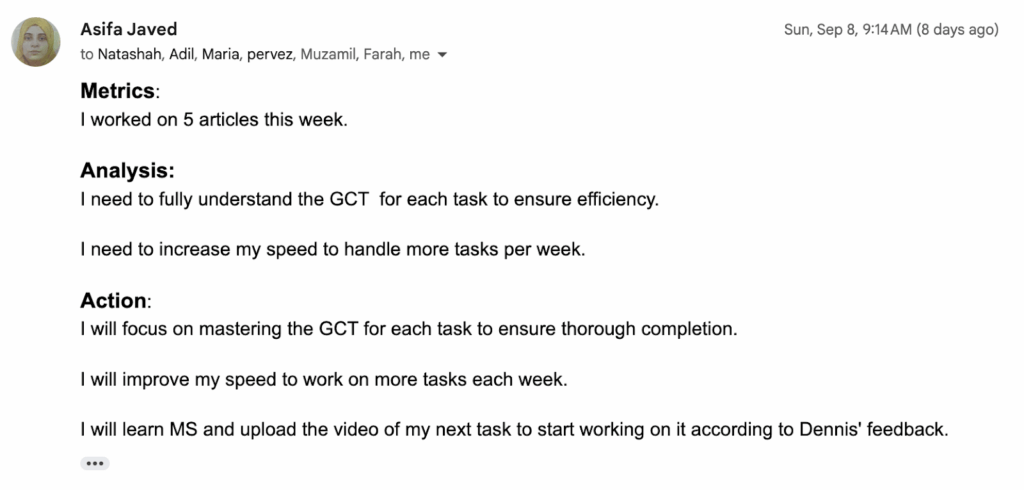
MAA isn’t just for local service businesses, either. Take the example of a recent VA we’ve hired named Asifa. We’ve asked all of our new hires to reflect and write MAA about their performance so far.
Asifa’s Response to our MAA Prompt
Any full time content VA should be writing more than just 5 articles a day, which equals 1.5 hours per article. So understanding the results of work completed (metrics) means we can then move on to analysis.
Asifa’s analysis isn’t wrong per say, but what we’re also looking for is the reason for the existing metrics before we move on to action.
For example, “I wasn’t as familiar with our clients GCT, and therefore moved slower than I should have when writing these articles” is great, since it addresses the underlying concerns for why the metrics are what they are.
Once we understand the metrics and write an analysis of them, we can then move on to the action. In Asifa’s case, it was to understand more about our process through existing materials and complete more work.
What doesn’t get measured, doesn’t get improved.Which is why the M in MAA is the center of everything else we discuss for analysis and action.
Analysis
The analysis section of MAA is what everyone gets confused on. Most project managers go from Metrics -> Action and skip this crucial step. But without it, the actual actions which need to be taken are vague.
For example, we recently had American Epoxy, a concrete coating company, reach out to us since they were disappointed with their agency. The lead quality most of these leads were coming from outside of Arizona. Since American Epoxy is based in Tucson, they were frustrated that they were getting form submissions from Texas and Florida.
In response, Dennis Yu and myself joined a call where the client manager acknowledged the out of state leads, and then went into the action they would take to address them.
But wait a moment, how would you know what action to take without analysis on why these leads were out of state?
This is like if you were on a boat taking in water in the middle. Sure, you could grab a bucket and start shoveling water… or you could simply plug in the hole where the water is coming from.
But without analysis, everything is a sinking ship and no-one knows where the water is coming in from.
Take the example of All About Pressure Cleaning, a client of ours in Pompano Beach, Florida. All About recently had a big influx of poor quality calls and folks in South Florida looking for jobs.
Since All About Pressure Cleaning does pressure cleaning and other related services, they were (rightfully) frustrated with folks calling them looking for maids and other unrelated services.
Knowing these metrics and the poor quality of them, here was my analysis.
Our Analysis On Poor Client Metrics
You can see me addressing the obvious problem, why this problem has happened, and the solution, which is to start iterating more on Google PPC ads and remove PMAX campaigns.
But without proper analysis, I could have easily said “Okay, we’re working on it!” and tried a dozen other things. Instead, we got to the root cause and offered a solution based on the existing data.
We would not have found the solution had we not conducted proper analysis of our metrics.
Action
Tying MAA together, we have action. When done properly, this is the easiest step since the analysis leads to an obvious conclusion.
For example, if lead volume is low, we can see why that’s the case in analysis and take action based on it. Just like how if you’re bad at writing content and acknowledge the reason for that being your lack of experience, the answer is to clearly learn and do more.
Or if a client is mad about lack of communication, poor lead quality, or lack of lead volume. The solution is almost always visible once you conduct proper analysis.
You can almost view the action section as a to-do list for the following week before the next MAA cycle. Therefore, there’s always new metrics to iterate from and progress to be made, regardless of the situation.
Why is MAA so important?
Besides fitting into our 9 triangles framework, MAA is your universal compass for decision making. Even though we use it for client success, you can use it for personal efficiency, planning priorities, and making important life decisions.
If you care about making money as an agency owner, MAA can reduce your churn rate an enormous amount, since clients can clearly see progress being made and iteration taking place. The iteration and weekly cycles make it so things don’t get stuck either.
If you care about leveling up your skill set, MAA can make your priorities clear since you know your metrics and have analyzed why things are the way that they are.
If you care about building relationships, you can use MAA as a reason for why people act the way that they do and why.
In short – you can use MAA as your professional decision maker since there’s always logic and flow. As long as MAA is being completed, iteration is happening and we’re moving closer to our goals.
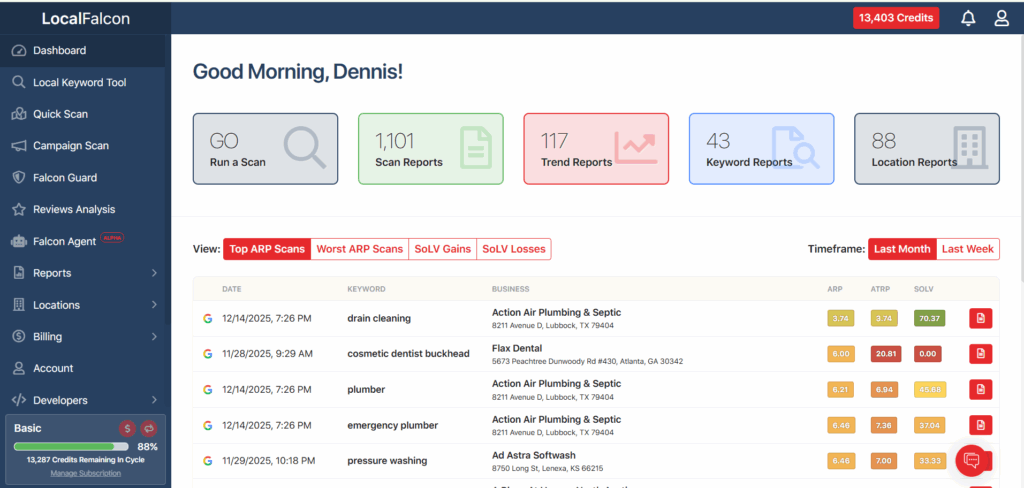
When we evaluate a Google Business Profile for a real local business (a dentist serving a defined city, a plumber covering specific neighborhoods, or a treatment center relying on phone calls) we need to see exactly where that business appears and where it does not.
That is the problem Local Falcon solves for us.
Local Falcon shows local search results as customers experience them, street by street, instead of collapsing visibility into a single averaged ranking.
Where Local Falcon Fits in Our Workflow
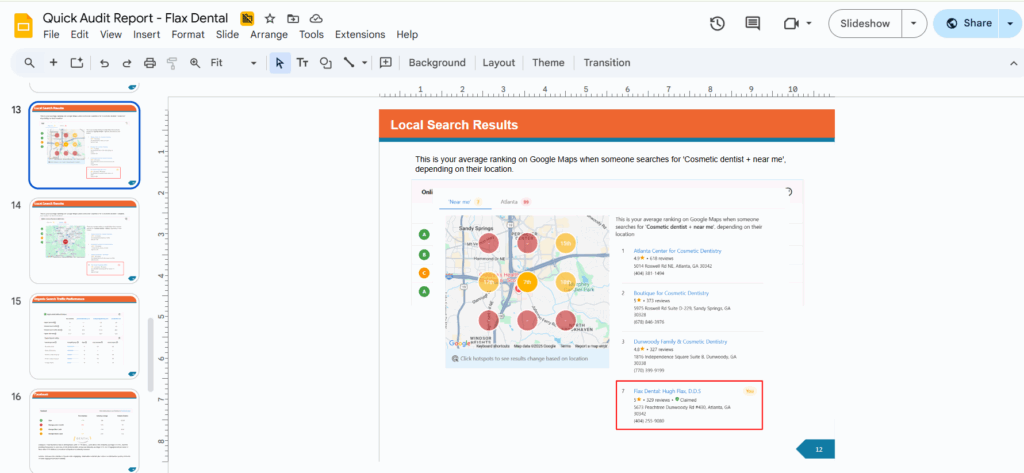
In a Quick Audit, it allows us to diagnose visibility gaps immediately. We can see where a business stops appearing, where competitors dominate, and whether perceived strength is driven by authority or proximity.
In the AI Apprentice program, apprentices learn how local rankings shift by distance, how competitors rotate across a grid, and why a single ranking screenshot has no diagnostic value.
For active clients, we run Local Falcon scans weekly. This lets us track whether visibility is expanding, identify sudden drops early, and confirm that changes produced measurable movement instead of theoretical improvement.
The Mistake Almost Everyone Makes at the Beginning
Most people approach local SEO as if it behaves like traditional rankings.
They check one keyword, look at one position, and assume they understand performance. Local search does not work that way.
A business can appear dominant within a few blocks of its address and disappear entirely a short distance away. One position tells you nothing about coverage. What matters is where visibility is consistent and where it collapses.
A proper local SEO tool shows distribution, not a single number.
How to Use a Local Rank Tool
Step 1: Start With One Real Keyword
The first step is choosing a keyword that would realistically lead to a call, booking, or visit. If the keyword would not generate revenue, it is not the place to start.
Set a scan radius that reflects how customers actually behave. A radius that is too small creates a false sense of dominance. A radius that is too large blurs the signal.
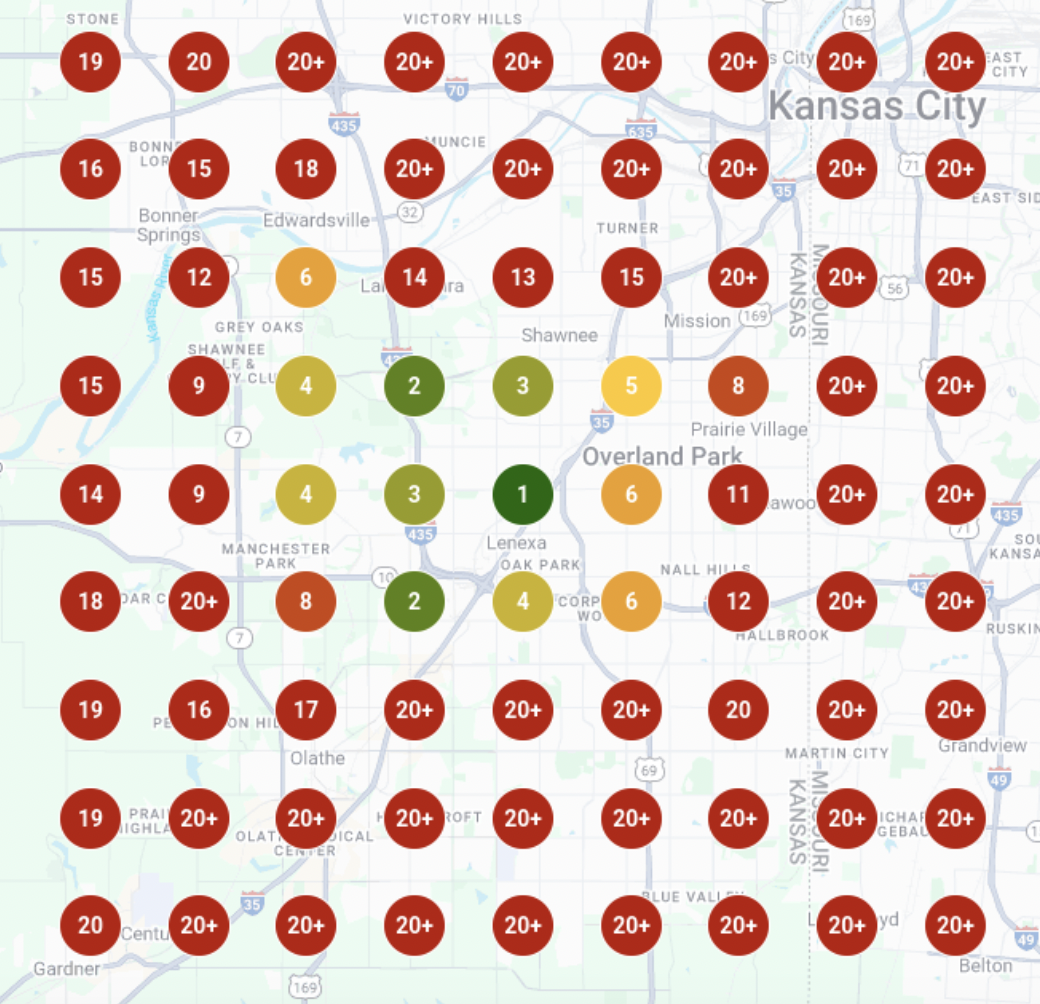
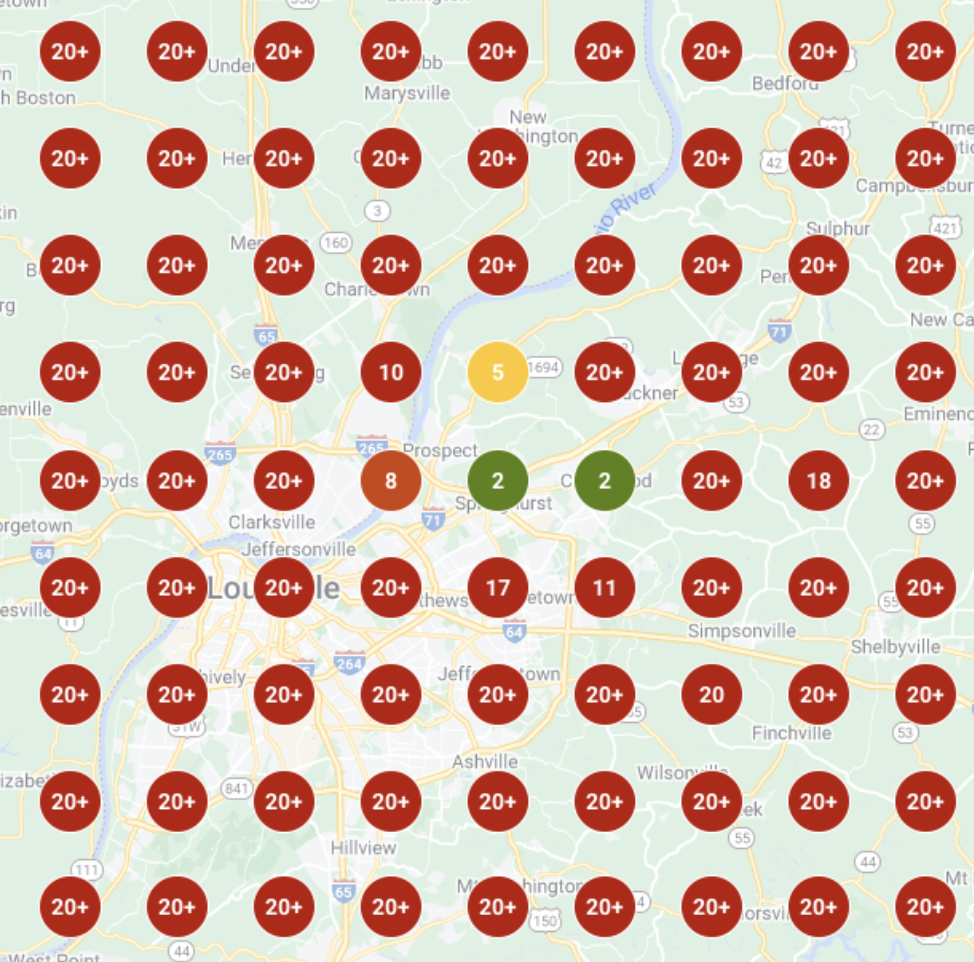
Results for the keyword “softwash services” from Ad Astra Softwash within Overland Park, KS
Step 4: Run the Scan and Read the Map First
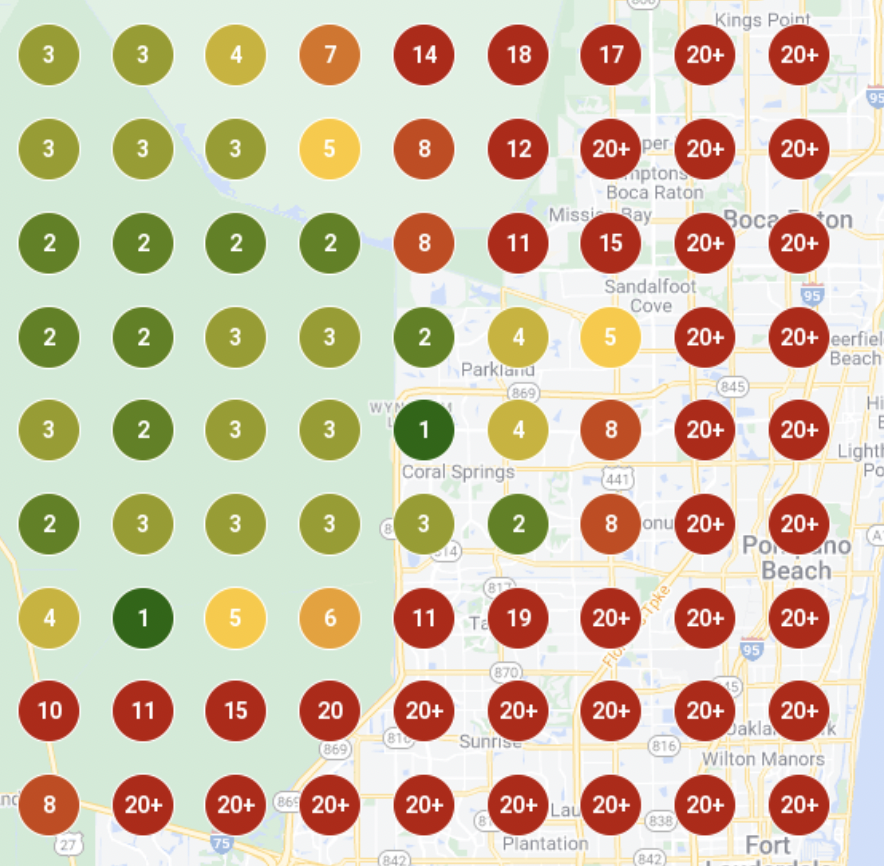
When the scan runs, read the map before looking at scores. The colors show the truth faster than the numbers. Green indicates consistent visibility. Red indicates areas controlled by competitors.
As distance increases, visibility should gradually taper. Sudden drop-offs usually indicate authority or relevance issues rather than normal proximity decay.
Step 6: Identify the Actual Competitors
Pay close attention to which businesses appear where you do not. Those are your real competitors, regardless of brand size or reputation.
Step 7: Make One Improvement
Make one change at a time. Adjust the profile, reviews, or service content, then wait. Changing multiple variables at once removes your ability to learn.
After the change, re-run the scan. If the map improves, the change worked. If it does not, it didn’t. This is why we scan weekly instead of guessing monthly.
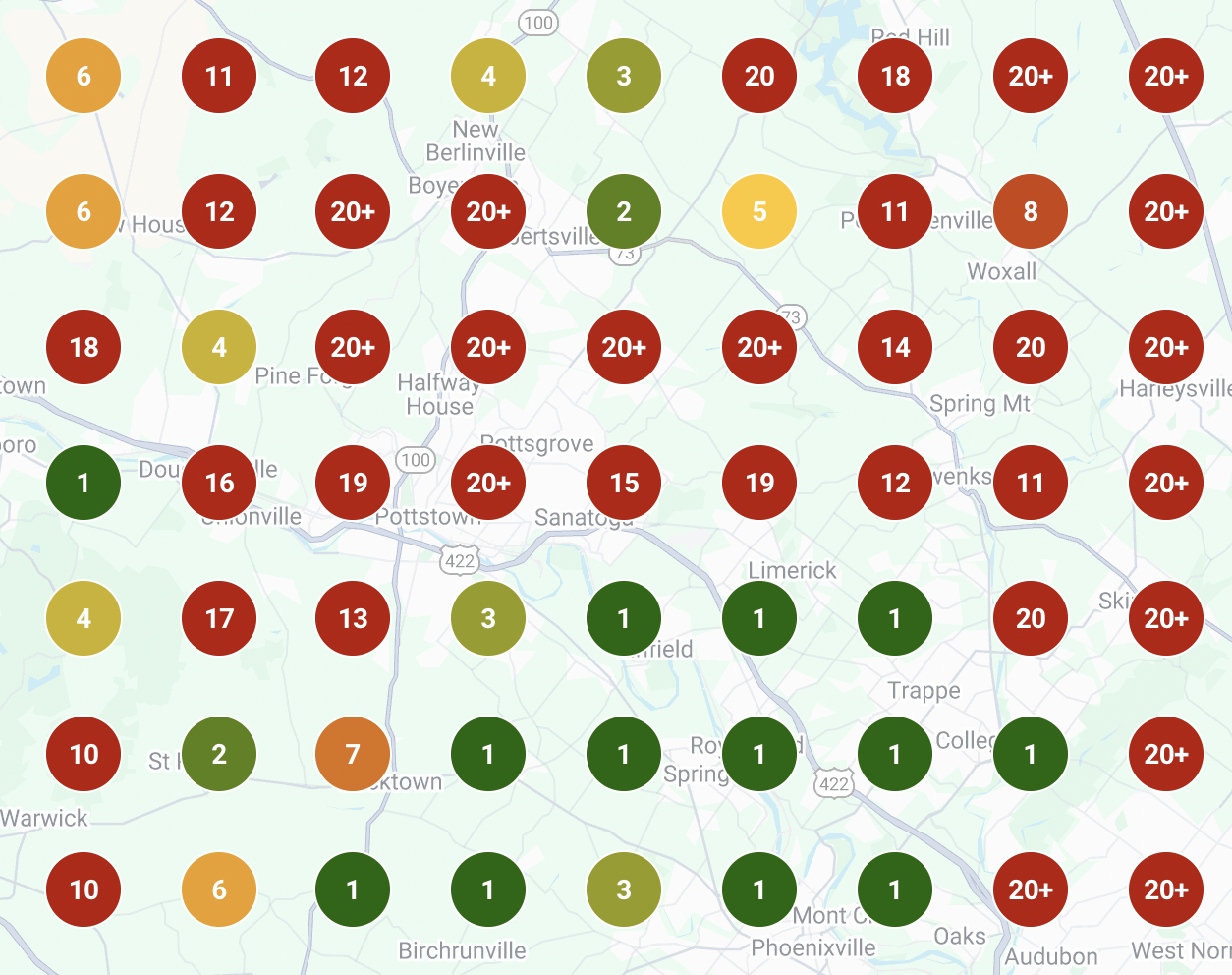
Agape’s LocalFalcon search results
Why This Matters
If you can see where a business appears and where it disappears, you can make informed decisions. If you cannot see that clearly, you are guessing, regardless of which tool you use.
That is why we use Local Falcon in audits, training, and weekly client work.
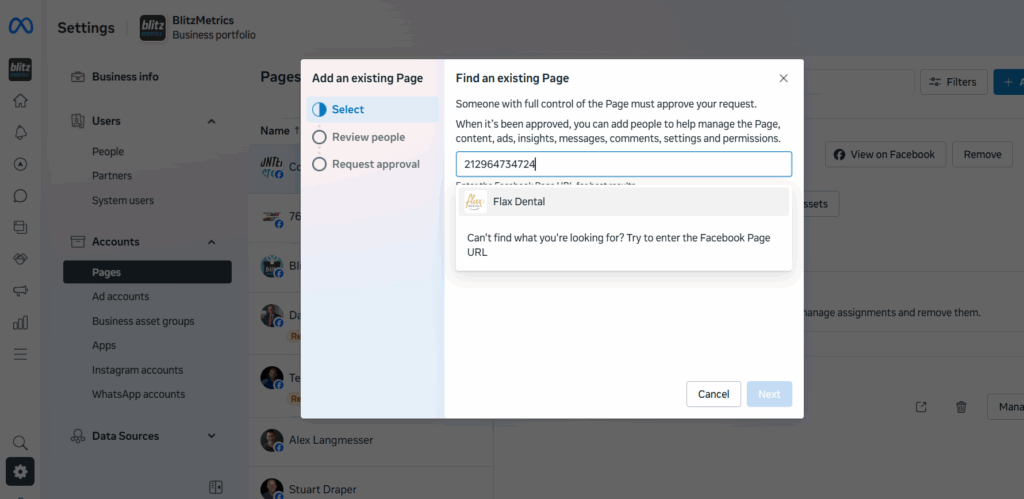
If your Facebook Page looks normal but refuses to connect to ad accounts, agencies, or partners, this article explains what’s happening and how to fix it.
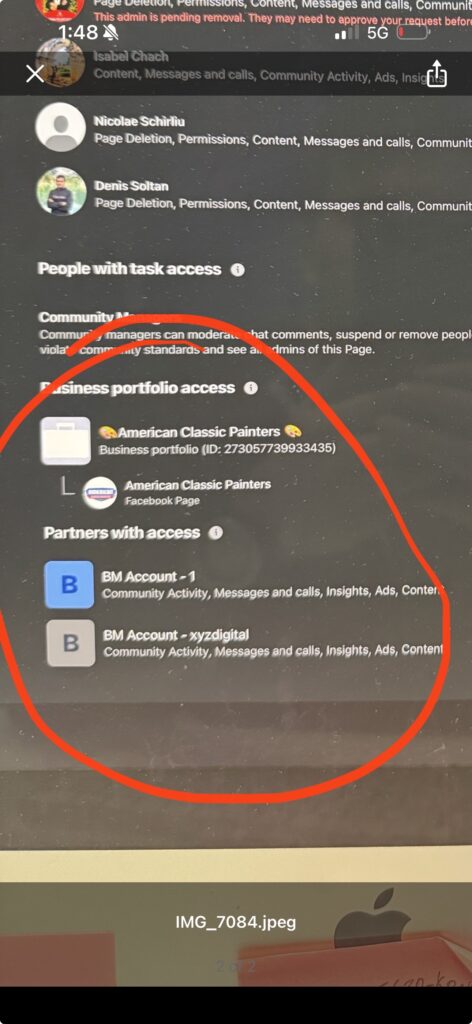
This issue usually appears with Pages that were created years ago or originally set up by a former agency, employee, or partner. Even though your Facebook page access may list you as an admin, business-level actions silently fail.
It’s a Business Manager ownership problem.
What’s Actually Broken
Every Facebook Page can be owned by only one Business Manager.
When that owning Business Manager is no longer accessible (because it was deleted, locked, or controlled by someone who is no longer involved) Meta blocks all business-level actions on the Page.
You might still be able to post, change settings, and add individual admins. That creates the illusion that everything is fine. But behind the scenes, Meta will not allow the Page to connect to ad accounts, agencies, analytics tools, or partner businesses.
Personal admin access does not override Business Manager ownership.
Why Access Requests Look Like They Work (But Don’t)
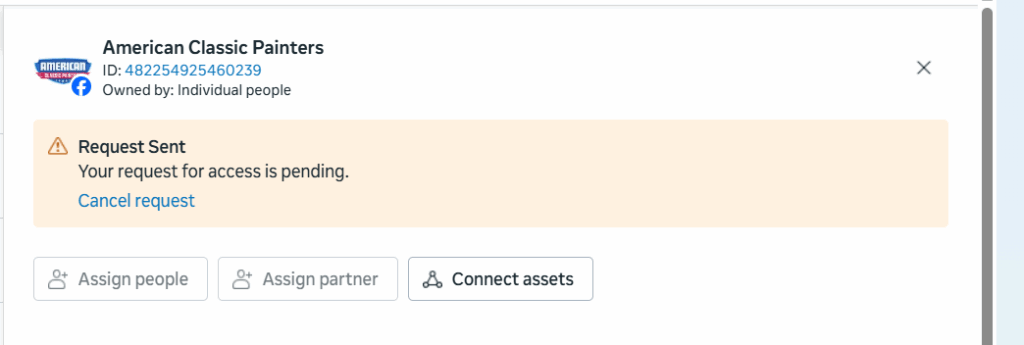
Meta allows business access requests to be sent and even “accepted,” but when a Page is owned by another Business Manager, the connection never completes.
There is no error message.
Meta simply rejects the request silently because only the owning Business Manager is allowed to approve business-level access. Any request made outside of it is automatically blocked.
This is why people get stuck in loops adding admins and resending requests that never stick.
How to Confirm This Is Your Problem
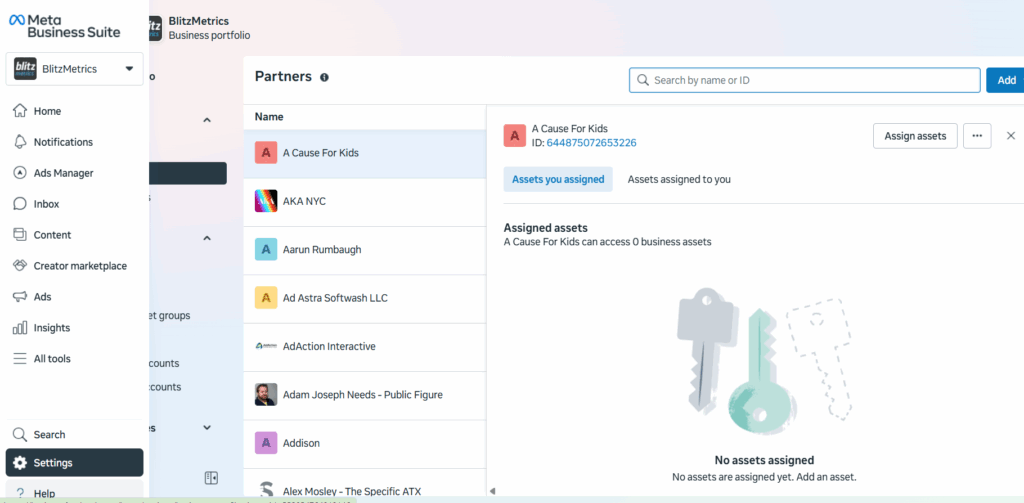
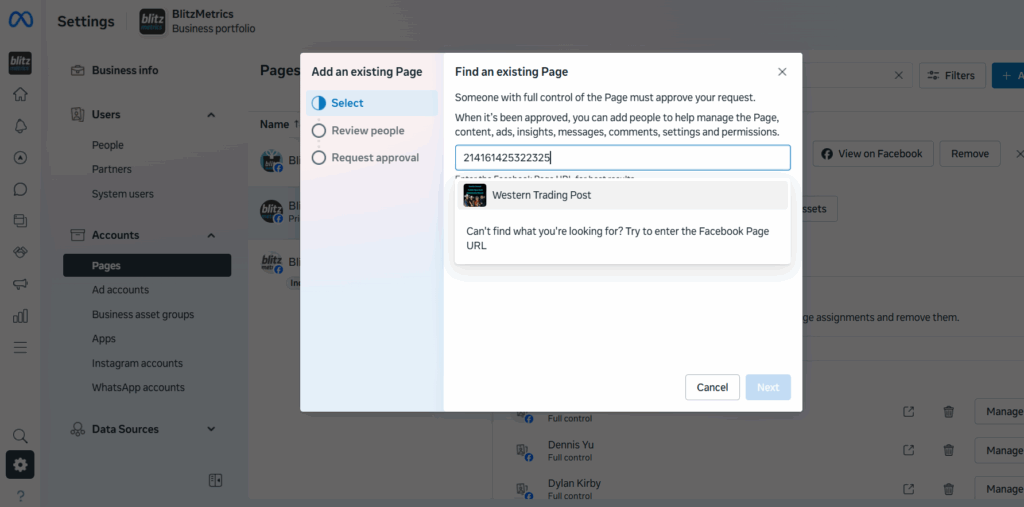
Log into business.facebook.com using the Business Manager you control and open Business Settings.
If your Page is missing entirely, or if you can see it but cannot assign partners, connect ad accounts, or manage assets properly, it is almost certainly owned by another Business Manager.
Once that happens, the Page instantly becomes fully usable. Ads, analytics, and partner access work without any review or approval from Meta.
If this option is available, take it. Nothing else is faster or cleaner.
Option Two: Request Page Ownership From Meta
When the original Business Manager is no longer accessible, ownership must be transferred by Meta.
To do this, log into the Business Manager you control and go to the Meta Business Help Center.
Choose Pages, then Page access or ownership, and select the option indicating that another business owns your Page.
If the exact option doesn’t appear, searching for “Facebook Page ownership dispute” will lead you to the correct form.
Meta will ask for documentation proving that your business legally owns the brand represented by the Page. This usually includes a business license or incorporation documents, along with a utility bill or tax document showing the same business name and address. You will also need to provide the Page URL and your Business Manager ID.
All information must match the Page’s business name. If it doesn’t, Meta will reject the request with little or no explanation.
What Happens After Submission
Meta reviews the request manually. This typically takes several business days, though it can take longer if additional verification is required.
Responses are sent by email, often to spam folders, so checking regularly is important.
If the request is approved, ownership of the Page is transferred to your Business Manager automatically. No additional steps are required.
Why Adding Individual Admins Never Solves This
Meta treats people and businesses as separate entities.
Adding a person as a Page admin only grants surface-level control. It does not transfer business ownership and does not unlock ads, partners, or asset management.
Only the owning Business Manager can perform those actions. Until ownership is corrected, business access will continue to fail no matter how many admins are added.
What to Do After Ownership Is Fixed
Once the Page is owned by the correct Business Manager, everything works normally again.
You can assign partners using Business Manager IDs, connect ad accounts, and grant agencies proper access without restrictions.
If you’re creating content today, you’re competing with the scroll.
People spend hours a day moving past content without thinking. On most social platforms, you have a few seconds (often less) to earn attention before someone scrolls past and never sees you again. That’s the context 15-second videos live in. They exist because attention spans are short, feeds move fast, and algorithms reward engagement, not effort.
It’s how Facebook, YouTube, TikTok, Instagram, X, and LinkedIn all work right now.
Attention Has to Be Earned Immediately
Adult attention spans, especially under age 30, are extremely short. If you don’t engage someone in the first three seconds, they’re gone. Not later. Not after the hook. Immediately.
That’s why longer videos fail for people who don’t already have an audience. No one is going to watch a three-minute video from someone they don’t recognize. The average watch time on Facebook is around six seconds. That alone tells you everything you need to know about how your content needs to be structured.
Short video isn’t a creative choice. It’s a practical one.
Teaching Alone Isn’t Enough
If all you do is teach, people scroll past. If all you do is entertain, you don’t build trust.
The goal is edutainment—teaching something while keeping it interesting enough that someone stays. Think of it like wrapping medicine in food. The value is inside, but it has to be delivered in a way people will actually consume.
That’s what a 15-second video does well. It forces clarity. It forces focus. It forces you to get to the point.
Algorithms Don’t Care About Your Intentions
Every major platform measures engagement. If users stop, watch, and interact, your content gets shown to more people. If they don’t, it disappears.
The algorithm doesn’t know your credentials. It doesn’t know how smart your idea is. It only knows whether someone paid attention.
That’s why the first few seconds matter more than the rest of the video combined.
This Works for Serious Professionals
There’s a misconception that short video means you have to be silly, dance, or chase trends. That’s not true.
Fifteen-second videos work for business owners, consultants, service professionals, and experts because the format rewards clarity, not gimmicks. You don’t need to act differently. You need to communicate more clearly.
The format is short. The message can still be professional.
Why the Format Exists Everywhere
Instagram Stories are 15 seconds. TikTok is built on short vertical video. YouTube Shorts follow the same pattern. These formats weren’t chosen randomly. They exist because that’s how people consume content now.
If you want visibility, reach, and efficient advertising, this is the format every platform is pushing.
Why Templates Make This Easy
People ask why a one-minute video can’t be taught in one minute. It’s because the strategy behind short video takes longer to understand than the video itself.
Once you understand the framework, execution becomes simple. Templates remove decision fatigue. They tell you how to start, what to say, and how to end without rambling or overthinking.
That’s how people go from avoiding video to producing it consistently.
The Goal Isn’t Virality
The goal is visibility across platforms, repeated exposure, and trust built over time. Fifteen-second videos make that possible because they’re easy to produce, easy to distribute, and easy for people to consume.
Short video is how you get seen before people decide whether to listen longer.
Learn the Process
If you want to understand the strategy behind 15-second videos and use templates to create them consistently, the full walkthrough is inside the course.
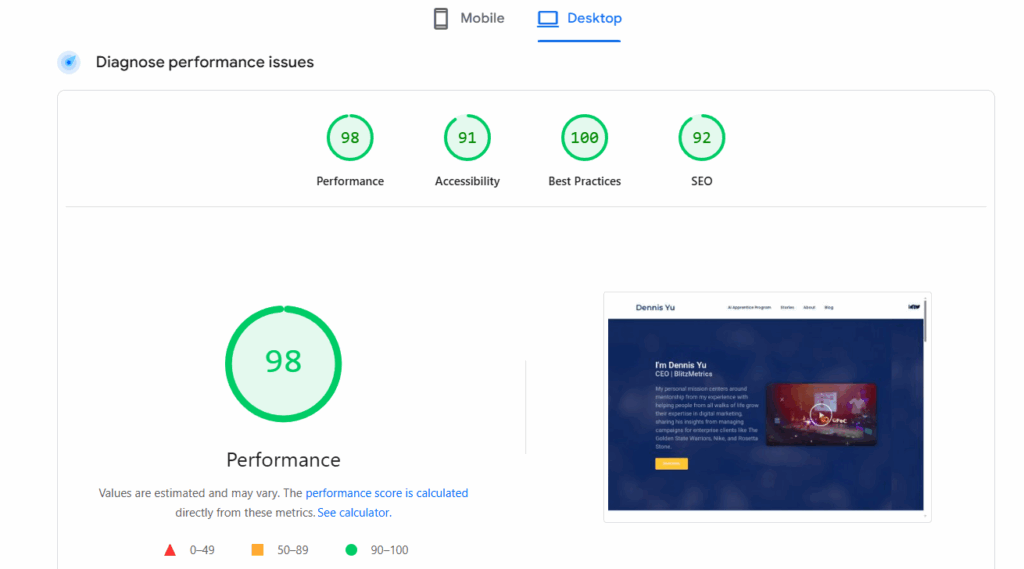
Most agencies treat page speed like a separate service. We don’t because slow sites quietly kill everything else.
Page speed optimization is part of our core troubleshooting and optimization process, not a random add-on or afterthought. If we’re working with you, we’re already paying attention to how fast (or slow) your site loads and what’s getting in the way.
You can publish great content, optimize your Google Business Profile, and run ads but if the site underneath is sluggish or unstable, performance suffers across the board.
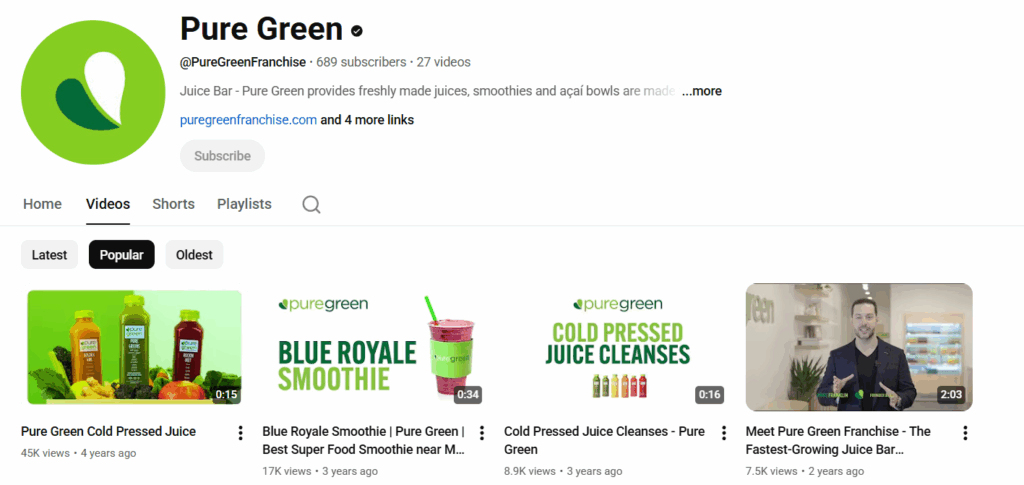
City + service data in titles, descriptions, and end cards tell YouTube: “This content is for people in this location searching for this type of provider.”
If the client wants us to run direct boosting from our side, they can fund it at Power Hour.
What we do with the boost:
Promote selected videos
We intentionally choose:
Videos with strong messaging.
Clear calls to action.
Relevance to your local market.
Content that best represents you as the expert.
We don’t boost everything; only what deserves amplification.
Build remarketing audiences
Most channels start with zero audience data.
Boosting gives us:
Viewers.
Clickers.
Engagers.
People who hit 25%, 50%, 75%, 100% watch time.
Those signals allow us to create remarketing pools we later use across platforms.
Train the algorithm
By forcing initial traffic, we teach YouTube:
Who watches to completion.
Who skips.
What geographic areas respond.
What interest profiles match your content.
This is crucial, because YouTube’s algorithm is basically a giant “lookalike engine.” It can’t find your perfect viewers until it sees who your actual viewers are.
Weekly Reporting & Iteration
As boosting runs, we monitor:
Cost per view.
Average view duration.
Viewer retention at key moments.
Geo performance.
Playlist contribution.
Watch time growth.
Rising vs. falling videos.
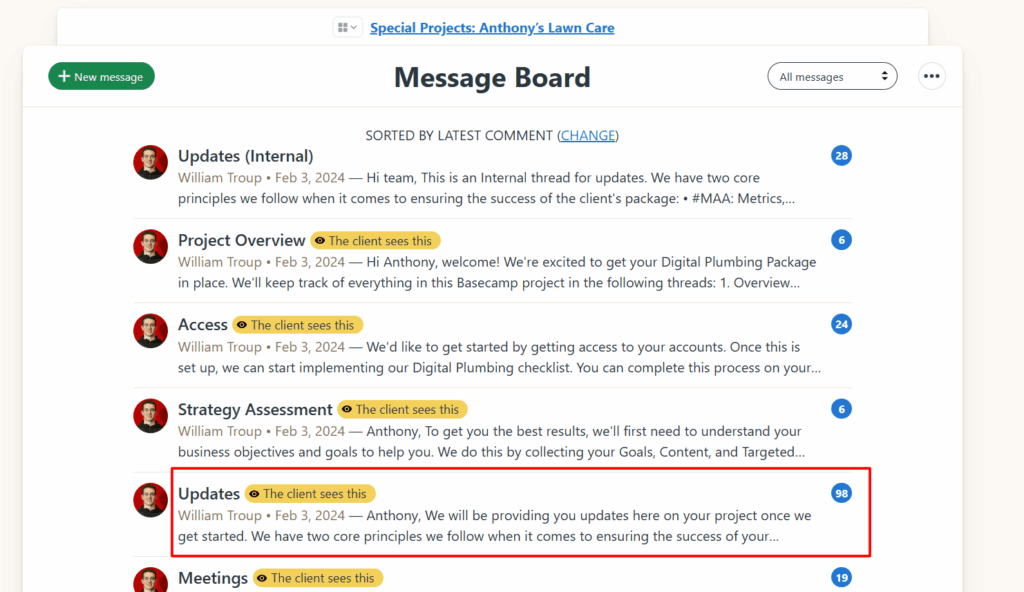
The project manager posts MAA in the appropriate updates thread:
Notice how we can’t tell who ate the donut. That’s called passive voice.
Being clear about who is doing what and when (the 3 components of a task) is critical for getting things done. Direct, clear and concise communication is essential in the professional world.
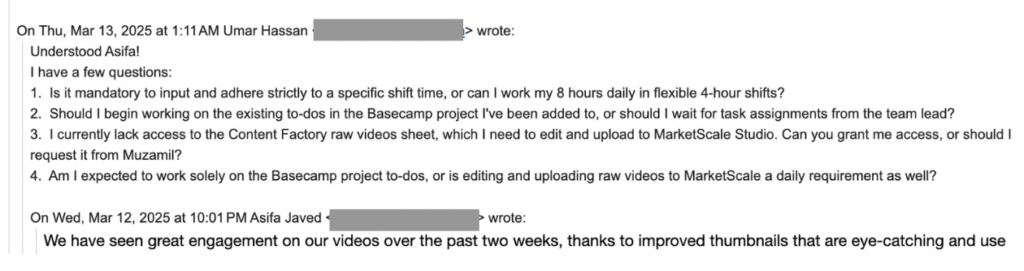
It’s imperative to ensure that your writing is as understandable to your readers as it is to you. Just because it makes sense to you doesn’t guarantee others will interpret it the same way. Most people never learn to write clearly.
How can you recognize passive voice? When people use passive voice, they omit the “doer.”
This is often subconscious, but the effect is the same—it becomes harder to figure out what’s happening and who is responsible. The result of using passive voice is a message with unclear action.
Importance of eliminating passive voice in professional environments
Remember, every task and action must have a clear owner. Compare “I moved this” with “This was moved,” or “Dennis and I are recording” versus “Recording is happening.”
It is a little tough to catch it all the time, but in a business setting, we must eliminate all usage of passive voice– especially when coordinating a project or speaking with a client. Every action must have a clear owner that comes first, and each project needs someone responsible for completing a task- adhering to the RACI (Responsible, Accountable, Consulted, Informed) model.
Thinking in passive voice significantly reduces your effectiveness and accountability. It’s more serious than mixing up “your” with “you’re” or using “ums” in speech. Passive voice strips actions of ownership, making it difficult to trace who did what, hence leading to confusion.
Here are a few real-world examples we’ve picked from emails, with corrections:
1. “Call has already been booked.” vs. “I booked the call, it’s Thursday at 10.”
Who booked the call? I booked the call.
2. “This email is to confirm that this account is at inbox zero.” vs. “This is Bob confirming that this account is at inbox zero.”
Who sent this email? Bob sent the email.
3. “More updates to come as these get closed out.” vs. “I will provide more updates as these get closed out.”
Who should we expect updates from? I will send them.
4. “This thread was moved here” vs. “I moved the thread to here.”
Who moved the thread? I did.
This is less about being picky with grammatical rules and more about being action-oriented.
Passive voice often comes from a mindset of unaccountability, where it’s someone else’s fault, and we don’t step up as owners of our actions.
Do you now see how using direct language ensures everyone is on the same page?
That you shouldn’t reply all unless it’s actually valuable to everyone. The more people you’re replying to, the more careful you should be.
Jensen Huang, founder of Nvidia — one of the world’s most valuable companies — has a saying:
“If you send it, I will read it.”
We operate the same way. But we only want to read things that help push the ball forward.
If you’ve ever opened your inbox to find a 25-message thread you didn’t need to be on, you already know: the “Reply All” button can be dangerous.
But it’s more than just a minor annoyance– it’s often a symptom of a deeper issue: a team that lacks clarity around roles.
Specifically, who’s Responsible, Accountable, Consulted, or Informed— in other words, a team without clear RACIalignment.
As someone managing over 1,000 emails per day, I spend a huge chunk of my time filtering: What needs my input? What can be delegated? What should just be deleted? All of this wastes valuable time I could be using to build cool things.
Let’s break down what’s really happening here — and how to fix it.
When Reply-All Becomes a Crutch
A new team member recently CC’d the entire company to ask for login info to a specific tool — something only our Ops lead could’ve answered.
Well-intentioned? Sure. Productive? Not at all.
So why do people hit “Reply All” when they don’t need to?
Often, it’s driven by fear or insecurity:
“I want people to know I saw this.”
“What if they think I’m slacking?”
“Better to say something than be silent…”
But in reality, this behavior slows down decision-making, clutters inboxes, and creates a false sense of momentum.
Here’s the kicker: most people don’t realize they’re doing it. They mistake visibility for value.
A RACI Refresher (and Why It Matters)
When roles aren’t clear, everyone feels the need to say something — or worse, no one acts at all. That’s where RACI brings clarity:
Responsible: The person doing the work.
Accountable: The one who signs off.
Consulted: People whose input is needed.
Informed: People who should be kept in the loop.
“Reply All” spirals usually happen when everyone starts acting like they’re Consulted — even if they’re just Informed. Or worse, when no one knows who’s truly Responsible.
For example, imagine we need to launch a Facebook Dollar-a-day ad campaign for a client. The team member who’s responsible (R in RACI) should be the one launching it and letting the accountable person know.
But when the accountable team-member isn’t accountable, we have situations where it’s a free-for-all at best, and nothing gets completed at worst.
What It Should Look Like
Let’s say someone sends an update about a project delay.
Here’s how a functional RACI team handles it:
The Accountable person makes sure timelines adjust.
The Responsible replies (in-thread or privately) with next steps.
The Consulted offer insights only if asked.
The Informed? They stay silent — and stay informed.
What happens instead?
A flurry of “Thanks!” “Got it!” “Let me know if I can help!” — well-meaning noise that adds zero value.
Think of it like a school project where in a group of 5, two people do all the work while the other three look busy in front of the teacher. Meanwhile, they’re unintentionally slowing down the productivity of the two classmates.
How to Break the Reply-All Habit
Reply-alls and private messages are a tell-tale sign that someone isn’t used to working in a team. It isn’t just a communication problem — it’s a competency problem from us not following RACI etiquette.
Here’s how to fix it:
Set communication norms. If you’re Informed, don’t feel pressure to chime in. Silence is not neglect — it’s discipline.
Make RACI roles explicit. Before any task or project kickoff, define who fits where.
Pause before replying. Ask: Does this move the task forward?Does everyone need to see this?
Use better tools. Slack channels, project boards, or dashboards are better for FYIs than a sprawling email thread.
While overusing “reply all” clogs inboxes and creates noise, the opposite behavior – messaging only Dennis – is often a bigger mistake.
It bypasses the team, creates bottlenecks, and forces Dennis to manually loop others back in. This breaks the system of team accountability and visibility.
Reply-all is just a symptom. The real issue? A team that lacks competency, structure, and trust.
One of our worst reply-all threads last year involved seven people, two time zones, and three missed deadlines — all because no one knew who owned the task. That mistake cost us a client meeting and a lot of internal friction.
If we want to work with A-Players, we have to communicate like them. That means trusting each other, staying in our lanes, and speaking only when it actually helps.
You don’t need to be loud to be effective. Silence isn’t passive — it’s elite communication, provided you don’t need to be involved.
You just need to be clear and reliable– which is what actually moves projects along.
If you’re working with our team, whether as a teammate, vendor, contractor, or collaborator, this is for you.
The temptation to DM
I get it. It’s easy to solo message me. I usually reply fast. It feels like the shortest path to an answer. But what seems efficient in the moment often ends up breaking the system we’ve worked hard to build.
We’ve structured things so that communication flows through the right people, not just through me.
I’m not the switchboard
It’s not that I don’t care or don’t want to help. I do. But I get 800+ messages a day, and if everyone treats me like the team’s shortcut, everything slows down.
It’s better, for you and the team, if you go directly to the person responsible. That’s who can actually get it done. You don’t need me as the middleman.
Think like a team
Imagine a hospital where every patient tries to talk directly to the top surgeon for every appointment, follow-up, or billing question. That system breaks immediately. Not because the surgeon doesn’t want to help, but because the whole operation collapses when one person is overloaded.
Same goes here. We built a team for a reason. Everyone has a role, and we need to respect that if we want to move fast and stay sane.
We created the Level 1 Guide to make this easier for new folks, virtual assistants, and anyone unfamiliar with how a high-functioning team operates.
Clients are the exception
Of course, clients can reach out directly. They’re not expected to navigate our internal structure. But internally, we have to hold the line.
We can’t afford to spend time coaching teammates one-on-one when the answers already exist in our training or belong with someone else on the team.
Most direct messages to me fall into the “I” bucket. That means I don’t need to be asked; I just need to be looped in. And if I’m not the “R” or “A” in the situation, you’re better off messaging someone else.
When people default to messaging me, it creates confusion about who’s actually responsible. It also creates delays, since I’m often not the one doing the work.
How to email like a pro
Need to keep me in the loop? Great. Cc me. That’s all.
But if you need a decision, update, or action, send it to the right person. I’m not ignoring you; I’m making sure the team functions without me needing to play firefighter on every task.
Don’t do this:
Email me only, asking for updates or input.
Do this instead:
Send the message to the person doing the work. Loop me in as “Informed” only if needed.
Kill the “Reply All” monster
The other common mistake? Hitting reply all like it’s a team sport.
Copying everyone on every message doesn’t help. It muddies the waters and makes it harder to track who’s actually responsible. If everyone’s on the thread, no one’s owning the task.