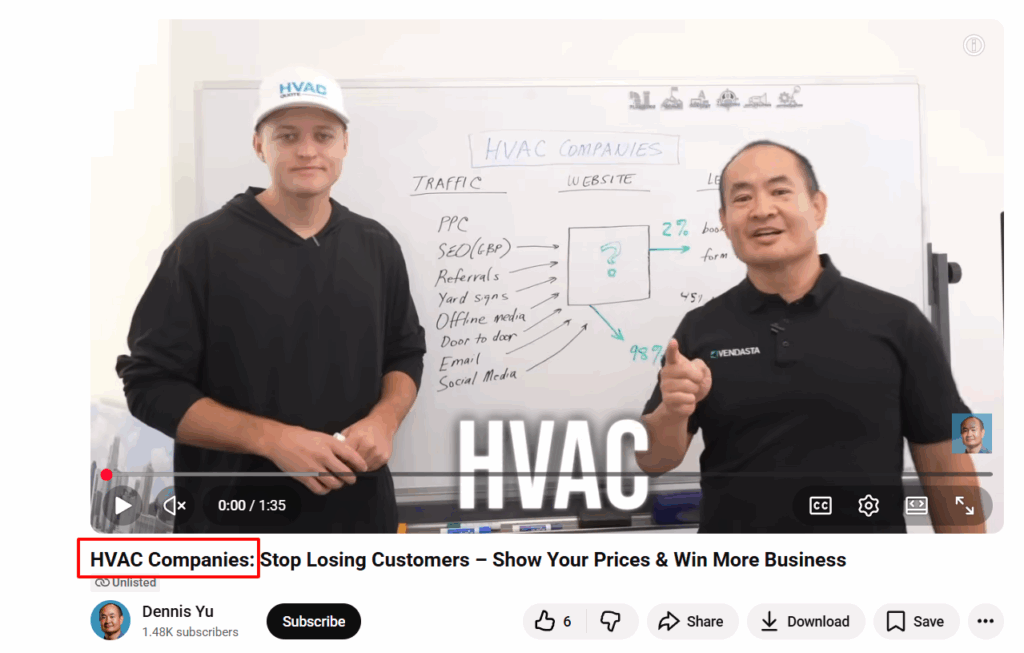
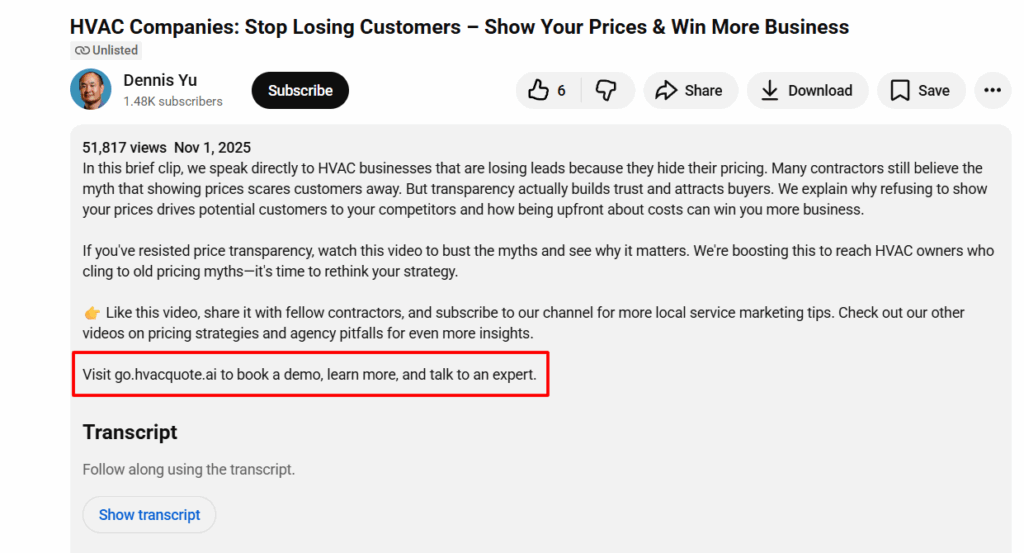
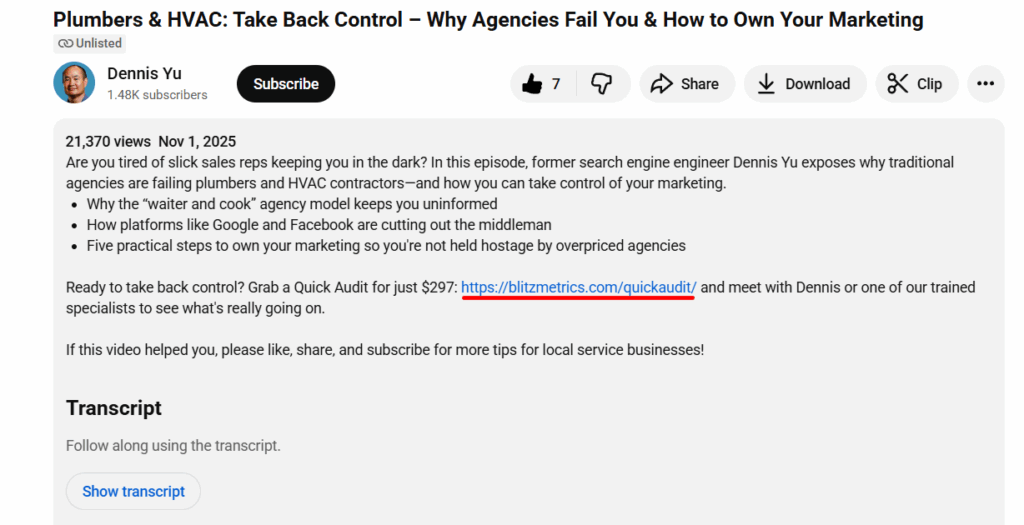
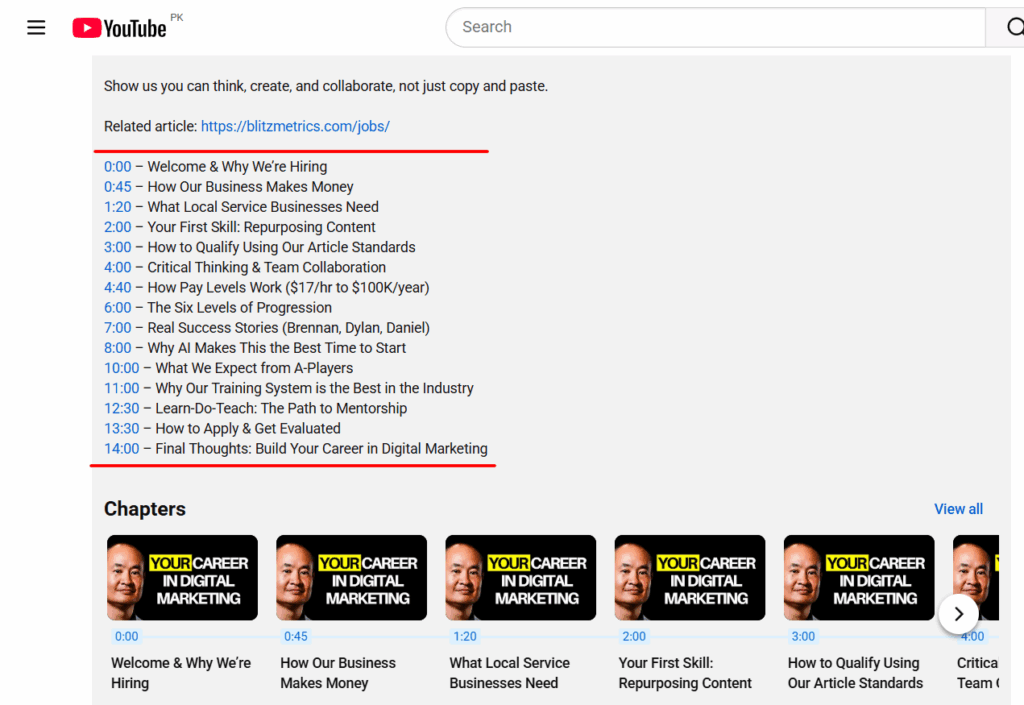
We have a chronic problem in our materials, and it’s not subtle. It’s stock art.
You know exactly the species:
Stick-figure crowds that look like they escaped from ClipArt rehab.
Fake-smiling business people who have clearly never run an actual business.
Random gradients someone tossed in because “the page needed something.”
Stock art isn’t just inauthentic; half the time it’s not even relevant. It’s visual filler. And despite calling it out in threads, updating training, and telling people loudly not to use it, stock art keeps sneaking back in like a raccoon raiding the dumpster behind Applebee’s.
But there’s a deeper issue. And it has nothing to do with design skills.
The real problem: No experience = no expertise
Stock art shows up when someone doesn’t actually understand what they’re trying to communicate.
It’s easier to paste a cute icon than it is to:
Map out a funnel from a real campaign.
Show the real metrics.
Pull real screenshots.
Explain the real logic behind the system.
And this is where we run headfirst into EEAT, specifically the first E: Experience.
Google rewards content grounded in firsthand proof. So do real users. When you throw in stock art, you’re broadcasting the opposite: “I don’t have anything real to show you.”
Nothing demolishes credibility faster.
Stock art = evidence of no actual doing
Here’s the pattern we see all the time:
We talk about performance benchmarks. We break down funnels. We show TikTok metrics. We emphasize real examples, real screenshots, real campaigns.
Then someone uploads… a blue stick-figure holding hands with 11 of its closest stick-friends.
Why?
Because stock art gives the illusion of completion without demonstrating any experience.
And without real experience, you don’t have expertise. Without expertise, you can’t teach. That’s the whole point of Learn → Do → Teach. The order matters.
What belongs in our materials instead
Only things that reflect real work done by real practitioners:
Simple diagrams that match how the system actually works.
These aren’t decorations. They’re evidence. Evidence of experience. Evidence of understanding. Evidence of actual EEAT.
A simple rule:
If you wouldn’t show it to a paying client, don’t put it in our training.
Why stock art hurts our brand
Let’s be blunt:
❌ It destroys authenticity.
People can smell generic content a mile away. It instantly lowers trust.
❌ It’s usually irrelevant.
Stock art rarely reinforces a concept. It’s just visual noise.
❌ It signals “I don’t understand this.”
This is the killer. When someone fills space instead of providing clarity, the entire training degrades.
❌ It hurts our EEAT.
Google prefers content with real images/video because it demonstrates firsthand experience. Stock art does the exact opposite.
❌ It links us to low-quality sites.
Right-click search any stock image and you’ll find it on:
crypto scams.
random spam blogs.
some guy’s homemade “entrepreneur motivation” poster from 2012.
Not the company we want to keep.
How we fix this, permanently
The answer isn’t “find better art.”
The answer is do real work, then document it.
If you’re contributing to training, you’re not a decorator. You’re a practitioner teaching from experience. That means:
If you can’t explain the metric, don’t include an image
If you don’t know where something belongs in the funnel, ask
If you’re unsure whether an image fits, it doesn’t
If you feel tempted to use stock art… shut the laptop, take a breath, and delete it
Our materials must come from actual experience — not Shutterstock and not AI-generated Web 1.5 clip art.
The bottom line
Stock art has no place in materials meant to build trust, teach systems, or prove competence.
Use real images. Use real video. Use real proofs of work.
Not because it “looks nicer.” Because it satisfies the first E in EEAT — Experience. Without that, nothing else matters.
Our brand deserves better. Our training deserves better. And the people learning from us deserve materials that are accurate, authentic, and grounded in real experience.
Let’s publish content so real, so credible, and so obviously practitioner-driven… that nobody ever reaches for stock art again.
Over 80% of the internet is spam and your website is guilty until proven innocent.
Google decides who’s innocent using EEAT—experience, expertise, authority, and trust.
As a search engine engineer at Yahoo! 25 years ago, my job was to protect the algorithm from spam sites or info that wasn’t relevant from appearing on your results page.
25 years later Google still implements roughly the same guidelines.
Google’s guidelines for sorting what websites were relevant for a long time was EAT, which stands for expertise, authority, and trust.
In layman’s terms, if you want your site to benefit from SEO you have to demonstrate you’re an expert in your field, you’re authoritative on the subject your website is about, and show that enough people trust you.
The benefits for doing this was an increase in your site’s rankings, allowing you to rank higher on the search terms you care about and to give your site more “SEO Juice”. If your website is guilty until proven innocent, implementing EAT was your proof of innocence.
A few months ago Google changed EAT to EEAT, adding an extra E for experience.
Now – Google wants to see more stories of who you’ve helped and videos of how you’ve helped them. It wants to give priority to businesses who overwhelmingly prove they do what they say they do, in the area they say they do it in.
Many “SEO Experts” will claim that they have some secret black hat formula for increasing site rankings. But real search engineers like myself know that implementing proper EEAT is the most important “SEO trick” you can do for your website to grow your SEO.
Whether it’s to get more calls for your local service business, get more sales for your book, or get your name out there so you can get a Google Knowledge Panel, this is how you do it.
Here’s how to implement EEAT with examples, so you can do it too.
Expertise
When you’re sick, why do you visit a doctor’s office instead of self-diagnosing?
It’s because they know more about health and the human body than you do.
The reason why anyone trust anyone else is because they’ve done or seen something before, know what it is, and know how to fix it.
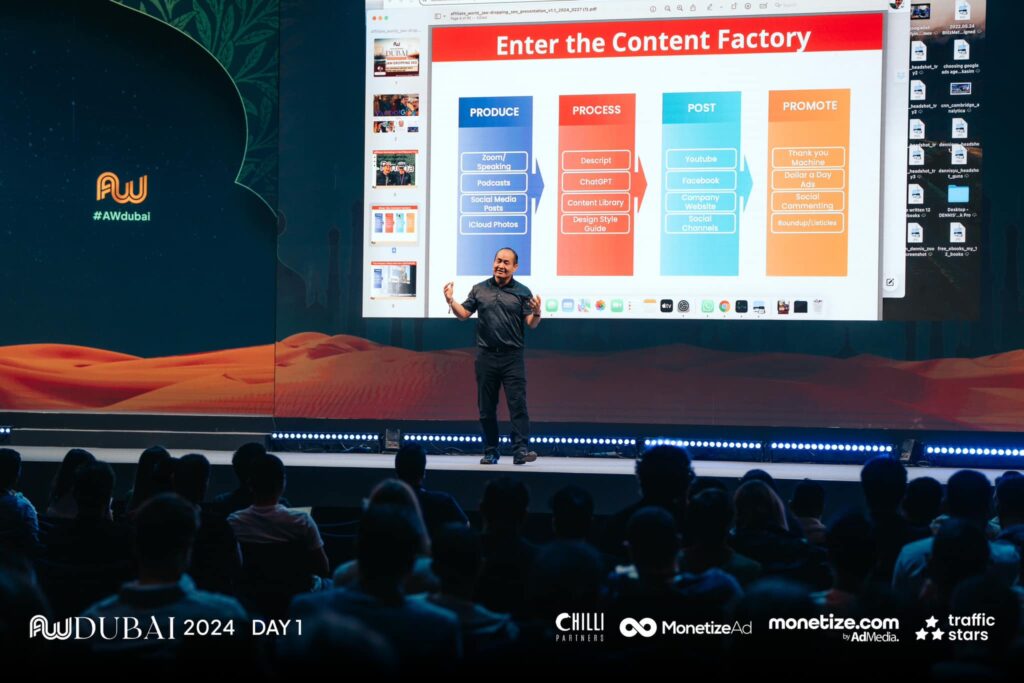
The reason I speak at over 50 conferences a year is because of that level of expertise which has taken decades to generate in the field of digital marketing.
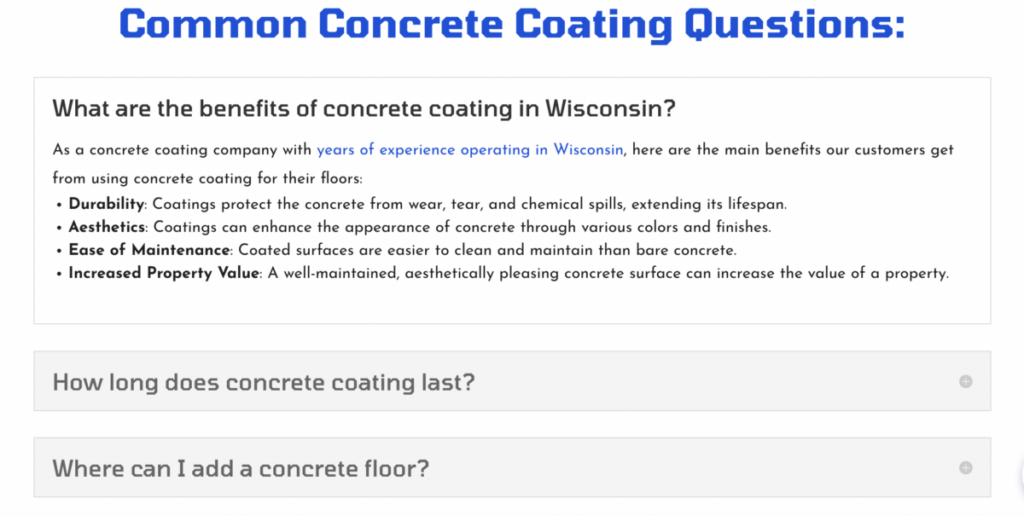
If you visit my website, DennisYu.com, you can see that expertise in the articles I write and the problems I’ve helped solve. Many local service business do this in the form of FAQ’s.
Take for example my friend Greg Beebe, who runs Excel Concrete Coatings. What he’s done is take PAA (people also ask) questions on google related to concrete coatings and answered them directly on his website.
Excel Concrete Coatings answering Google PAA questions
This is just one of the many ways you can demonstrate expertise to Google and to your customers.
What’s something that you document on your website that few others know in your field? What makes you an expert in your line of work?
PAA questions are a great way of demonstrating expertise, but truly think about what questions you can answer on your website that show you’re an expert.
Experience
Using the doctor analogy, would you trust a surgeon to give you heart surgery who’s never done the operation before? Probably not.
So why then, would you pay an agency or local service business who has no proof they’ve done anything successful before?
Google (and the people who you want to buy your offer) want you to show overwhelming experience that you do a good job at what you say you do, in the area you say you do it in. The best way to demonstrate experience for Google and your clients is with stories.
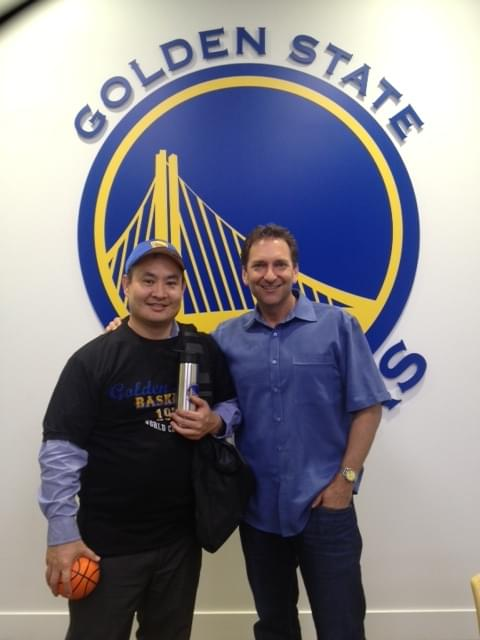
For example, if you Google “Dennis Yu” you can find stories about how I’ve ran ads for the Golden State Warriors, how I’ve spent $1 Billion on Facebook Ads, and how I’m training up young adults to be successful agency owners.
Dennis Yu at Golden State Warriors Headquarters
One way you can do this as a local service business is to talk about other customers and document your work.
Take our friend at Oasis IV Therapy in Tampa. They run a mobile IV therapy clinic and one thing they do a great job at is taking photos and getting feedback from their customers.
Oasis IV Therapy With Their Customers
Google and you operate in roughly the same way. You want to see images, stories, and especially videos of a business doing what they say they do.
There’s no such thing as too many videos or too much documentation of your work.
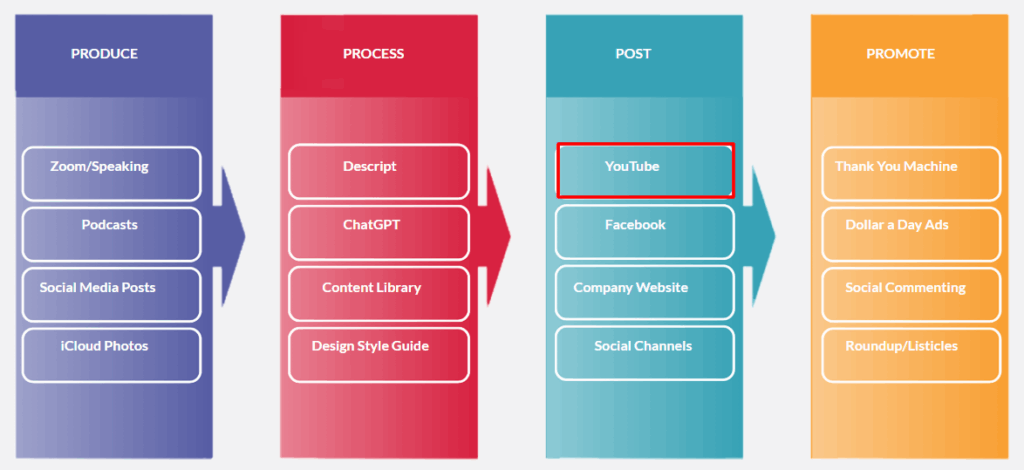
Ideally, you should be using the Content Factory process to document these stories and repurpose them across all platforms.
For example, if you record a podcast with someone more influential – you should also be repurposing that into a blog post.
We want our stories and experience to exist on as many platforms as possible.
Your job as it relates to EEAT is to document your work on your website, GMB, and socials for Google and your customers.
Authority
The best way to leverage authority for your personal brand or business is to borrow someone else’s.
When you see an image of me debating Mark Zuckerberg on CNN, that alone gives me tons authority I didn’t have before.
These are content, people, and properties. Each do a great job at helping the other.
Content is what you put out into the world. Whether that’s articles like this one, short form videos on Instagram and Facebook, or long form videos on YouTube.
Content is authority we can link to and reference.
Just like how this article is content we can point to for anyone asking about EEAT, you should have existing content which explains what things are.
Despite what internet gurus some claim, you don’t need to have a million followers and drive a lambo to show authority. You just have to have documented proof.
People is the cornerstone of authority and arguably the most important.
Dennis Yu with Rehan Allahwala in Pakistan
Relationships run the world. Networking with others that share your mission is a great way to elevate your authority while promoting others at the same time.
This doesn’t have to be a parasitic relationship. Being seen, working on projects, and being available for others means you can help them.
That leads to authority from others since you’re working closely on a shared mission.
For local service businesses, this means using a geo-grid and talking to others in your industry.
For example, if you’re an HVAC company in Boston you should be sharing links, interviewing, and working with another HVAC company in LA.
This tells Google (and your customers) that you’re authoritative since you can borrow the authority from others in your industry.
Lastly, it’s properties. This can be your website or business itself.
Having something real that’s documenting in Google and for your clients means that you’re a real person or business doing real work.
Trust means that others can trust you with their time and money.
There’s certain trust markers that you should aim for your personal brand or business.
For example, our client TLS Insulation has over 1,000 combined 5-star reviews on the Google business profiles.
What this means, is that enough people have used their service and gotten positive results that the signal to Google is incredibly strong.
Books are another way to demonstrate trust since, since so few have them on authoritative subjects.
And with Dollar a Day on Amazon, you can get your amazon book to bestseller status fairly easily.
Dennis Yu showing his book on TikTok Advertising
A good practice is asking yourself, “Why do people trust my business?”. And then answering the question in a way people can understand.
The beautiful thing about EEAT is how every component feeds into the other.
By networking with others, your boosting your authority, which in turn helps your trust.
The thing that’s most important here are stories.
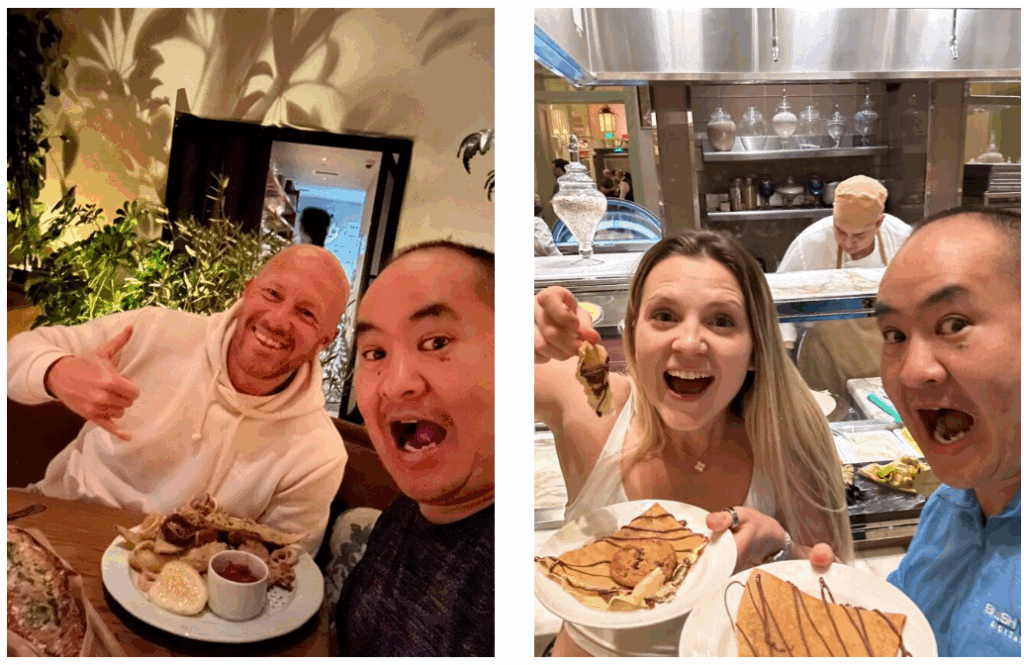
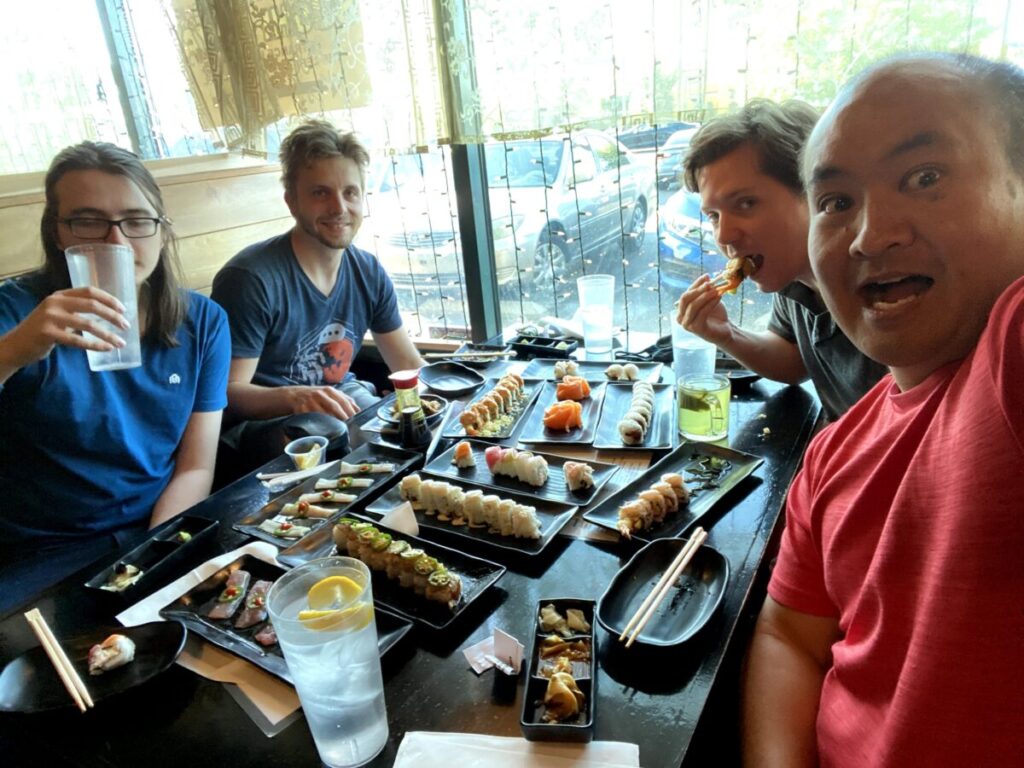
The AI doesn’t have your stories. It doesn’t have your moments – where you’re in Austin eating tacos with your friend or hanging out and eating steak.
Because AI is not human, with those stories, Google is able to determine whether it’s content that deserves rank or was it content that was just created for the search engines.
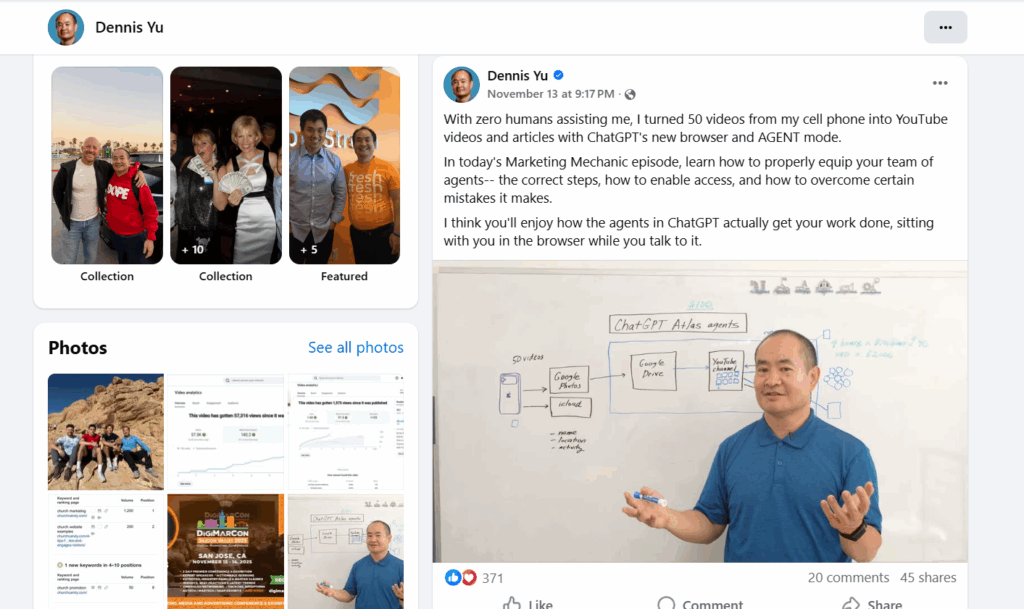
You may have heard of the difference between synthetic content vs real content. I can pick a photo or a video from my personal phone gallery – Google knows exactly what device I’m using, where the media was taken – it has all sorts of information.
This is what Google’s looking for – a signature of trust.
When I take these stories that started out as photos or videos, they can then be turned into blog posts.
If you start with your actual content, ChatGPT like any tool or any technology is an amplifier of what you already have. If you start from nothing, nothing times a million is still nothing.
So if you start with a seed of stories and friendships that we have, we can add pictures and videos to enhance the initial seed, the nugget that I put in initially. That’s where people are getting it wrong with AI.
Using AI to auto generate everything is where Google will eventually catch you. As Bill Gates has said, AI is a multiplier of what you already have.
So it’s what you put in the machine – you’re going to get 10 times more of it.
Publishing a YouTube video isn’t simply uploading a file.
The way the video is titled, packaged, structured, and positioned determines whether it gets traction or disappears into the void.
If your thumbnail is weak, your chapters are generic, or your description lacks EEAT context, the algorithm has no reason to promote your content.
And if you skip these steps entirely, you fall into the #1 VA mistake: posting videos that produce zero measurable value and end up hurting ROI.
This guide shows you the exact process we use inside the Content Factory after a video is fully processed and QA’d.
Follow this checklist and your video will be positioned to get higher click-through rates, stronger retention, deeper engagement, and better long-term discoverability.
Step 1: QA the processed video
Before uploading, verify the video is 100% ready:
Ensure all names, titles, and proper nouns are spelled correctly.
Make sure the background music is balanced and not overpowering.
Confirm branding elements (lower thirds, banners, colors) are consistent.
Check that the final title reflects the message and contains the right keywords.
If the video isn’t perfect before uploading, it won’t magically fix itself afterward.
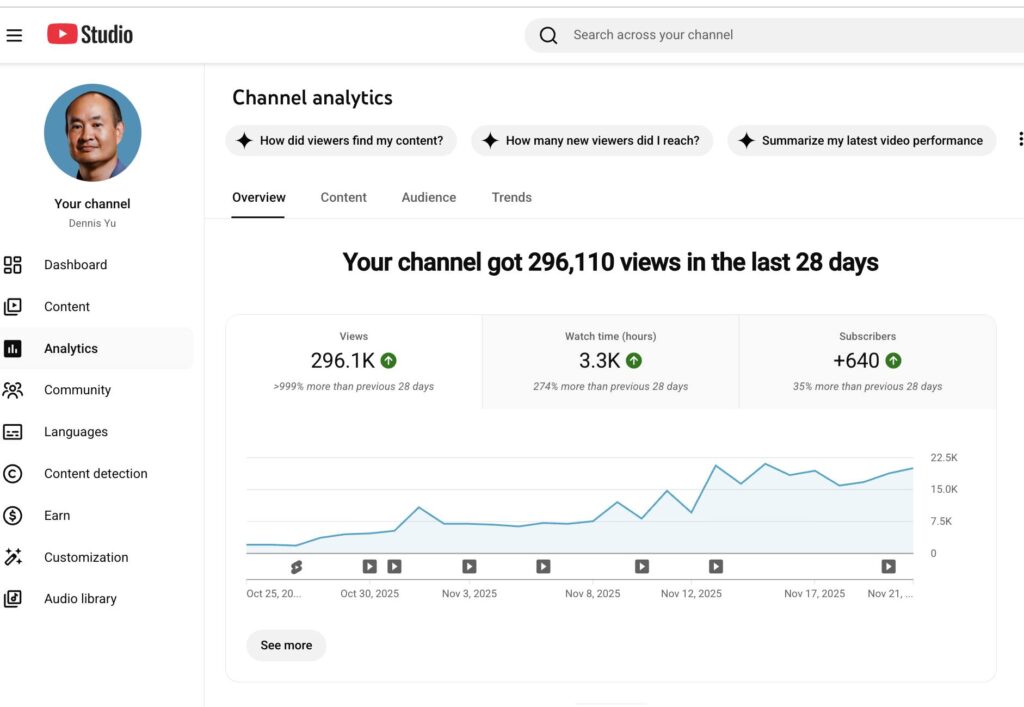
Dennis’ video that got 99K views in 9 days
Step 2: Thumbnails — the most important element
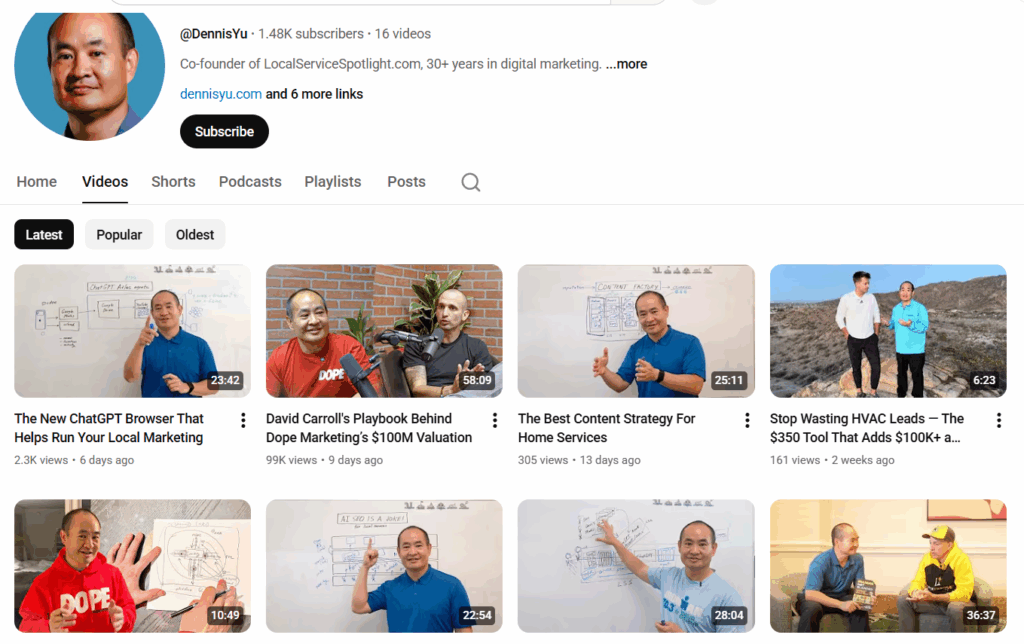
The thumbnail determines whether anyone even gives your video a chance.
Requirements for a good thumbnail:
Clean, high-quality image.
Big, bold text (3–5 words max).
Brand colors used sparingly but effectively.
Visual clarity even when tiny on mobile.
Clear emotion or visual hook.
No clutter, no tiny fonts, no “mystery screenshots.”
Small changes make a big difference, bright colors, sharp contrast, and a clear subject often double click-through rates.
Thumbnails of Dennis’ YouTube channel
Step 3: Write a strong description with EEAT
A good description helps viewers understand the video and helps YouTube understand whom to recommend it to.
Include:
Business name and location.
Services or expertise shown in the video.
A concise summary of what the video covers.
A clear CTA (book a call, learn more, visit website).
Links to relevant videos or articles.
A description is free SEO.
Step 4: Use smart chapters
Chapters make the video more skimmable, add context, and improve watch time.
Guidelines:
Use timestamps that reflect real topic shifts.
6–12 chapters for an hour-long video is common, but not mandatory.
Avoid flooding the video with micro-chapters.
For podcasts: break by topic or guest.
For training videos: break by lesson or module.
Smart chapters make the content easier to consume and easier to rank.
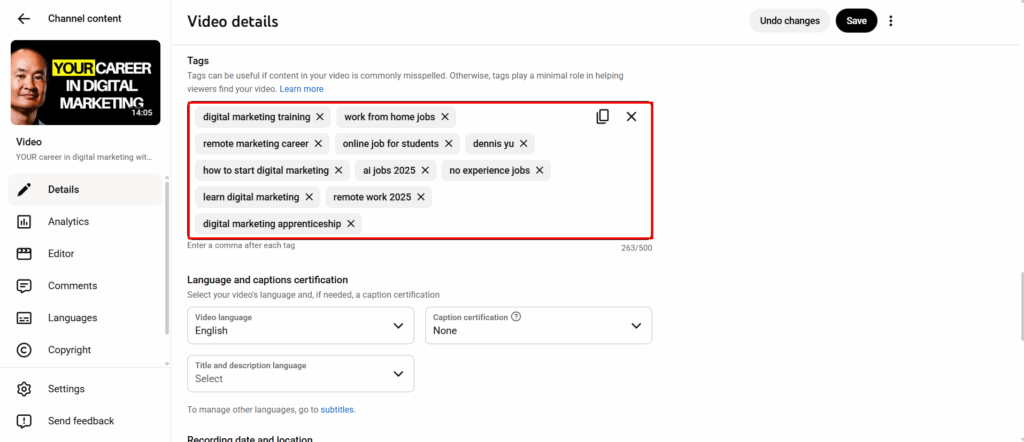
Step 5: Add tags that reinforce discoverability
Tags are not the main ranking factor, but they help with variations, misspellings, and context.
Include:
Service keywords.
City + service (“Dallas roof repair”).
Brand names or tools mentioned.
The business name (if available on Google Maps).
Collaborator channels or guest names.
Tags shouldn’t be random; they should support the video’s core topic.
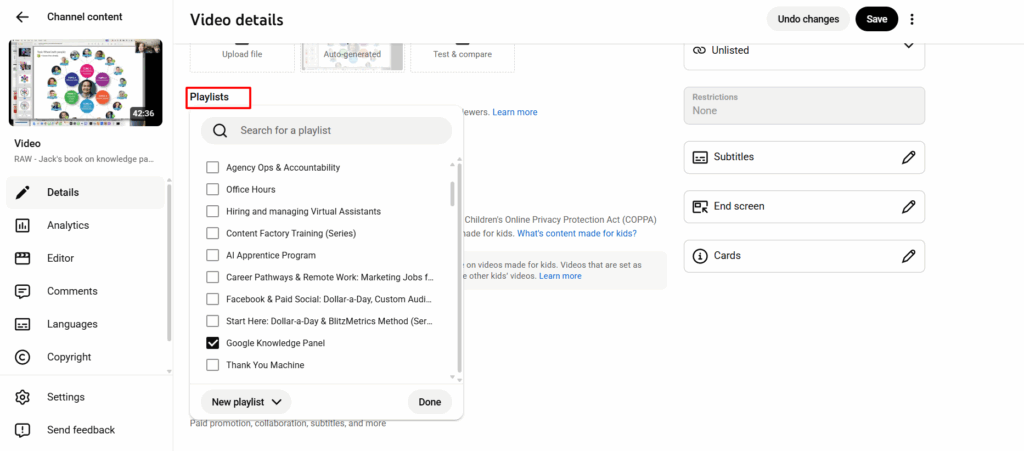
Step 6: Add the video to the correct playlists
Playlists help YouTube understand the topic cluster your video belongs to.
Tips:
Add the video to an existing playlist that matches the topic.
Use “smart playlists” to group binge-able content together.
Don’t leave videos floating on their own, it weakens discoverability.
The more organized your channel is, the easier YouTube can recommend your videos.
Step 7: Monitor for copyright issues or removed content
After publishing:
Check YouTube Studio for copyright claims or strikes.
If content is removed, review the reason → fix → reupload.
Ensure every video has required licensing, disclaimers, and metadata.
Prevention here saves hours of cleanup later.
After uploading: promote and analyze
Once the video is published:
Share across social media.
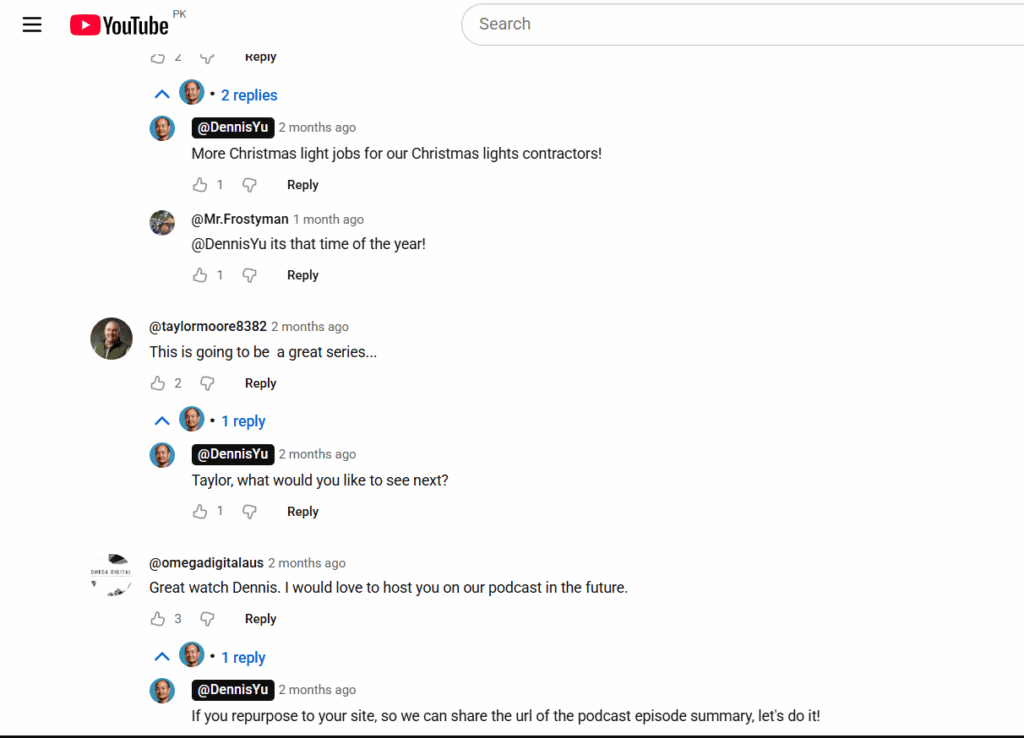
Respond to viewer comments to build engagement.
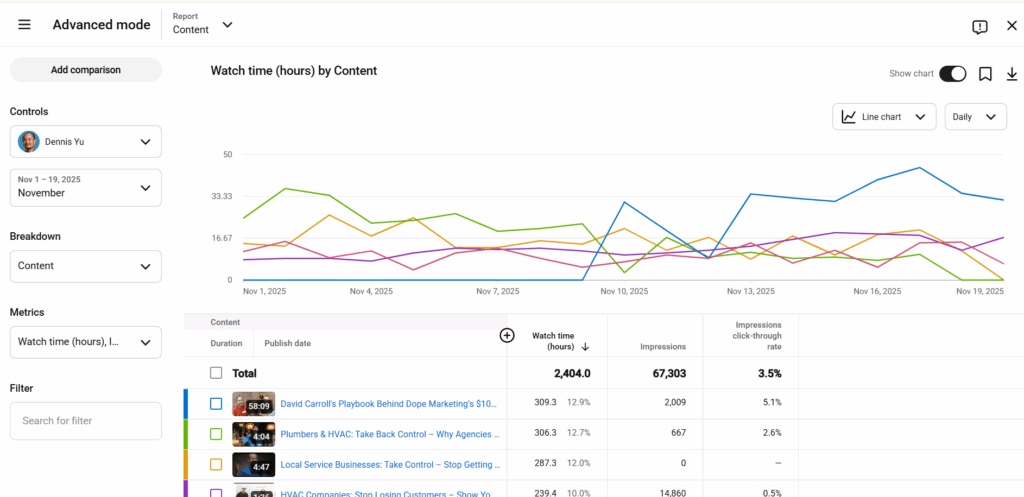
Monitor key metrics:
Click-through rate.
Watch time.
Audience retention.
Suggested/recommended traffic.
Apply insights to improve your next videos.
This is a loop: publish, measure, improve, repeat.
Verification checklist
Video is fully processed and QA’d.
Thumbnail is high quality and click-worthy.
Description includes EEAT details and links.
Chapters are clear and helpful.
Tags and playlists are correctly assigned.
YouTube sheet is updated without breaking previous links.