What Makes Young Professionals Like Dylan Haugen Succeed — And Why Most Don’t

When I first met Dylan Haugen, he was a 17-year-old student who somehow managed to balance school, dunk training, client work, and real business responsibilities — all while maintaining a 4.0 GPA. Most people at that age are still figuring out how to manage their homework, but Dylan was already managing clients, editing podcasts, creating content, and mentoring others in the High Rise Academy.

Over time, I’ve seen hundreds of young adults try to build digital marketing careers. Some thrive, others fade. The difference isn’t raw intelligence or talent — it’s execution and communication. Dylan proves that success comes down to a few fundamental habits.

1. Action Beats Overwhelm

When people join the High Rise Academy, they’re faced with dozens of tools, emails, and systems. Some freeze under the pressure; others dive in. Dylan’s first lesson was to take action — even if it’s messy. He doesn’t let a full inbox sit for weeks or overthink small details. He moves, adapts, and communicates.

It’s not about being perfect. It’s about not letting small tasks pile up until they become impossible. That simple discipline is what separates the professionals from the dreamers.

2. Time Management Is Everything

Dylan’s schedule isn’t forgiving — he’s in school from 8 to 3:30, trains daily for dunk contests, and still finds hours each day to deliver for clients. When I asked him how he does it, he said something simple: “There’s downtime everywhere. You just have to stop wasting it.”

Whether it’s 15 minutes between classes or an hour after dinner, Dylan uses those windows to move projects forward. That’s what real remote work looks like — not clocking in for a shift, but owning outcomes and using your time wisely.

3. Communication Creates Freedom

Remote work only works when people communicate. If Dylan’s traveling for a dunk contest or on a family trip, he doesn’t disappear — he lets his team know in advance, asks someone to cover tasks, and ensures the project stays on track.

That’s a skill most adults struggle with. But it’s the foundation of leadership: taking ownership and respecting others’ time.

4. From Hourly Work to Ownership

Dylan’s path in the High Rise Academy followed a clear progression. He started with hourly work, proved he could deliver consistently, then began managing others, leading projects, and now co-founding Local Service Spotlight with other graduates.

This is how real entrepreneurs are built — not through a single “big break,” but through structured progression: learning the basics, proving reliability, and earning ownership.

Why This Matters

There’s no shortage of young people who say they want to start a business. But very few understand what it actually takes: organization, communication, consistency, and initiative. Dylan embodies that.

If you’re a student or young professional who wants to build real skills — not just consume motivational content — the High Rise Academy is where you start. You’ll learn to manage projects, communicate with clients, and use AI tools that real businesses depend on.

Ready to build a career that actually matters?
Join the next cohort of High Rise Academy and start learning the skills that helped Dylan turn his education into real-world impact.
Blueprint for Real Influence: High Rise Influence Podcast from Neuschwanstein Castle

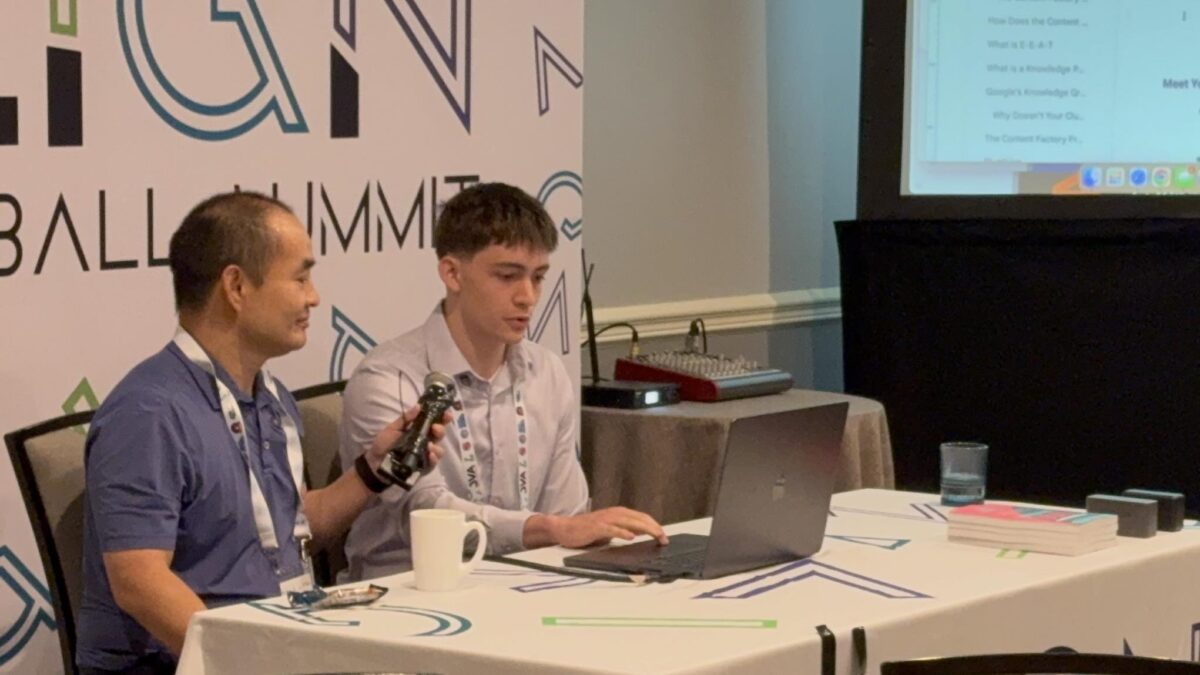
In our inaugural High Rise Influence podcast, Dennis Yu and Jack Wendt discuss the blueprint for real influence from Neuschwanstein Castle. They explore how genuine accomplishments, relationships and reviews form the foundation of your digital authority.

Hosted by Dennis Yu and Jack Wendt.

In this conversation, Jack Wendt and Dennis Yu share how real influence comes from genuine accomplishments, meaningful relationships, and authentic reviews. They outline a step-by-step blueprint for building influence that includes identifying your target audience, systematizing your content production through a team of virtual architects, and nurturing authentic relationships rather than pushing sales. They emphasize preparing clients with a clear roadmap and setting expectations for long-term growth.

Key takeaways from the episode include:

  • Identify and serve a specific audience that already has proof of expertise to amplify.
  • Systematize influence by building a team of virtual architects to execute your strategy so you can stay focused on client relationships.
  • Build authentic relationships and partnerships instead of relying on aggressive sales; let real results and strategic partnerships speak for themselves.
  • Prepare clients with a clear journey and manage expectations—success is a long-term game that requires consistent effort over time.
  • Focus on authenticity and follow-through to build trust and long-lasting relationships

In this episode, Jack Wendt and Dennis Yu outline a blueprint for building real influence by focusing on genuine accomplishments, meaningful relationships, and credible reviews. They stress that influence isn’t about vanity metrics but about serving a defined audience, creating systems to scale your work, and nurturing authentic connections.

Key takeaways:

  • Identify and serve a specific audience that already has proof of expertise to amplify.
  • Systematize your influence by building a team of Virtual Architects (VAs) who handle content repurposing and amplification, freeing you to focus on strategy and relationships.
  • Build authentic relationships and partnerships instead of relying on aggressive sales; let real results and strategic partnerships speak for themselves.
  • Prepare clients with a clear journey and manage expectations—success is a long-term game that requires consistent effort over time.
  • Focus on authenticity and follow-through to build trust and long-lasting relationships.

If you’re a young adult—or a parent looking to help your teen develop real marketing skills—consider joining High Rise Academy. Our hands-on program teaches you the same systems for building influence and driving results that Dennis and Jack discuss in this podcast. Click here to learn more.

Who Gets Free Access to Our ChatGPT Business Account

ChatGPT Teams (aka Business) now lets us share threads.

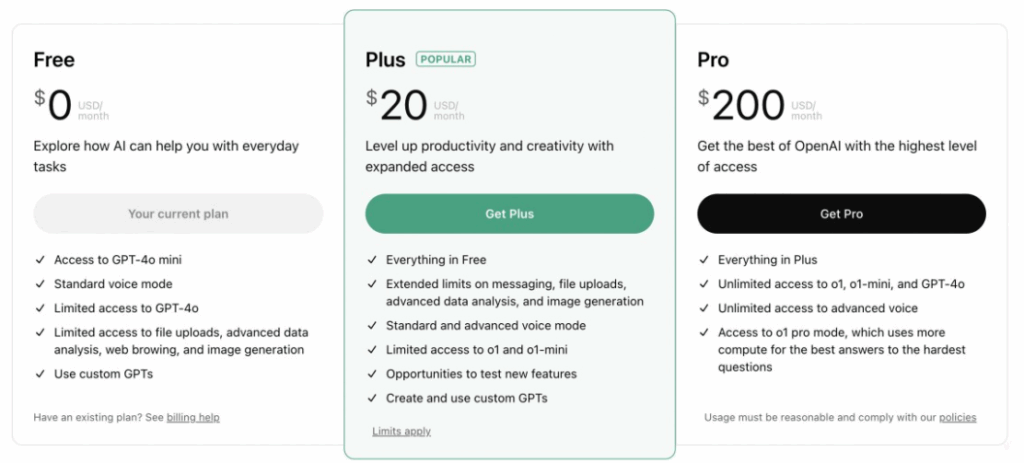
The $20/month personal plan (called Plus) doesn’t let you share threads or work together with team members, but you could export documents, which is clunky.

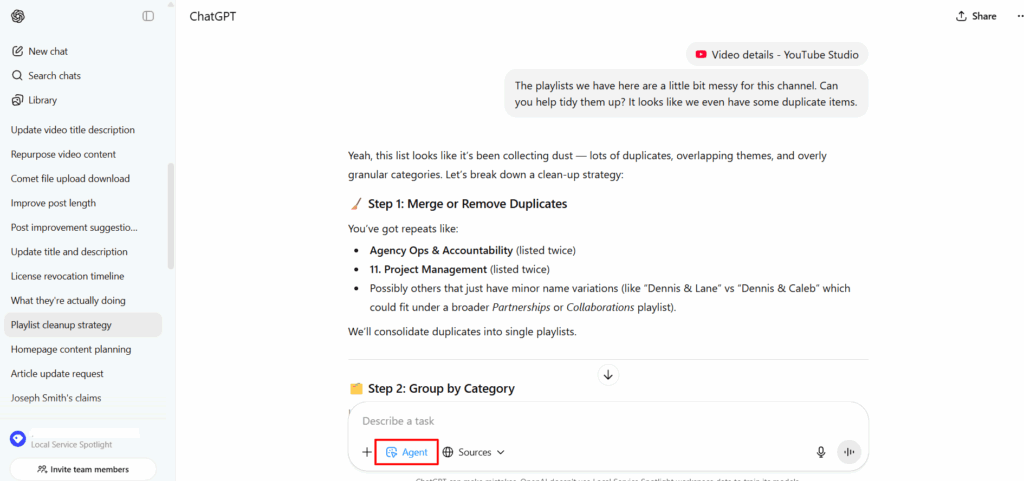
Our ChatGPT business account also lets us use GPT 5 Pro, Agent, and Thinking go beyond the per user caps (which solo accounts cannot get beyond).

We’re paying about $100 a day for pooled credits on top of the $30 a month we’re paying per user.

You can see the rate card on how many credits various tasks cost (50 credits per Pro request, for example).

But the agentic work is worth many times that.

To have ChatGPT be able to log into any system you provide access to and follow your verbal directions (governed by SOPs you specify) is incredibly powerful.

VAs are cooked.

Now one A player can do 10 times the work, while everyone else is on a path to unemployment.

If you’re a client (agency or coaching) and want us to add you to our Business account, let me know.

I’ll eat the cost as part of what you’re already paying– no extra charge.

And if you’re not an AI Apprentice ($2,500 for a year) or a monthly member (Office Hours at $297 a month), you can still sign up to be grandfathered in for as long as you’re active.

Here’s how to start using our internal GPTs right away:

How to Access Our Custom GPTs on the Business Account

How to Access Our Custom GPTs on the Business Account

Welcome aboard!

Once you’ve been added to our ChatGPT business account, you’ll have access to all the custom GPTs we’ve built to make your work faster, smarter, and more consistent.

If you’re not yet on our business workspace, find out who qualifies and how we handle access costs here:

Who Gets Free Access to Our ChatGPT business account

If you’re on our business account, you don’t need to rebuild or search for them; you can just click the links and start using them instantly.

Step 1: Log Into the Business Account

1. Go to chatgpt.com.

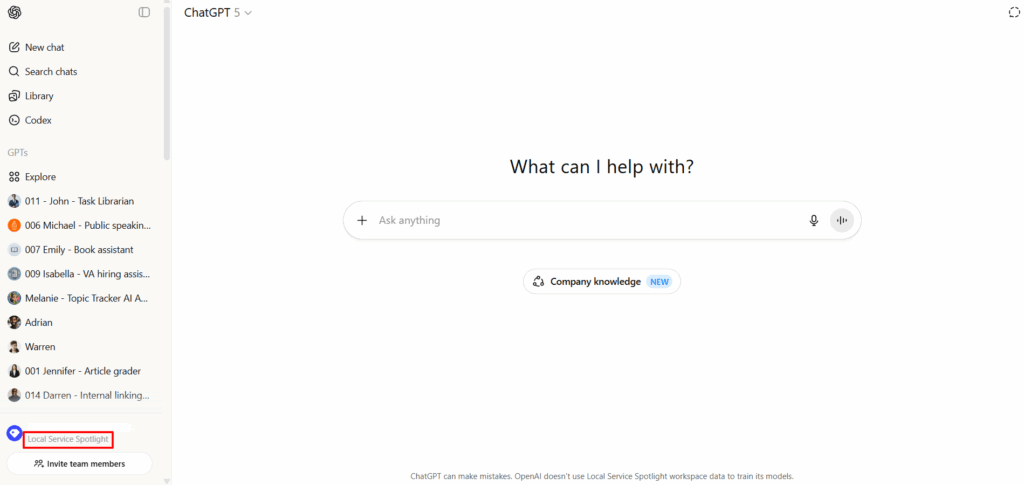
2. Make sure you’re logged in under the Local Service Spotlight workspace, not your personal account.

Step 2: Access the Custom GPTs

Once you’re in the workspace, you can access our custom GPTs by clicking the links below.

Each one is designed for a specific part of the Content Factory or internal operations.

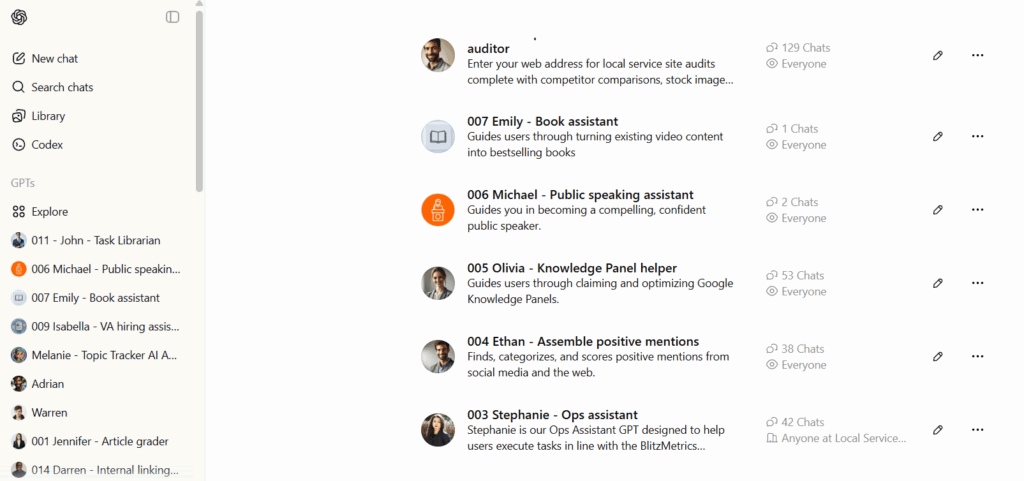
Our Custom GPT Library

#PurposePublically available
001 JenniferArticle Grader – Evaluates blog posts and articles for tone, accuracy, and structure.X
002 BrandonBlog Post Helper – Outlines, writes, and edits blog posts based on your notes or transcripts.
003 StephanieOps Assistant – Handles documentation, SOPs, and task management support.X
004 EthanAssemble Positive Mentions – Finds and organizes mentions, articles, and awards for clients.
005 OliviaKnowledge Panel Helper – Builds and maintains client knowledge panels for SEO authority.
006 MichaelPublic Speaking Assistant – Helps craft bios, intros, and speech outlines.
007 EmilyBook Assistant – Assists in compiling and structuring books or eBooks.
008 ChristopherLocal Service Website Auditor – Analyzes local business websites for SEO and usability.
009 IsabellaVA Hiring Assistant – Screens applicants and helps build job descriptions or SOPs.
010 MelanieTopic Tracker AI Assistant – Monitors and organizes ongoing content topics.X
011 JohnTask Librarian – Searches and suggests existing SOPs, templates, and training materials.X
012 AdrianLocal Service Page Builder – Generates optimized service pages for local SEO.X
013 WarrenFree-Ebooks.net Assistant – Manages eBook creation, upload, and promotion workflows.X
014 DarrenInternal Linking Expert – Builds SEO-friendly internal link structures.X
015 NickP&L Calculator – Estimates profit and loss for agency and client operations.X
016 RileyEOD Report Assistant – Helps summarize daily updates for internal reporting.

Step 3: Click and Go

Once you’re logged in with access:

  • Click a GPT link.
  • It’ll open directly inside ChatGPT.
  • You can start chatting with that assistant immediately.

If you see a “Request Access” message, that means:

  • You’re not logged into the business workspace.
  • Or you haven’t been added yet (contact Operations).

Pro Tip

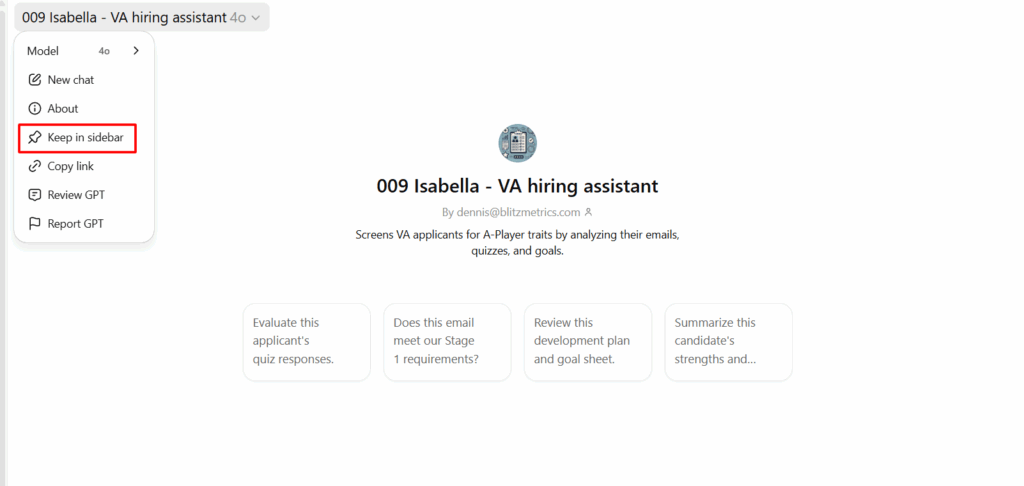
Bookmark the GPTs you use most often!

In ChatGPT, click the keep in sidebar icon on any custom GPT to pin it to your sidebar for quick access.

How to Fix Unclickable Links on Your YouTube Channel

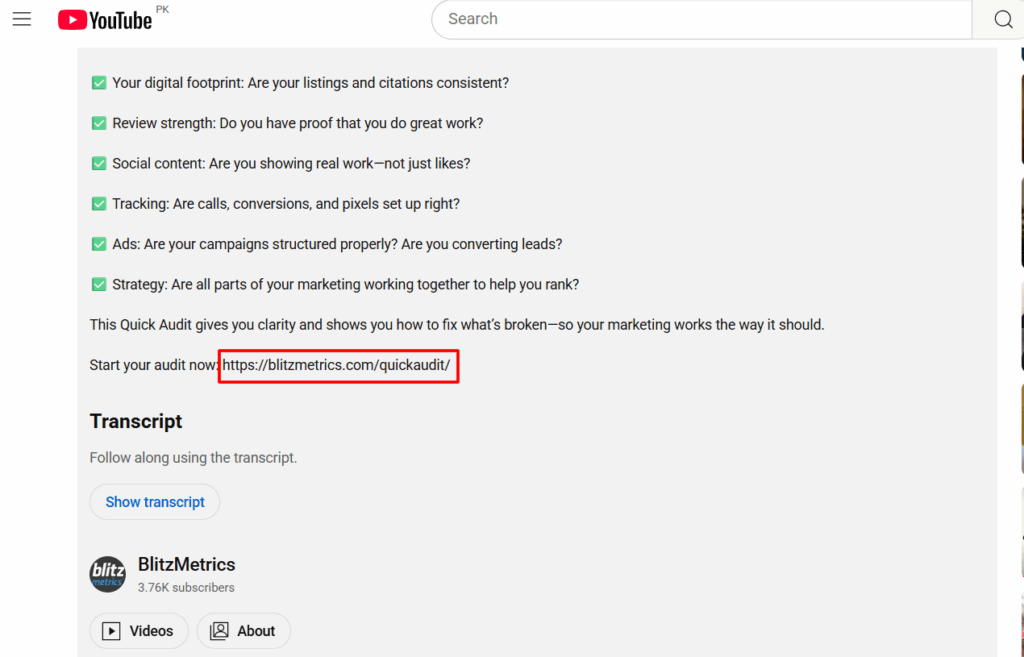
If you’ve ever dropped a link in your YouTube description and realized it’s not clickable, that’s not a glitch; it’s a verification issue.

This video broke down how you can deal with unclickable links step by step to make them functional.

YouTube requires every channel to complete a one-time verification process before allowing live links in video descriptions or end screens.

If you skip that step, your viewers can see your calls-to-action (“Get a free audit,” “Book a consultation,” “Join our academy,” etc.), but they can’t click them.

That means you’re losing traffic, leads, and sales with every view.

Why It Happens

YouTube automatically disables clickable links for any channel that hasn’t verified ownership.

It’s a built-in safeguard to prevent spam and scams, but it also affects legitimate creators and businesses who just haven’t done the setup yet.

Luckily, the fix takes just a few minutes.

How to Enable Clickable Links on YouTube

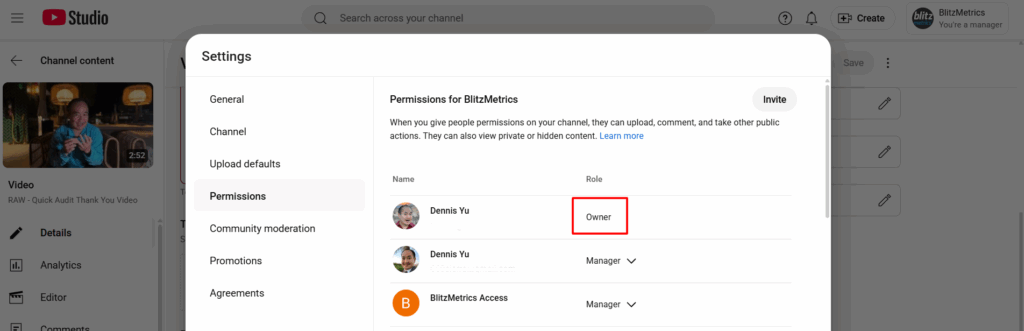
Only the channel owner can complete the verification.

Here’s exactly how to do it:

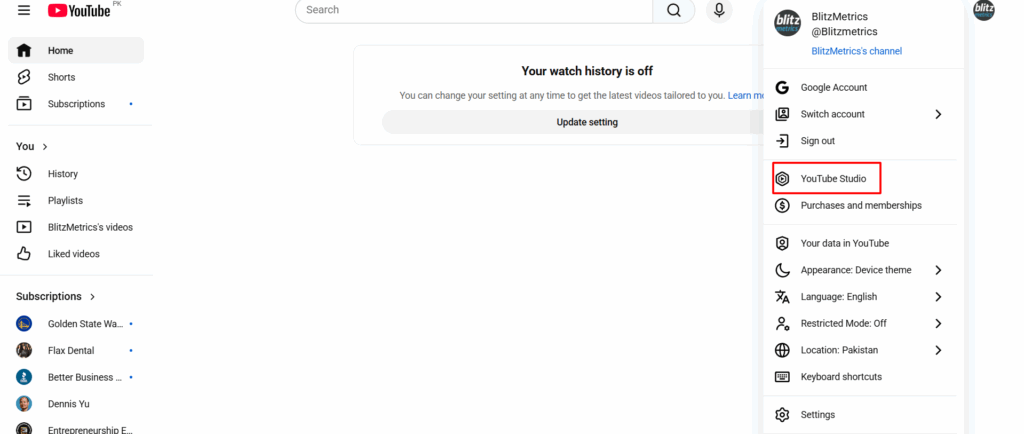
1-. Open YouTube Studio
Go to studio.youtube.com and make sure you’re signed into the right channel.

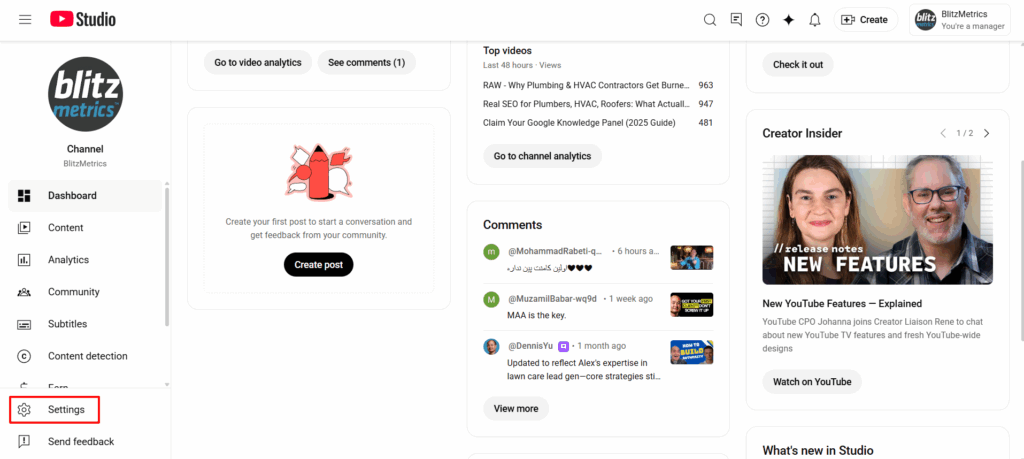
2. Go to Settings
In the bottom-left corner, click Settings.

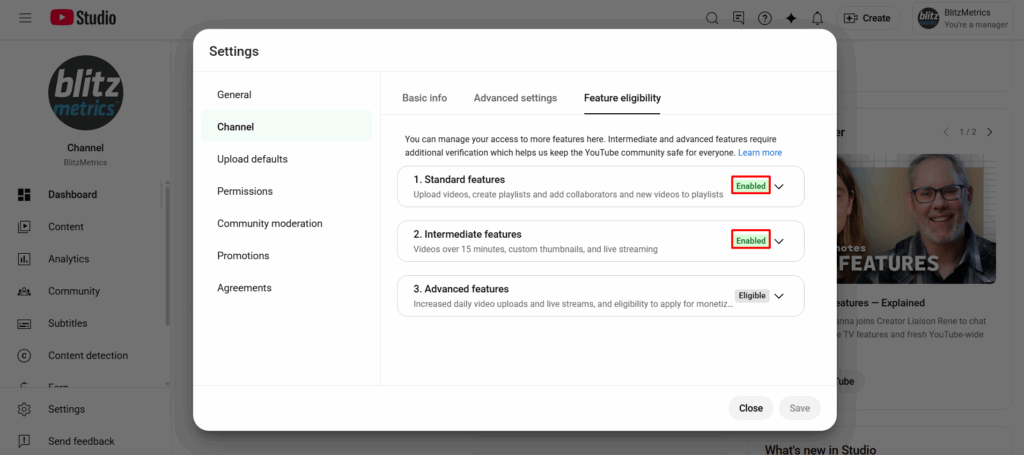
3. Select Channel → Feature Eligibility
From the left-hand menu, click Channel, then Feature Eligibility.

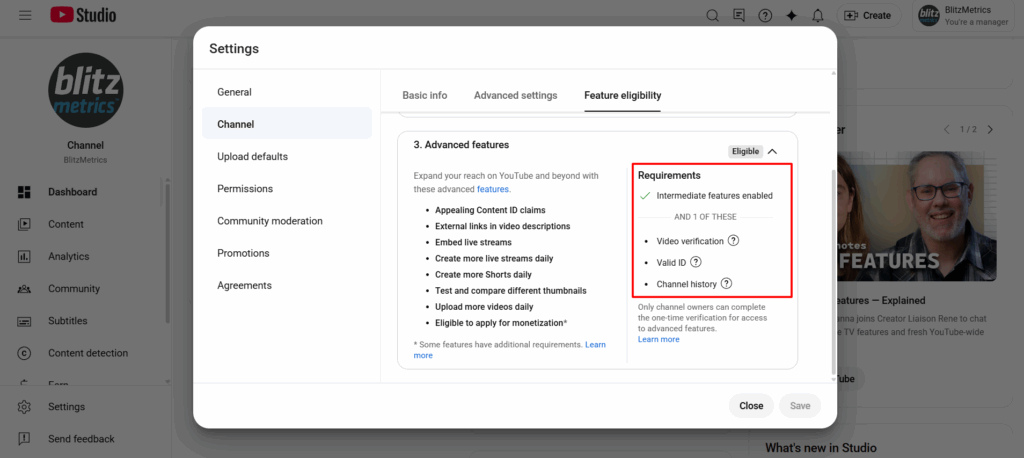
4. Verify All Features
You’ll see options under “Feature Eligibility.”

Expand each section and follow the prompts to verify your identity.

  • Some may require a phone number or ID.
  • Others may ask for a quick video verification.

Once you complete the process, YouTube will unlock your account for external linking, meaning your website, lead form, or offer links in your descriptions will become clickable again.

Why It Matters

For agencies and creators who rely on CTAs to drive results, this step is essential.

Every video you post should have a functioning path that moves viewers from watching to taking action, whether that’s booking a call, signing up, or making a purchase.

Verifying your channel ensures your content does its job: turning attention into conversions.

How to Create and Send an Email Broadcast in Keap Classic

Every week, we send helpful insights, training updates, and reminders to our Home Service Owner community.

But instead of sending one-off messages manually, we built a repeatable process in Keap Classic (Infusionsoft) that lets us design, personalize, and deliver every broadcast efficiently — while keeping the tone warm and human.

Step 1: Accessing the Broadcast Tool

It starts in Keap’s main dashboard.
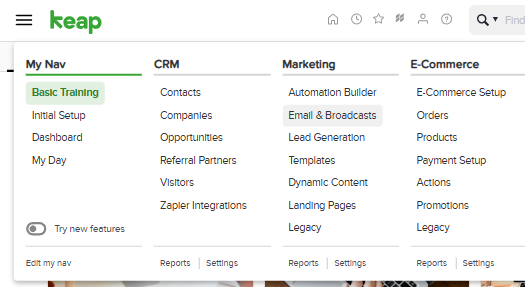
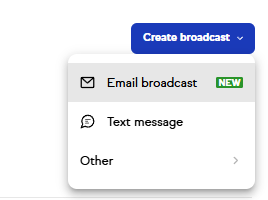
We go to Marketing → Email & Broadcasts, then click + New Email Broadcast.

This is our control center — where each announcement, promo, or newsletter begins.
No complicated automation here; just a clean, one-time email to a segmented audience.

Step 2: Choose a Template or Start From Scratch

Keap gives you three starting options:

  • Use a blank email — start from zero for complete creative control.
  • Select a pre-made template — great if you want a professional layout fast.
  • Use a recently sent email — ideal if you’re resending to a similar audience.

Step 3: Design Your Email

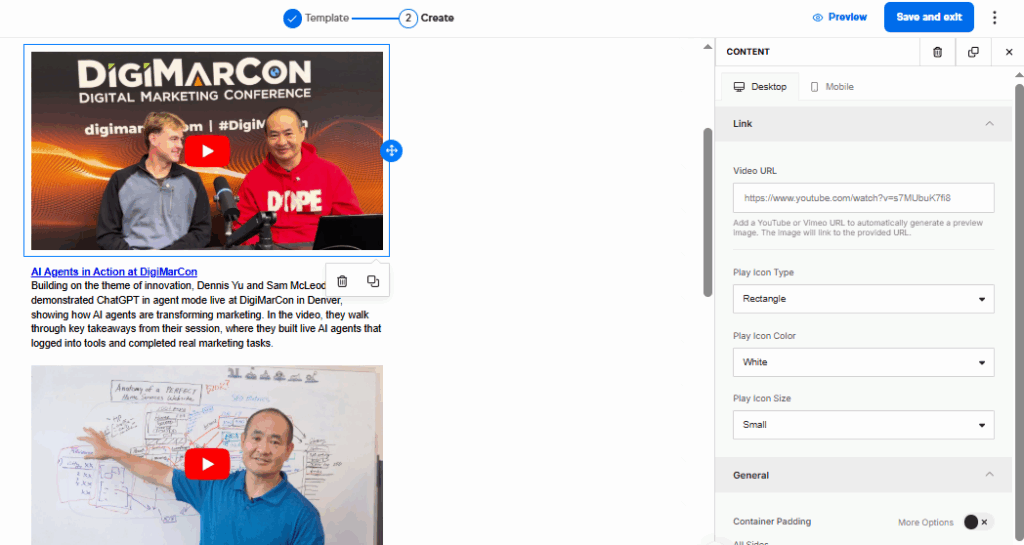
Inside the drag-and-drop builder, you can:

  • Add text, images, buttons, and dividers.
  • Adjust styles, spacing, and layout.
  • Personalize content using merge fields, such as ~Contact.FirstName~.

Example: “Hey ~Contact.FirstName~, we’ve got something exciting to share!”

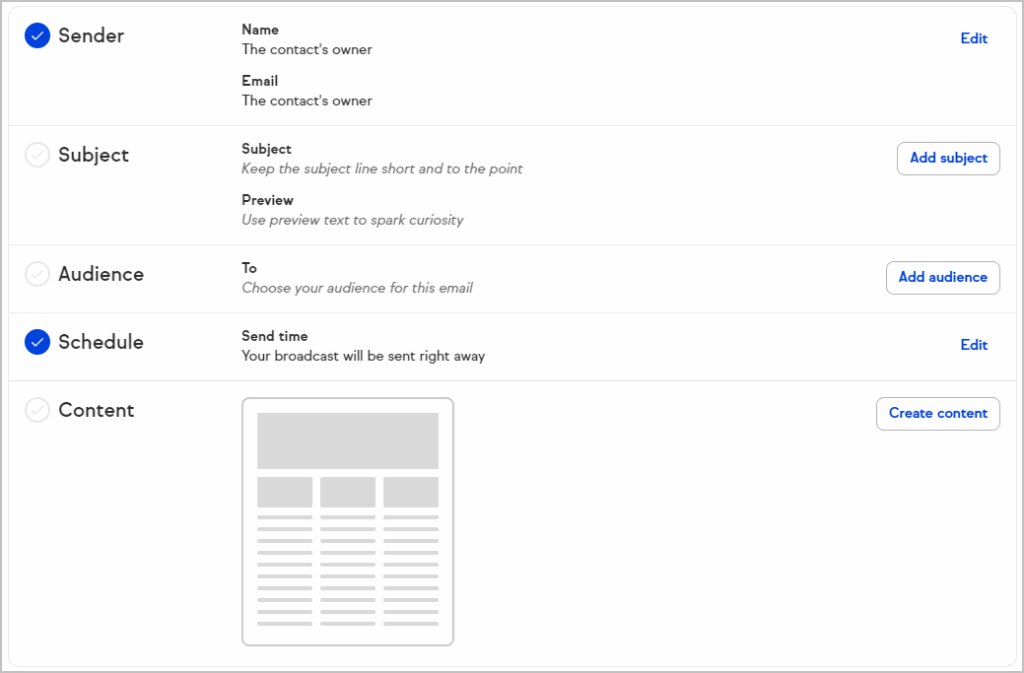
Step 4: Set Your Subject Line & Pre-header

Your subject and preview text are critical for open rates. Pro Tip:
Keep subject lines under 50 characters
Use the preview to spark curiosity or summarize the email

Step 5: Choose Your Recipients

You can send to:

  • Tags
  • Saved searches
  • Individual contacts or lists

Only marketable contacts will receive your email. Avoid sending to unengaged or unverified contacts.

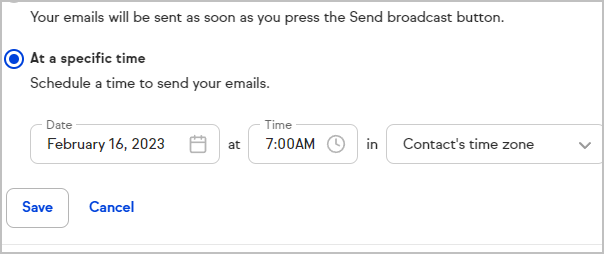
Step 6:  Send or Schedule

You’ll get the option to:

  • Send immediately
  • Schedule for a specific date/time

Before sending:

  • Preview mobile & desktop
  • Test all links
  • Review time zone

Final Tips

  • Personalize every email with your contact’s name.
  • Keep messages short and visually clean.
  • Test before sending to catch any issues early.
  • Reuse and improve successful templates to save time.

That’s it!
You’ve now learned how to create, schedule, and send a broadcast email in Keap Classic — the same process we use to reach Home Service Owners and other client segments efficiently.

How to Get Into Basecamp

Welcome to the team!

We use Basecamp to manage all client communication, deliverables, and updates. It keeps everything organized; no messy email threads or lost attachments.

Here’s how to get started the right way.

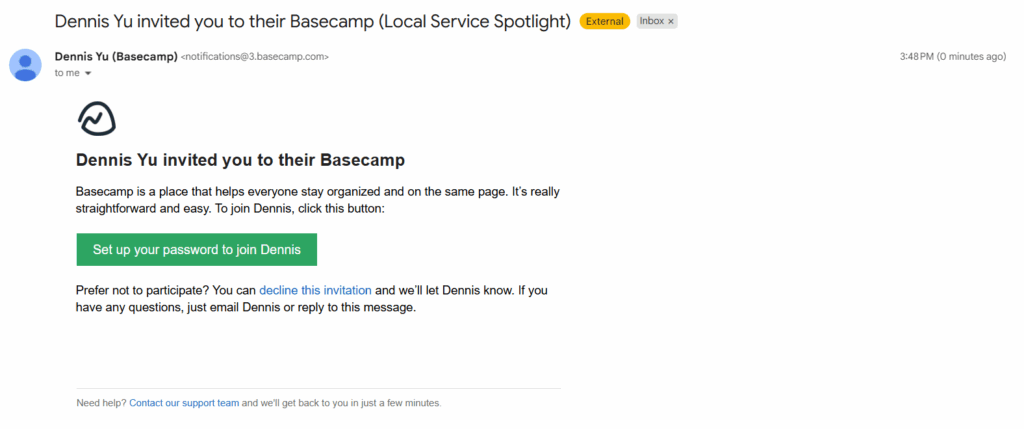
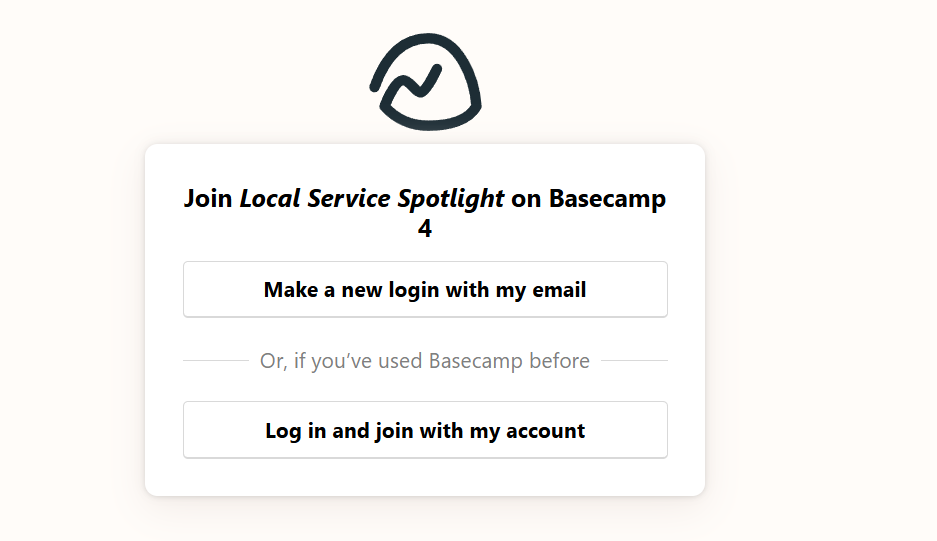
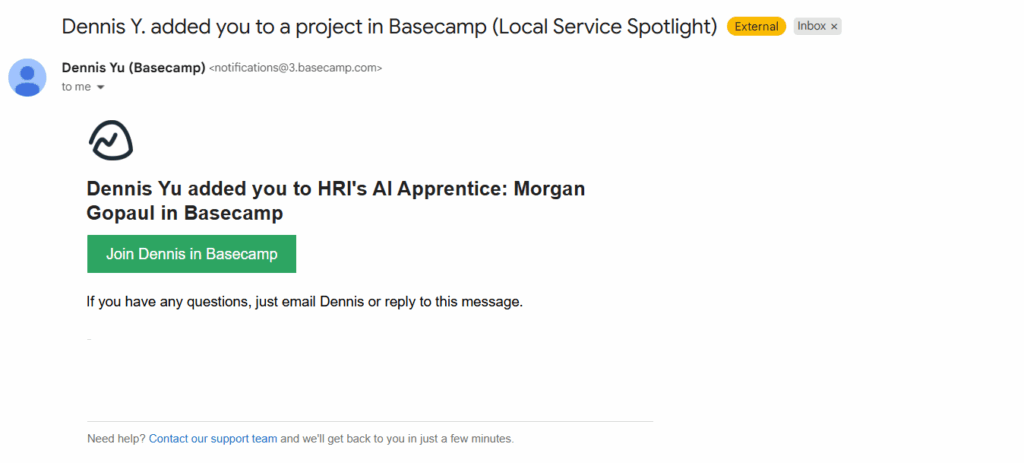
1. Accept the Invitation

After we add you to your project, you’ll receive an email from Basecamp with the subject line:

“You’ve been invited to Basecamp!”

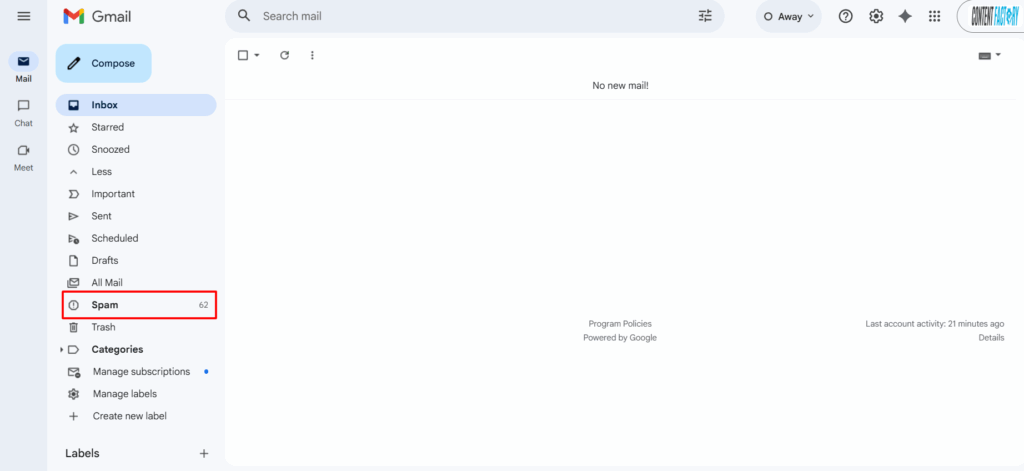
If you don’t see it, check your spam or promotions folder.

Click the join project or accept invitation button in that email.

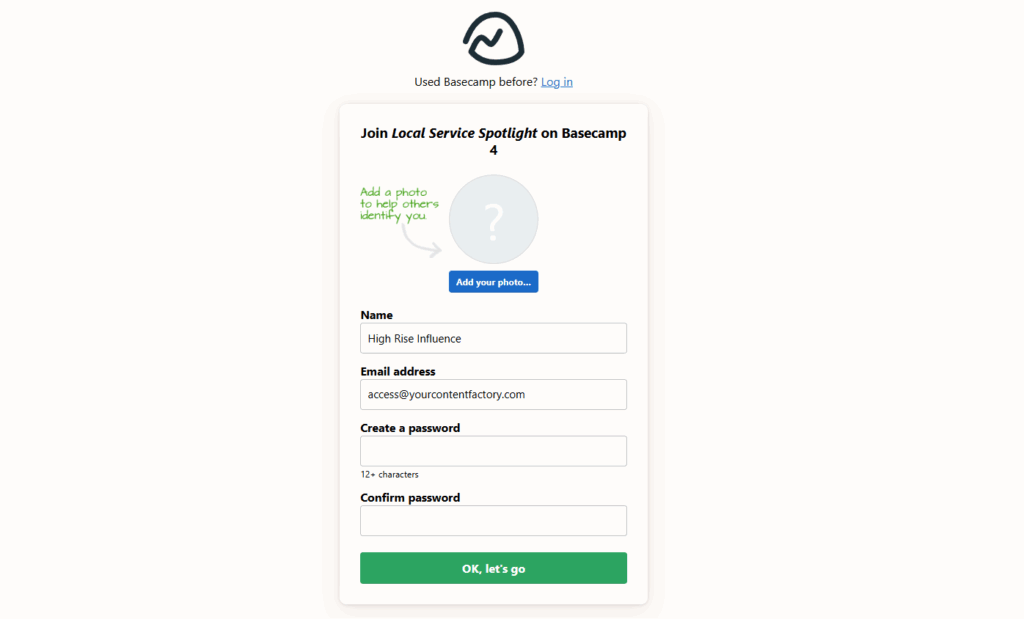
2. Create or Log In to Your Account

If this is your first time using Basecamp:

— Click create an account and use the same email address where you received the invite.

— Set a password you’ll remember.

If you already have a Basecamp account: just click log in and you’ll be added to our workspace automatically.

3. Access Your Project

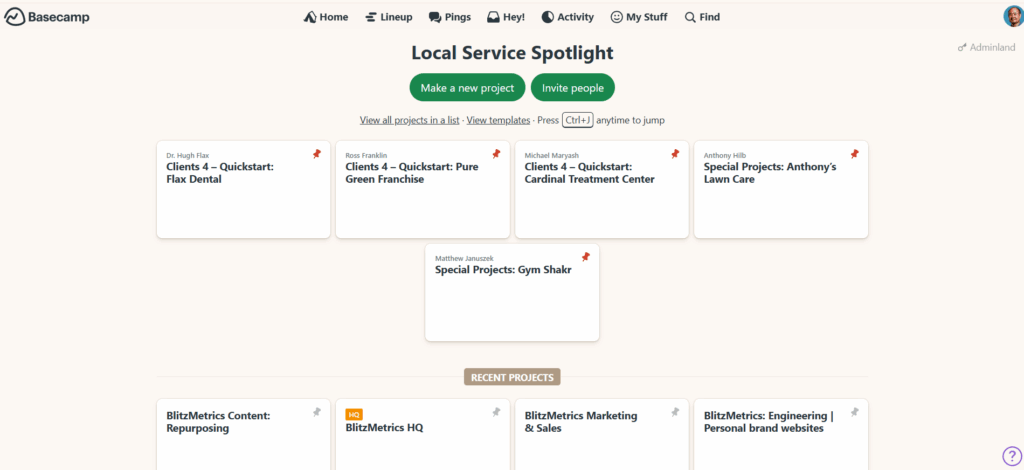
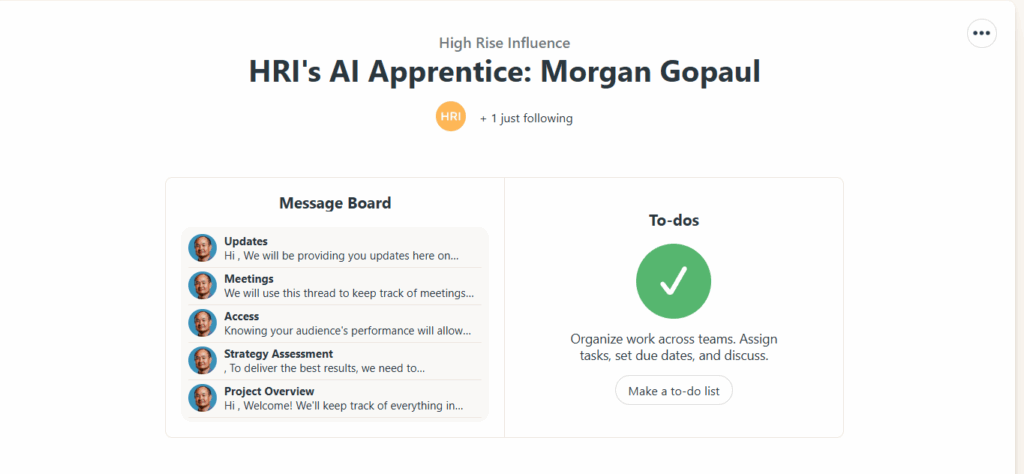
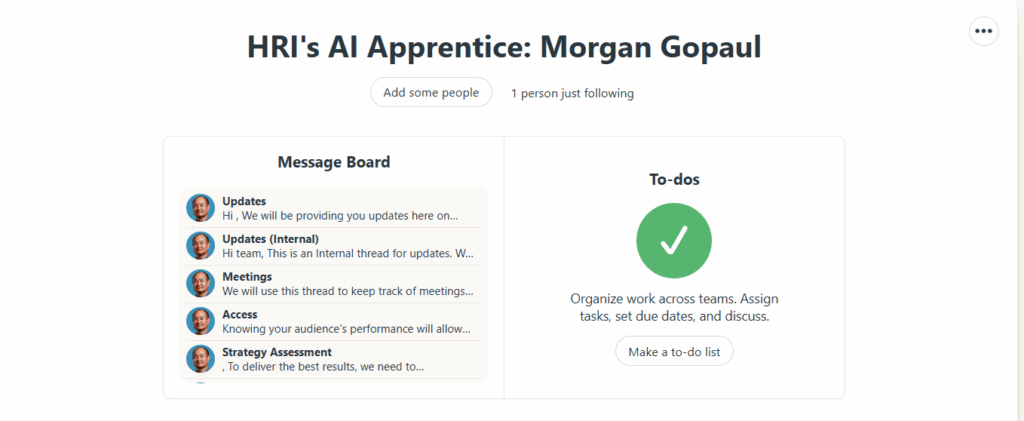
Once you’re in, you’ll see your project (for example, “AI Apprentice Program” or your business name).

Click on it to open your workspace.

Inside you’ll find:

  • Messages: announcements and updates from our team.
  • To-Dos: tasks and milestones we’re tracking.
  • Docs & Files: all shared assets, templates, and deliverables.
  • Campfire: a group chat for quick discussions.

Tip: Bookmark your Basecamp project page so you can access it anytime.

4. Add Your Team (Optional)

If you have team members who should be looped in (like an assistant, marketing lead, or operations manager) let us know.

We’ll invite them too, so communication stays transparent and efficient.

5. Need Help Logging In?

If you see an error like “You don’t have access”, it usually means:

  • You’re using a different email than the one invited, or
  • The invite link expired (they do after a while).

No problem, just reply to your onboarding email or email Operations, and we’ll reset your access right away.

Final Tip

Basecamp is your control center for everything we do together. Keep notifications on, and check in at least once a week for updates, approvals, and progress reports.

Welcome aboard; we’re glad to have you!

How Bad SEO Can Wreck a Local Business

One of the fastest ways to destroy a local business’s visibility is by doing bad SEO. We recently saw this happen when a virtual assistant (VA) working on the Plumbing Pros website spent hundreds of hours creating content that looked productive on paper—but ended up tanking performance in search.

This case has become one of our favorite teaching examples at High Rise Influence because it highlights a problem that happens all the time: people chase SEO volume instead of real value.

The Problem: A VA Who Thought More Pages = More SEO

When Dylan Haugen and I audited the project, it seemed fine at first glance. Traffic was up. The domain rating was higher. Keyword counts had increased. But when we looked deeper, those metrics told a very different story.

The VA had spent weeks creating location service pages for every nearby town—Helertown, Bath, Nazareth, Wind Gap, and more. Each page used the same copy, just swapping the city name:

“Plumbing services in Wind Gap.”
“Reliable plumbing in Wind Gap.”
“Expert plumbing for Wind Gap homeowners.”

That pattern repeated dozens of times. No photos, no examples, no videos, no proof of actual work—just empty repetition.

Why It Failed Miserably

Google doesn’t reward quantity—it rewards E-E-A-T: Experience, Expertise, Authority, and Trust. These pages had none of that.

They were:

  • Repetitive: Nearly identical sentences across dozens of URLs.
  • Shallow: No unique examples or local credibility.
  • Misleading: Designed to “trick” search engines instead of showing real expertise.

The result? Dozens of pages with zero traffic, zero rankings, and zero conversions—despite the VA billing over 100 hours for this project.
What Real SEO Looks Like

For local businesses, SEO success isn’t about how many pages you publish—it’s about how much proof you can show.

That means:

  • Short video clips of real jobs, like “Today we’re fixing a pressure tank in Helertown.”
  • Before-and-after project photos.
  • Reviews from real customers in specific towns.

That’s the kind of content Google can verify and users actually trust.

The Framework: Metrics → Analysis → Action

At High Rise, we teach MAA — Metrics, Analysis, Action.

  • Metrics: The site showed traffic, but not the right kind.
  • Analysis: Content was repetitive, low-quality, and off-target.
  • Action: Remove the filler, replace it with real examples and proof of work.

SEO doesn’t have to be complicated—it just has to be real.

What Every Young Marketer Should Learn

This case is a reminder that doing more work doesn’t mean doing better work. The VA wasn’t lazy; he just misunderstood what matters. SEO isn’t about making more pages—it’s about showing real experience.

When you build marketing around reality—actual projects, people, and results—you’re not just optimizing for Google. You’re building trust that lasts.

If you’re a young adult—or know one—who wants to learn how to apply strategies like this for real businesses, join High Rise Academy. We teach hands-on, proven methods that turn real work into marketing that ranks and converts.

AI Apprentice Onboarding Checklist

Welcome to the AI Apprentice program, where you’ll learn how to build, automate, and execute real marketing systems using AI the right way.

This checklist is what our Operations team follows every time we onboard a new apprentice.

It ensures each person has access to all the tools, training, and communities they need to succeed from day one.

Step 1: Create the Basecamp Project

Create a new Basecamp project for the apprentice.

Use the naming format:
HRI’s AI Apprentice – [Full Name]

Add:

  • The apprentice.
  • Program manager / mentor.
  • Operations team member for oversight.

Post the welcome article inside Basecamp:
Welcome to the AI Apprentice Program

Step 2: Give ChatGPT Business Account Access

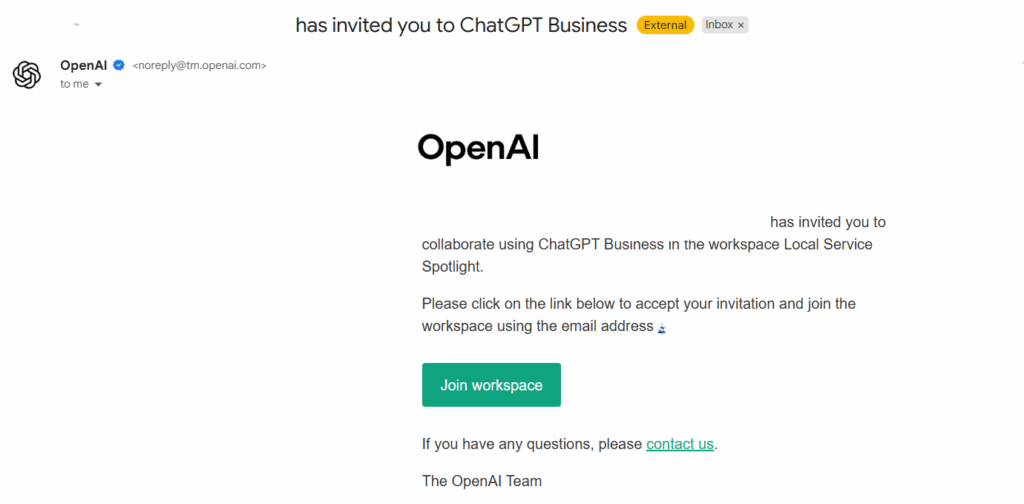
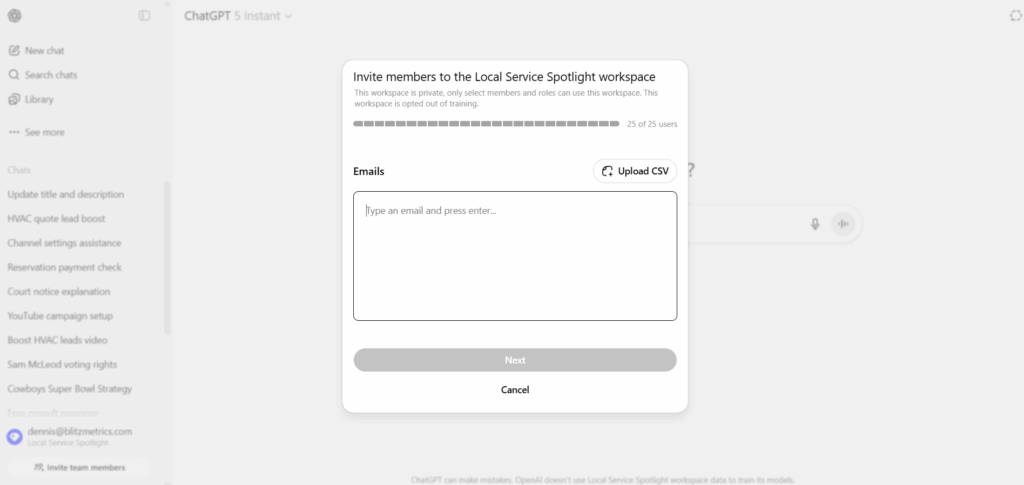
Send an invite to the apprentice’s email for our ChatGPT Business Account.


This gives them full access to team workspaces and custom GPTs.

Step 3: Invite to Private Facebook Group

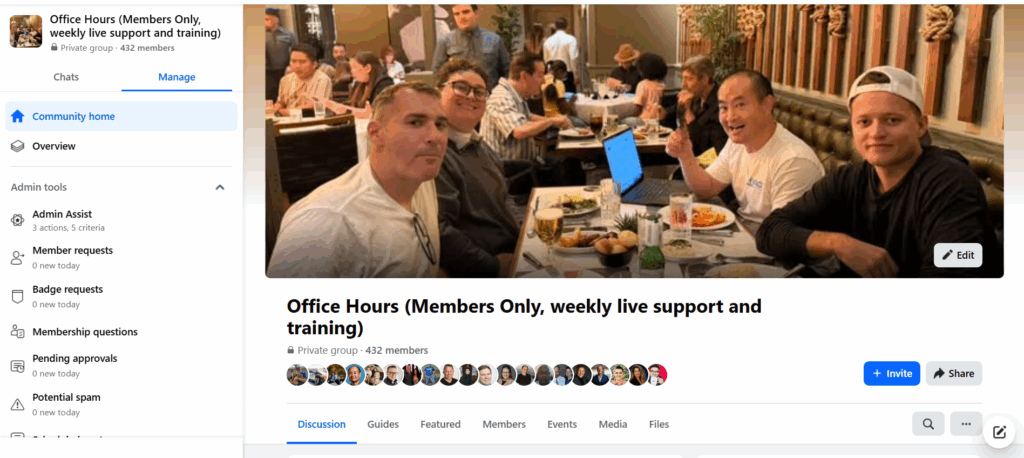
Invite the apprentice to our private community:
Office Hours with Dennis Yu Facebook Group

Encourage them to introduce themselves with a short video or post.

Step 4: Share Live Office Hours Info

Give the apprentice the recurring link to our weekly Office Hours:

  • Every Thursday at 2 PM PST.
  • Format: Live Q&A, real-time audits, and apprentice showcases.

Remind them to come prepared with a progress update.

Step 5: Grant Academy Access

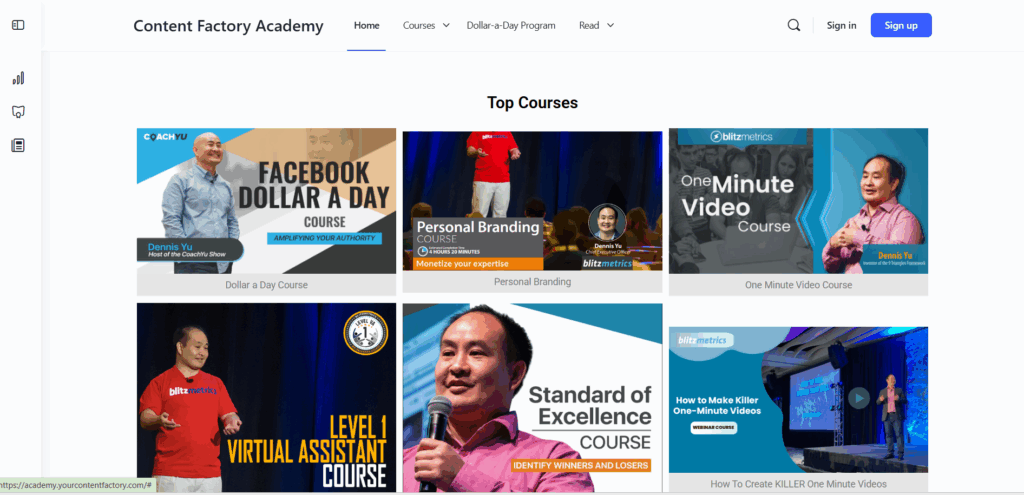
Provide login credentials to the Academy, which includes over 150+ paid courses they get free access to.

Confirm they can log in and navigate the dashboard.

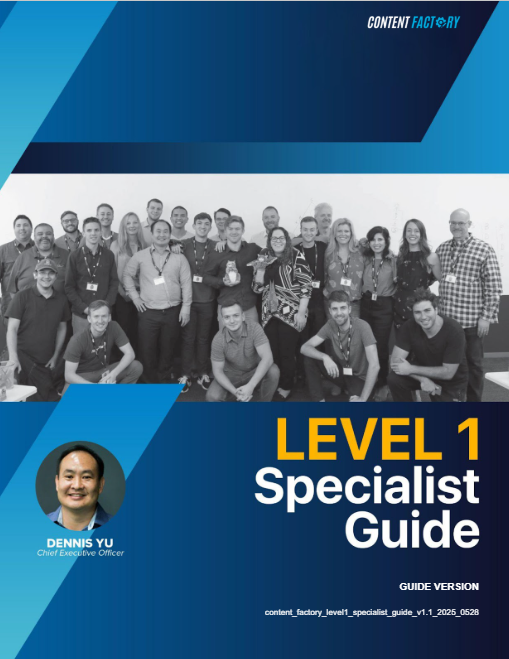
Step 6: Share Level 1 VA Guide

Send the Level 1 VA Guide, which covers:

  • Our Content Factory process.
  • Task structure and documentation standards.
  • How to report daily updates and submit completed work.

Confirm they review it within their first 48 hours.

Step 7: Introduce MAA (Metrics > Analysis > Action)

Each apprentice must complete a weekly MAA every Friday to build real data analysis habits.

Share both reference articles:

Remind them:

Every Friday = MAA time.
Review data, analyze what it means, and suggest next actions.

Step 8: Encourage YouTube Learning

Share Dennis Yu’s YouTube Channel:
Dennis Yu on YouTube

Assign them to watch 3–5 recent videos.

Step 9: Confirm Completion

When all steps are done:

  • Tick each item in the internal tracking sheet.
  • Post a “✅ Onboarding Complete” message in Basecamp.
  • Tag the apprentice.

Done! They’re Officially Onboarded

Once the checklist is completed, the apprentice is now ready to start contributing to real projects, attend Office Hours, and advance through our levels of mastery.

Announcing ‘The Complete Guide to Pest Control SEO’ – Grow Your Pest-Control Business Today

In this video, author Danny Leibrandt introduces his new book, “The Complete Guide to Pest Control SEO”. If you run or market a pest-control business and want to generate more leads, this video explains why SEO is essential and how this guide can help.

Danny Leibrandt is the founder of Pest Control SEO, a digital marketing agency for pest control companies, and co‑founder of Pest Partner. He also hosts the Local Marketing Secrets and Pest Control Legends podcasts, where he interviews industry experts and shares actionable local marketing advice. Known for his high‑energy speaking style at conferences like DigiMarCon, Danny aims to inspire others with his “Don’t know? just go.” approach.

His book, The Complete Guide to Pest Control SEO, spans over 280 pages and serves as a step‑by‑step playbook for pest‑control businesses looking to dominate local search. It explains how to optimise your website, set up call tracking and analytics, and make the most of your Google Business Profile. The guide walks you through keyword research, review generation, backlink acquisition and content planning, while warning about common pitfalls like broken tracking or thin content. With practical examples and checklists, the book offers DIY, hybrid and full‑service options so readers can choose the approach that fits their goals.

If you’re a young adult or the parent of one, consider joining High Rise Academy to learn marketing skills that actually get results.