Congratulations, you’ve got your first client! That’s a huge milestone. But here’s the thing: the easiest time to keep a client happy is before they’re upset. Once things spin out of control, you’re in damage-control mode and that’s exhausting.
When you care early, communicate often, and follow the right process, you won’t have to “save” accounts. You’ll grow them.
Why clients stay
Our clients stay because we drive real results, and they feel cared for.
Retention happens when you:
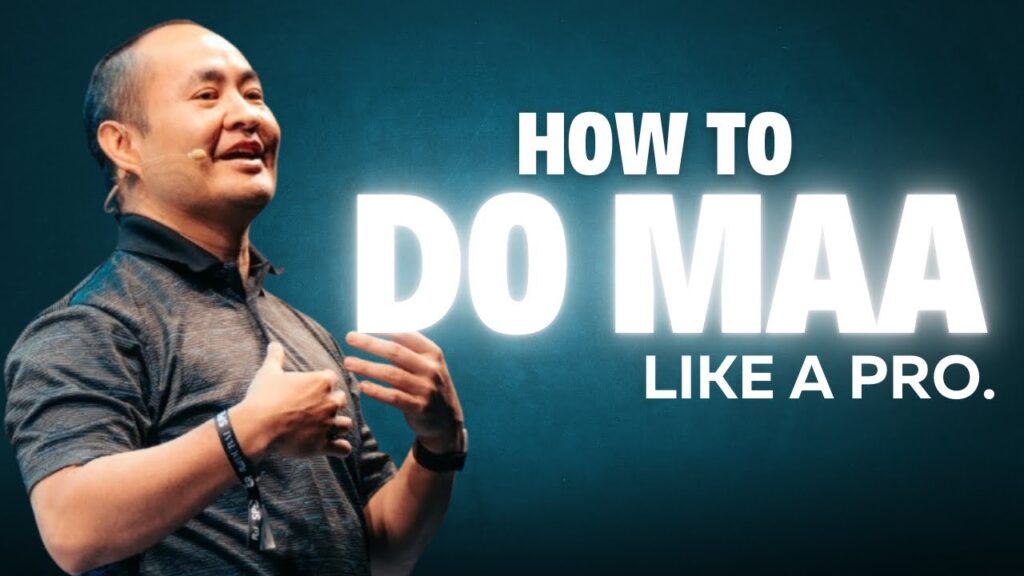
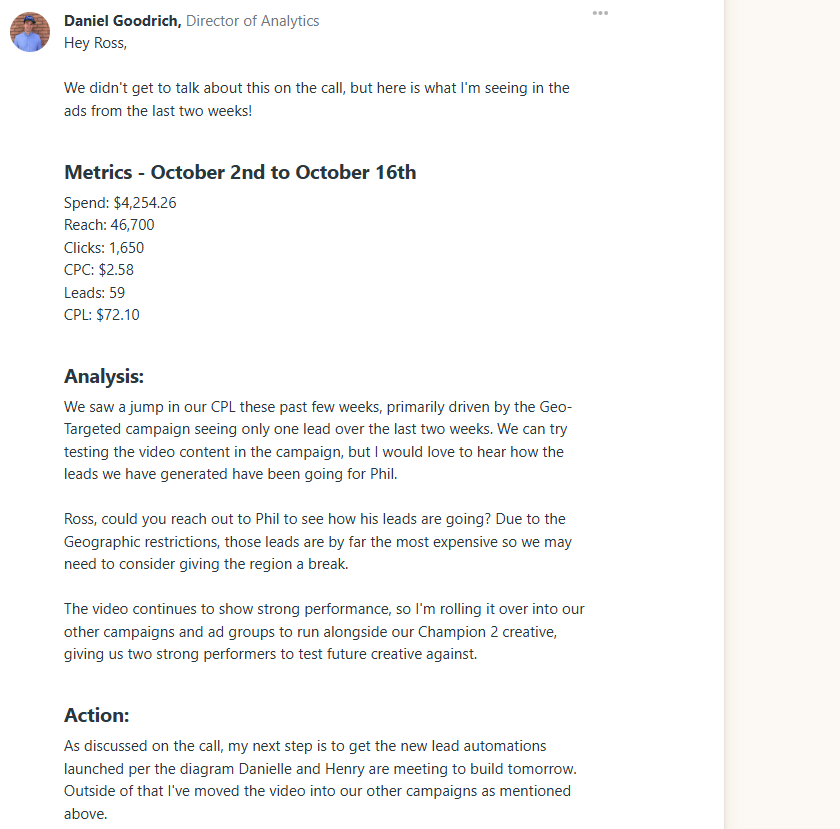
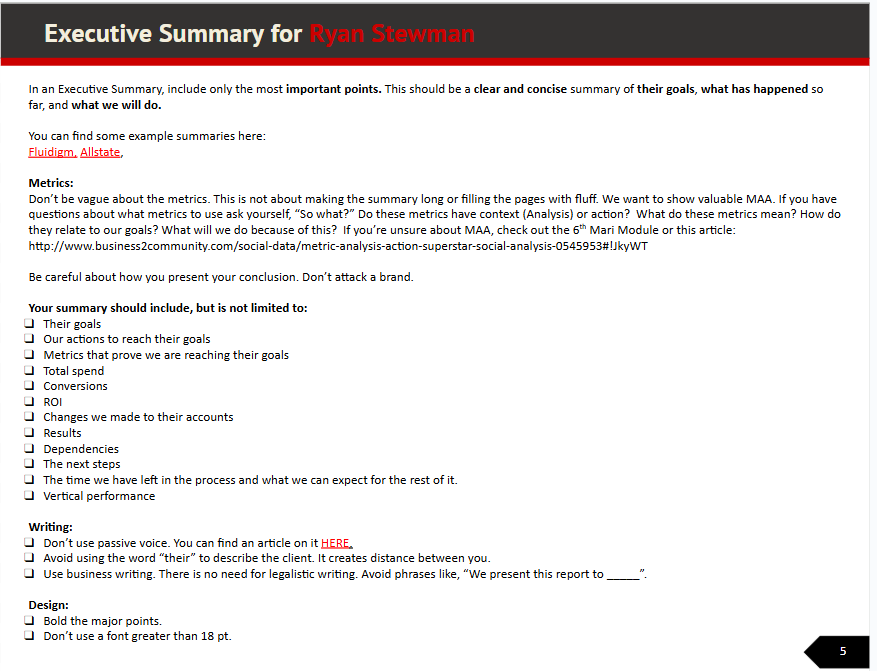
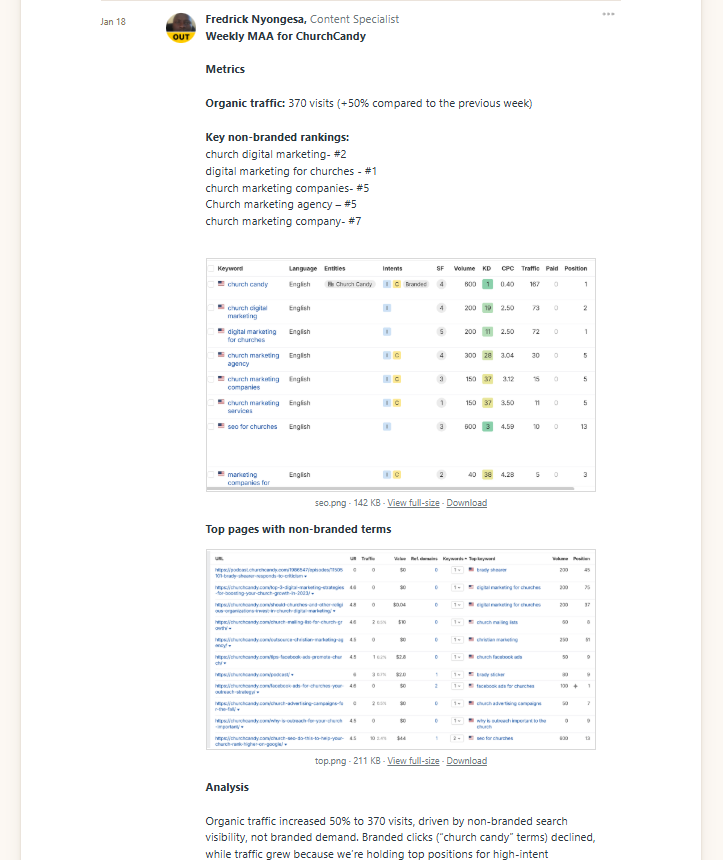
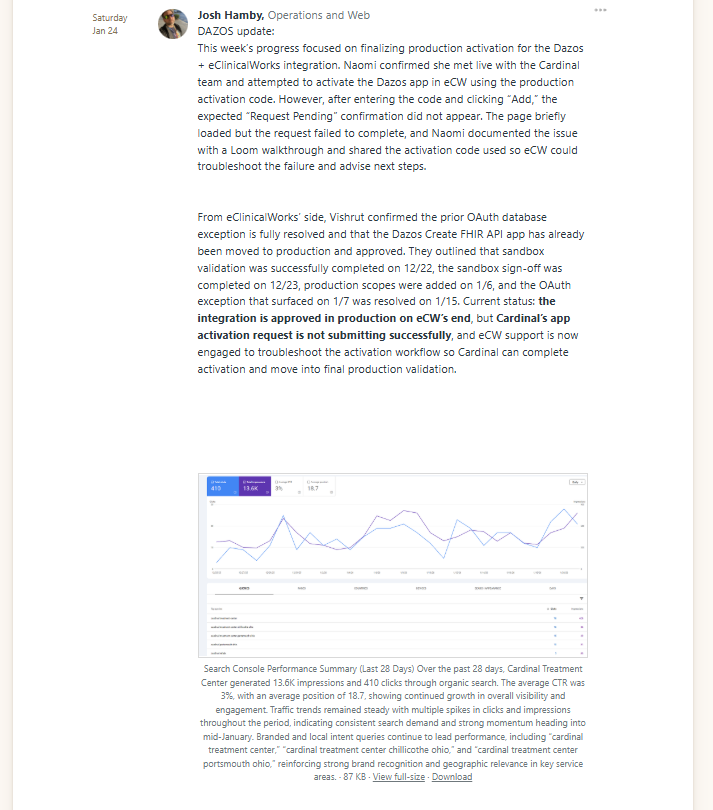
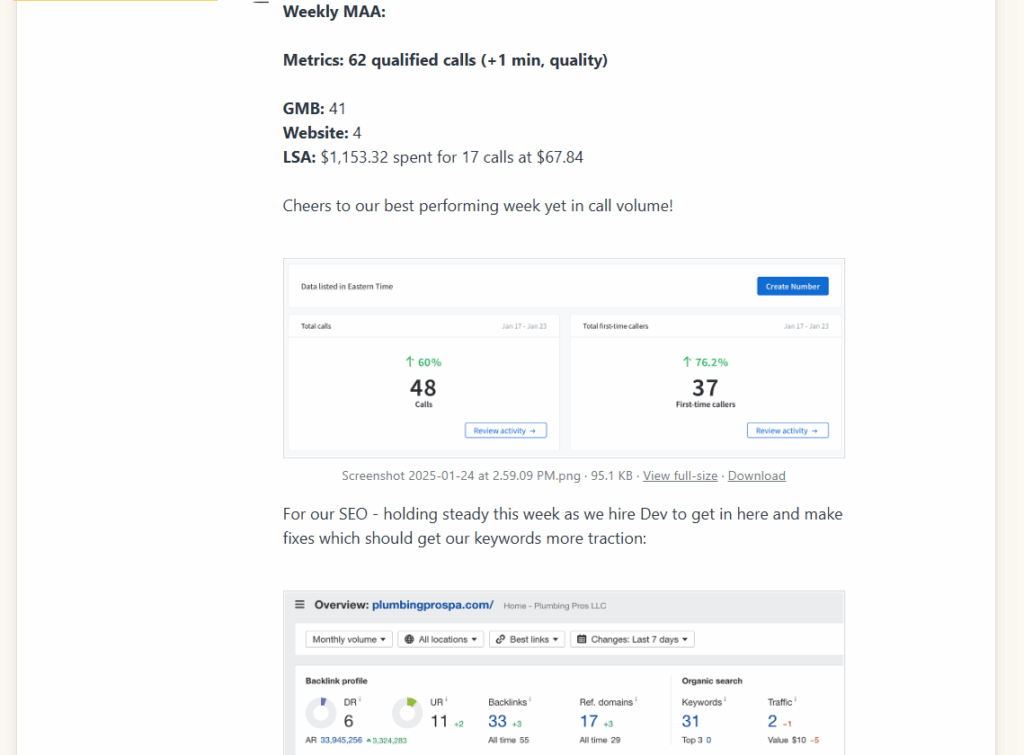
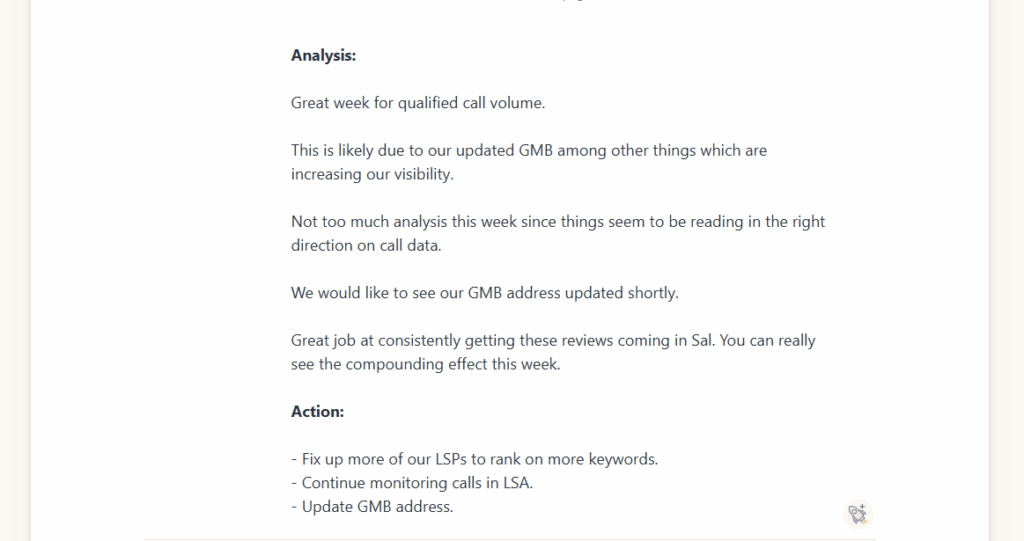
Deliver results consistently through the MAA process (Metrics → Analysis → Action).
Communicate clearly every week, no matter what.
We don’t hide behind a one-year lock-in. Clients stay with us because they want to, not because they have to.
The MAA process
Every week, you’ll move through these three steps:
It doesn’t matter whether you’re running Google Ads, Facebook, SEO, or content. The same process applies everywhere. Your goal? Drive more qualified phone calls that lead to real customers for your client.
The power of the Friday report
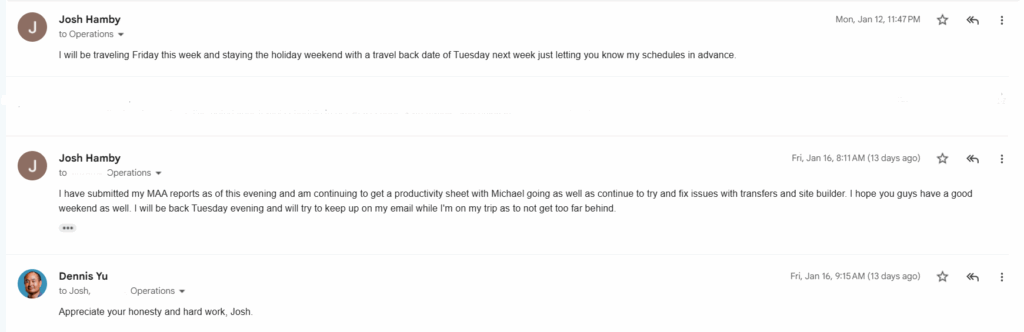
Every Friday (or Thursday if you’re ahead), send your optimization report. Even if you don’t have big changes to announce, your consistency shows you care.
Clients should never wonder, “What’s happening?” The moment they stop hearing from you, they assume you’ve stopped caring. And that’s the #1 reason clients leave, not bad performance, but lack of perceived care.
If you’re sick, traveling, or have weak Wi-Fi, still message them. Even a quick “Hey, I’ll send the update tomorrow, just want you to know I’m on it” goes a long way.
Handling the unexpected
Stuff breaks, websites crash, ads stop running, Google updates happen. That’s life in digital marketing.
When things go sideways:
Don’t panic.
Triage. Figure out what matters most.
Communicate. Tell the client what’s happening and what you’re doing.
Most clients are understanding, especially compared to their last three agencies that ghosted them or sent useless, automated reports. When you care, analyze, and take action, you stand out instantly.
Learn before you lead
You’re part of a team now, and eventually, you’ll lead one. But before you manage others, master the process yourself.
Do the work first. Learn the system. Then, when your teammates get stuck, you’ll know how to guide them.
That’s how we grow.
Why feedback is gold
Weekly reports are feedback loops for you.
Sometimes clients will say:
“This looks awesome, great job!”
Or even:
“Turn the marketing down, we’re booked out for two weeks!”
Other times, they’ll raise concerns. That’s fine too. It keeps communication alive and helps you improve faster than any course ever could.
Keep optimizing
No one ever becomes “done learning.” Even the most experienced marketers keep refining how they use data and tools.
Treat every week like another rep in the gym, small, steady improvements that add up over time.
Now that you’re officially inside, here’s the exact roadmap so you don’t feel lost staring at 140+ courses, 27 tools, and a pile of skills you think you “don’t have yet.” Let’s cut through the noise.
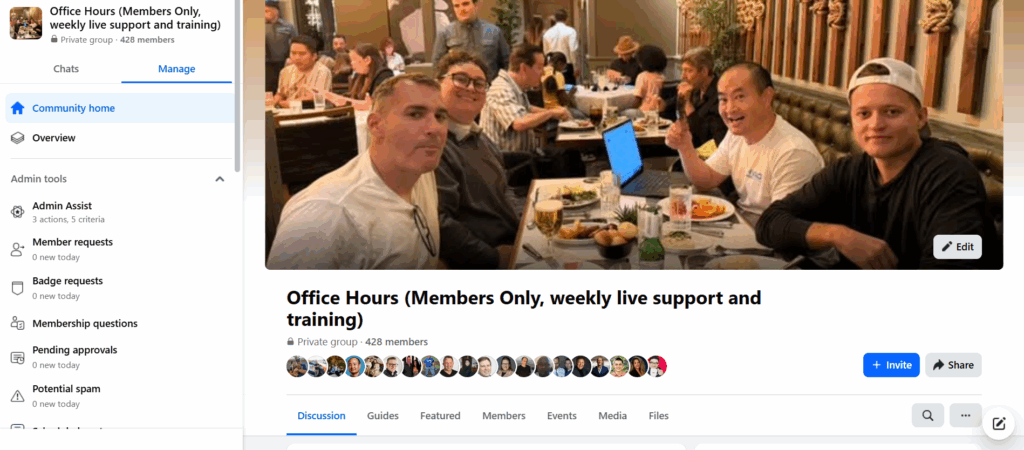
Join the Office Hours Facebook group
By now, you should have an email inviting you to our Office Hours Facebook Group. If it didn’t arrive, give it a few minutes; it’s on the way.
This group is where everything happens:
Weekly Office Hours: Thursdays at 2 PM PST / 5 PM EST. We record all sessions, so if you miss one, no meltdown necessary.
If you do this well for your parents’ business or first client, you will get more. And when you’re reliably executing, we’ll promote you and send an opportunity your way. (Not because you bought the program, but because you earned it.)
Where not to ask for help
There’s a giant free Facebook group called Digital Marketing with Dennis Yu (44k+ members).
That’s not your support channel.
Your help and team support are inside Office Hours, the private group.
Stay there.
If you’re ever truly stuck
Message Stephanie (stephanie@blitzmetrics.com).
If it’s something only I can solve (rare), you can email me.
You can text me too. Just make sure it’s worth waking me up over.
Your first real assignment: Make a 1-minute video
Record a simple cell-phone introduction and post it in the Office Hours group.
No scripts. No fancy camera. No “I need to get ready first.”
Just you, talking for 60 seconds:
Who you are.
Where you’re from.
What you’re working on.
What you want to learn.
If we were sitting around a dinner table at a mastermind, you’d introduce yourself. This is the same thing.
Colby Joseph Davis’ journey in the trades began when he was still a teenager. Working alongside his father in the plumbing business and later in pool renovation, roofing and painting, he learned the value of craftsmanship, customer service and honesty early on. Those hands‑on experiences across multiple trades would shape his entrepreneurial vision.
In 2013 he founded Davis Painting, and under his leadership the company has become one of Pennsylvania and New Jersey’s fastest‑growing residential and commercial painting firms. Davis Painting is known for its spotless trucks, coordinated uniforms and meticulous job‑site preparation—details Colby insists on because, as he says, “People notice the little things”. By hiring for character as much as skill and instilling pride in every team member, he’s built a brand that stands for excellence in every brushstroke.
Seeing a fragmented home‑services industry ripe for consolidation, Colby launched Indy Capital and its operating arm, Indy Brands. Through Indy Brands, his team acquires, scales and sells top‑performing home‑service companies—including Davis Painting, SUDS Power Washing, Light Your Night and Honest Roofing. He admits he never expected to start his own private‑equity firm, but after spotting a need for honesty, integrity and high‑quality service in the sector he knew it was time.
From apprentice to entrepreneur, Colby Joseph Davis shows what’s possible when vision, craftsmanship and care for people come together.
If you’d like to learn more about Colby Joseph Davis’s approach to leadership, check out our post on his leadership philosophy here: https://dennisyu.com/earning-respect-the-leadership-philosophy-of-colby-joseph-davis/
For more on how he built his painting empire, read this article: https://jackwendt.com/from-paintbrush-to-portfolio-how-colby-joseph-davis-built-a-multi-state-painting-empire-and-beyond/
Discover the launch of Indy Capital and Indy Brands in our previous post: https://highriseinfluence.net/launching-indy-capital-a-new-chapter-for-home-services/
In 2024, Colby Joseph Davis formally launched Indy Capital, turning his vision for a consolidated home‑services powerhouse into reality. Indy Capital isn’t just another private‑equity firm; it is structured as a public markets investment and real‑estate holding company with a home‑services division, Indy Brands. The goal is to build, acquire and sell best‑in‑class home‑service companies under one roof.
What sets Indy Capital apart is its focus on marketing and operational excellence. Its growth will be fueled by Marketing Now, the in‑house marketing agency led by CMO Brandon Roman Cruz, who brings 15 years of digital media experience to the table. This central marketing engine ensures each portfolio brand—whether painting, power washing or roofing—gains maximum exposure and lead flow.
Davis’s passion for home services was ignited at a young age working with his father, and he has carried that appreciation for tradespeople into Indy Capital’s mission. “I never thought I would launch my own PE firm with the main focus on home services,” he recently remarked, “but after seeing the void in the space and the need for honesty, integrity and high‑quality companies, I knew it was time to do this.” By establishing clear core values and investing heavily in training and career growth, Indy Capital aims to set a new standard in an industry often associated with high turnover.
Key takeaways for home‑service entrepreneurs:
Think beyond a single trade. Davis used his success in painting to branch into power washing, lighting and roofing, proving that complementary services can strengthen a brand portfolio.
Invest in marketing. Indy Capital’s in‑house marketing agency allows each subsidiary to tap into sophisticated lead‑generation strategies normally reserved for much larger companies.
Put people first. Whether at Davis Painting or within Indy Brands, Davis focuses on building long‑term careers. This not only reduces turnover but also fosters loyalty and expertise across the portfolio.
Local Service Spotlight (LSS) is more than just another marketing package — it’s a productized content and distribution platform designed to turn home‑service business owners into local celebrities. Led by the team at High Rise Influence, LSS combines proven PR, SEO and social media strategies with AI‑driven tools and trained operators to generate calls, reviews and rankings for contractors.
How It Works: The Triangle Flywheel
At the heart of LSS is a triangle flywheel of content, distribution and proof. Training through the HRI Academy certifies young adults in the Content Factory system so they can produce high‑quality articles, videos and other media. Agencies leverage these trained operators along with SOPs and dashboards to serve niche verticals like HVAC, landscaping and plumbing. The software layer — Your Content Factory (YCF) evolving into LSS — provides the directory, logic engine and publishing automations that tie everything together.
Product Packages
LSS offers a tiered path for contractors to get involved:
Free Listing (Directory): A basic profile with eligibility score and community visibility.
Spotlight Site ($30/mo): Hosted profile in our geo‑vertical directory with DIY prompts and a knowledge panel checklist; includes a vanity domain and canonical hosting.
Local Service Spotlight ($300/mo): Our flagship subscription that delivers:
Two Spotlight Articles (800–1,100 words) each month crafted with AI assistance and internal/external mentions.
A Short‑Form Bundle: one‑minute video plus five shorts with captions and thumbnails.
A Google Business Profile Pack: posts, Q&A and photos/shorts within upload limits.
Weekly MAA (Metrics → Analysis → Action) entries to turn data into tasks.
YouTube upload and optimization once per month.
Five geo‑vertical editorial mentions per month across our high‑trust directory.
A quarterly remote interview or shop‑tour feature.
A dashboard showing calls, traffic, rankings and review velocity with quarterly roll‑ups and 90‑day action plans.
Differentiation and Moat
Several factors make LSS unique:
Lighthouse relationships: We collaborate with industry figureheads and leading operators who share podcasts, shop tours and expertise to seed high‑trust, evergreen content across our grid.
Enterprise‑grade IP for SMBs: Our agentic dashboards and logic engine were built from experience serving multi‑location brands and adapted for single‑location contractors.
White‑hat authority stacking: We use subfolders instead of subdomains, canonicalized vanity domains and real editorial mentions — never reciprocal link schemes.
Trained talent and ratings‑to‑pay: Operators certified through the HRI Academy must maintain high ratings to stay active; bonuses and penalties keep quality high.
Partner‑agency overlay: Niche agencies ride on our rails, delivering higher‑ticket retainers while we take infrastructure rev‑share and enforce standards.
Why the LSS Ecosystem Changes How Contractors Get Found Online
By turning real‑world proof — project photos, interviews, job‑site videos — into compelling content and distributing it strategically, LSS helps contractors dominate their local search results. The more members join, the stronger the network becomes: authentic content leads to editorial distribution, which creates measurable ROI and drives more content.
Ready to become a local celebrity? Claim a free listing in our directory, upgrade to a Spotlight Site or Locl Spotlight subscription, or train a young adult in your team through our AI Apprentice program.
How It Works: The Triangle Flywheel
At the heart of LSS is a triangle flywheel of content, distribution and proof. Training through the HRI Academy certifies young adults in the Content Factory system so they can produce high‑quality articles, videos, and other media. Agencies leverage these trained operators along with SOPs and dashboards to serve niche verticals like HVAC, landscaping and plumbing. The software layer—Your Content Factory (YCF) evolving into LSS—provides the directory, logic engine and publishing automations that tie everything together.
Product Packages
LSS offers a tiered path for contractors to get involved:
Free Listing (Directory): A basic profile with eligibility score and community visibility.
Spotlight Site (․$30/mo): Hosted profile in our geo‑vertical directory with DIY prompts and a knowledge panel checklist; includes a vanity domain and canonical hosting.
Local Service Spotlight (․$300/mo): Our flagship subscription that delivers: – Two Spotlight Articles (800–1,100 words) each month crafted with AI assistance and internal/external mentions. – A Short‑Form Bundle: one‑minute video plus five shorts with captions and thumbnails. – A Google Business Profile Pack: posts, Q&A and photos/shorts within upload limits. – Weekly MAA (Metrics → Analysis → Action) entries to turn data into tasks. – YouTube upload and optimization once per month. – Five geo‑vertical editorial mentions per month across our high‑trust directory. – A quarterly remote interview or shop‑tour feature. – A dashboard showing calls, traffic, rankings and review velocity with quarterly roll‑ups and 90‑day action plans.
Differentiation and Moat
Several factors make LSS unique:
Lighthouse relationships: We collaborate with industry figureheads and leading operators who share podcasts, shop tours and expertise to seed high‑trust, evergreen content across our grid.
Enterprise‑grade IP for SMBs: Our agentic dashboards and logic engine were built from experience serving multi‑location brands and adapted for single‑location contractors.
White‑hat authority stacking: We use subfolders instead of subdomains, canonicalized vanity domains and real editorial mentions—never reciprocal link schemes.
Trained talent and ratings‑to‑pay: Operators certified through the HRI Academy must maintain high ratings to stay active; bonuses and penalties keep quality high.
Partner‑agency overlay: Niche agencies ride on our rails, delivering higher‑ticket retainers while we take infrastructure rev‑share and enforce standards.
Why High Rise Influence Is the Engine Behind Contractor Visibility
By turning real‑world proof—project photos, interviews, job‑site videos—into compelling content and distributing it strategically, LSS helps contractors dominate their local search results. The more members join, the stronger the network becomes: authentic content leads to editorial distribution, which creates measurable ROI and drives more content.
Ready to become a local celebrity? Claim a free listing in our directory, upgrade to a Spotlight Site or Local Service Spotlight subscription, or train a young adult in your team through our AI Apprentice program. High Rise Influence is building a network of local authorities, and we’d love for you to be part of it.
This expanded guide builds on our overview of the High Rise Influences AI Apprenticeship Program, or High Rise Academy, giving you deeper insight into how we help apprentices turn passion into a professional career. From paid client work to mentorship and advanced certifications, here’s what sets our program apart.
Hands-On Paid Work & Real Client Experience
Our apprentices don’t just study theory – they learn by doing. After completing the foundational courses, apprentices can qualify to become part of the Digital Marketing Training System. Entry-level specialists start at $10 per hour, with tiered raises of $5 per hour as they earn certifications. This paid work isn’t busywork; apprentices produce deliverables for real clients, gaining the experience and case studies needed to build personal brands and portfolios.
Mentorship & Career Guidance
Mentorship is at the core of our program. Dennis Yu credits his own success to mentors and encourages apprentices to follow the same path. We teach a simple four-step approach: follow the mentor’s content, show you’ve done your homework, demonstrate gratitude, and offer small favors in return. Our faculty members and industry professionals guide apprentices through project reviews and career planning, helping them make the leap from apprentice to marketing professional.
Entrepreneurial Skills & Building Agencies
Many of our apprentices aim to start their own agencies. That’s why our curriculum covers practical advice on scaling, managing freelancers, and working with big clients. We emphasize balancing learning with networking and execution to avoid common startup pitfalls. Whether you want to launch your own agency or become a high-impact marketer in a larger organization, this program equips you with entrepreneurial skills.
Faculty & Administrator Options
We offer a range of options for universities and organizations interested in collaborating. These include one-hour live webinars on topics like Facebook Ads for $1 a day, project management, personal branding, content marketing, and measuring social media ROI. Qualifying apprentices can join the specialist program to earn while they learn, advancing based on performance. For colleges and student groups, Dennis Yu waives his standard speaking fee for on-campus workshops and keynotes, sharing his experiences from Yahoo! and his predictions for the future of digital marketing.
Partnerships & Schools
The High-Rise Influence University Program collaborates with a growing list of educational institutions. Partners have included the University of Louisville, UC San Diego, BYU, Hofstra University, Ridgewater College, Syracuse University, the University of Connecticut, the University of San Diego, LDS Business College, and Baruch College. These partnerships help integrate our curriculum into degree programs and create employment pipelines for apprentices.
Real-World Systems & Processes
We use checklists and processes similar to those found in aviation and surgery to ensure repeatable excellence. Frameworks like the Topic Wheel and 3×3 Goals help apprentices structure their personal brands and content strategies. Our specialist and virtual assistant collaboration model ensures that tasks such as video editing, ad management, and micro-targeting are handled efficiently.
Scale & Ongoing Growth
The program offers access to over 44 professional courses, with more added every month. This ensures apprentices can continue advancing their skills long after they complete the core curriculum. As the program grows, we measure social media ROI and define the impact of likes, comments, shares, and reviews to set the standard for social measurement.
Conclusion & Next Steps
The High-Rise Influence University Program doesn’t just teach marketing; it creates employable, experienced marketers with personal brands and real client results. Whether you’re an aspiring marketer, a university partner, or a business seeking certified talent, we invite you to explore the program and discover how it can accelerate your goals.
Interested in joining? Read our main overview of the High-Rise Influence University Program here: https://highriseinfluence.net/high-rise-influence-university-program/. Or contact us to learn more about partner packages and opportunities.
This page is free training for local service business owners who want to understand how marketing actually works before delegating it to an agency or investing further.
Most businesses don’t struggle because they aren’t trying hard enough. They struggle because the systems behind search, social, ads, and content aren’t explained in a way that connects actions to real business outcomes.
Each resource below focuses on a specific area where confusion is common—how platforms interpret your business, why content often fails to perform, and how to evaluate what is (and isn’t) producing revenue.
You don’t need to watch everything. Start with the section that best matches where you feel uncertain, and use the rest as reference as questions come up.
Below is a curated collection of videos selected because they address the most common points of confusion and failure.
How SEO actually works
Start here. This video explains the underlying framework the rest of these trainings build on.
This is the first episode in my Marketing Mechanic series, which focuses on identifying the underlying mechanism that actually drives performance in a marketing channel.
SEO continues to be a frustrating mystery for home service businesses.
Much of that confusion comes from focusing on tactics instead of understanding how search engines interpret businesses at a structural level.
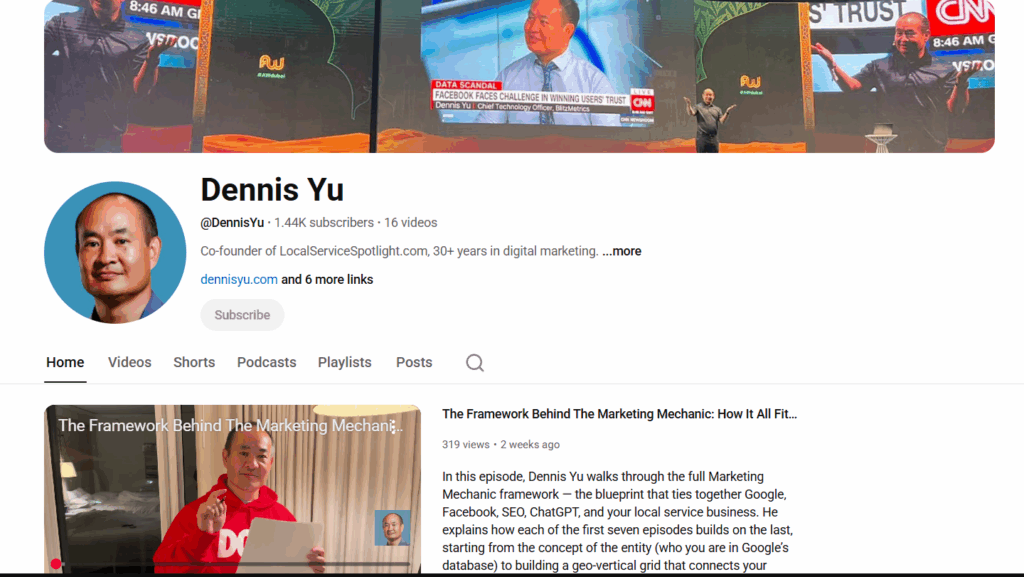
As a search engineer who helped build Yahoo! over 25 years ago, I explain how search engines, social platforms, and tools like ChatGPT interpret entities, and why this matters far more than traditional SEO checklists.
This episode establishes a foundation you’ll see repeated throughout the rest of the trainings: once you understand the mechanic, decisions become simpler and more controllable.
The first seven Marketing Mechanic episodes are designed to build on each other, moving from foundation to execution.
Content strategy that drives sales
Most home service businesses fail spectacularly at content marketing because they pursue a content calendar approach instead of the evergreen Topic Wheel.
In this video, we cover how to go from random posts that get no engagement and die out to revenue-producing assets that continue to live forever.
We’ll discover the 90/90 rule, 3×3 grid, and Greatest Hits, which you can implement immediately.
Own your name on Google
If you don’t own your name on Google, you don’t own your business.
Type your name into search right now. Do you see you… or do you see LinkedIn’s rented billboard?
That’s like running a million-dollar company but letting someone else hold the keys to your front door.
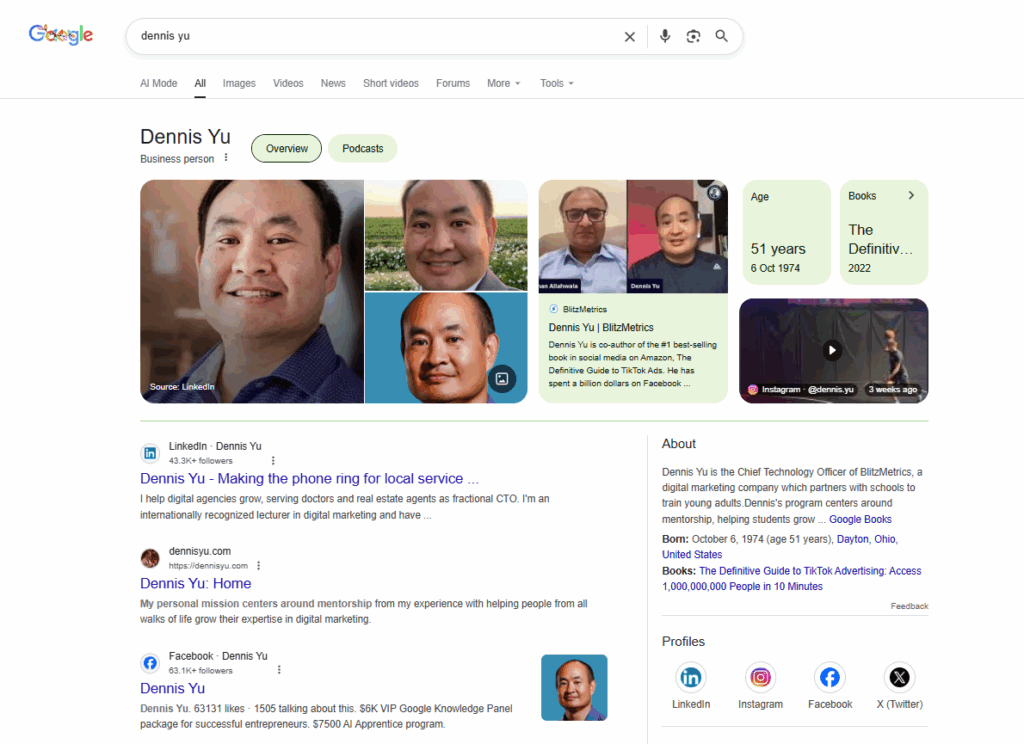
In this video, I break down exactly how to take back your name, structure your personal brand site, and trigger Google’s Knowledge Panel so you become the undisputed authority on you.
If Google can’t tell who you are, neither can AI. And that means customers can’t either.
5 steps to own your own marketing
Whether you use an agency or do it in-house, you should always OWN your own marketing.
Not just to verify you have ownership across all your assets, but to also understand what’s actually driving revenue and where calls are coming from.
Even if you’re not “technical”, you as the business owner deserve to know from your service providers how much money is incrementally being generated by each tactic, without having to ask.
And you should be able to see the actual numbers in your own systems, not a 3rd party interface dressed up to make them look good.
Here are 5 steps to take back control.
There are thousands of legitimate marketers out there who aren’t afraid of letting the client own their own systems and to show them the data.
+ Get access to all your assets (web, social, email).
+ Look at the spend and change history in ad accounts.
Clients can be unhappy with our results, even though we’re working hard.
Each of us is doing what appears to be good work, but must understand MAA (business impact) to truly deliver.
Content creation and website tweaking is only half of the equation (conversion), while the other half is traffic (getting people to these pages).
The combination of traffic x conversion = qualified customers.
And that’s what we should all be looking at, no matter what part of the puzzle we’re working on– Google ads, tweaking the new veneer landing page, building links, editing videos, posting on YouTube, answering the phone, etc…
The Social Amplification Engine
Most people post randomly and hope something works. The Social Amplification Engine turns that chaos into a precise, repeatable system.
This guide walks you through the full stack of digital marketing (plumbing, goals, content, targeting, amplification, and optimization) and shows how each layer works together to generate consistent leads.
You’ll see how to build the infrastructure, set measurable objectives, create content that actually performs, target the right audiences, and measure what’s driving real revenue instead of chasing vanity metrics.
This is the original framework we’ve used for years with seven- and eight-figure local service companies.
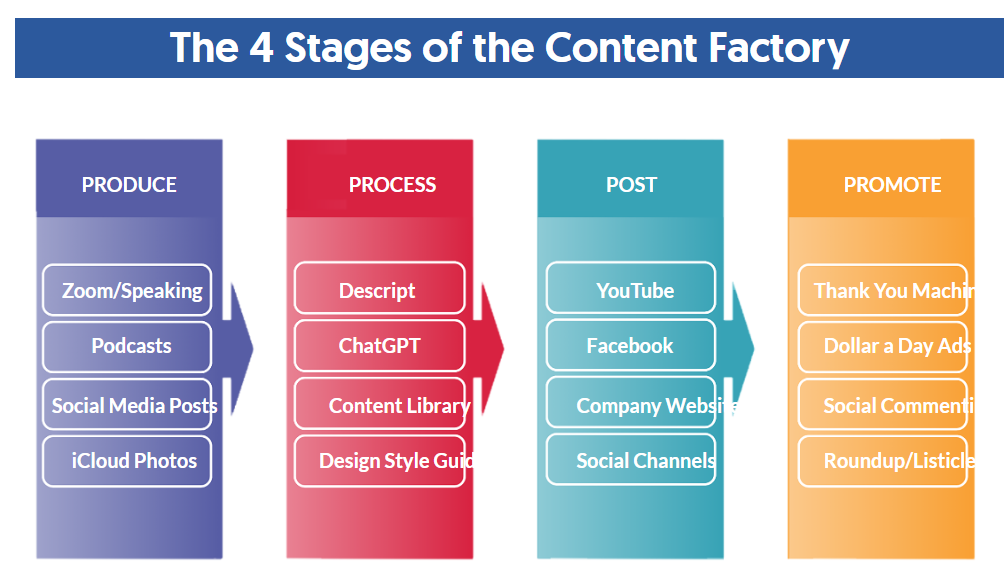
How to build a Content Library
The articles I’ve written, social posts I’ve made, speaking, marketing materials have been scattered all over the place.
I’ve figured out an effective process to centralize it– which has helped me trigger a Google knowledge panel and help my companies grow.
Give this training to your marketing person to build and organize your Content Library.
For your company and your personal brand– to drive your content strategy, advertising, podcast, and other content efforts.
Want to accelerate? Join the AI Apprentice program
The free trainings above are designed to help you understand how modern marketing systems work and how to evaluate what’s driving real business outcomes.
Some business owners, however, want to apply these ideas inside their own businesses by developing a capable young adult who can execute, learn quickly, and grow with the company.
That’s why the AI Apprentice Program exists—a structured, year-long group coaching program led by me and a hand-picked expert team, focused on implementation, skill-building, and accountability.
What you get:
Hands-on work applied directly inside your business
Weekly live coaching every Thursday at 2pm PST.
Private Facebook group for daily support.
Full OpenAI Teams access (we pay for it).
API credits + tools we’ve built and licensed.
A structured path to mastery.
Accountability to ensure you execute.
This allows your marketing to be handled internally, rather than outsourced to an agency you can’t see into, and instead carried out by a trusted young adult inside your business. You know what’s being done, why it’s being done, and how it connects to real business results.
Investment:
$7,500 for a full year (Yes, people charge more for a weekend workshop.)
This is the same system that helps young adults do in 3 months what normally takes 3 years trying to learn alone.