Why We Use Local Falcon (and How to Use It Properly)

There are plenty of local SEO tools available. You can use Local Falcon or something comparable. The specific software isn’t the strategy.

What matters is learning how to correctly see and interpret local visibility.

We use Local Falcon because it shows local search the way customers actually experience it, across streets and neighborhoods, not from a single zip code. That clarity makes it useful inside our systems, not just for reporting.

Where Local Falcon Fits in Our Process

We use Local Falcon in three specific places.

It’s part of our Quick Audit, where we immediately diagnose visibility gaps and competitive pressure.

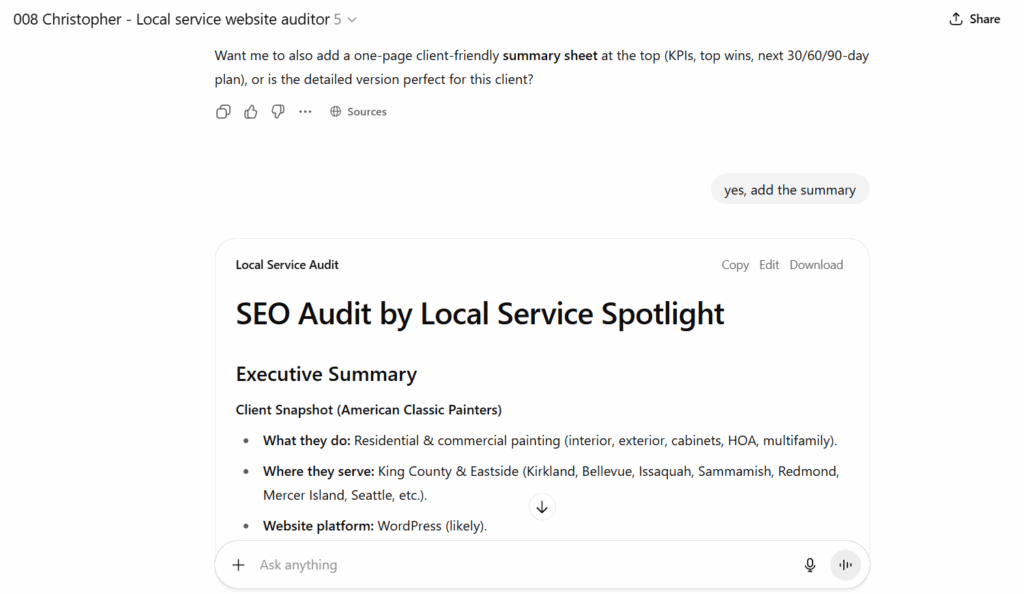
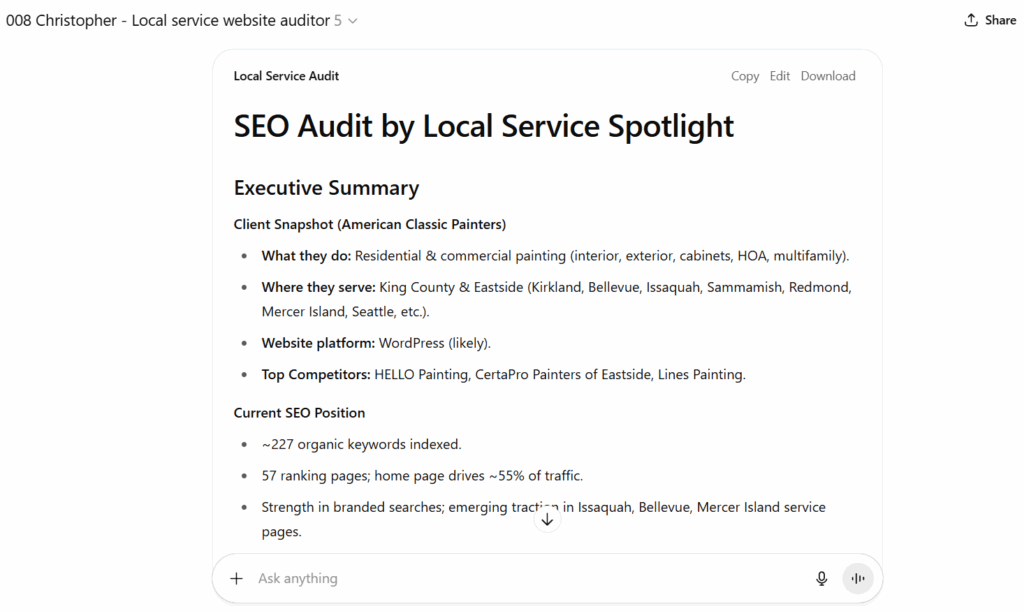
Quick Audit for Flax Dental

It’s used inside MAA by people in the AI Apprentice program, where apprentices learn how local rankings actually behave in the real world.

And we run it weekly for all clients, so we can track progress, catch drops early, and confirm that changes actually move visibility instead of just sounding good.

The Biggest Mistake New Users Make

Most beginners treat local SEO like traditional rankings.

They check one keyword, see one position, and assume that’s performance. Local search doesn’t work that way. Visibility changes depending on where the searcher is located. A business can look strong near its address and be invisible a short distance away.

A proper local SEO tool shows coverage, not just position.

How to Use a Local Rank Tool Properly

Step 1: Start With One Real Keyword

Pick one keyword that would realistically lead to a call, booking, or visit. If it wouldn’t produce revenue, don’t start there.

LocalFalcon for the term “addition treatment center” for Cardinal Treatment Center

Step 2: Use One Location

Select a single Google Business Profile. Learn how one location behaves before scanning multiple locations.

Step 3: Choose a Realistic Scan Area

Set a radius that reflects how far customers actually come from. Too small looks fake. Too large looks chaotic. Aim for honest.

Results for the keyword “softwash services” from Ad Astra Softwash within Overland Park, KS

Step 4: Run the Scan and Read the Map First

Ignore the numbers at first. Look at the colors. Green means consistent visibility. Red means competitors are winning.

Davis Painting’s Local Falcon results

Step 5: Watch How Visibility Drops With Distance

Strong visibility near the address is normal. Sudden drop-offs usually signal authority or relevance issues.

Step 6: Identify the Actual Competitors

Pay attention to who appears where you don’t. These are your real competitors, whether you like it or not.

Step 7: Make One Improvement

Change one thing at a time. Profile optimization, reviews, service content, then wait.

Showcase Remodels’ Local Falcon score

Step 8: Re-Run the Scan

If the map improves, the change worked. If it doesn’t, it didn’t. This is why we scan weekly.

Agape’s LocalFalcon search results

How to Think About Share of Local Voice

Share of Local Voice answers one simple question:
How often does this business appear when people search in this area?

More consistent appearances mean more opportunities for calls. Improving local SEO is about expanding that consistency.

Why This Matters

Local SEO is about visibility.

If you can clearly see where a business shows up and where it doesn’t, you can make smart decisions. If you can’t see that, you’re guessing, no matter what tool you use.

That’s why we use tools like Local Falcon in audits, training, and weekly client work. Not because it’s magic, but because it shows reality clearly.

How to Recover Facebook Page Access When Business Manager Is Inaccessible

If your Facebook Page looks normal but refuses to connect to ad accounts, agencies, or partners, this article explains what’s happening and how to fix it.

American Classic Painters‘ Facebook page

This issue usually appears with Pages that were created years ago or originally set up by a former agency, employee, or partner. Even though you may appear to have full admin access, business-level actions silently fail.

It’s a Business Manager ownership problem.

What’s Actually Broken

Every Facebook Page can be owned by only one Business Manager.

When that owning Business Manager is no longer accessible (because it was deleted, locked, or controlled by someone who is no longer involved) Meta blocks all business-level actions on the Page.

You might still be able to post, change settings, and add individual admins. That creates the illusion that everything is fine. But behind the scenes, Meta will not allow the Page to connect to ad accounts, agencies, analytics tools, or partner businesses.

Personal admin access does not override Business Manager ownership.

Why Access Requests Look Like They Work (But Don’t)

Meta allows business access requests to be sent and even “accepted,” but when a Page is owned by another Business Manager, the connection never completes.

There is no error message.

Meta simply rejects the request silently because only the owning Business Manager is allowed to approve business-level access. Any request made outside of it is automatically blocked.

This is why people get stuck in loops adding admins and resending requests that never stick.

How to Confirm This Is Your Problem

Log into business.facebook.com using the Business Manager you control and open Business Settings.

If your Page is missing entirely, or if you can see it but cannot assign partners, connect ad accounts, or manage assets properly, it is almost certainly owned by another Business Manager.

Plumbing Pros PA‘s Facebook page

At that point, there are only two possible solutions.

Option One: Fix It Through the Original Business Manager

If anyone still has access to the original Business Manager that owns the Page, the issue can be resolved immediately.

That person must log into the original Business Manager, open Business Settings, select Pages, and add your Business Manager as an admin on the Page.

ARDMOR Windows & Doors‘ Facebook page

Once that happens, the Page instantly becomes fully usable. Ads, analytics, and partner access work without any review or approval from Meta.

If this option is available, take it. Nothing else is faster or cleaner.

Option Two: Request Page Ownership From Meta

When the original Business Manager is no longer accessible, ownership must be transferred by Meta.

To do this, log into the Business Manager you control and go to the Meta Business Help Center.

Choose Pages, then Page access or ownership, and select the option indicating that another business owns your Page.

If the exact option doesn’t appear, searching for “Facebook Page ownership dispute” will lead you to the correct form.

Meta will ask for documentation proving that your business legally owns the brand represented by the Page. This usually includes a business license or incorporation documents, along with a utility bill or tax document showing the same business name and address. You will also need to provide the Page URL and your Business Manager ID.

All information must match the Page’s business name. If it doesn’t, Meta will reject the request with little or no explanation.

What Happens After Submission

Meta reviews the request manually. This typically takes several business days, though it can take longer if additional verification is required.

Responses are sent by email, often to spam folders, so checking regularly is important.

If the request is approved, ownership of the Page is transferred to your Business Manager automatically. No additional steps are required.

Why Adding Individual Admins Never Solves This

Meta treats people and businesses as separate entities.

Adding a person as a Page admin only grants surface-level control. It does not transfer business ownership and does not unlock ads, partners, or asset management.

Only the owning Business Manager can perform those actions. Until ownership is corrected, business access will continue to fail no matter how many admins are added.

What to Do After Ownership Is Fixed

Once the Page is owned by the correct Business Manager, everything works normally again.

You can assign partners using Business Manager IDs, connect ad accounts, and grant agencies proper access without restrictions.

Western Trading Post‘s Facebook page

Flax Dental‘s page

At that point, the problem is fully resolved.

Why 15-Second Videos Matter Now

If you’re creating content today, you’re competing with the scroll.

People spend hours a day moving past content without thinking. On most social platforms, you have a few seconds (often less) to earn attention before someone scrolls past and never sees you again. That’s the context 15-second videos live in. They exist because attention spans are short, feeds move fast, and algorithms reward engagement, not effort.

It’s how Facebook, YouTube, TikTok, Instagram, X, and LinkedIn all work right now.

Attention Has to Be Earned Immediately

Adult attention spans, especially under age 30, are extremely short. If you don’t engage someone in the first three seconds, they’re gone. Not later. Not after the hook. Immediately.

That’s why longer videos fail for people who don’t already have an audience. No one is going to watch a three-minute video from someone they don’t recognize. The average watch time on Facebook is around six seconds. That alone tells you everything you need to know about how your content needs to be structured.

Short video isn’t a creative choice. It’s a practical one.


Teaching Alone Isn’t Enough

If all you do is teach, people scroll past. If all you do is entertain, you don’t build trust.

The goal is edutainment—teaching something while keeping it interesting enough that someone stays. Think of it like wrapping medicine in food. The value is inside, but it has to be delivered in a way people will actually consume.

That’s what a 15-second video does well. It forces clarity. It forces focus. It forces you to get to the point.


Algorithms Don’t Care About Your Intentions

Every major platform measures engagement. If users stop, watch, and interact, your content gets shown to more people. If they don’t, it disappears.

The algorithm doesn’t know your credentials. It doesn’t know how smart your idea is. It only knows whether someone paid attention.

That’s why the first few seconds matter more than the rest of the video combined.


This Works for Serious Professionals

There’s a misconception that short video means you have to be silly, dance, or chase trends. That’s not true.

Fifteen-second videos work for business owners, consultants, service professionals, and experts because the format rewards clarity, not gimmicks. You don’t need to act differently. You need to communicate more clearly.

The format is short. The message can still be professional.


Why the Format Exists Everywhere

Instagram Stories are 15 seconds. TikTok is built on short vertical video. YouTube Shorts follow the same pattern. These formats weren’t chosen randomly. They exist because that’s how people consume content now.

If you want visibility, reach, and efficient advertising, this is the format every platform is pushing.


Why Templates Make This Easy

People ask why a one-minute video can’t be taught in one minute. It’s because the strategy behind short video takes longer to understand than the video itself.

Once you understand the framework, execution becomes simple. Templates remove decision fatigue. They tell you how to start, what to say, and how to end without rambling or overthinking.

That’s how people go from avoiding video to producing it consistently.


The Goal Isn’t Virality

The goal is visibility across platforms, repeated exposure, and trust built over time. Fifteen-second videos make that possible because they’re easy to produce, easy to distribute, and easy for people to consume.

Short video is how you get seen before people decide whether to listen longer.


Learn the Process

If you want to understand the strategy behind 15-second videos and use templates to create them consistently, the full walkthrough is inside the course.

https://academy.yourcontentfactory.com/courses/15-second-video-course

This isn’t about trends. It’s about how attention works now—and how to earn it without wasting time.

How Indian Entrepreneurs Can Become Googleable: Dennis Yu’s Knowledge Panel Training with Anuran Das

When Anuran Das asked me to speak with his community of Indian entrepreneurs, I knew immediately this session would be different.

His audience isn’t made up of tech insiders or agency veterans who already have perfectly polished websites and PR teams.

These are founders, traders, network marketers, salon owners, and young strivers who want what every entrepreneur wants: a chance to build something meaningful, to increase their income, and to earn trust in a global marketplace.

Many of them are doing impressive things offline. But online? Google barely knows they exist.

And in 2025, that gap is no longer a small inconvenience. It determines who gets clients, who gets recommended by AI tools, who appears credible, and who never quite breaks through.

This training was a conversation about identity (digital identity) and how Indian entrepreneurs can take control of how the world sees them.

Why Indian Entrepreneurs Struggle With Online Identity More Than Most

Within the first few minutes of the session, it became painfully clear: most people in the room had never searched their own names in the Knowledge Graph.

They didn’t know what Google saw when it tried to assemble their identity. They didn’t know whether their achievements were connected properly, or scattered across the internet like broken puzzle pieces.

For Indian entrepreneurs, this fragmentation is extremely common. A single name can belong to dozens of people across industries, regions, and social platforms.

Algorithms struggle to distinguish one “Ravi,” “Jobin,” or “Rohan” from the next.

Even those who are well-known within their local markets often appear online as partial versions of themselves; half-formed profiles, mismatched facts, weak signals, low confidence scores.

When we looked up Anuran himself, Google didn’t show one identity. It showed several.

All of them real, all of them incomplete, each one competing with the others. This is what happens when your accomplishments outpace your digital structure.

You grow faster than Google can understand you.

It’s a technical reality.

And it means the world can’t trust what it can’t verify.

Your Income Follows Your Identity

The people in Anuran’s community are working to increase their income, whether that’s through Facebook ads, network marketing, trading, local services, or digital consulting. They want growth, stability, opportunity. But none of that can happen when platforms can’t confidently identify who you are.

If Facebook doesn’t know which “you” is running the ads, it can’t optimize your campaigns properly.

If Google doesn’t know who you are, it can’t show the right information (or any information) when clients search for you.


If ChatGPT doesn’t recognize your name, it can’t recommend you when someone asks a question in your niche.

This is about survival in a world where AI is the front door to opportunity.

The entrepreneurs in the room understood it immediately. Once they saw their broken or incomplete online identities, the question wasn’t “Why does this matter?” but “How do I fix this right now?”

The Real Lessons Came Through Real People

What made this session special was the live examples. I didn’t want to talk about Indian entrepreneurs. I wanted to talk with them.

So we looked up Ravi, assuming Google had something (anything) about him. Instead, we found a famous director with the same name overshadowing every result.

We searched Jobin, expecting at least a minimal footprint.

Instead, he was invisible, even on Facebook, despite wanting to run Facebook ads for corporate events.

We explored Rohan’s salon business, which in real life is thriving with award-winning stylists and hundreds of five-star reviews.

But his website, social structure, and digital signals weren’t strong enough for Google or ChatGPT to understand the scale of his success.

Each of these examples revealed the same underlying truth:
your offline reputation cannot help you until it becomes visible online.

And becoming visible isn’t about buying followers or posting motivational quotes. It’s about giving search engines enough structured information to confidently say, “This is the real person.”

That is the doorway to being Googleable.

Why ChatGPT Became the Surprise Breakthrough of the Training

Most people treat ChatGPT as a writing assistant. They ask shallow questions and accept shallow answers. But in this training, we used ChatGPT in a completely different way: as a diagnostic tool for reputation.

When I typed, “Who is the top pest control company in Portland?”

Google showed my friend, who ranks #1 locally.

When I asked ChatGPT to describe Jobin, it returned almost nothing because Jobin hasn’t given the internet enough evidence that he exists.

But when I gave ChatGPT context (business details, goals, examples, achievements) it transformed. It produced strategic plans, clarified opportunities, identified weaknesses, and highlighted what was missing.

This shocked the audience.

Not because ChatGPT is powerful, they knew that.
But because ChatGPT mirrored back the truth about their digital identities.

If the AI can’t recommend you, you don’t exist.

Anthony’s Lawn Care

Not in the economy that is forming right now.

Why Relationships Matter More Than Algorithms

One moment in the session shifted the energy completely.

Someone asked how to become a billionaire.

The room went quiet. Not because of the money but because of the ambition behind the question.

I told them a story I rarely share. When I was young, the CEO of American Airlines mentored me. Later, I was introduced to other billion-dollar CEOs, not because I was special but because I honored the people who taught me. I served them. I learned from them. I created value before I ever asked for anything in return.

Mentorship and gratitude built every opportunity I have today.

For Indian entrepreneurs (who understand the power of lineage, community, and respect), this resonated more deeply than any technical advice ever could.

You are known by your relationships.

With Dr. Hugh Flax of Flax Dental (high-end cosmetic dentistry in Sandy Springs, Georgia)

Google measures that.
ChatGPT measures that.
Clients measure that.

Authority is a network effect.

When you show who you learn from, who you help, who you collaborate with, and who trusts you, your identity becomes stronger, not just in the real world, but in the digital world too.

Why This Training Mattered for Anuran’s Community

It was a candid, real-time mentorship session tailored to people who are capable of enormous growth but haven’t had the structure, clarity, or visibility to unlock it.

Indian entrepreneurs are stepping onto a global stage.
AI has collapsed geographic barriers.
Opportunities that once required money, connections, or access are now available to anyone who is understood by the machines deciding visibility.

But machines need clarity.
They need structure.
They need identity.

This group is ready for it.

And with leaders like Anuran creating environments where learning, mentorship, and community actually matter, there is no limit to how high they can rise.

The world is watching.
Google is watching.
ChatGPT is watching.
Your future clients are watching.

Make it easy for them to understand who you are.

Because becoming Googleable isn’t a technical achievement.
It’s the foundation of trust in the age of AI and it starts with entrepreneurs like the ones in Anuran’s community who are ready to step into the spotlight with confidence and clarity.

Meet Mark: The AI Agent That Creates Basecamp Projects Without Making a Mess
When someone signs up for any paid package we offer (AI Apprentice program, Google Knowledge Panel package, Power Hour, or any other), we create a Basecamp project for them.

This step seems trivial, but it’s one of the easiest ways to break operations at scale.

If projects are named inconsistently, created twice, missing required threads, or set up with the wrong people, Basecamp stops being a system of record. Fixing that later costs more time than creating it correctly in the first place.

To remove that failure point, we built Mark.

What Mark Does

Mark is an AI agent whose only responsibility is Basecamp project creation.

He creates projects inside the user’s own Basecamp account, enforces naming and tiering rules, and prevents incomplete or duplicate setups.

His job is to make sure every project starts clean and consistent.

Required Inputs

Before Mark can create a project, the user must provide at least one of the following:
  • The price of the package, or
  • An explicit project name

If neither is provided, the process stops.

Tier Classification

If a price is provided, Mark applies fixed tier logic:

  • $20,000 or more → Clients 1 – Platinum.
Basecamp project for Escape Fitness
  • $10,000 to $20,000 → Clients 2 – Gold.
  • $500 to $5,000 → Clients 4 – Quickstart.

If no price is provided, Mark asks the user to choose the tier or identify the project as a Special Project.

Project Naming

Mark enforces strict naming formats.

Client projects must follow:
Clients [Tier Number] – [Tier Name]: Company Name

Special projects must follow:
Special Projects: Engagement Name

Workshop projects must follow:
[Event] Workshop Attendee: Person Name

If the name is vague or does not match the format, Mark rejects it and asks for a revision.

Authentication Requirement

Mark will not create a project unless the user is signed into their Basecamp account. Authentication is required before any action is taken.

Confirmation Before Creation

Before creating the project, Mark summarizes:

  • Final project name.
  • Client tier.
  • Project type.

The project is created only after the user explicitly confirms these details.

Standard Project Structure

Once created, Mark immediately adds the required threads:

  • Project Overview
  • Strategy Assessment
  • Access
  • Client Meetings
  • Client Updates
  • Internal Updates (internal-only)

This ensures every project starts with the same structure.

Adding People

After the project is created, Mark asks who should be added.

For each person, the user must provide a name, email address, and role (client or team member). Mark adds only the people explicitly named and does not assume roles or access.

Output Summary

When setup is complete, Mark returns:

  • Project name
  • Client tier
  • Threads created
  • People added
  • Next recommended step

Why This Exists

Project creation is a control point. If it’s inconsistent, everything downstream degrades.

Mark removes human guesswork from that step and enforces standards automatically. This keeps Basecamp usable as the system of record as volume increases.

Mark does not optimize for speed. He optimizes for correctness.

That’s the point.

Page Speed Optimization Is Built Into How We Work

Most agencies treat page speed like a separate service.
We don’t because slow sites quietly kill everything else.

Page speed optimization is part of our core troubleshooting and optimization process, not a random add-on or afterthought. If we’re working with you, we’re already paying attention to how fast (or slow) your site loads and what’s getting in the way.

Why Page Speed Actually Matters

Page speed affects:

  • Whether visitors stick around or bounce.
  • How well your ads convert.
  • How Google evaluates your site quality.
  • Whether forms, tracking, and calls-to-action work reliably.

For local service businesses, a slow site often means:

  • Fewer calls from paid traffic.
  • Lower trust from visitors.
  • Higher ad costs with worse results.

In other words, speed issues bleed results slowly.

Page Speed Is Part of “Digital Plumbing”

We think of page speed as digital plumbing.

You can publish great content, optimize your Google Business Profile, and run ads but if the site underneath is sluggish or unstable, performance suffers across the board.

That’s why page speed is handled alongside:

  • Website QA and cleanup.
  • Tracking and analytics setup.
  • Landing pages for ads.
  • SEO and content enhancements.

It’s foundational.

What We Actually Do

Depending on the site, our work may include:

  • Hosting and server-level checks.
  • Caching and compression configuration.
  • Image and asset optimization.
  • Cleaning up bloated themes or unused plugins.
  • Fixing render-blocking scripts.
  • Reducing redundant tracking tools.
  • Ensuring WordPress updates don’t break performance.

Sometimes the fix is simple.
Sometimes we’re untangling years of technical debt.

Either way, it’s handled methodically.

How Page Speed Fits Into the Bigger System

Page speed supports everything else we do:

  • Google Business Profile optimization.
  • Content and blog enhancements.
  • Paid traffic and landing pages.
  • Tracking, attribution, and reporting.

A fast site doesn’t guarantee success, but a slow one quietly sabotages it.

The Bottom Line

If we are working with you, page speed is already on our radar.

We don’t hype it.
We don’t oversell it.
We just fix what slows you down so the rest of the system can do its job.

That’s how you get fewer technical problems and more calls that actually turn into customers.

How to Change DNS Nameservers in Namecheap

If your domain is registered with Namecheap and you need to point it to another hosting provider, you’ll need to update your DNS nameservers. Don’t worry, it’s simple. Follow these steps to get it done quickly and correctly.

Why Change DNS Nameservers?

Changing your nameservers tells the internet where your website lives. It’s essential when:

  • Switching hosting providers – Your new host uses its own DNS system.
  • Improving performance – Some DNS services are faster or more reliable.
  • Enhancing security – Specialized DNS providers can protect against attacks.

In short, your nameservers control where your website and emails are directed. Setting them up correctly ensures your site loads properly for visitors.

Step 1 – Log In to Your Namecheap Account

Head over to Namecheap.com and sign in. You’ll land on your Dashboard, which lists your active domains.

Step 2 – Access the Domain List

From the left-hand menu, click Domain List. This page displays all your domains under management.

Step 3 – Select the Domain

Find the domain you want to update and click Manage to open the domain details page.

Step 4 – Navigate to the Nameservers Section

Scroll until you find the Nameservers or DNS Management section.

Step 5 – Choose Custom DNS

From the dropdown, select Custom DNS (sometimes labeled Use Custom Nameservers). This allows you to manually enter your hosting provider’s DNS details.

Step 6 – Enter New Nameservers

Enter the new nameservers provided by your host. You’ll typically have at least two:

Nameserver 1: ns1.yourhostingprovider.com  
Nameserver 2: ns2.yourhostingprovider.com

Double-check them; typos here can take your website offline.

Step 7 – Save Changes

Click the green checkmark (✓) or Save button to confirm your updates.

Once saved, DNS propagation can take anywhere from a few minutes to 24 hours. During this time, some visitors may still see your old hosting server.

Conclusion

Changing your DNS nameservers in Namecheap is straightforward once you know where to look. Just be sure to enter the correct details and give the changes time to propagate.

If you also manage domains through GoDaddy, check out our companion guide: How to Change DNS Nameservers in GoDaddy.

How to Change Domain DNS Nameservers in GoDaddy

Changing your domain’s nameservers lets you point your domain to a new hosting provider or DNS manager. This quick guide walks you through the exact steps inside GoDaddy.

Step-by-Step Instructions

1. Sign in to GoDaddy

Go to GoDaddy.com and log in.
Navigate to My Products → Domains, then select the domain you want to modify. This opens your Domain Information screen.

2. Click the “DNS” Tab

Next to the Overview tab, click DNS to open your DNS management panel.

3. Open “Change Nameservers”

On the Manage DNS screen, scroll down until you see the Nameservers section.
Click Change Nameservers.

4. Choose “I’ll Use My Own Nameservers”

A dialog box will appear. Select I’ll use my own nameservers to manually enter your new DNS information.

5. Enter Your Nameservers

Input the nameservers provided by your hosting provider or DNS manager.
You may need to add two or more entries (for example, ns1.yourhost.com, ns2.yourhost.com, etc.).

6. Save Your Changes

Click Save.
If GoDaddy asks for confirmation, check the acknowledgment box and click Continue to apply the update.

What Happens Next

After saving, your domain will begin DNS propagation, which can take up to 24 hours worldwide. During this time, your site might appear temporarily unavailable until the changes fully take effect.

Tip: Double-check your nameservers for accuracy; incorrect entries can cause your site or email to stop working.

Final Thoughts

Changing nameservers is a simple task once you’ve done it a few times, but it’s critical to get right.

If you’re not comfortable handling DNS settings or need help connecting your website correctly, don’t hesitate to reach out for support.

If you also manage domains through Namecheap, check out our companion guide: How to Change DNS Nameservers in Namecheap.

How Our YouTube Optimization and Boosting Process Works

How the Boosting & Access-Onboarding Process Works

When we take on a YouTube channel, especially one with solid content but limited traction, the first thing we do is get inside the machine.

Below is the exact process we follow once you add us as managers to your channel and connect the channel to our Google Ads account.

Gaining Manager Access

Once you add us as a channel manager, we can:

  • Clean up the channel structure.
  • Fix metadata and playlists.
  • Create geo-relevant signals Google actually recognizes.
  • Connect the channel to Google Ads.
  • And most importantly, start boosting videos.

Without manager access, none of that happens. We can advise, but we can’t execute.

Establishing the Baseline

Before touching anything, we benchmark the channel.

In the case of American Classic Painters:

  • 102 videos were jammed into only 3 playlists.
How the Boosting & Access-Onboarding Process Works

  • Titles, descriptions, and end cards had no geographic signals.
How the Boosting & Access-Onboarding Process Works

  • Engagement was near zero, because there was no traffic.

  • Which meant the videos couldn’t rank, because YouTube had nothing to learn from.

How the Boosting & Access-Onboarding Process Works

Classic chicken-and-egg problem:
No traffic → no engagement → no distribution → no growth.

Boosting is how we break the loop.

Channel Optimization

While boosting gives us initial momentum, optimization is what lets the channel grow organically after the paid push.

Our optimization process includes:

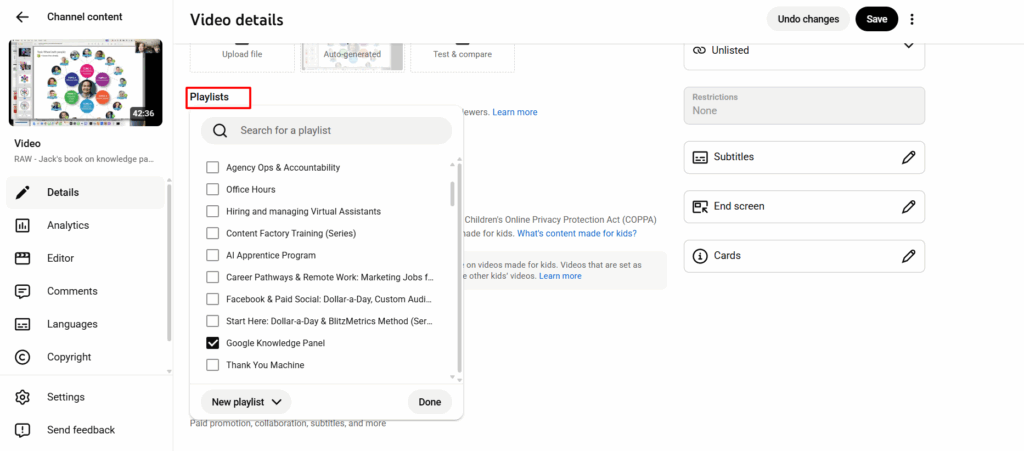
Creating properly themed playlists

Playlists should follow your “topic wheel,” not be a dumping ground of everything you’ve ever uploaded.

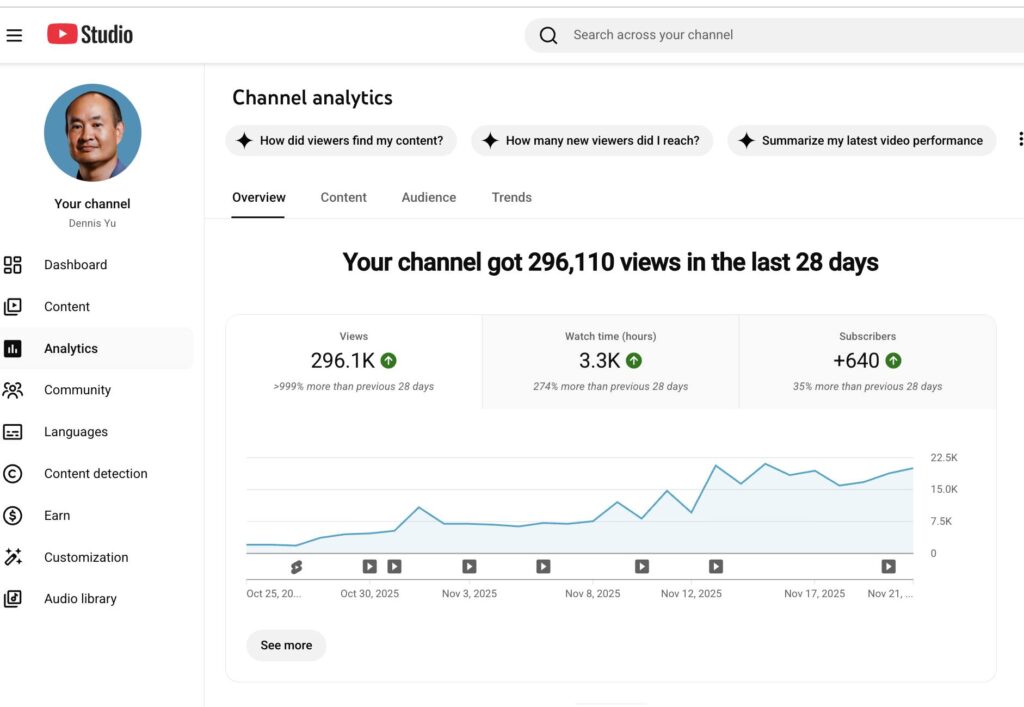
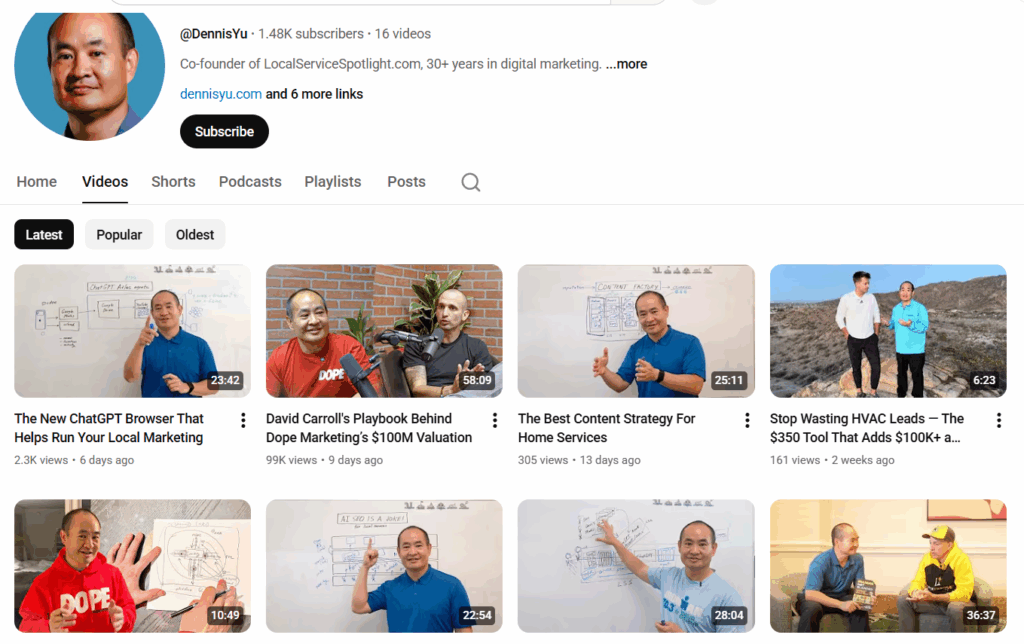
Playlists of Dennis Yu‘s YouTube channel

Adding geo-relevant cues

City + service data in titles, descriptions, and end cards tell YouTube:
“This content is for people in this location searching for this type of provider.”

YouTube videos of ARDMOR Windows & Doors

Improving metadata that YouTube actually reads

This includes:

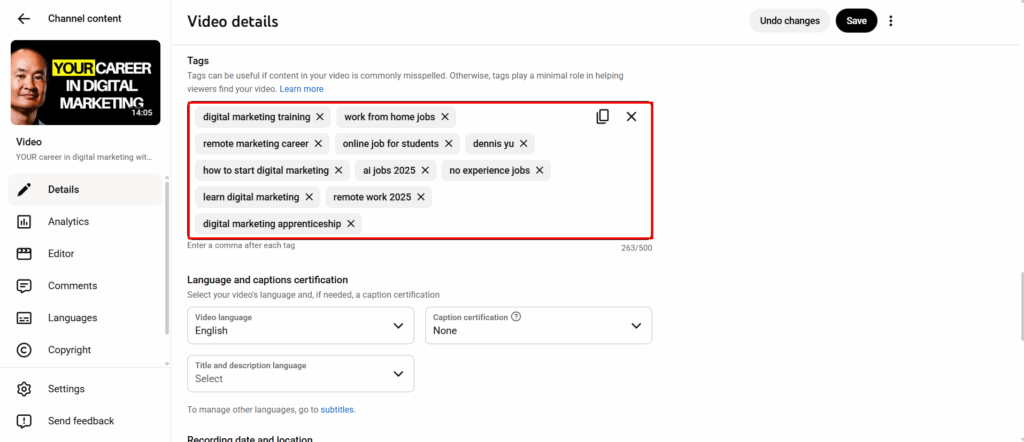
  • Tags.
  • Captions.
  • Default upload templates.
  • Thumbnails.
  • Cards & endscreens.

None of this is glamorous, but it works. It’s the SEO of video.

Optimization is ongoing, not a one-time sweep; just like tuning a car before every race.

Brady Sticker‘s YouTube channel

Boosting YouTube Videos

If the client wants us to run direct boosting from our side, they can fund it at Power Hour.

What we do with the boost:

Promote selected videos

We intentionally choose:

  • Videos with strong messaging.
  • Clear calls to action.
  • Relevance to your local market.
  • Content that best represents you as the expert.

We don’t boost everything; only what deserves amplification.

Build remarketing audiences

Most channels start with zero audience data.

Boosting gives us:

  • Viewers.
  • Clickers.
  • Engagers.
  • People who hit 25%, 50%, 75%, 100% watch time.

Those signals allow us to create remarketing pools we later use across platforms.

Train the algorithm

By forcing initial traffic, we teach YouTube:

  • Who watches to completion.
  • Who skips.
  • What geographic areas respond.
  • What interest profiles match your content.

This is crucial, because YouTube’s algorithm is basically a giant “lookalike engine.”
It can’t find your perfect viewers until it sees who your actual viewers are.

Weekly Reporting & Iteration

As boosting runs, we monitor:

  • Cost per view.
  • Average view duration.
  • Viewer retention at key moments.
  • Geo performance.
  • Playlist contribution.
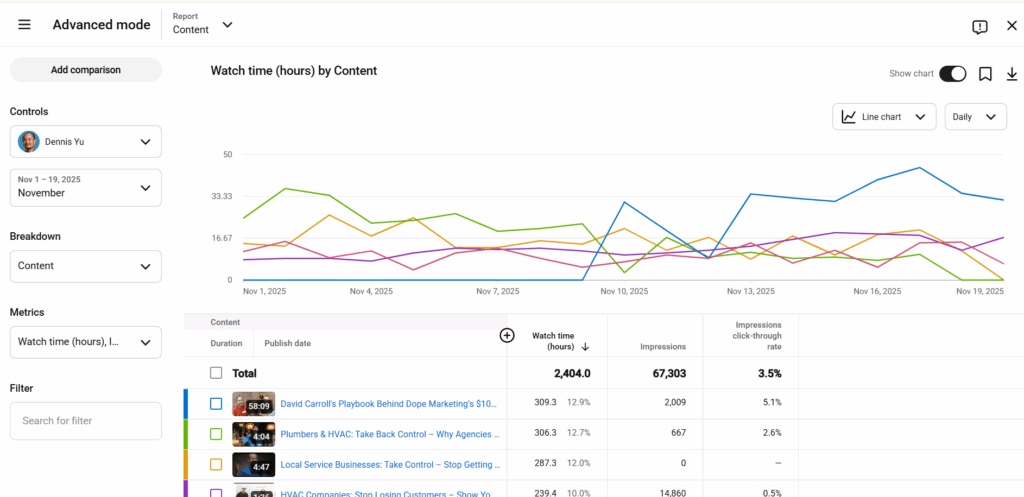
  • Watch time growth.
  • Rising vs. falling videos.

The project manager posts MAA in the appropriate updates thread:

Anthony Hilb‘s Basecamp project

What Happens After the Boost

The boost gives us:

  • Data.
  • Momentum.
  • An initial audience.
  • Watch time.
  • Engagement signals.
  • A trained algorithm.

From there, the channel becomes far easier to grow organically.

We keep optimizing thumbnails, playlists, descriptions, and continue adding geo-relevant content.

This is a “build authority and traffic predictably over time” strategy.

Why Our Follow-Up Sequence Exists — and How It Fits Into the AI Apprentice Program

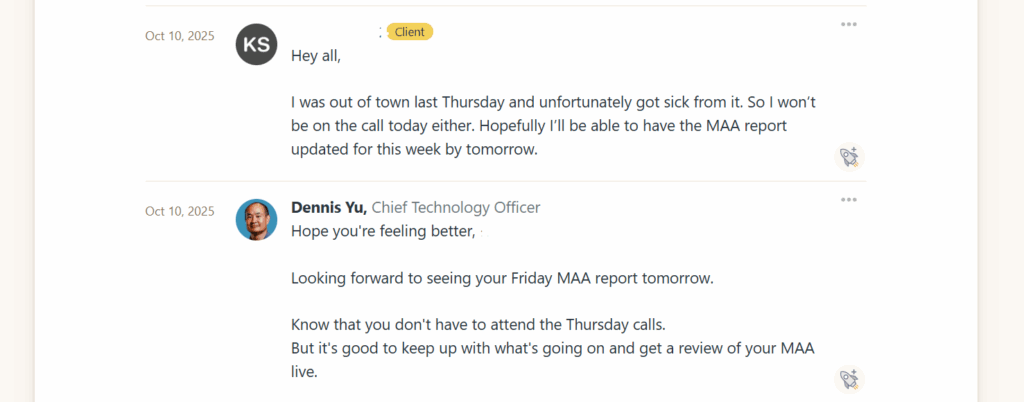
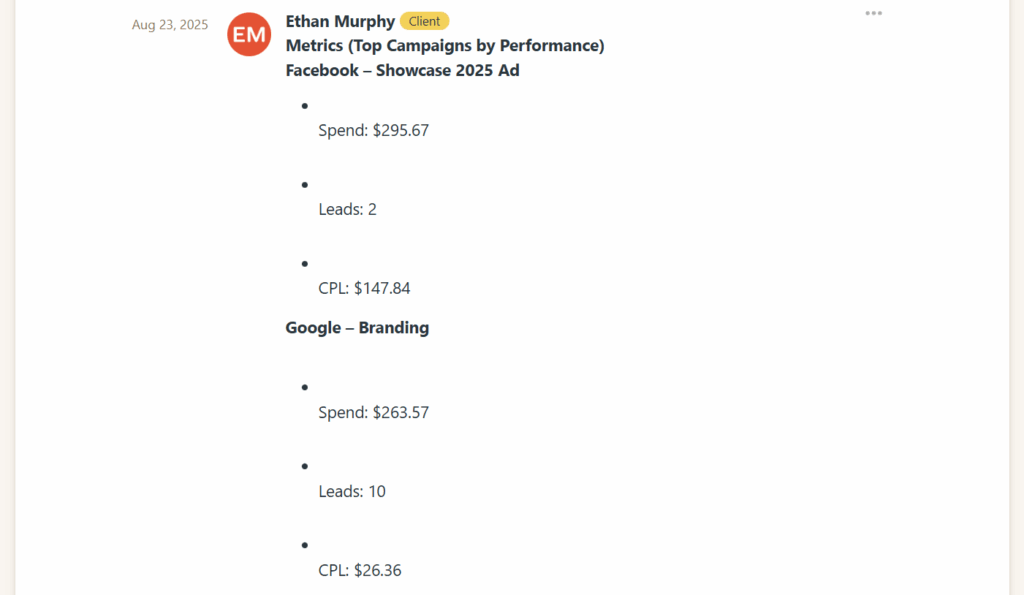
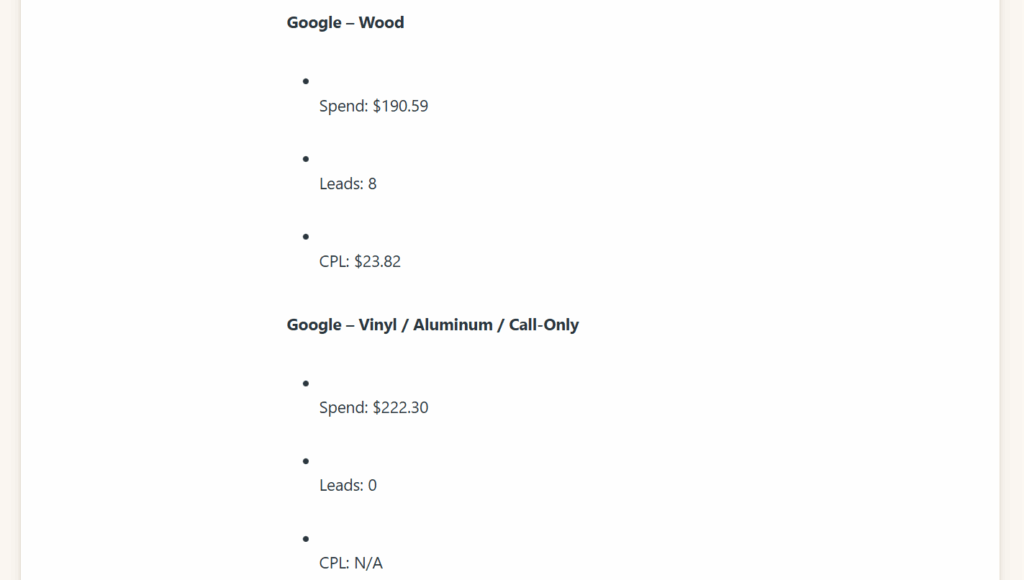
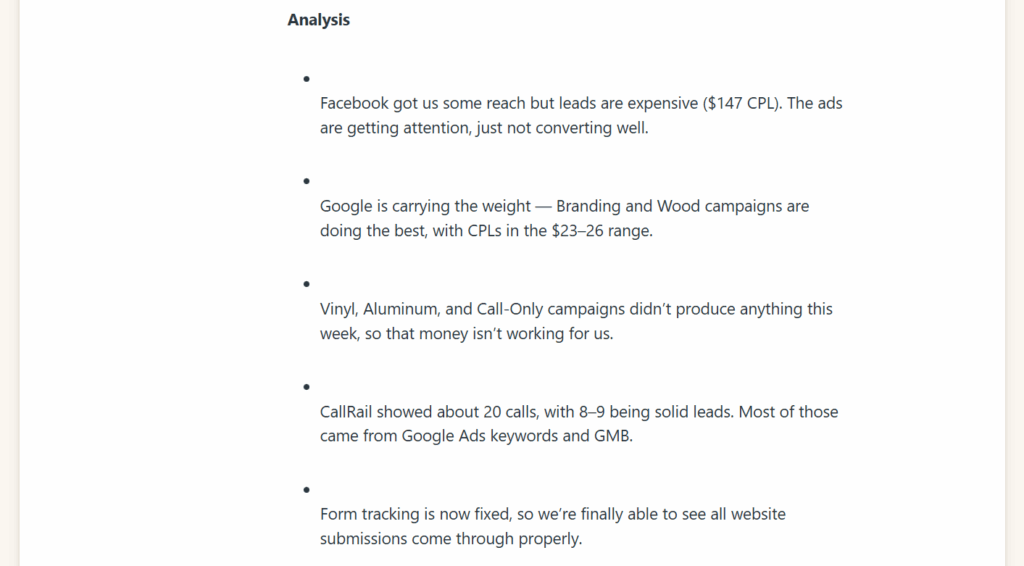
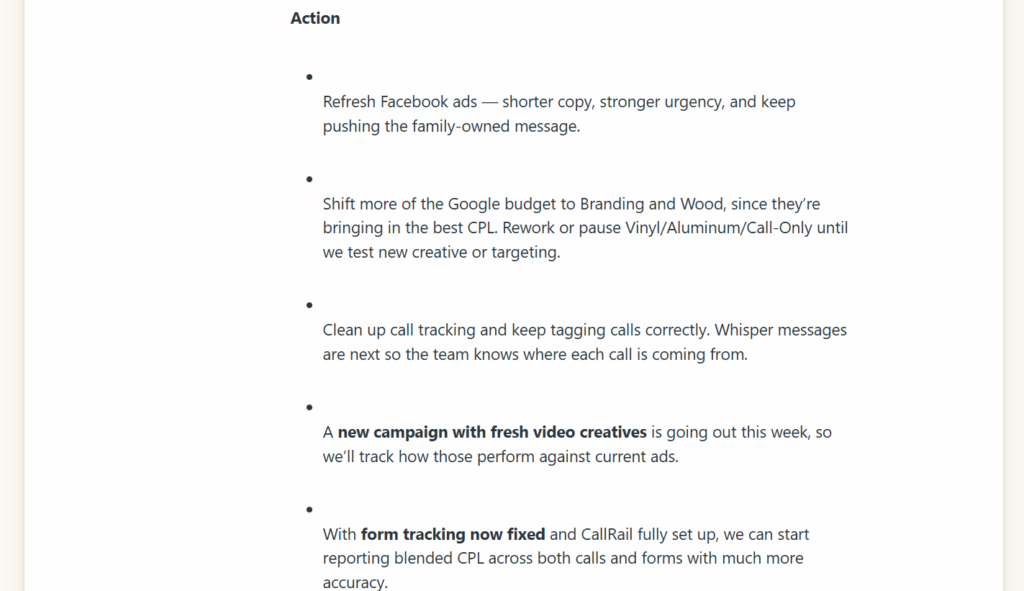
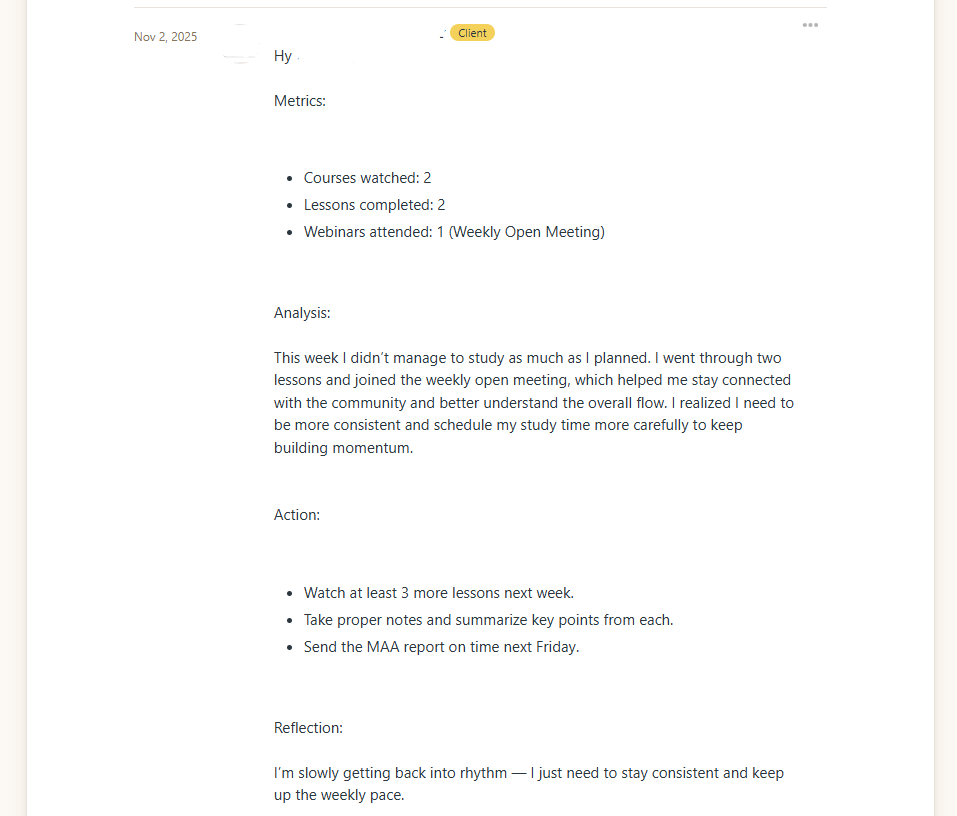
The weekly MAA (Metrics → Analysis → Action) report is the heartbeat of the AI Apprentice program. It’s the mechanism that ensures apprentices are actually doing the work, learning from the data, and driving real performance for their local service business clients.

When apprentices fail to submit their MAAs, they’re flying blind. And if they’re flying blind, we are flying blind. No coaching, no troubleshooting, no accountability, no progression through the program.

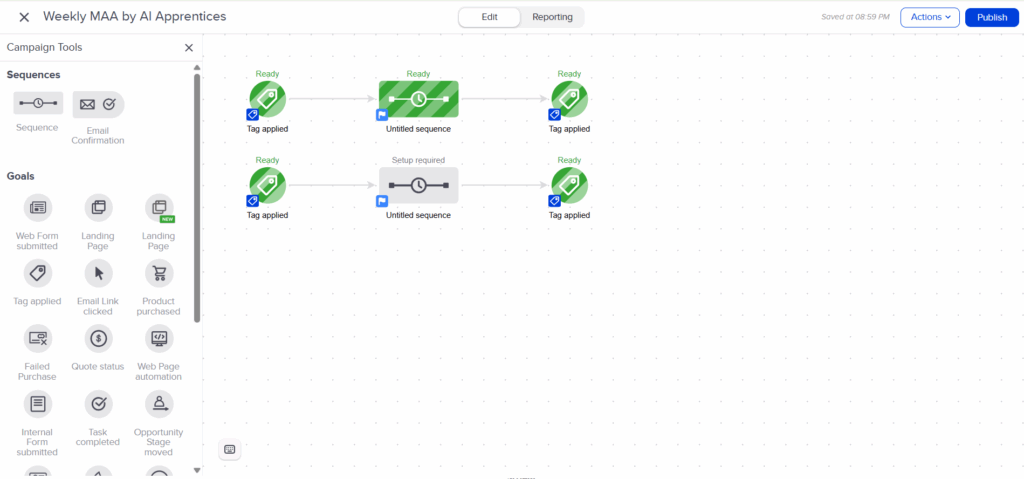
This is exactly why we needed a clear, layered follow-up sequence; one that blends automation, human accountability, and operational discipline.

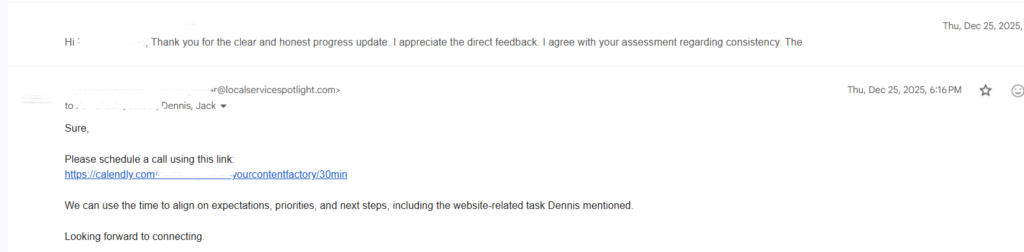
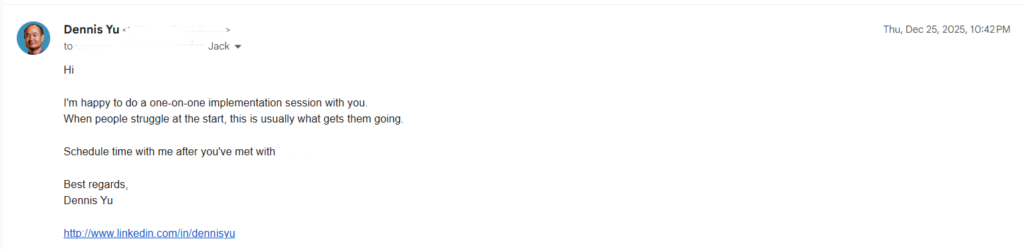
Jack, as program lead, oversees the standards and expectations. Operations team drives compliance. And the automation is there to make sure nothing slips through the cracks.

This article explains the logic, purpose, and flow of the follow-up sequence so all coaches, staff, and apprentices understand how it works and why it exists.

Why Weekly MAAs Matter

The AI Apprentice program is built on three pillars:

Real clients, real work

Every apprentice operates like a mini-agency. They’re responsible for driving measurable results: phone calls, leads, cost per lead, content production, and ranking improvements.

Structured accountability

The program is not babysitting. It’s an apprenticeship. Apprentices learn by doing, reporting, and iterating.

The weekly MAA is the mechanism that:

  • Tracks KPIs.
  • Surfaces issues (declining calls, rising CPC, broken assets).
  • Shows progress through the Content Factory process:

Demonstrated mastery

Apprentices “graduate” by proving competence, not by waiting out a calendar year.
Their MAAs are the evidence: the logbook of a pilot, the surgical report of a resident, the notebook of a chef.

So when apprentices stop submitting MAAs, the entire apprenticeship model breaks.

The Problem: MAA Compliance Is Low

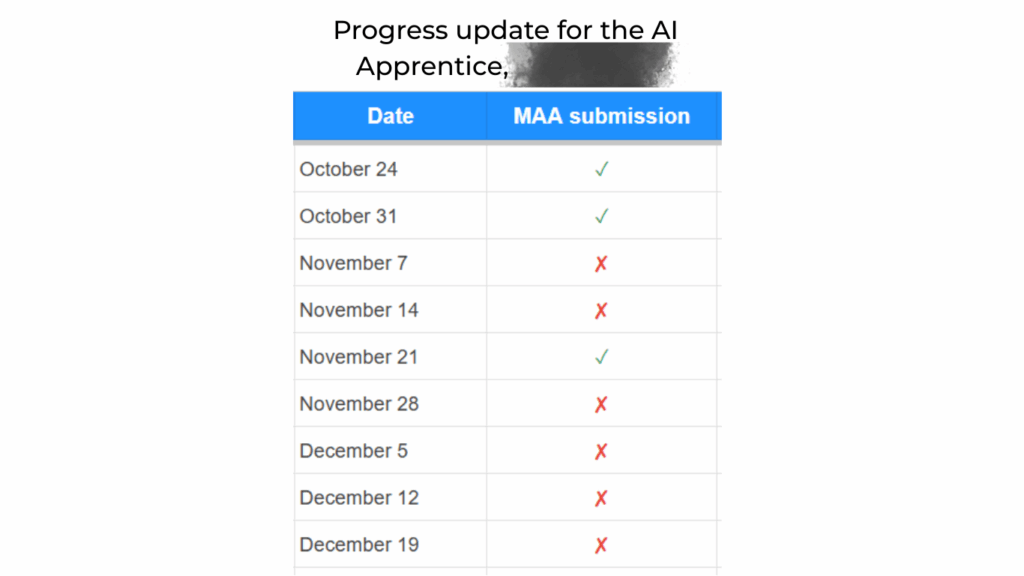
Most apprentices are not submitting their weekly MAAs.

That triggers two questions:

  • RCA (Root Cause Analysis): Why are they failing?
  • RCF (Root Cause Fix): How do we eliminate the cause, not just patch the symptom?

Automation alone does not solve the problem. Left alone, automated emails get ignored faster than a gym membership reminder.

We need a layered system:
Automation → Human follow-up → Escalation

The Follow-Up Sequence: Logic & Structure

The follow-up system is designed to:

  1. Remind apprentices ahead of time.
  2. Notify them at the deadline.
  3. Escalate when they fail.

Here’s the logic behind each layer.

Phase 1 — Automated Reminders

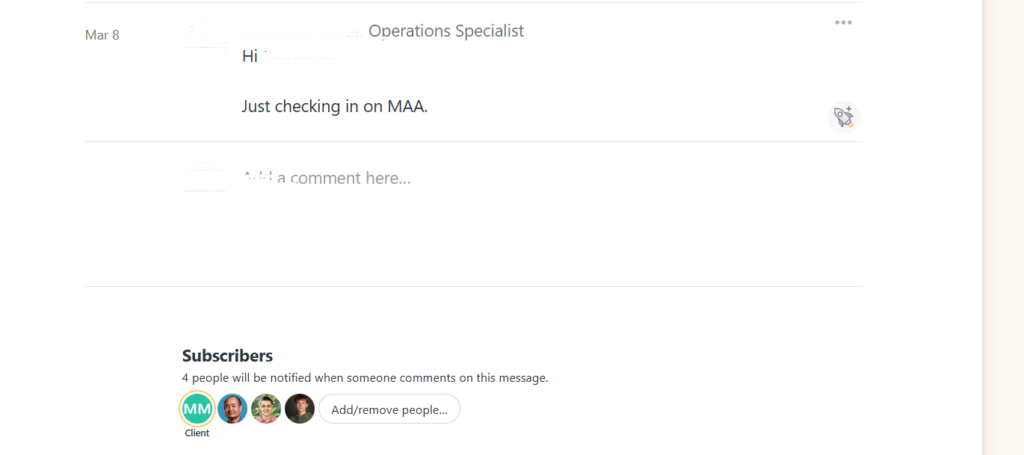
These reminders exist so humans don’t have to nag.

Purpose: Prevent “I forgot” and train proactive behavior.
Details:

  • Tells them MAA is due Friday.
  • Links directly to the process.
  • Reinforces expectation: “If you’re traveling or unavailable, submit early.”

Phase 2 — Human Follow-Up

Once automation has done its job, the human layer begins.

This is where the operations team comes in.

Why human follow-up matters:

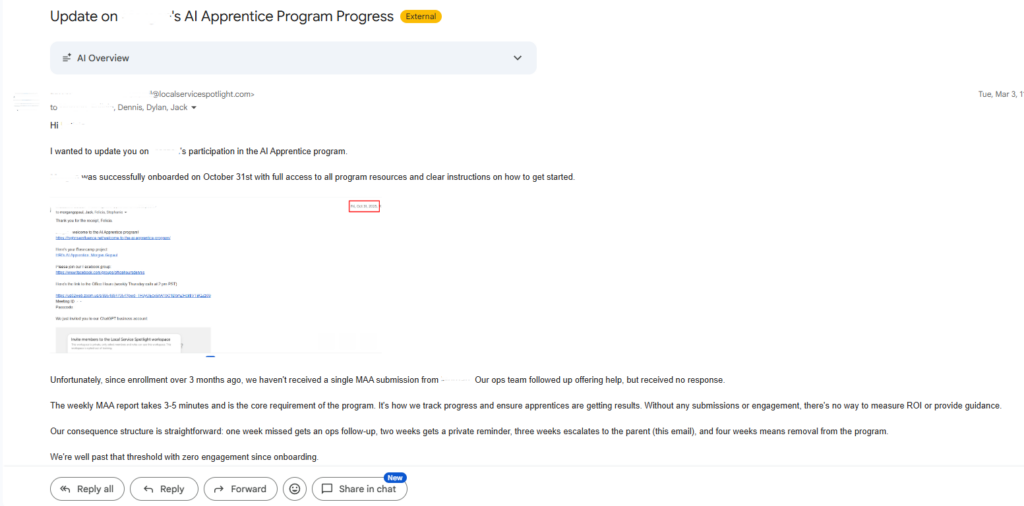
  • People ignore bots, but rarely ignore a real person.
  • Human tone communicates care instead of cold automation.
  • Humans can ask real questions and uncover real barriers.
  • Human contact reinforces the culture: you matter, your work matters.

In trades, apprentices who repeatedly miss required logs or hours don’t advance.
Same here.

Phase 3 — Escalation

If an apprentice misses multiple MAAs, the issue moves beyond operations.

Jack, as program lead, steps in to:

  • Clarify consequences.
  • Re-align expectations with the apprentice and parent (if applicable).
  • Determine whether the apprentice is still a fit for the program.
  • Recommend remediation pathways.

This keeps the program strong and prevents weak links from dragging down the group.

How the Sequence Fits Into the Apprentice Program Culture

The follow-up process reinforces the values the program is built on:

Apprenticeship, not classrooms

You learn by doing, reporting, and improving, not by memorizing.

Accountability, not babysitting

Support exists, but progress requires personal responsibility.

Community learning

Missing MAAs deprives both the apprentice and the group of insights.

Data-driven coaching

We can’t coach what we can’t see.

Preparing apprentices for real agency life

Clients expect updates.
Real marketers live by numbers.
Reporting is not optional.

Closing Thought

Most apprentices who fail to submit MAAs are lost.
The follow-up sequence is our way of pulling them back onto the path.

Automation handles the reminders.
Humans handle the growth.
Leadership handles the standards.

And together, this structure ensures the AI Apprentice program remains what it was designed to be:
A hands-on, accountable, real-world training ground that turns young adults into capable, confident agency operators.