
Why You Should Add a 301 Redirect Instead of Just Trashing an Article

When you find an empty, outdated, or broken article on your site, your first instinct might be to delete it. But before you send it to the trash, pause. If that URL has ever been published, indexed, or linked, you’re throwing away valuable SEO equity.
What happens when you delete a Page
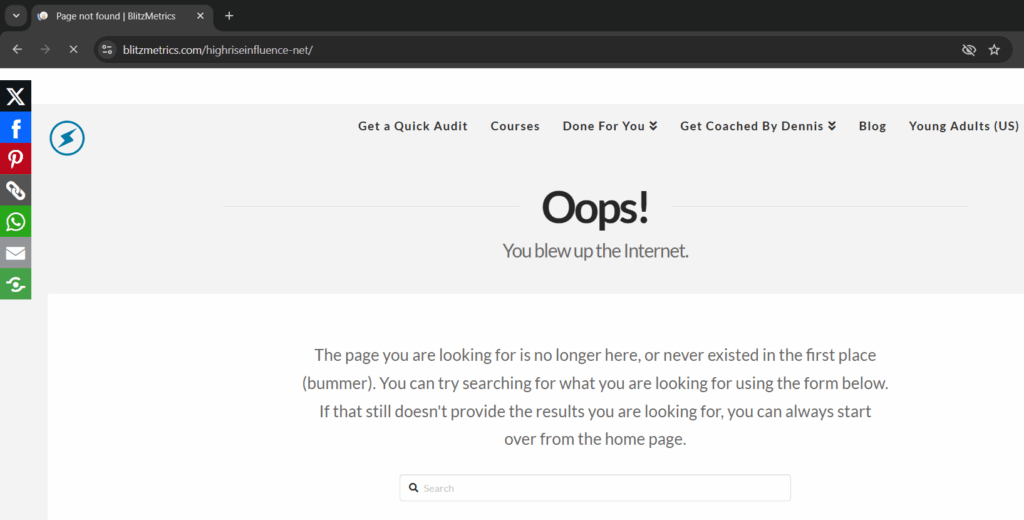
When you hit “Trash,” WordPress sends that URL into oblivion. Anyone visiting the old link, whether from Google, social media, or someone’s bookmark, will now get a 404 (Page Not Found) error.
That means:
- You lose all the SEO authority that page built up over time.
- Users hit a dead end, which kills trust and increases bounce rates.
- Google eventually drops it from the index, which can weaken your site’s overall structure.
Why a 301 redirect is the smart move
A 301 redirect tells search engines and browsers, “This page has permanently moved.”
It passes nearly all of the link equity from the old URL to the new one keeping your SEO value intact.
It’s also good UX. Instead of landing on an error page, visitors are automatically taken to a relevant page that still helps them.
In the case of the article https://blitzmetrics.com/highriseinfluence-net/, which was empty, we didn’t just delete it. We redirected it to the AI Apprentice program page, a live, relevant destination that keeps traffic flowing instead of wasting it.
When to use a 301 redirect
Use a 301 redirect whenever:
- The page is outdated or replaced with a new version.
- You’ve merged multiple articles into one.
- The URL structure changes (e.g., rebranding, domain migration).
- The content no longer exists but there’s a related topic that fits.
How to add a 301 redirect
If you’re on WordPress:
1. Use a plugin like Rank Math, Redirection, or Yoast SEO Premium.

2. In the plugin’s Redirects section, enter:
— Source URL: the old page (e.g., `/highriseinfluence-net/`)

— Target URL: where you want it to go (e.g., `/ai-apprentice-program/`)
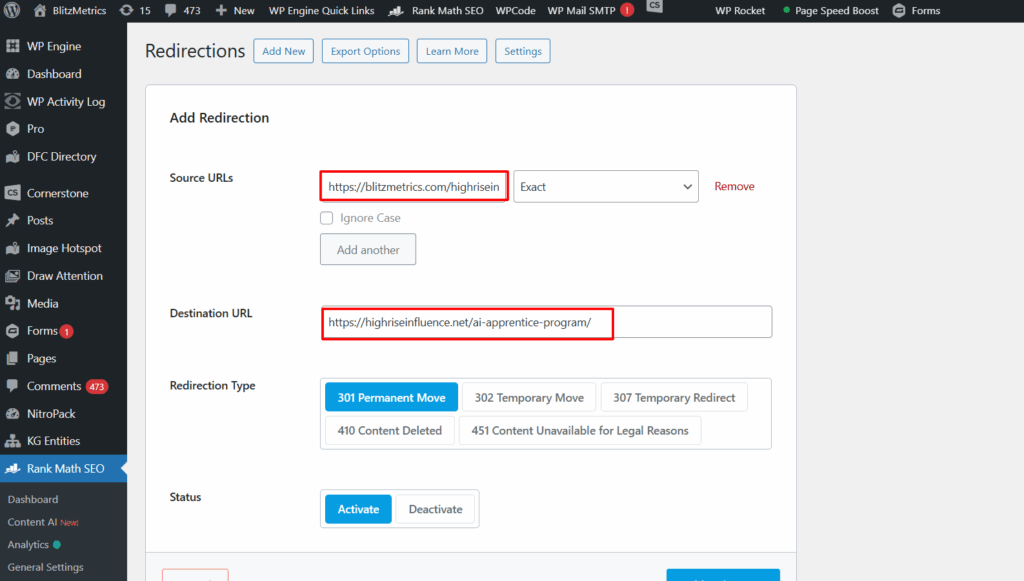
3. Save the redirect and test it.
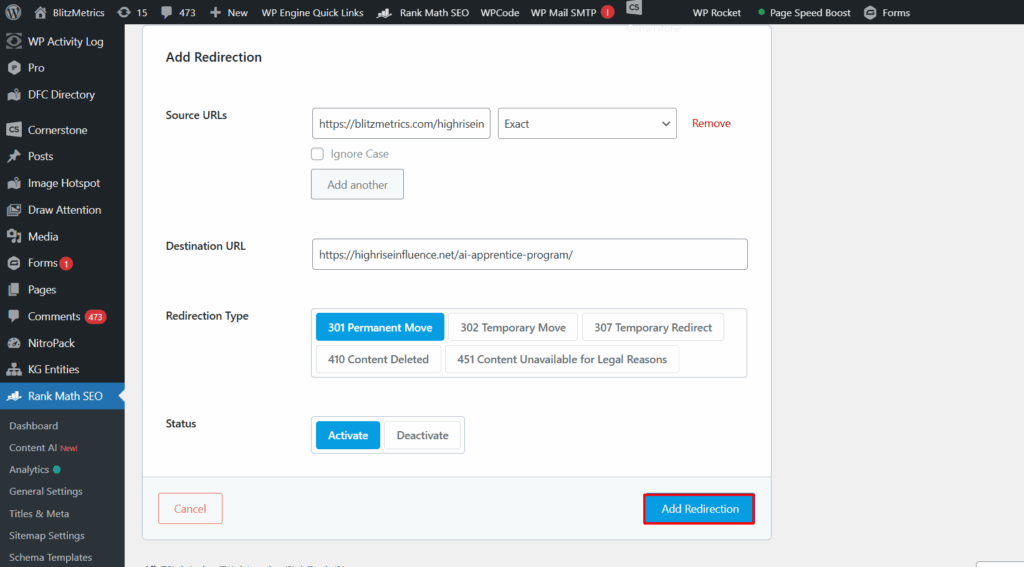
That’s it, your link equity and user experience are safe.

Final thought
Never delete a page that’s been published without adding a 301 redirect first. Think of it like forwarding your mail when you move; it’s common sense, it keeps people from getting lost, and it preserves everything you’ve built.