
How to Grant Us Access to Your Website

When you sign up for the AI Apprentice program, DFY Google Knowledge Panel package, monthly agency retainer, or schedule a Power Hour, the first step is granting us access to your website.
Before we begin implementing the Content Factory process or providing hands-on guidance, we need website access to properly evaluate performance, structure, content, and technical setup. This allows us to see what’s working, what’s missing, and what needs to be improved without guessing.
Some website elements will already be in place. Others may need minor adjustments. Not every permission is mandatory, but the more visibility we have, the faster and more accurately we can move.
Once our operations team has received the correct website access, implementation begins under the direction of your project manager and specialist team. For a Power Hour, access allows us to quickly identify issues and opportunities during the session itself.
Why We Need Website Access
Website access allows us to evaluate your content, structure, internal linking, on-page SEO, and authority signals in context.
Without access, we’re limited to surface-level observations. With access, we can identify bottlenecks, implement improvements directly, and ensure changes align with your broader strategy instead of creating conflicts.
This is how we avoid wasted effort and focus on actions that compound.
Your Website Platform
In most cases, you only need to grant access to one website or content management system, such as WordPress, Squarespace, or HubSpot.
Our team primarily works in WordPress. If your website uses a different platform or a custom setup, contact your account manager or project manager before proceeding so we can advise you properly.
Granting Access to a Squarespace Website
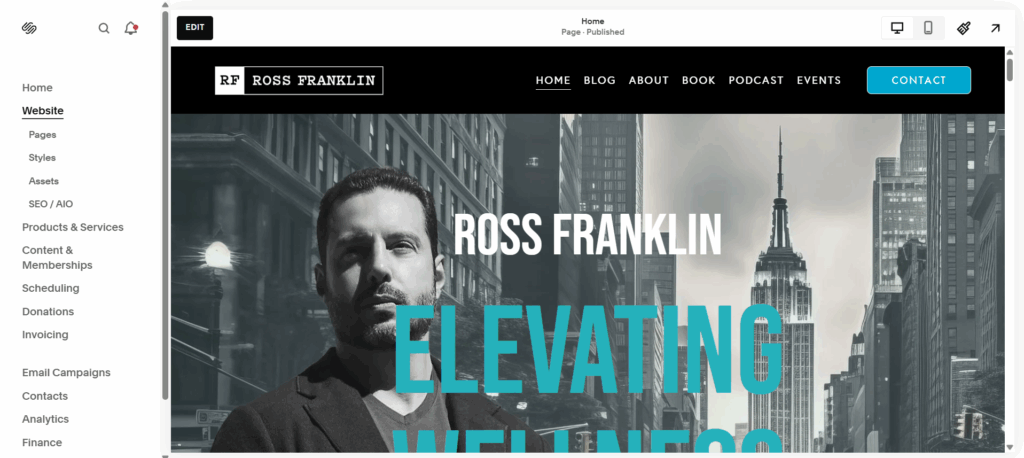
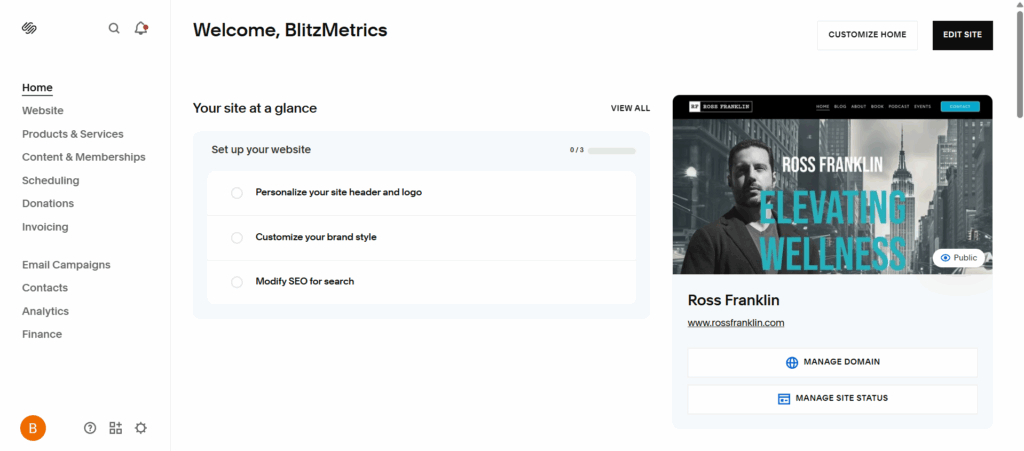
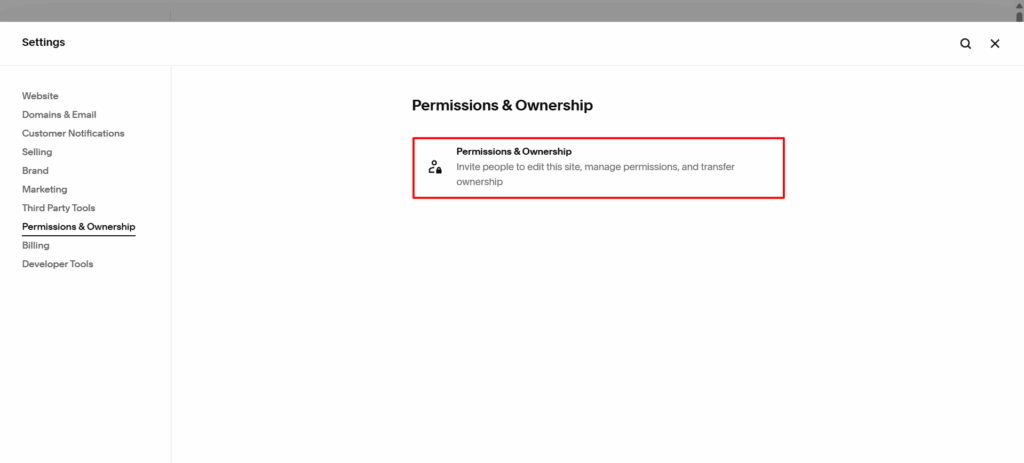
Log in to your Squarespace account and open the Home Menu.
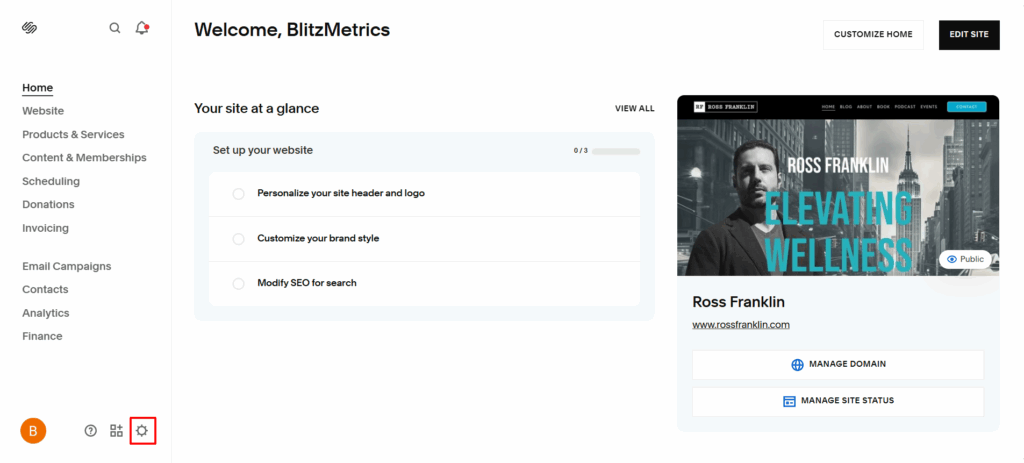
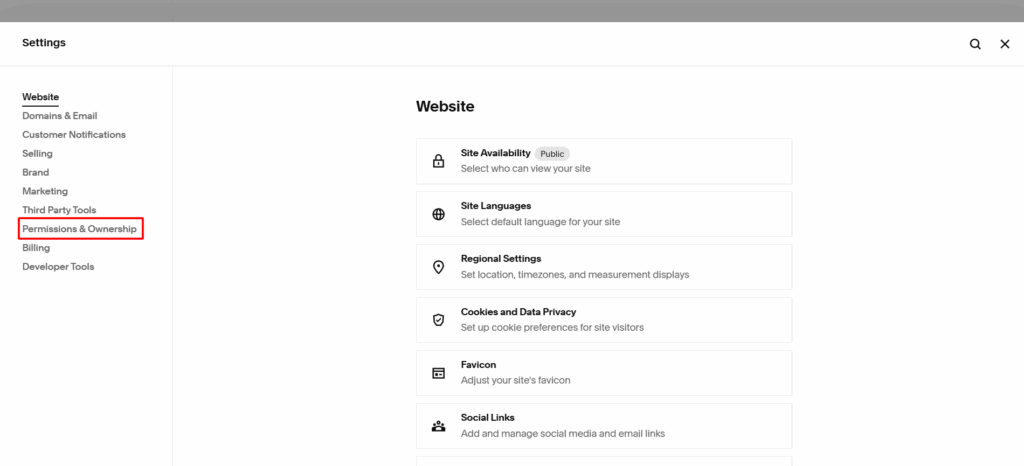
Navigate to Settings, then Permissions, and invite a contributor.
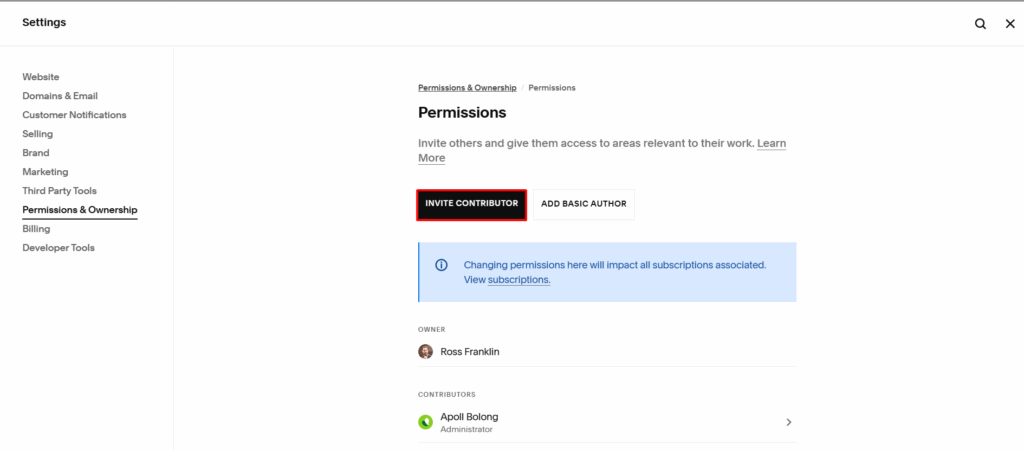
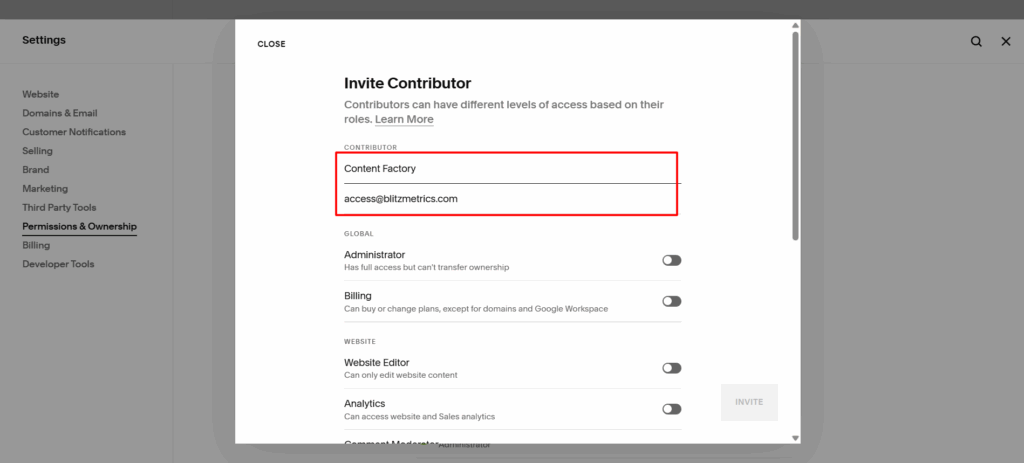
Use “Content Factory” as the name and access@blitzmetrics.com as the email address.
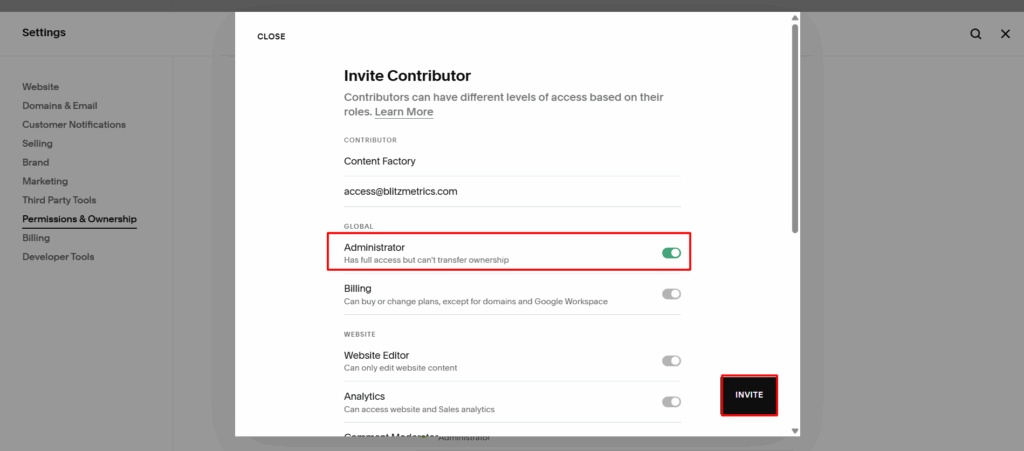
Assign the Administrator role, then save your changes.
Granting Access to a WordPress Website
Log in to your WordPress administrator account, usually accessed by adding “/wp-admin” to the end of your site’s URL.
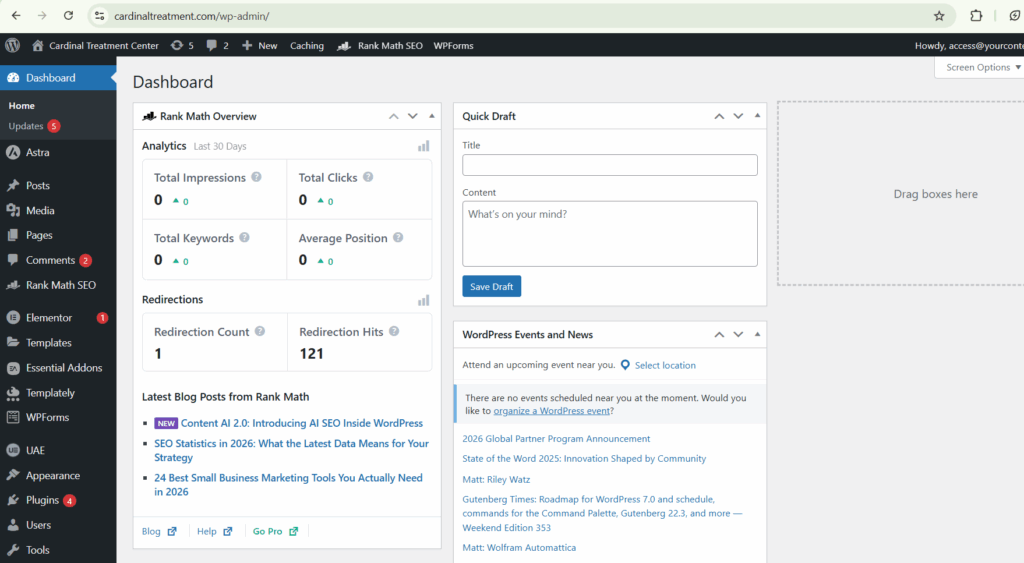
Navigate to Users.

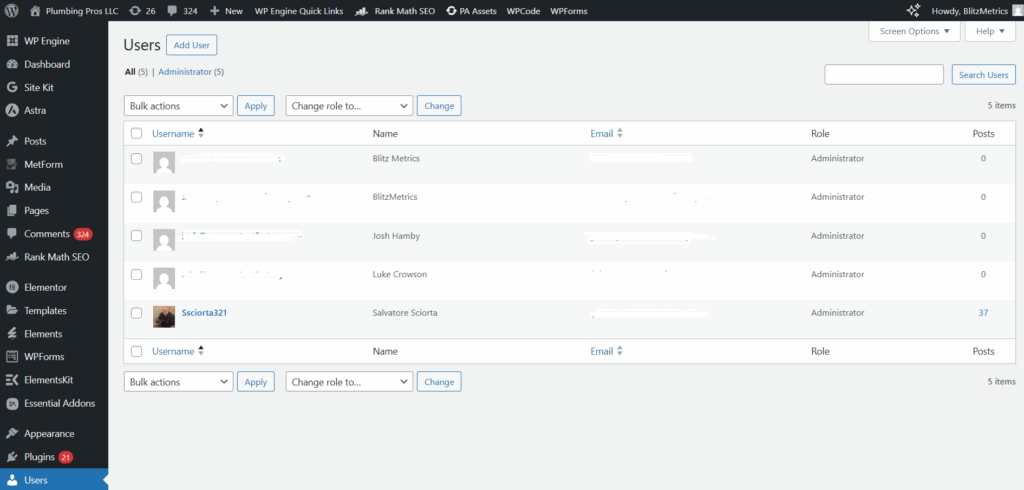
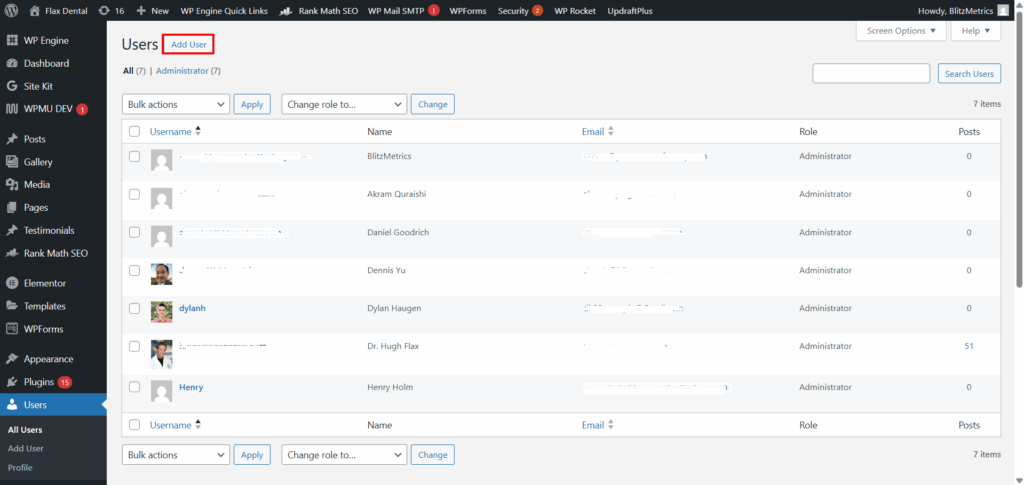
Add a new user.
Use access@blitzmetrics.com as the email address and “Content Factory Team” as the name.
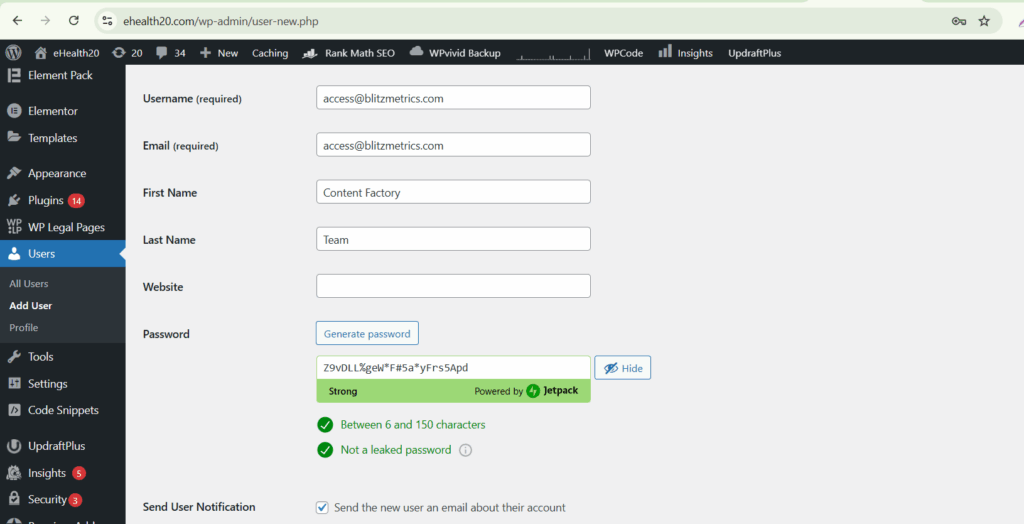
Assign the Administrator role, set or generate a temporary password, and ensure the login details are emailed to the new user.

Granting Access to a HubSpot Website
Log in to your HubSpot account and open Account Settings from the top-right menu. Navigate to Users & Teams and invite a new user using access@blitzmetrics.com.
Assign an Administrator role and enable full access to blogs, landing pages, website pages, reporting, files, templates, modules, and global content. All other settings can remain unchanged.
Once the invitation is sent, HubSpot will complete the setup.
Other Website Platforms
If your website is hosted on a platform not listed above, or if you’re unsure how to grant access safely, contact Operations for platform-specific instructions.
What Happens After Website Access Is Granted
Once access is confirmed, our operations team verifies credentials and hands off implementation to your project manager.
For ongoing programs, work begins immediately. For Power Hours, access allows us to focus the session on high-impact improvements instead of discovery.
Need Help?
If you have questions, reach out to Operations. If you’d prefer help setting things up, we’re happy to schedule a Zoom call and walk through it with you.
Website access is the starting line. Once it’s in place, everything else moves faster.