
How to Fix Unclickable Links on Your YouTube Channel

If you’ve ever dropped a link in your YouTube description and realized it’s not clickable, that’s not a glitch; it’s a verification issue.
This video broke down how you can deal with unclickable links step by step to make them functional.
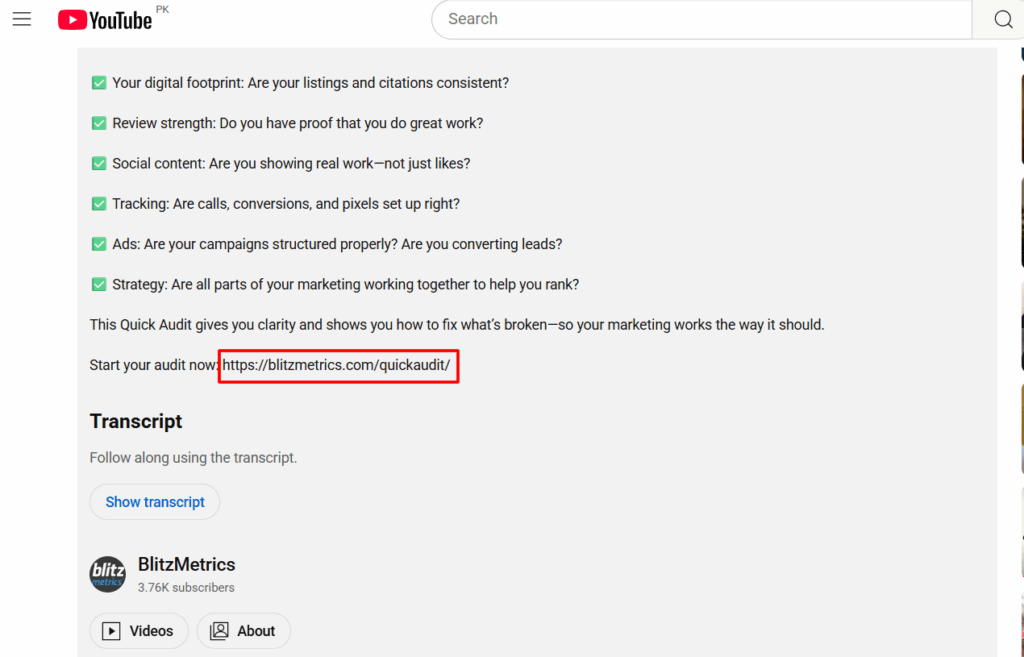
YouTube requires every channel to complete a one-time verification process before allowing live links in video descriptions or end screens.
If you skip that step, your viewers can see your calls-to-action (“Get a free audit,” “Book a consultation,” “Join our academy,” etc.), but they can’t click them.
That means you’re losing traffic, leads, and sales with every view.
Why It Happens
YouTube automatically disables clickable links for any channel that hasn’t verified ownership.
It’s a built-in safeguard to prevent spam and scams, but it also affects legitimate creators and businesses who just haven’t done the setup yet.
Luckily, the fix takes just a few minutes.
How to Enable Clickable Links on YouTube
Only the channel owner can complete the verification.
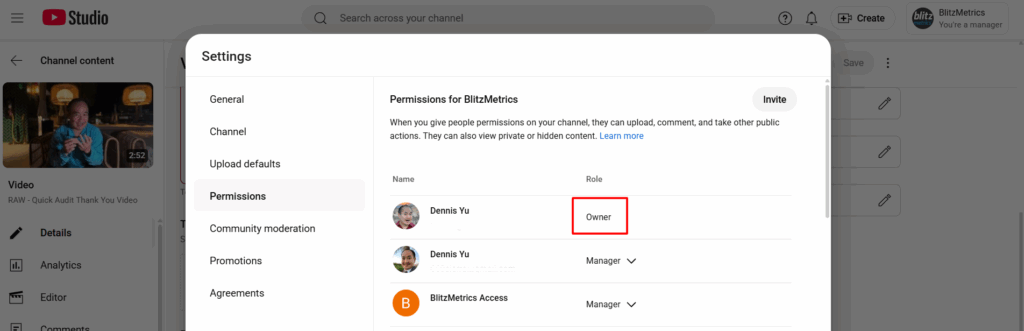
Here’s exactly how to do it:
1-. Open YouTube Studio
Go to studio.youtube.com and make sure you’re signed into the right channel.
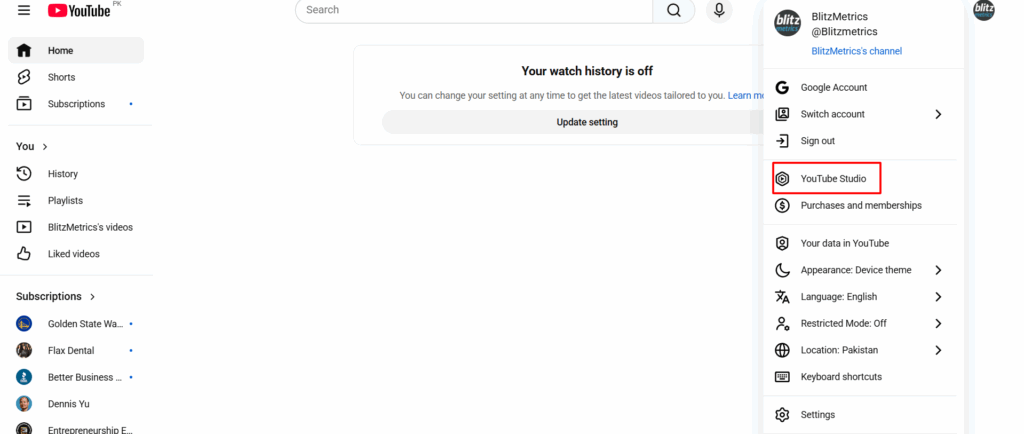
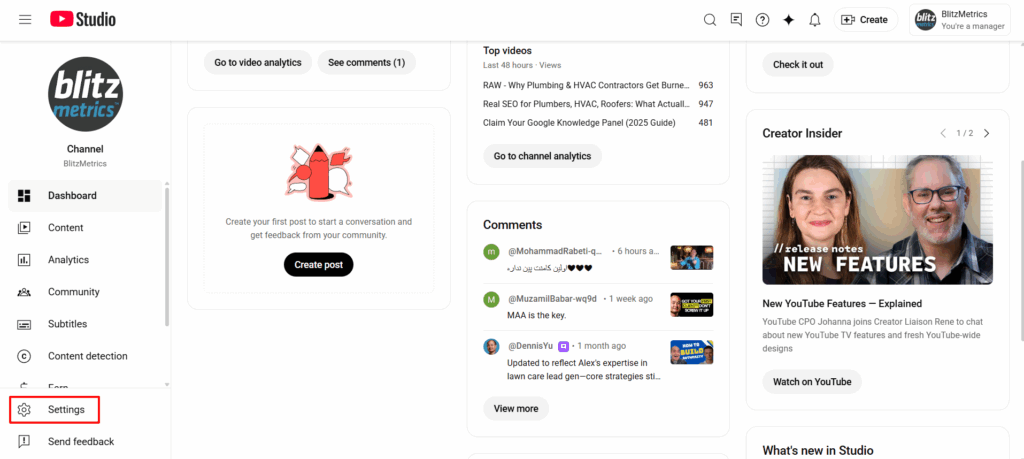
2. Go to Settings
In the bottom-left corner, click Settings.
3. Select Channel → Feature Eligibility
From the left-hand menu, click Channel, then Feature Eligibility.
4. Verify All Features
You’ll see options under “Feature Eligibility.”
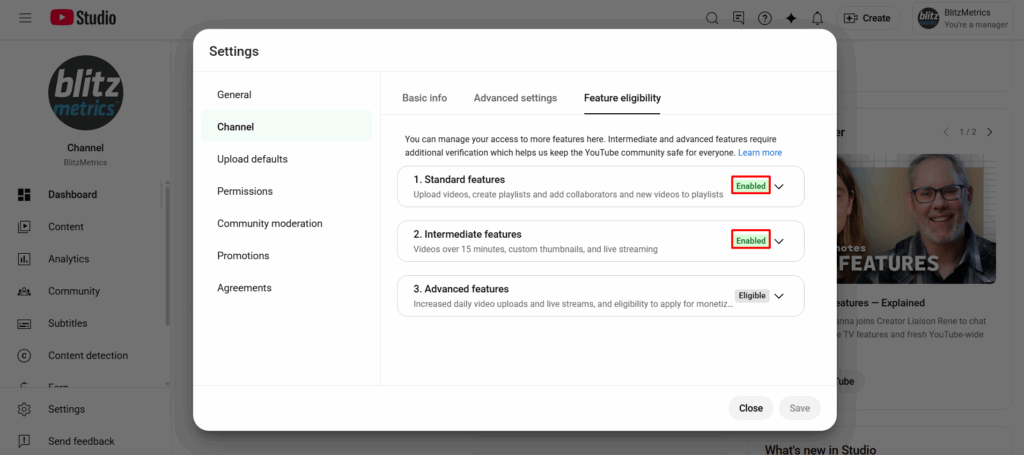
Expand each section and follow the prompts to verify your identity.
- Some may require a phone number or ID.
- Others may ask for a quick video verification.
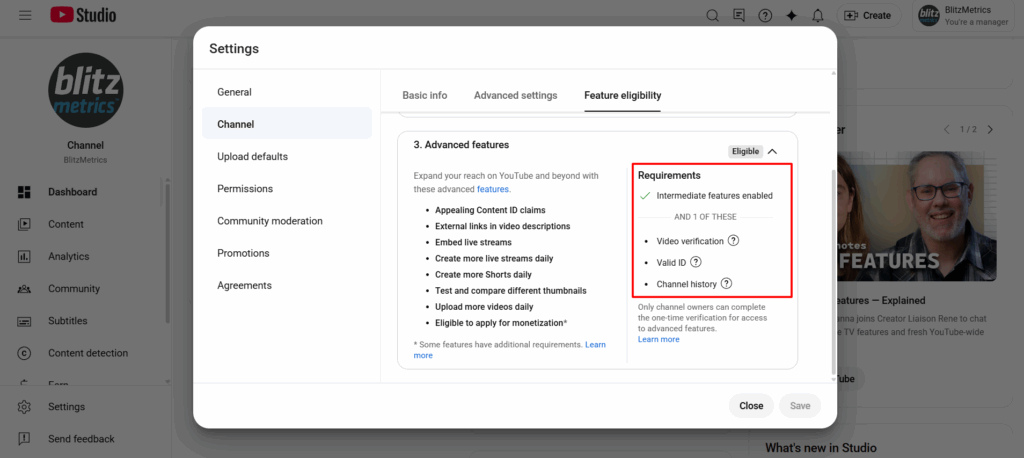
Once you complete the process, YouTube will unlock your account for external linking, meaning your website, lead form, or offer links in your descriptions will become clickable again.
Why It Matters
For agencies and creators who rely on CTAs to drive results, this step is essential.
Every video you post should have a functioning path that moves viewers from watching to taking action, whether that’s booking a call, signing up, or making a purchase.
Verifying your channel ensures your content does its job: turning attention into conversions.